
ATRIA Wi-Fi 5 Mesh 2100 (add-on)
Всички въпроси
ATRIA Wi-Fi 5 Mesh 2100 (add-on)
Мога ли да настроя мрежа за гости в мрежата си „ Mesh “?
Да, можете да настроите мрежа за гости в мрежата си „ Mesh “. Има два начина да го направите:
1СЛУЧАЙ1: Уеб интерфейс:
За да се свържете с уеб интерфейса, моля, следвайте следната процедура: Как да получа достъп до уеб интерфейса?
2GuestNetwork
Кликнете върху „WLAN“ и „Гостна мрежа“. Ако искате да активирате както 2,4, така и 5G гостни мрежи, отбележете съответните полета и кликнете върху „Потвърди“.
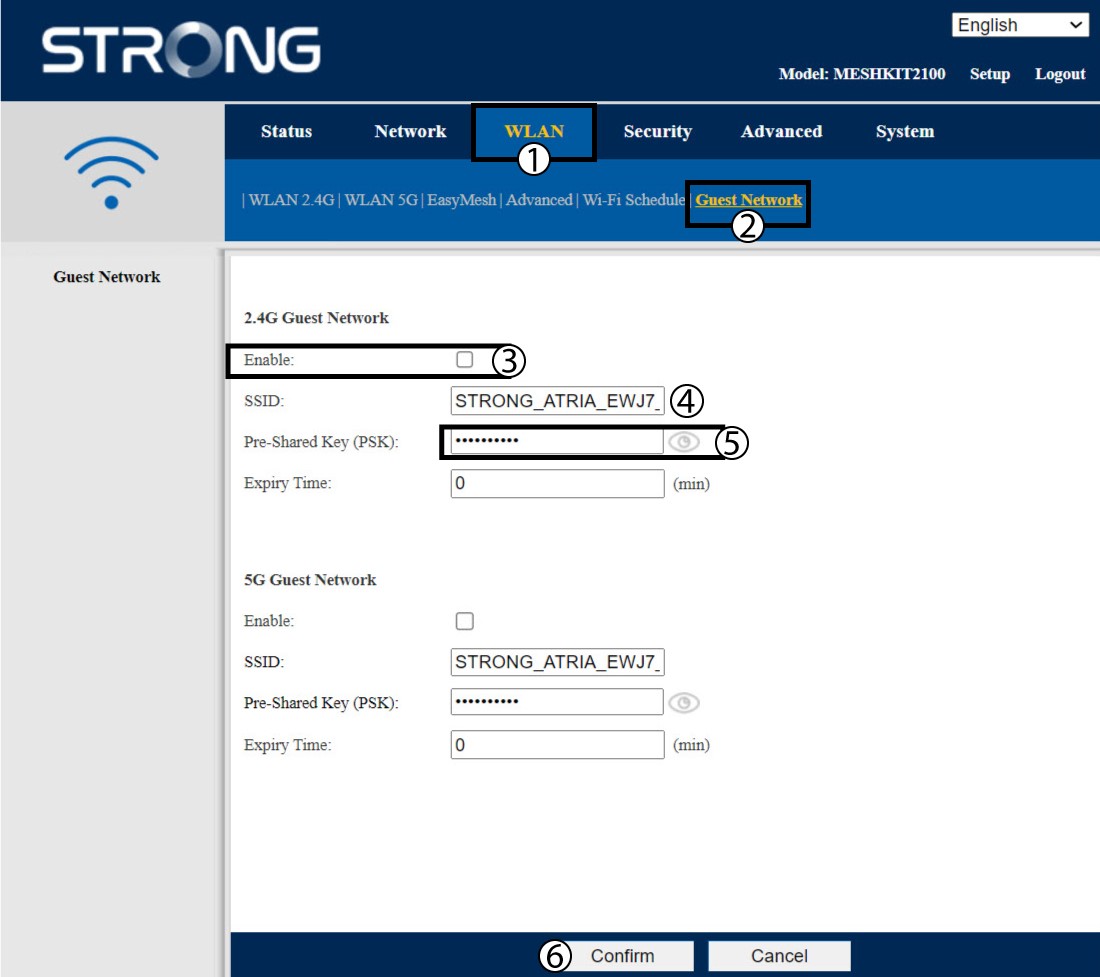
3. Запишетеновата информация
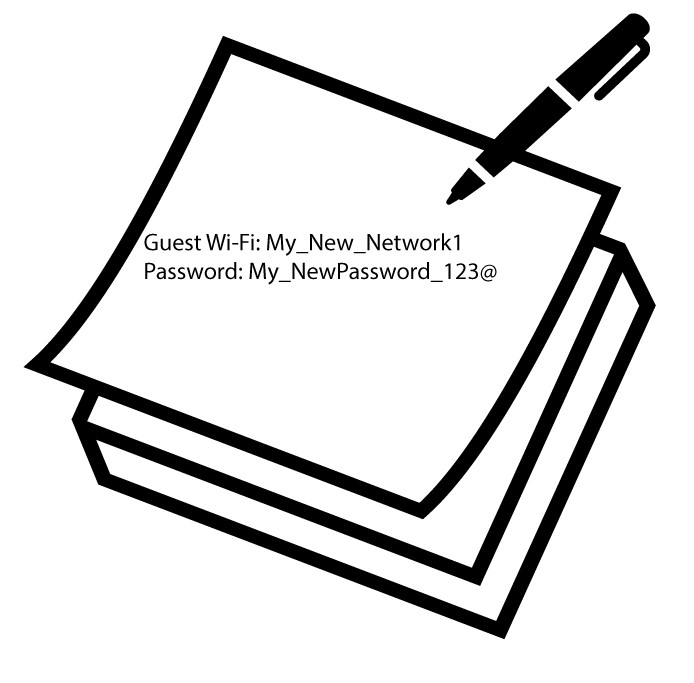
Запишете имената и паролите на мрежите за гости на лист хартия.
1Случай2: Приложението „Atria Mesh “
За да се свържете с приложението, моля, следвайте следната процедура: Как да използвам приложението „Atria Mesh “?
2. Wi-Fi за гости
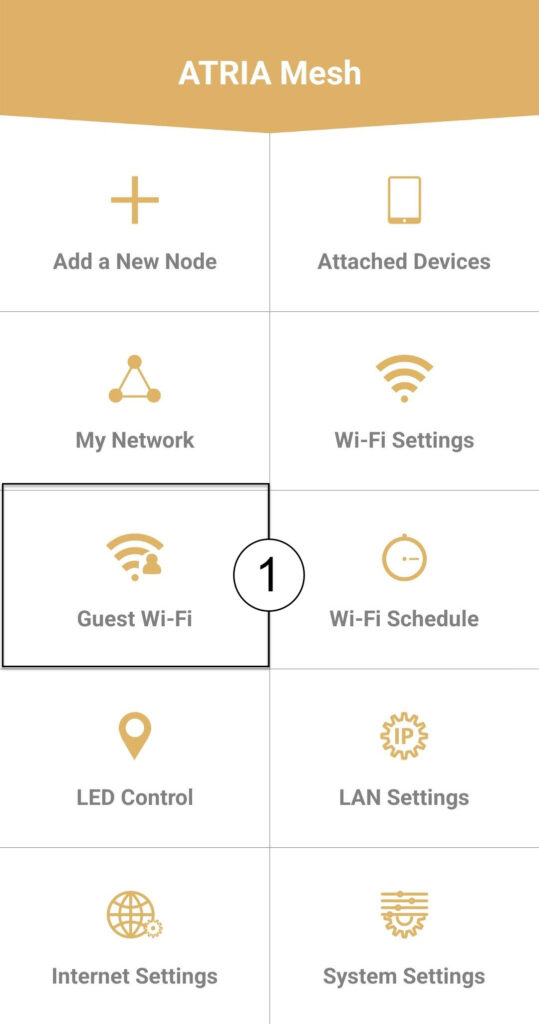
Кликнете върху „Wi-Fi за гости“.
3НОВАСТЪПКА
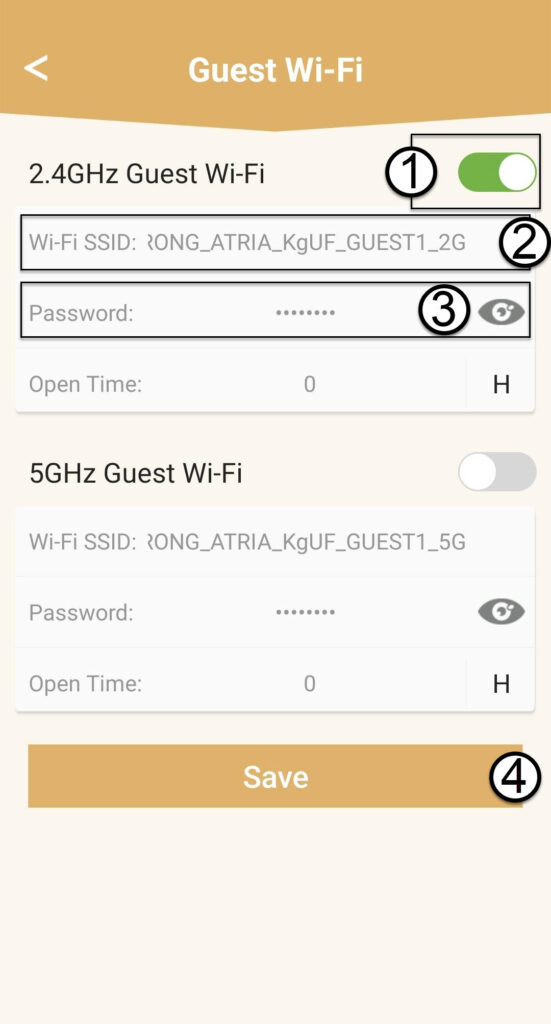
Натиснете бутона за включване/изключване на Wi-Fi мрежата за гости, за да я активирате. След това кликнете върху името на SSID на Wi-Fi мрежата, за да го промените, и кликнете върху иконата с окото, за да видите паролата и да я редактирате, преди да кликнете върху „Запази“.
4. Запишетеновата информация
Запишете новия SSID и паролата за Wi-Fi на лист хартия.