Универсален повторител 300 V2
Всички въпроси
Универсален повторител 300 V2
Как мога да настроя Universal Repeater 300 като точка за достъп?
Моля, уверете се, че превключвателят за избор на режим ( switch ) на страничния панел на вашия Universal Repeater 300 е настроен на режим „Access Point“.
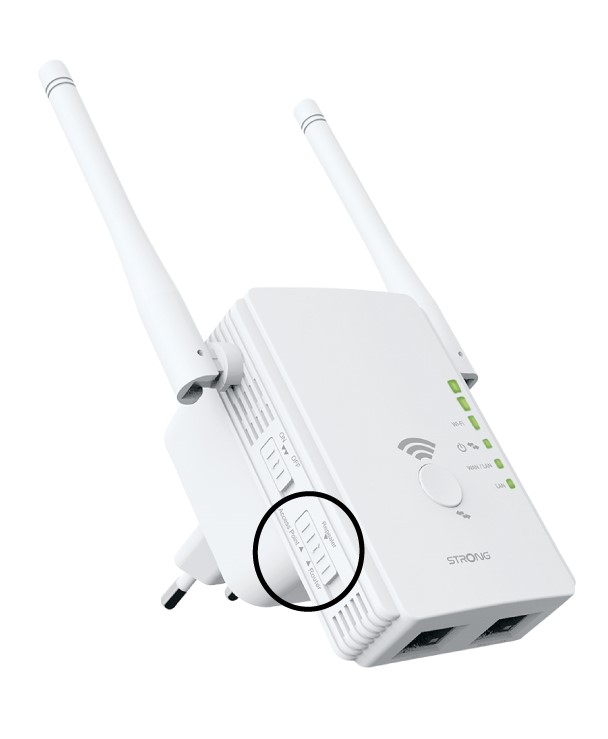
1. Проверетережима на устройството
Проверете индикатора „ switch “ в лявата част на ретранслатора, за да видите в какъв режим работи той. Индикаторът „ switch “ трябва да е настроен на „router“.
2. Възстановетефабричните настройки на вашия ретранслатор
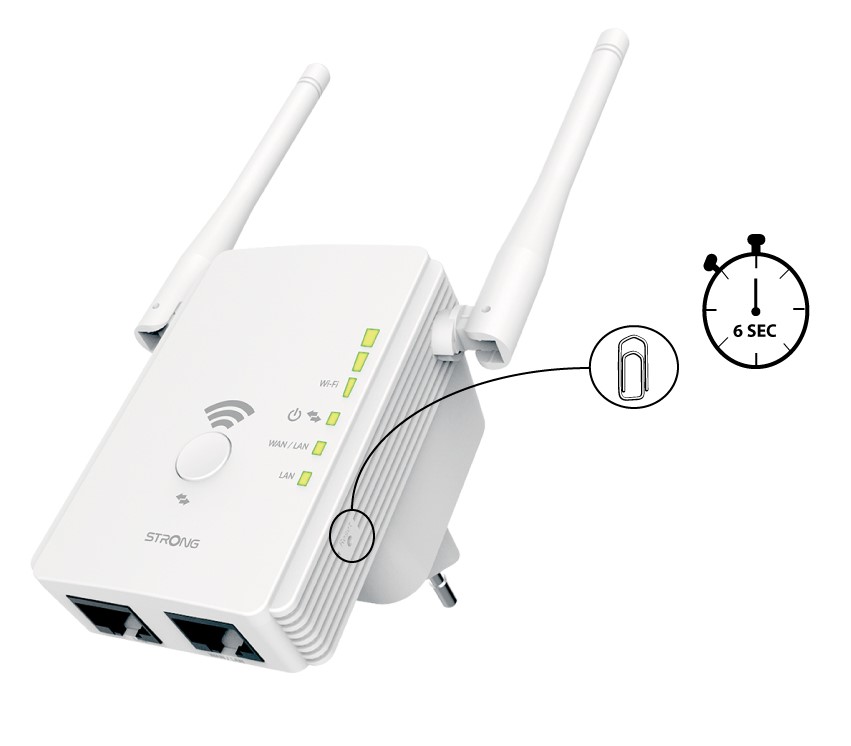
Възстановете фабричните настройки на устройството си, като натиснете бутона „Reset“ с кламер в продължение на 6 секунди.
3. Свържетеретранслатора си с модема
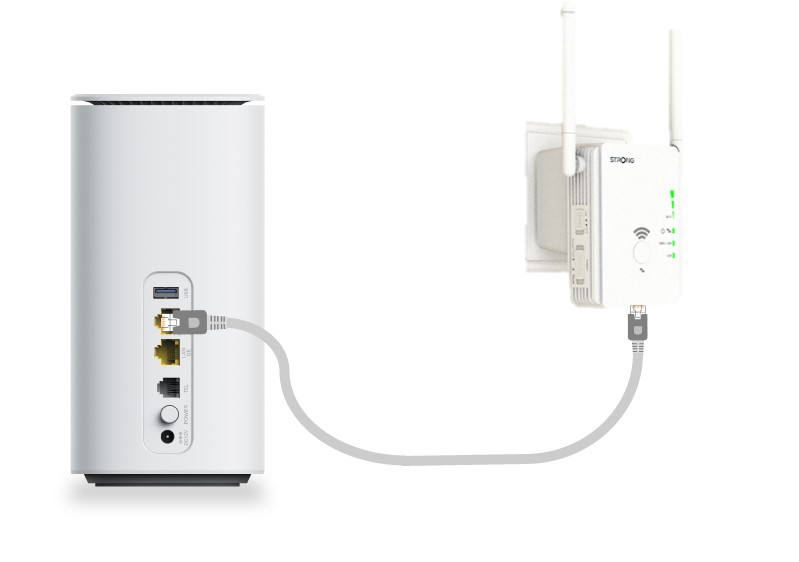
Свържете модема/рутера си чрез RJ45 Ethernet кабел към WAN/LAN порта на Universal Repeater 300.
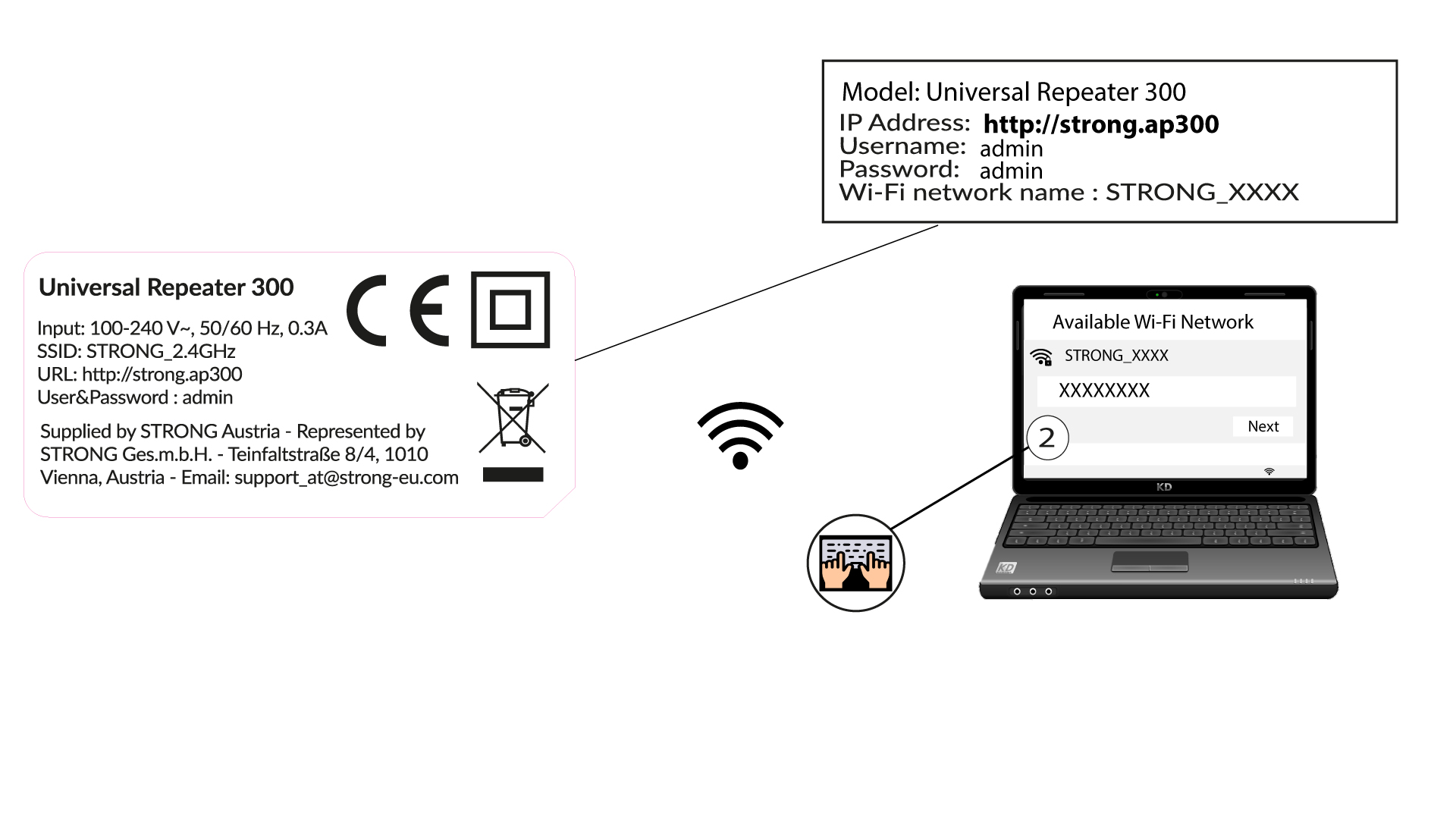
4Свържете сес Wi-Fi мрежата
Свържете вашето Wi-Fi устройство с една от мрежите по подразбиране (STRONG_2.4GHz), предоставени от Universal Repeater 300. Мрежата по подразбиране не изисква парола.
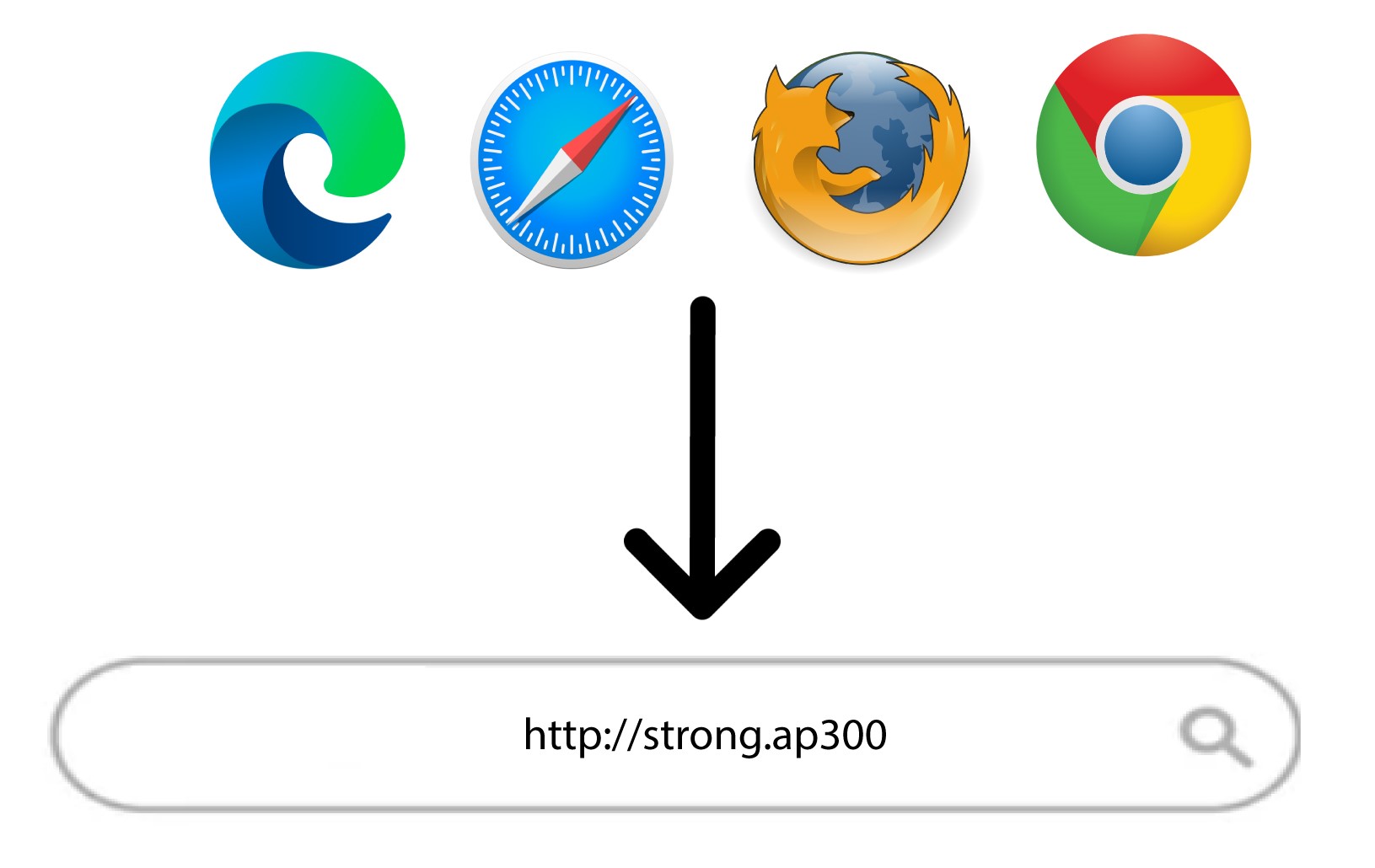
5Отворетеуеб интерфейса
Въведете следния URL адрес в лентата за търсене: http://strong.ap300
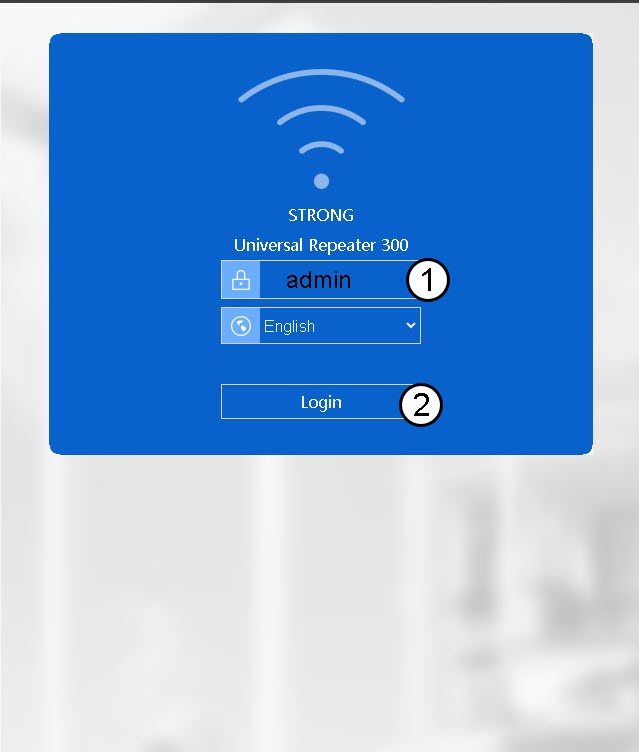
6Въведетеданните си за вход
Въведете паролата си (admin), преди да кликнете върху „Вход“.
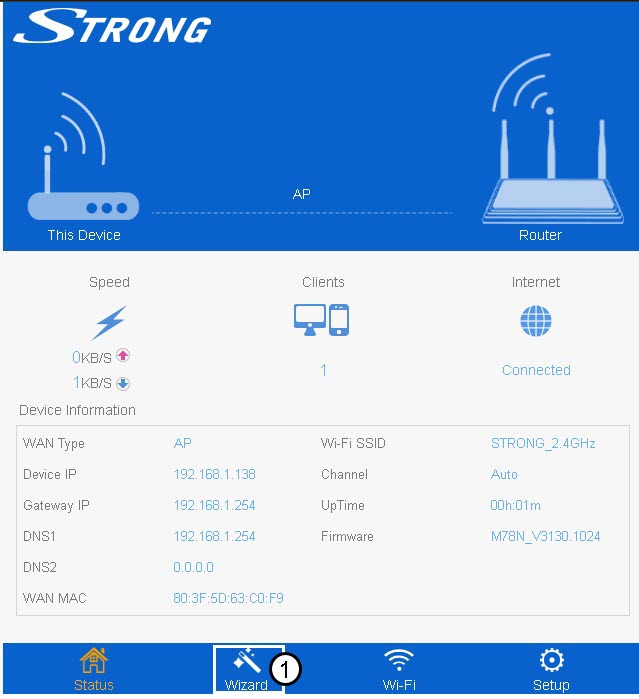
7Wizard
Кликнете върху „Wizard“ в долната лента с менюта.
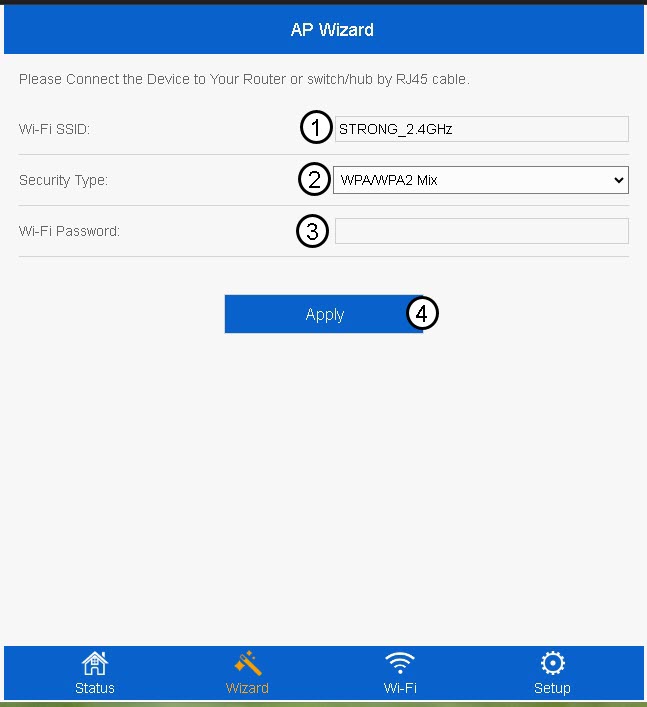
8. Настройтеточката за достъп
Въведете SSID на Wi-Fi мрежата и изберете типа ѝ на защита. След това въведете парола за Wi-Fi, преди да кликнете върху „Приложи“.
Препоръчваме да използвате комбинацията WPA/WPA2.
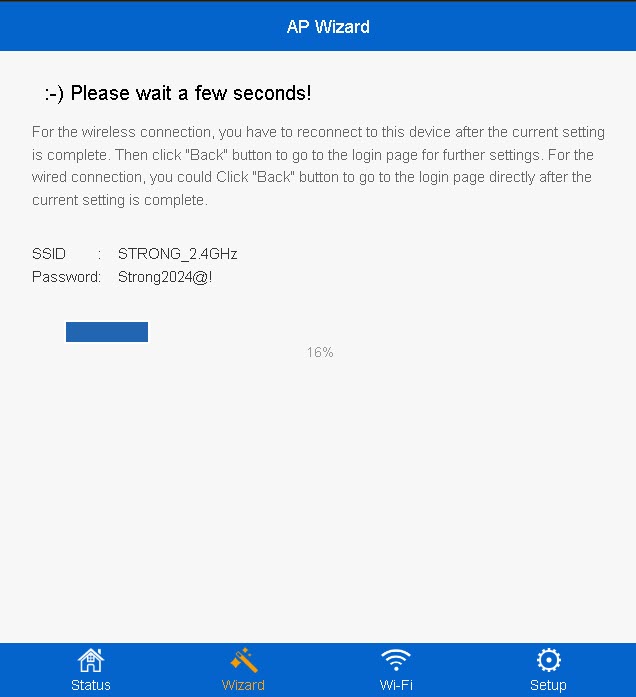
9Изчакайте, докато се извършва настройката
На екрана ви ще се покаже процентът на завършеност на конфигурацията. Моля, изчакайте, докато конфигурацията приключи.
Запишете данните за новата Wi-Fi мрежа. Те ще ви бъдат необходими, за да се свържете с мрежата след настройката.