IP камера с двойна светлина
Всички въпроси
IP камера с двойна светлина
Как да настроя камерите си в NVR-а?
СЪВЕТ: За да добавите няколко камери, просто ги потърсете чрез менюто „Канали“ и ги добавете. След като камерата ви бъде добавена, можете да видите прякото предаване в раздела „На живо“ на потребителския интерфейс.
1. Намеретекамерата
Кликнете върху „Канал“ и потърсете устройството.

2Добаветекамерата
Изберете името на камерата от списъка и кликнете върху „Бързо добавяне“.

3Изчакайтеразпределянето на IP адреса
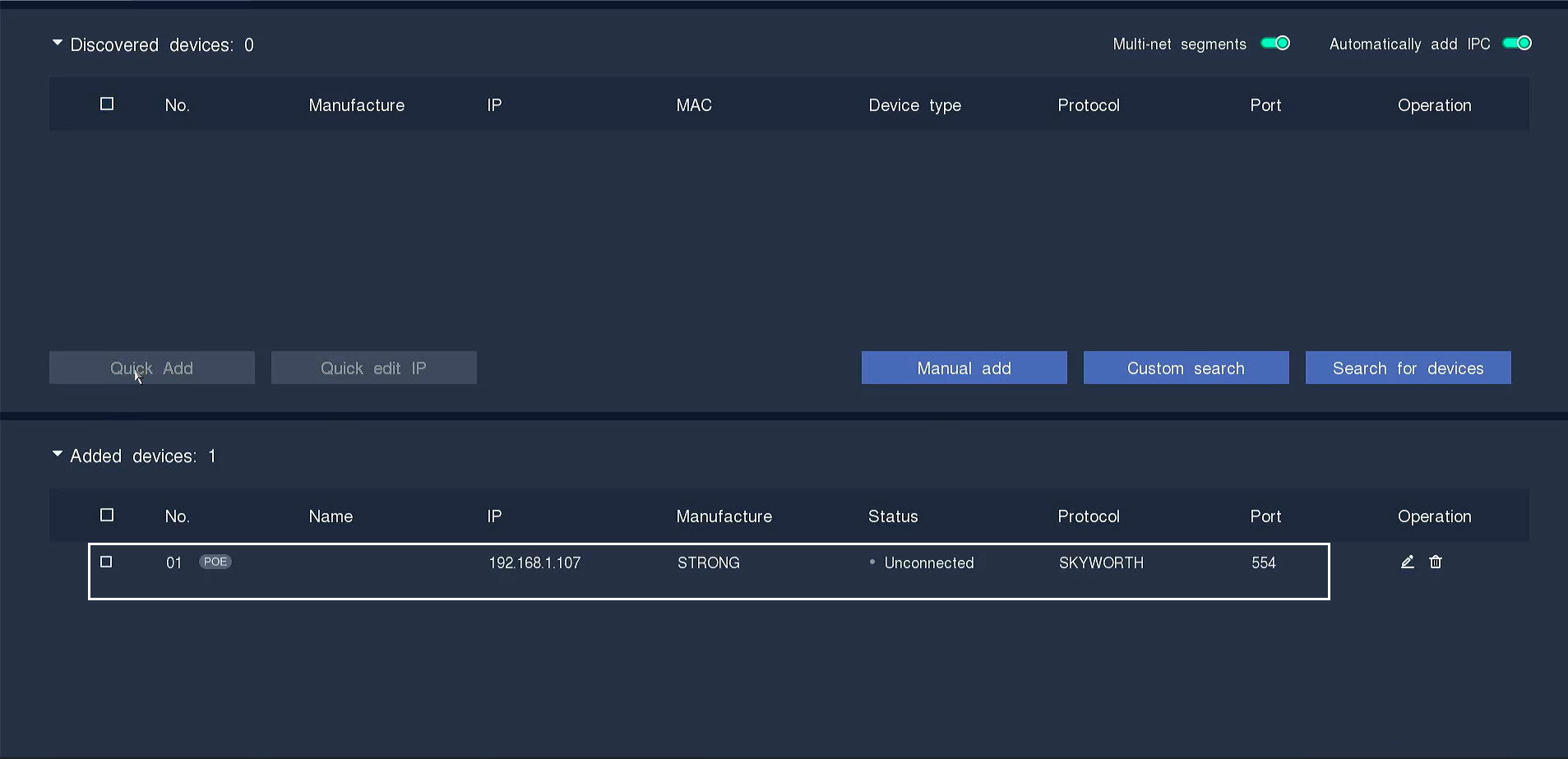
Статусът на камерата ще се показва като „неподключена“, докато NVR-ът присвоява IP-адрес на камерата.
4Редактиранена информацията за камерата
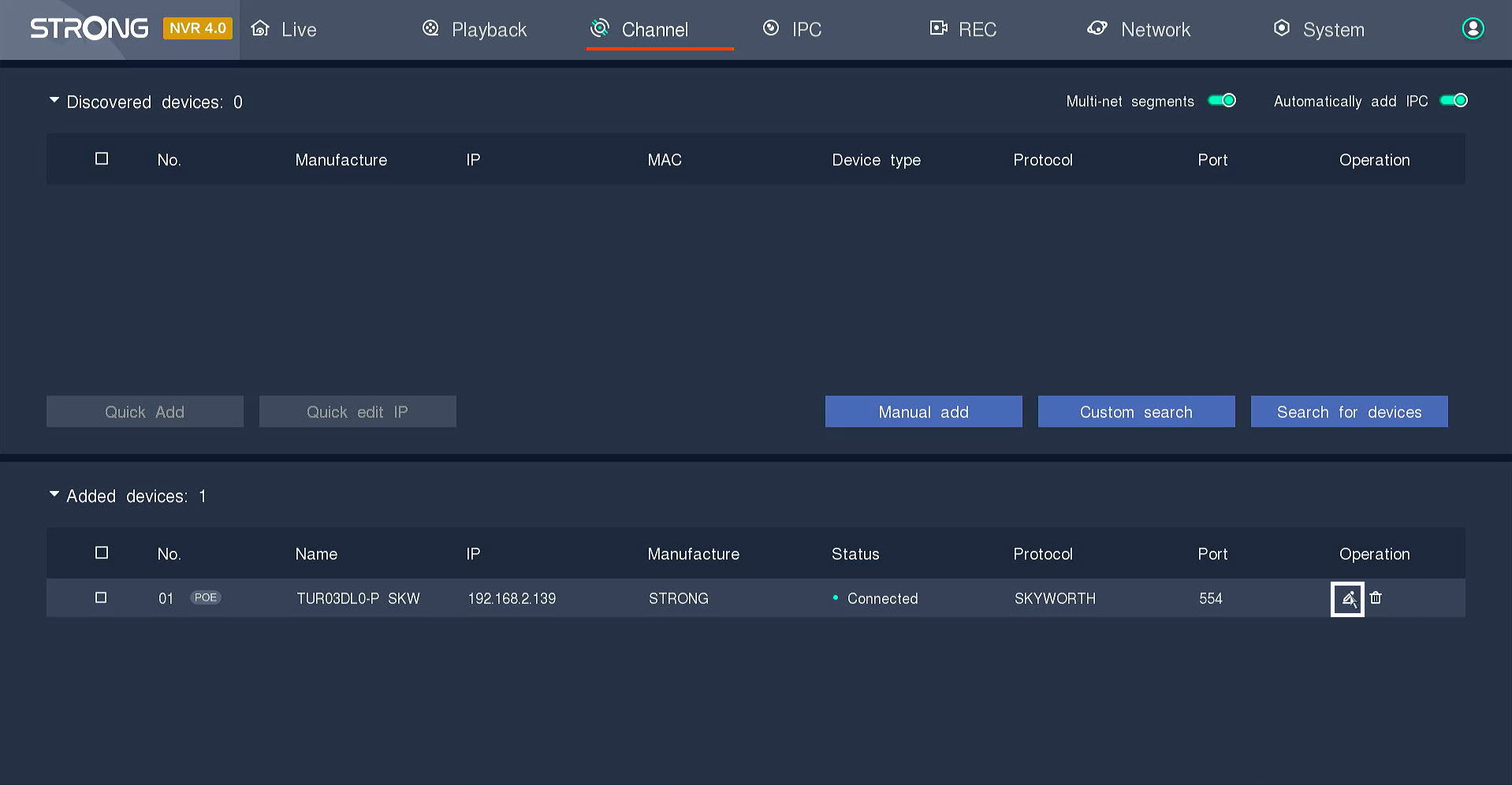
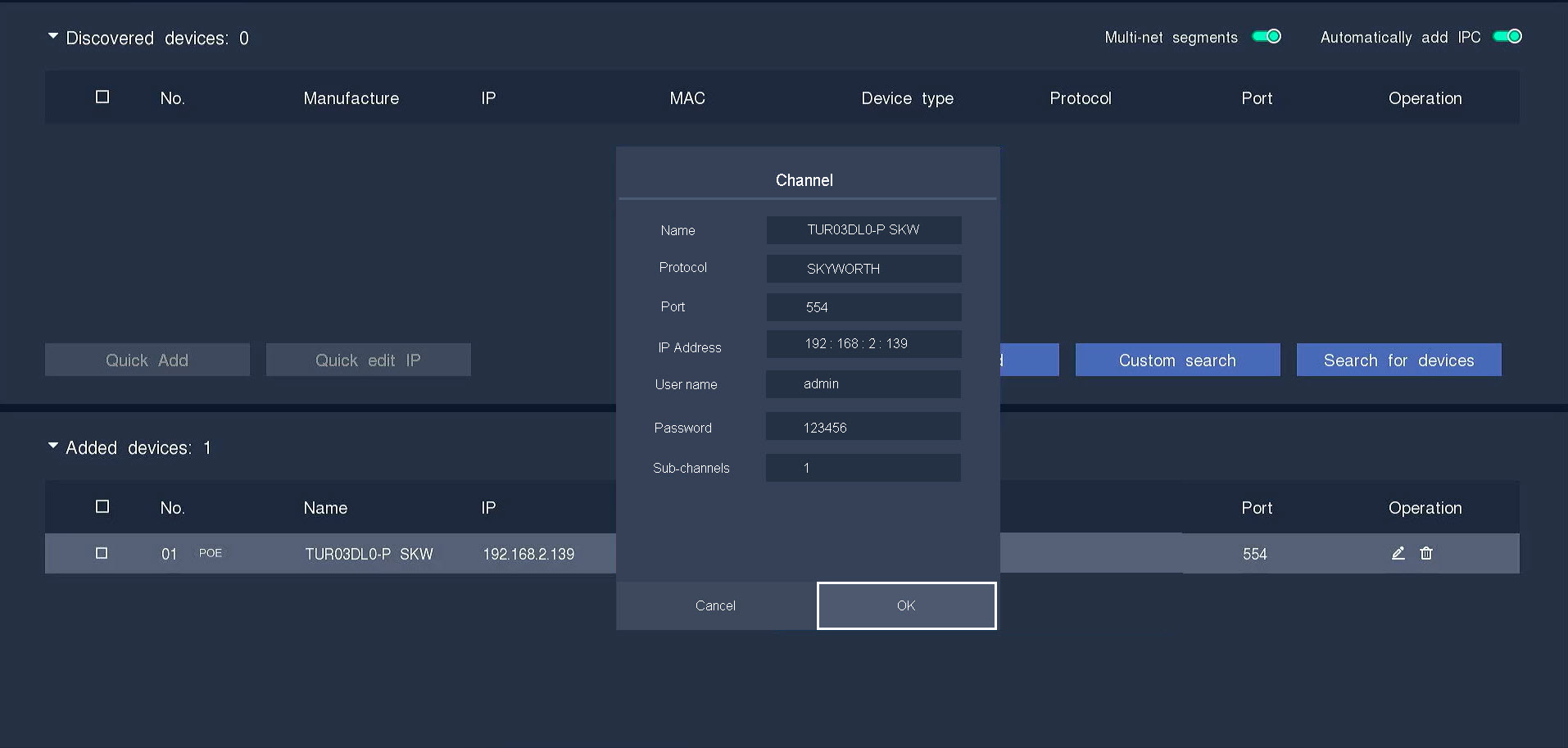
Кликнете върху иконата с писалката, за да редактирате информацията за камерата.
5Въведетепаролата на камерата
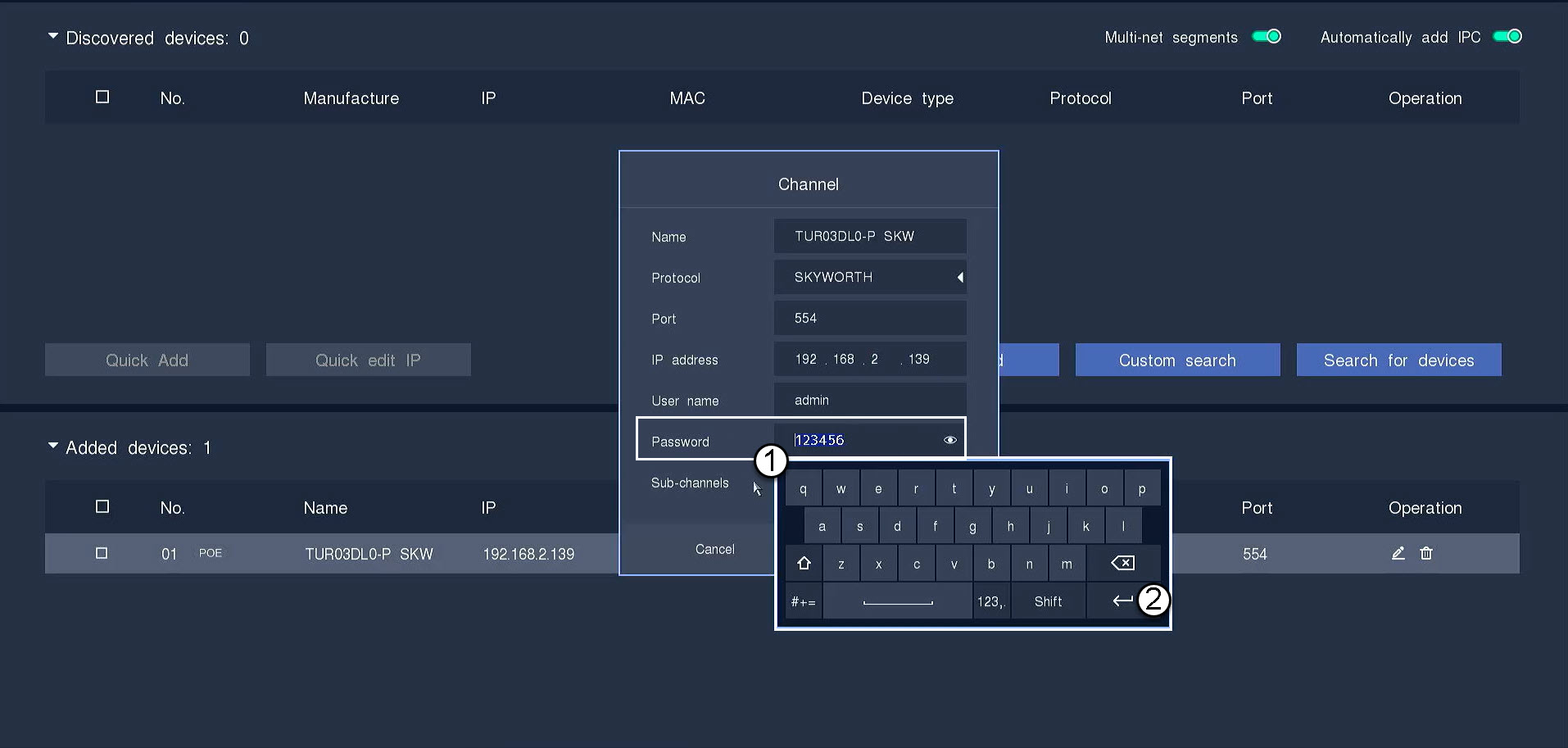
Въведете паролата на камерата си. Натиснете клавиша Enter, за да потвърдите паролата.
СЪВЕТ: Паролата на камерата е посочена на етикета на продукта. За да видите текущата парола, кликнете върху иконата с окото.
6Натиснете„OK“
7Връзкатае потвърдена
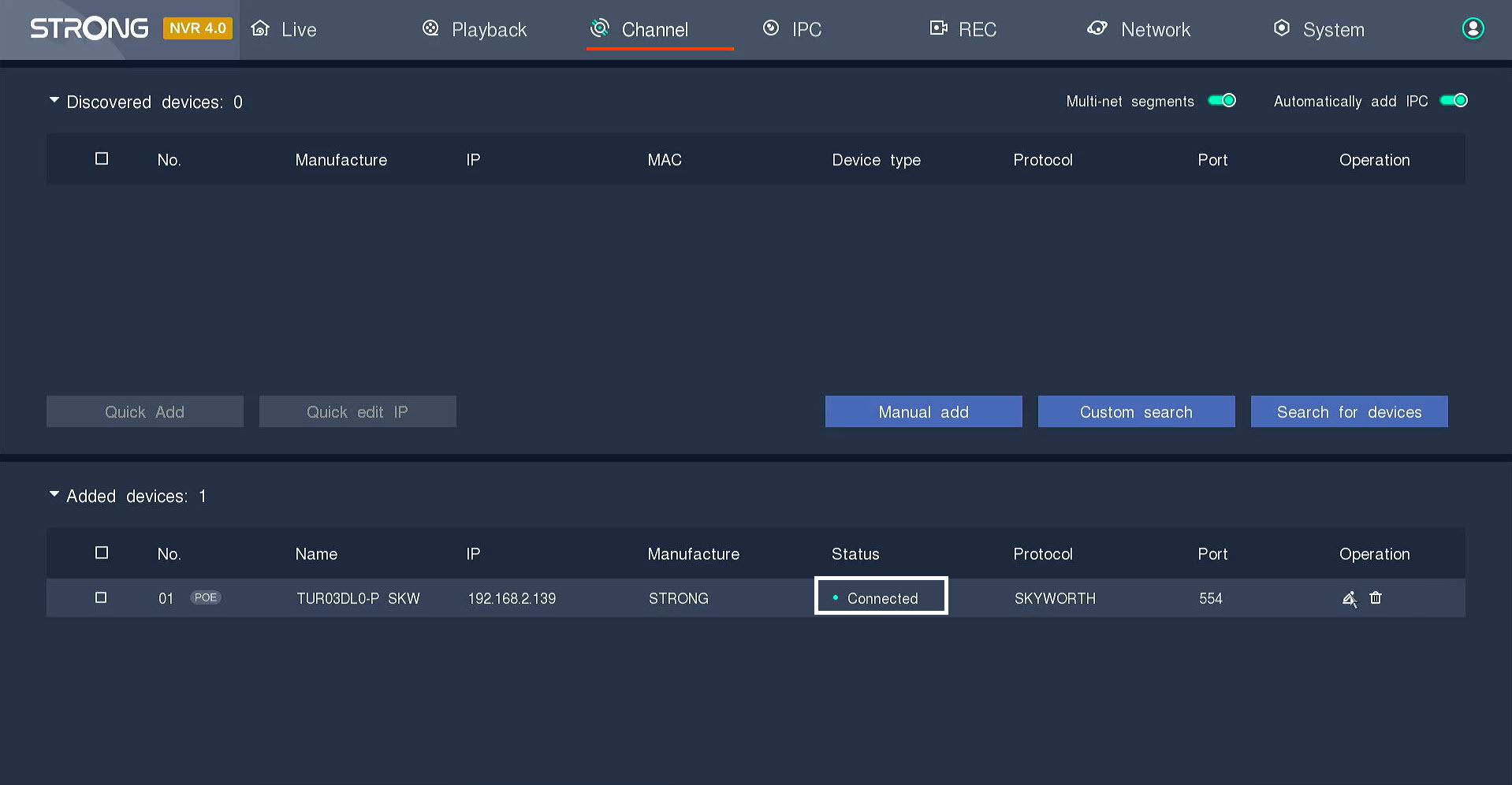
Статусът ще се промени от „ switch “ на „connected“.
8Гледайтепрякото предаване
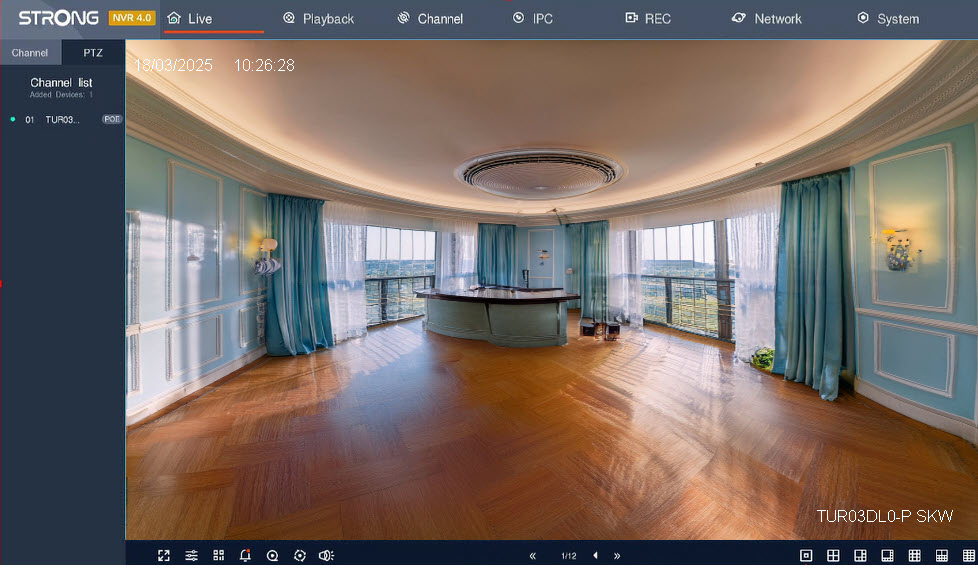
Камерата е свързана и можете да гледате прякото предаване.