
Двулентов повторител 750 V2
Всички въпроси
Двулентов повторител 750 V2
Как да настроя ретранслатора си като точка за достъп?
СЪВЕТИ: Преди да настроите ретранслатора си, моля, запознайте се със следната процедура, за да определите местоположението му: Кое е най-подходящото място за моя ретранслатор?
1Свържете сес уеб интерфейса
Изпълнете една от процедурите по-долу, за да се свържете с уеб интерфейса:
- Как да се свържа с уеб интерфейса на ретранслатора? (RJ45 кабел)
- Как да се свържа с уеб интерфейса на ретранслатора? (Wi-Fi)
2Изберетережим „Точка за достъп“
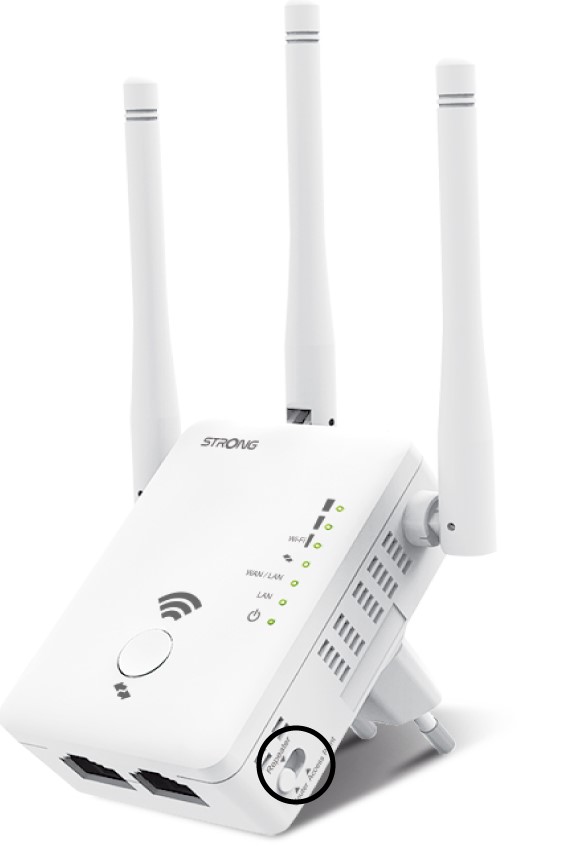
В менюто „ switch “, разположено в дясната част на вашия репитер, изберете позицията „AP“.
3APWizard
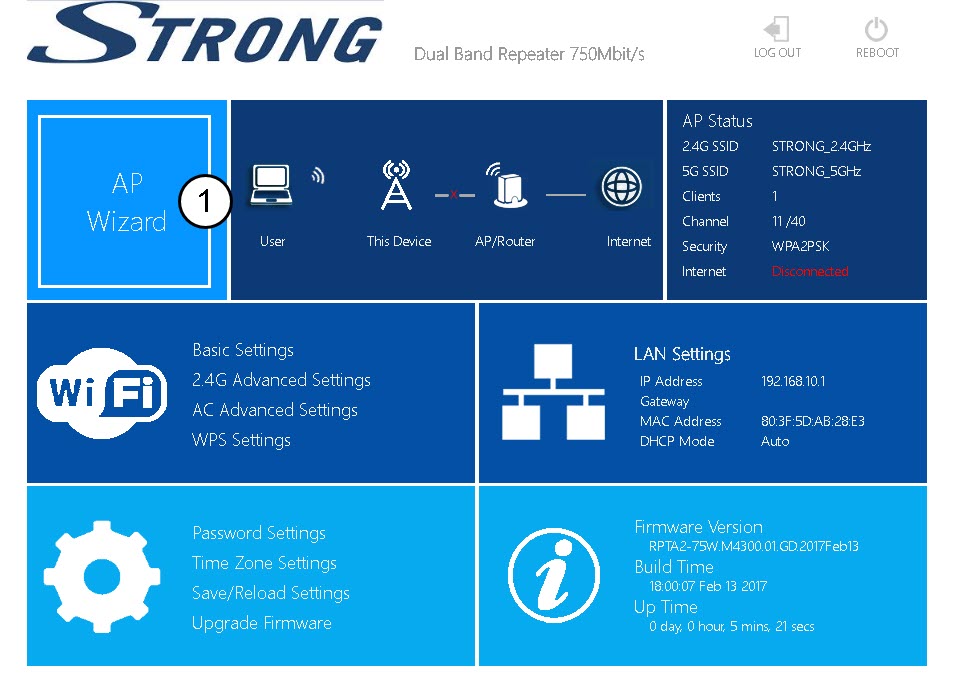
Кликнете върху „AP Wizard“.
4.Настройка на точка за достъп
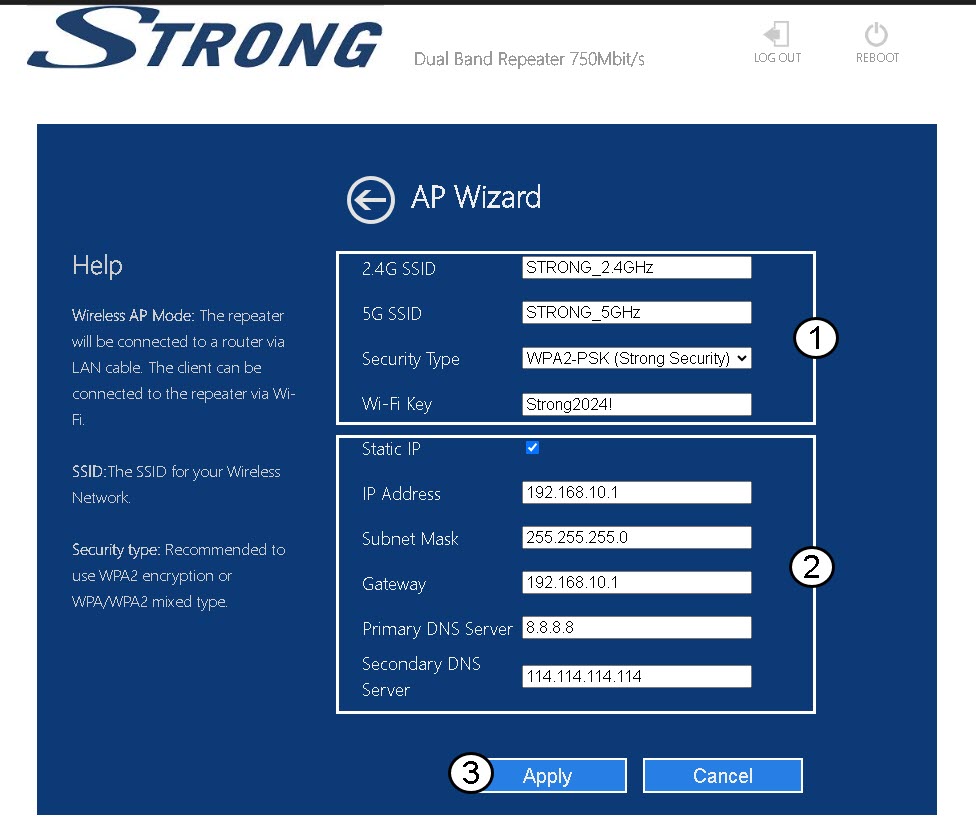
Изберете опцията „Статичен IP адрес“, за да конфигурирате мрежата си. Въведете име за всеки SSID и изберете типа сигурност на мрежата си – препоръчваме да използвате опцията WPA2-PSK. Кликнете върху „Приложи“, за да потвърдите.
СЪВЕТИ: Ще можете да се свържете с уеб интерфейса, като използвате IP адреса на репитера..
5Изчакайтепо време на конфигурирането
Моля, изчакайте, докато ретранслаторът се конфигурира.
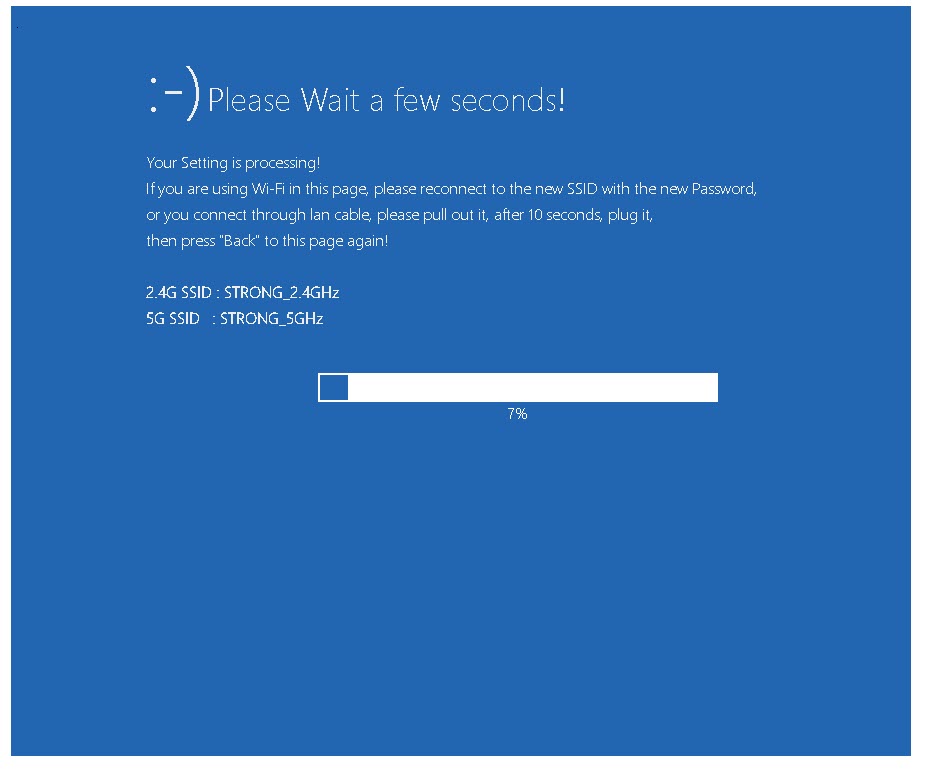

Предупреждение: Запишете паролите и имената на Wi-Fi мрежите.