
4G AIRHOME 210 UK фиксирани 4G антени
Всички въпроси
4G AIRHOME 210 UK фиксирани 4G антени
Как да възстановя фабричните настройки на рутера си?
В някои случаи е възможно устройството ви да не работи правилно и да нямате достъп до интернет. В такъв случай ви препоръчваме да възстановите фабричните настройки на устройството си и след това, ако е необходимо, да актуализирате отново неговия фърмуер.
Имате два начина да го направите: можете да възстановите фабричните настройки на устройството, като натиснете бутона за възстановяване, или да го направите чрез уеб интерфейса.
ПРИМЕР 1: Бутон за нулиране
За да направите това, натиснете бутона „Reset“ от дясната страна на рутера и го задръжте натиснат в продължение на две секунди.

1СЛУЧАЙ2: Възстановяване на фабричните настройки през уеб интерфейса
За да се свържете с уеб интерфейса, моля, следвайте указанията, описани в: Как да получа достъп до уеб интерфейса?
2. Актуализация на фърмуера
След това кликнете върху „Актуализация на фърмуера“.

3Възстановяване нафабричните настройки
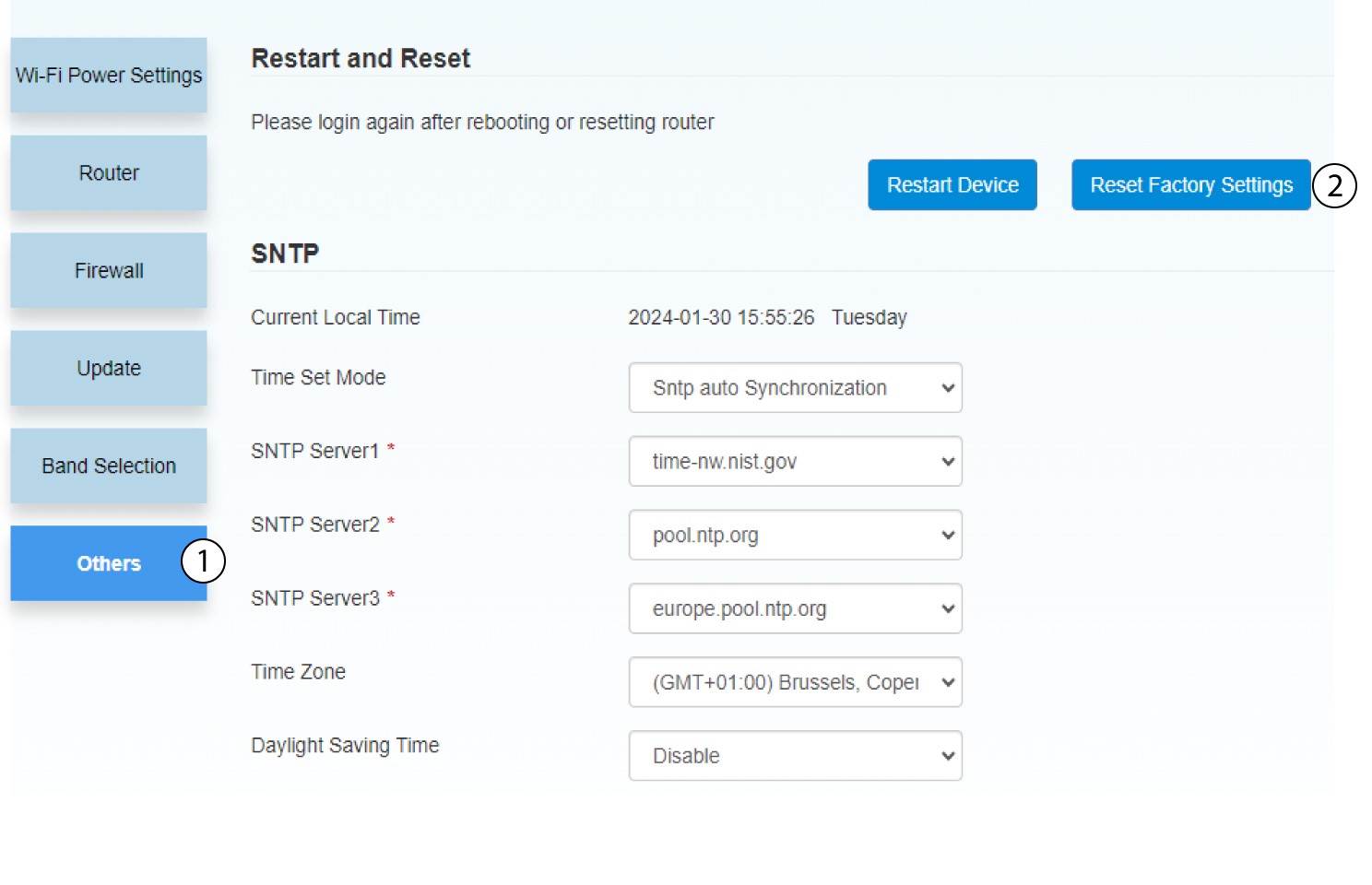
Кликнете върху „Други“. В раздела „Рестартиране и нулиране “ кликнете върху „Възстановяване на фабричните настройки “.
4Изскачащоуведомление
Кликнете върху „ДА“ във изскачащото съобщение.
