
Двулентов повторител 1200
Не са намерени никакви елементи.
Не са намерени никакви елементи.
Всички въпроси
Двулентов повторител 1200
Не са намерени никакви елементи.
Не са намерени никакви елементи.
Как да актуализирам фърмуера на моя ретранслатор?
1. Проверетедали има актуализация на фърмуера
Преди актуализацията трябва да посетите раздела „Изтегляне“ на нашия уебсайт, за да проверите дали има налична нова версия на софтуера.
2. Преминетекъм страницата „Изтегляния“
Кликнете върху „ПОМОЩ“ > „Изтегляния“.

3Изберетесвоя продукт
След като отворите страницата „Изтегляния“, кликнете върху „Домашни мрежи и повторители“ и кликнете върху номера на продукта.
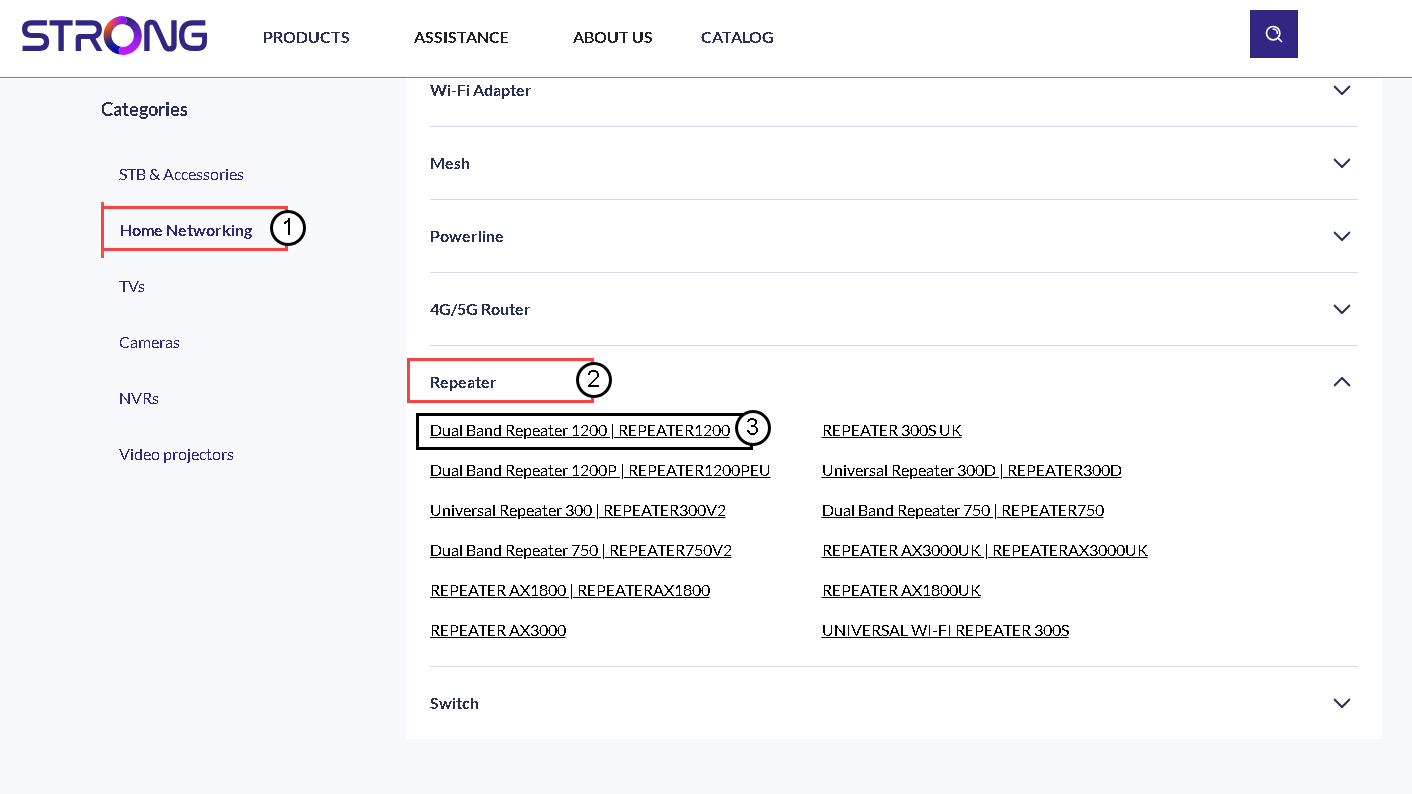
4Изтеглетефърмуера
На страницата по-долу ще намерите новата версия на софтуера в раздела „Фърмуер“. Ако има наличен файл, моля, изтеглете го.
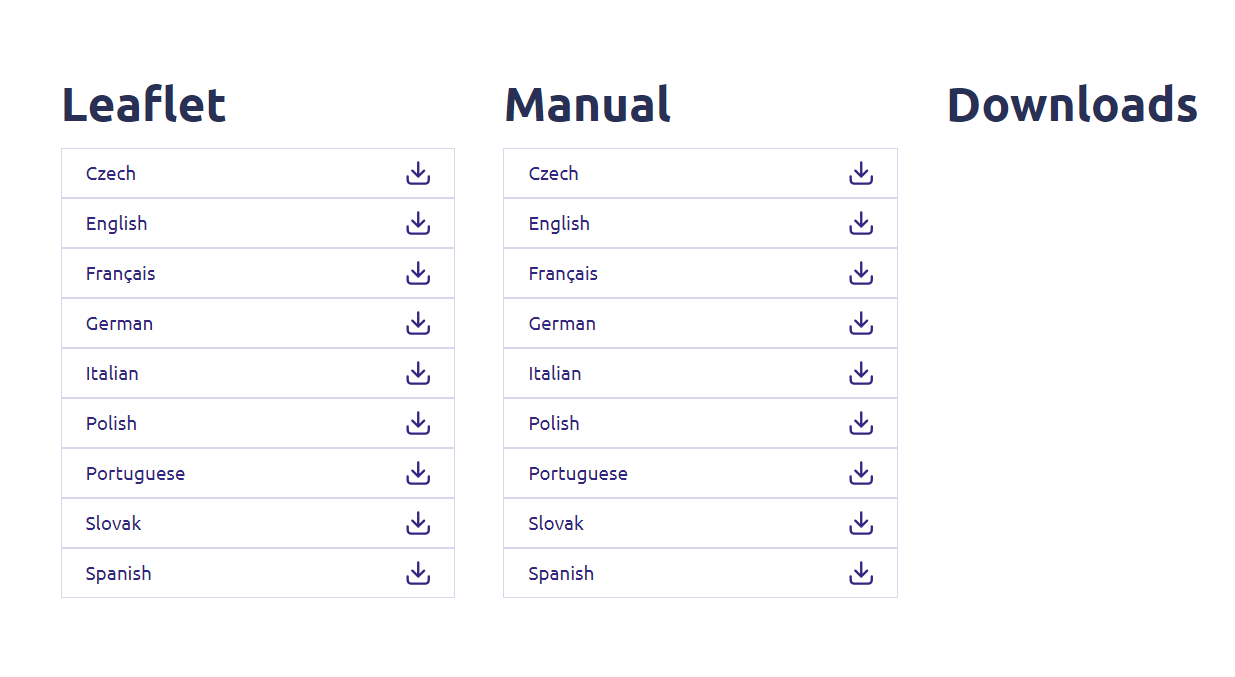
5. Свържете сес ретранслатора
След като направите това, се свържете с Wi-Fi мрежата на повторителя.

6. Достъпдо уеб интерфейса
Отворете URL адреса на уеб интерфейса.

7 Отворетеменюто за настройки
Кликнете върху „Настройки“.
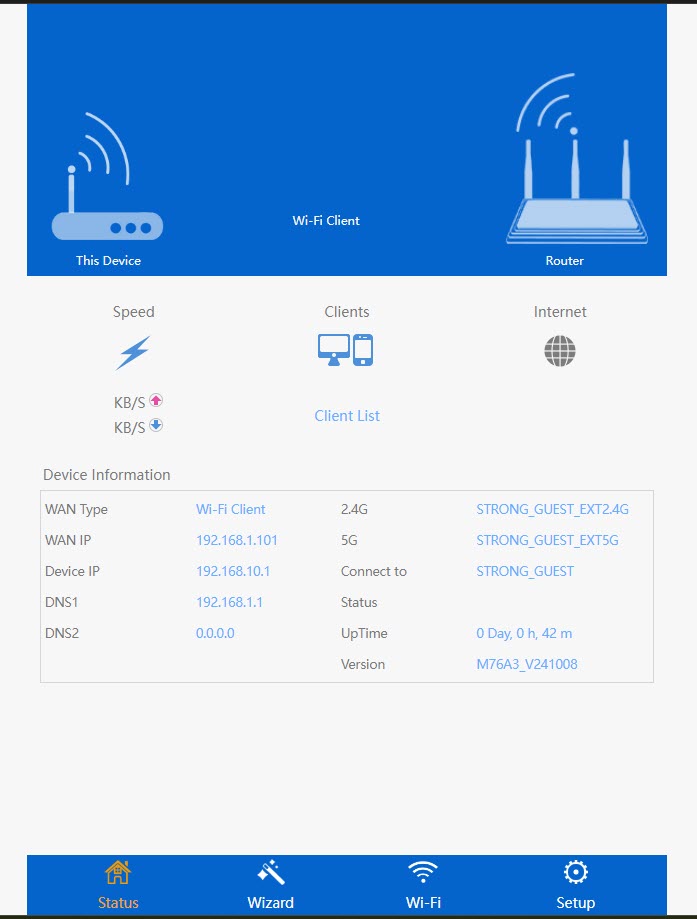
8. Стартиранена актуализацията на фърмуера
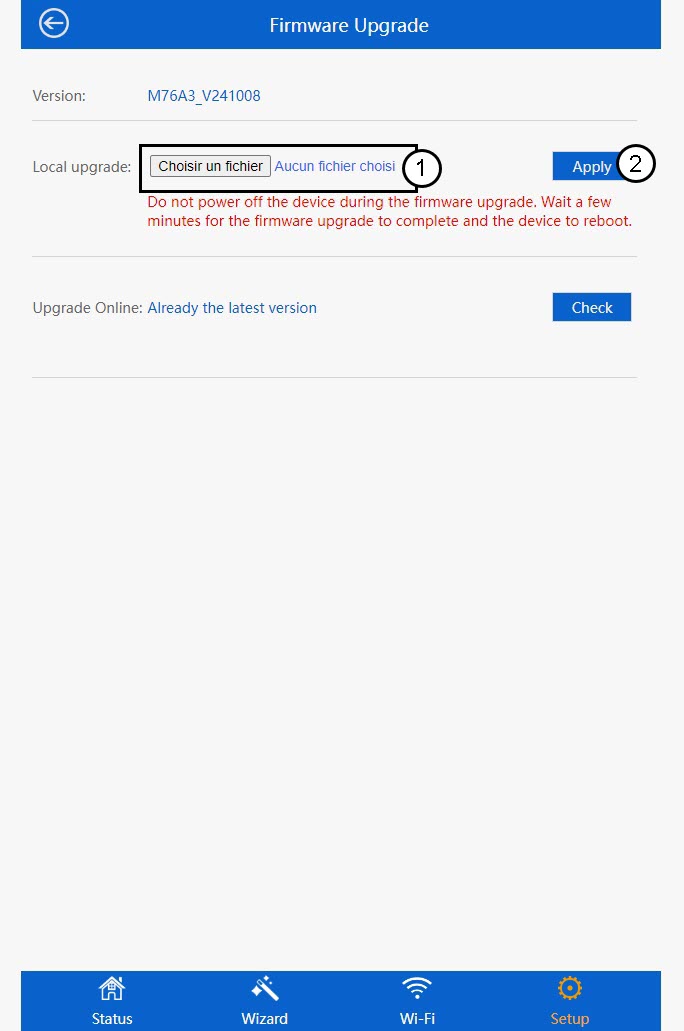
Кликнете върху „Актуализиране на фърмуера“.
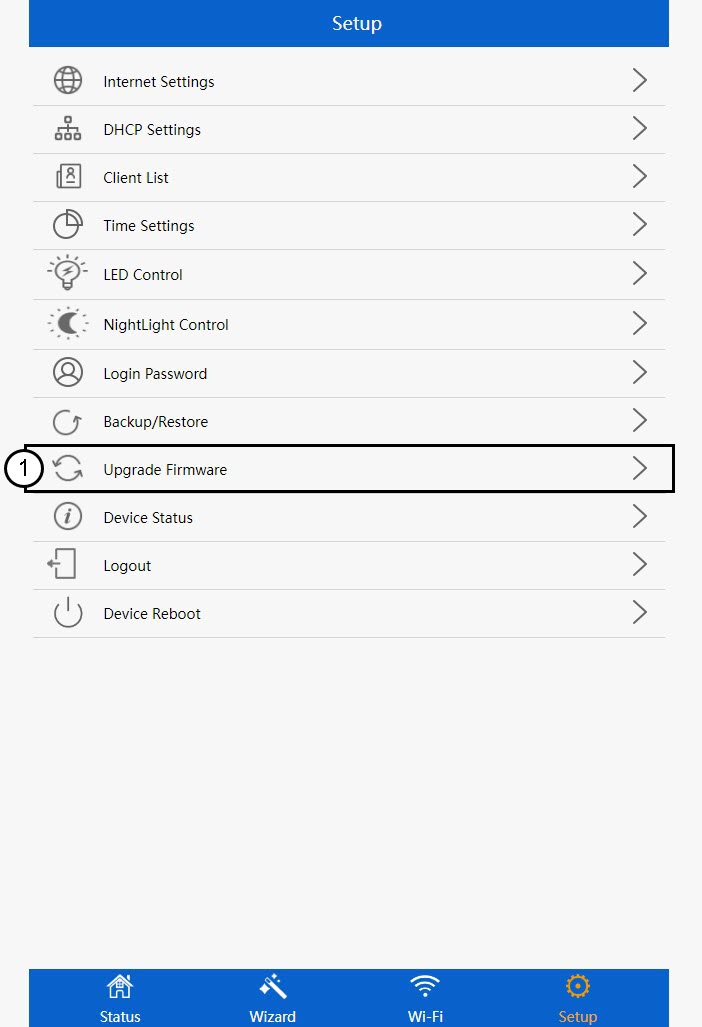
9Приложетеактуализацията
Изберете файла си и натиснете „Приложи“. След това актуализацията ще започне автоматично.
 Предупреждение: Моля, изчакайте актуализацията да приключи и устройството да се рестартира. След актуализацията трябва да се свържете отново с Wi-Fi мрежата.