
ATRIA Wi-Fi 5 Mesh 2100 UK add-on)
Всички въпроси
ATRIA Wi-Fi 5 Mesh 2100 UK add-on)
Как да актуализирам фърмуера на устройството „ Mesh “?
За да актуализирате софтуера на устройството „ mesh “, трябва да сте свързани с уеб интерфейса.

Предупреждение: Трябва първо да актуализирате агентите „ mesh “ (устройства, които не са свързани с интернет рутера), а след това контролера „ mesh “ (устройство „mesh “, което е свързано с интернет рутера чрез RJ45 кабел).
Трябва да запишете IP адресите на всички устройства „ mesh “, за да можете да се свържете с уеб интерфейса
на всяко устройство поотделно.
Новите версии на софтуера за нашите продукти са достъпни тук (изтегляния -> софтуер):
https://eu.strong-eu.com/downloads/product-downloads/atria-wi-fi-mesh-home-kit-2100/. Ако разделът „
“ е празен, това означава, че няма налична актуализация за продукта.
1Страница за изтегляне
Отидете на следната страница: https://eu.strong-eu.com/downloads/product-downloads/atria-wi-fi-meshhome-kit-2100/ и изтеглете файла.
2Atria– приложението „ Mesh “
Изтеглете приложението за смартфон „ATRIA MESH “ от App Store или Google Play Store.

3. Удостоверения
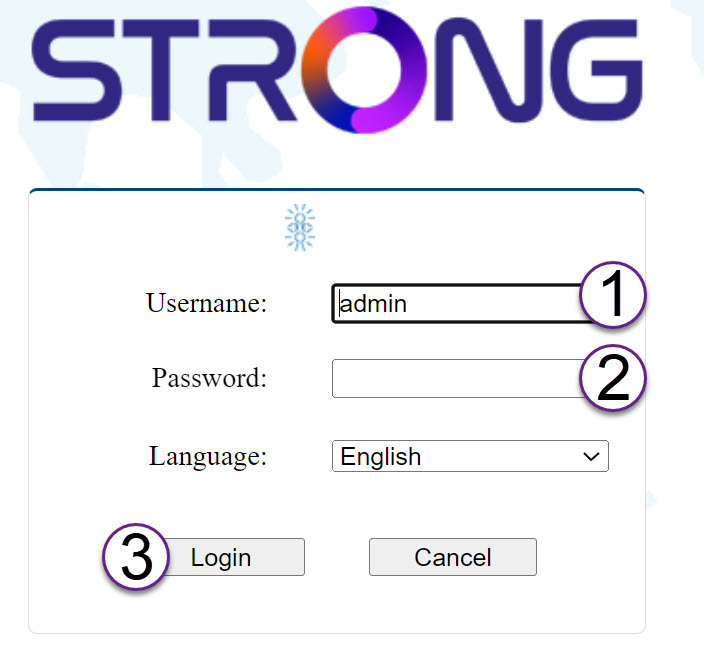
След това трябва да се свържете със смартфона си към Wi-Fi мрежата на „ Mesh “ и да влезете в приложението с данните си за достъп, които би трябвало да са„admin“ и„admin“, ако не сте ги променили.

4Моятамрежа
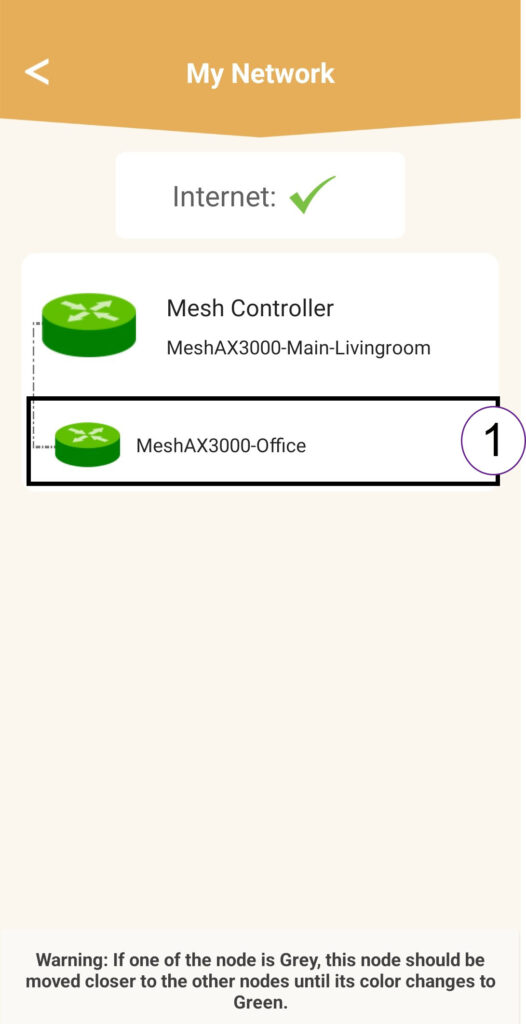
Кликнете върху „Моята мрежа“.

5 Агент на „Mesh “
Кликнете върху името на агента от „ mesh “.
6 IPадрес
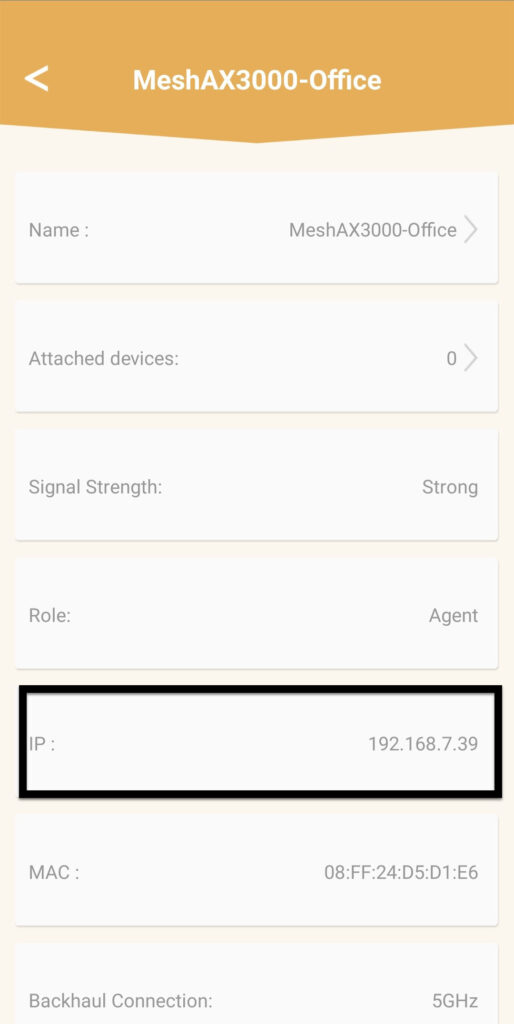
Определете IP адреса на агента:
7IPадрес на уеб интерфейса на агента в браузъра
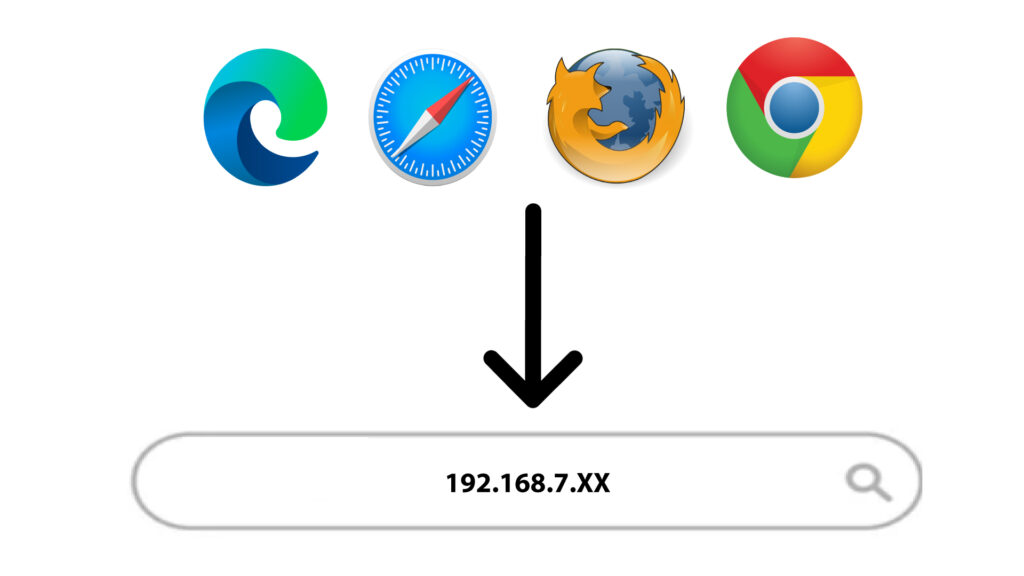
Отворете IP адреса на агента.
8. Удостоверения
Въведете потребителското име и паролата, преди да кликнете върху „Вход“.
9Актуализация
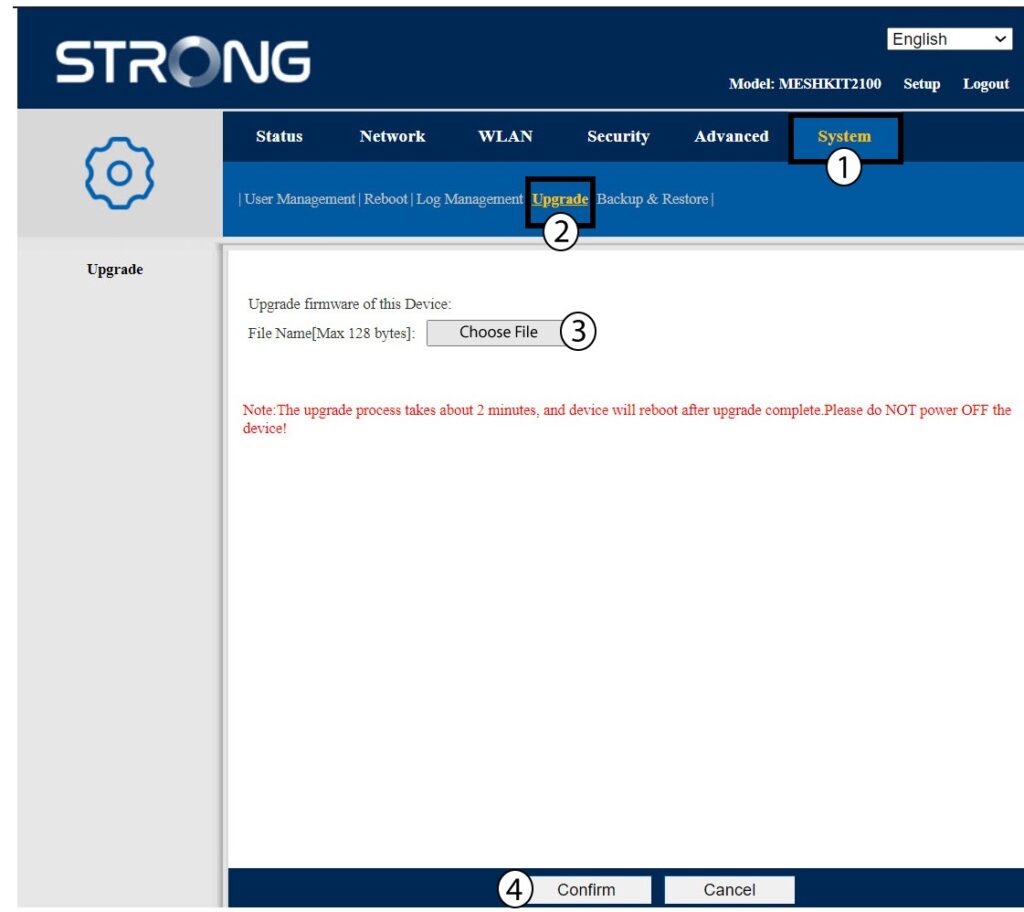
Кликнете върху „Система“ и „Актуализиране“. След това кликнете върху „Избери файл “, за да качите файла, който сте изтеглили от нашия уебсайт, преди да кликнете върху „Потвърди“.
Внимание: Повторете тези стъпки за всички агенти и актуализирайте контролера.