Atria Mesh extender trio 1200 UK
Всички въпроси
Atria Mesh extender trio 1200 UK
Как да организирам мрежата си „ Mesh “, за да оптимизирам Wi-Fi мрежата си?
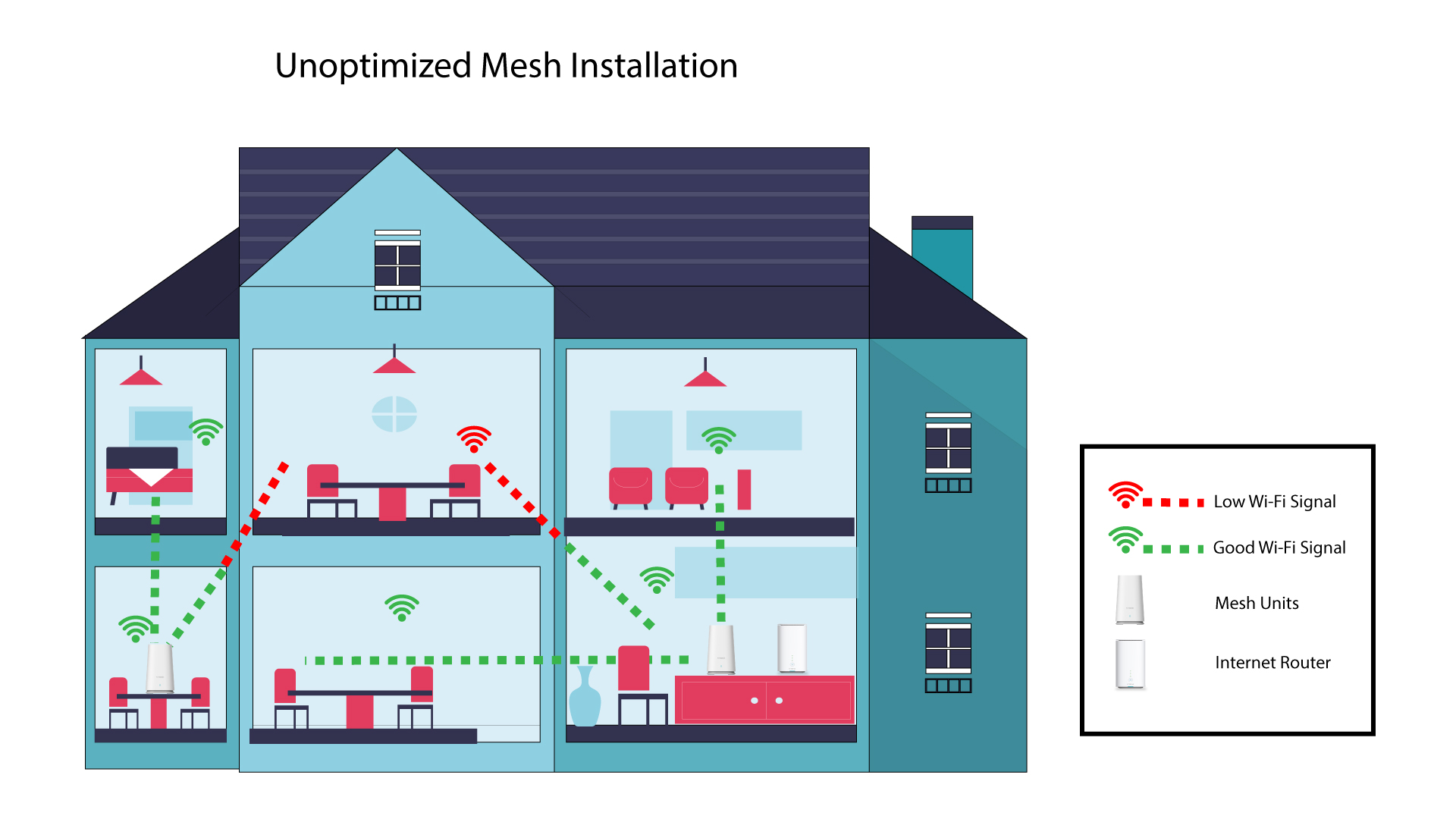
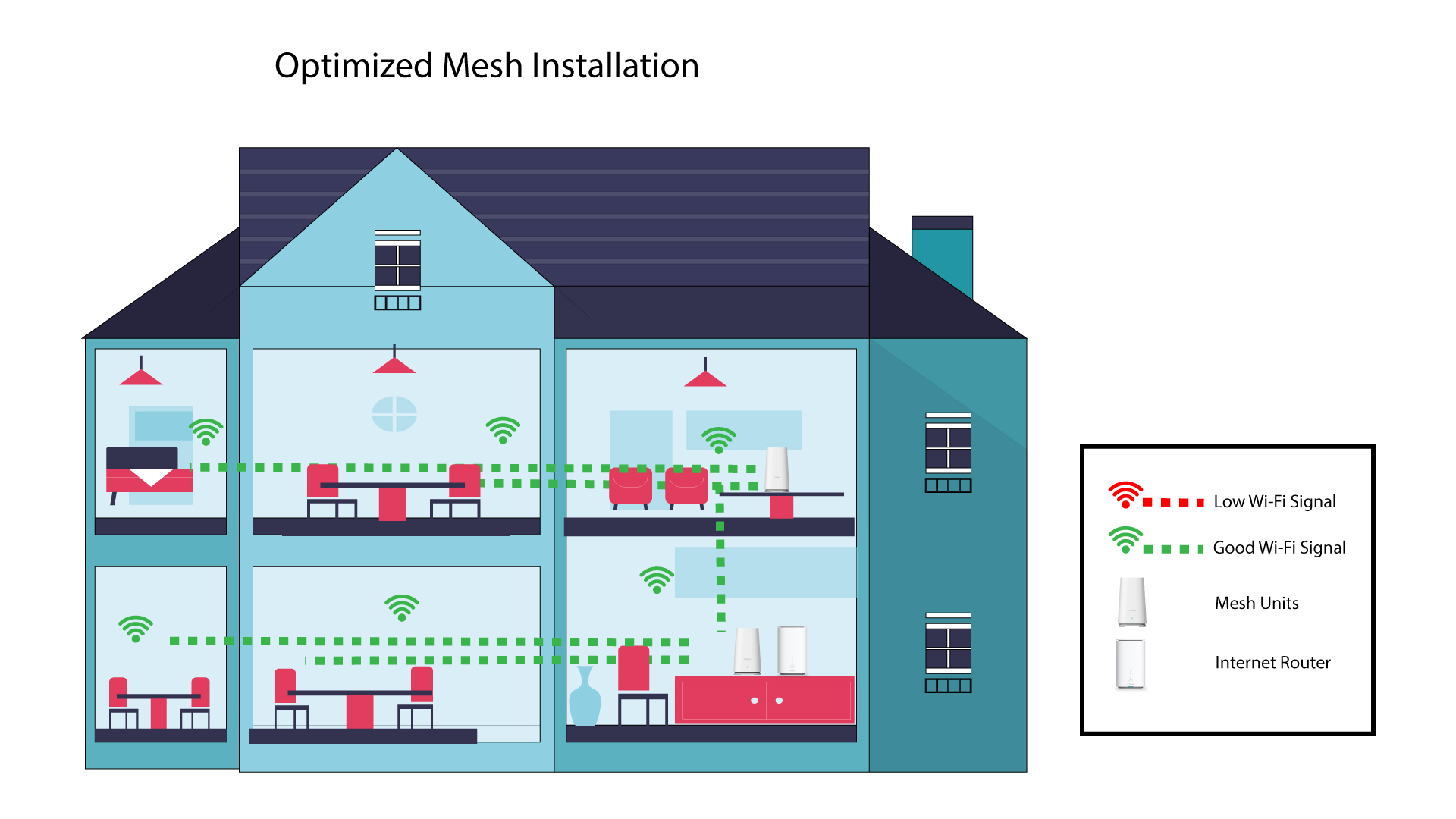
За да оптимизирате обхвата си, трябва да инсталирате усилвателя „ mesh “ на мястото, където имате проблеми с обхвата, за да покриете възможно най-голяма площ в дома си. Моля, уверете се, че устройствата „ mesh “ не са разположени в стая с носеща стена, тъй като колкото по-дебела е стената, толкова по-трудно може да я преминава Wi-Fi сигналът.
Следващата схема показва Wi-Fi обхвата в къща, в която възлите „ mesh “ не са разположени в подходящата част на къщата, за да осигурят адекватен обхват.
Следващата схема показва Wi-Fi покритието в една къща, където възлите „ mesh “ са разположени в дясната част на къщата, за да се осигури адекватно покритие.
1Изтеглетеприложението
Изтеглете приложението „ Mesh “ на Atria.
2Свържете сес Wi-Fi мрежата на mesh
Свържете се с Wi-Fi мрежата на вашето устройство „ mesh “.

3Свържете сес приложението
Въведете потребителското име и паролата, преди да кликнете върху „Вход“.

4Моятамрежа
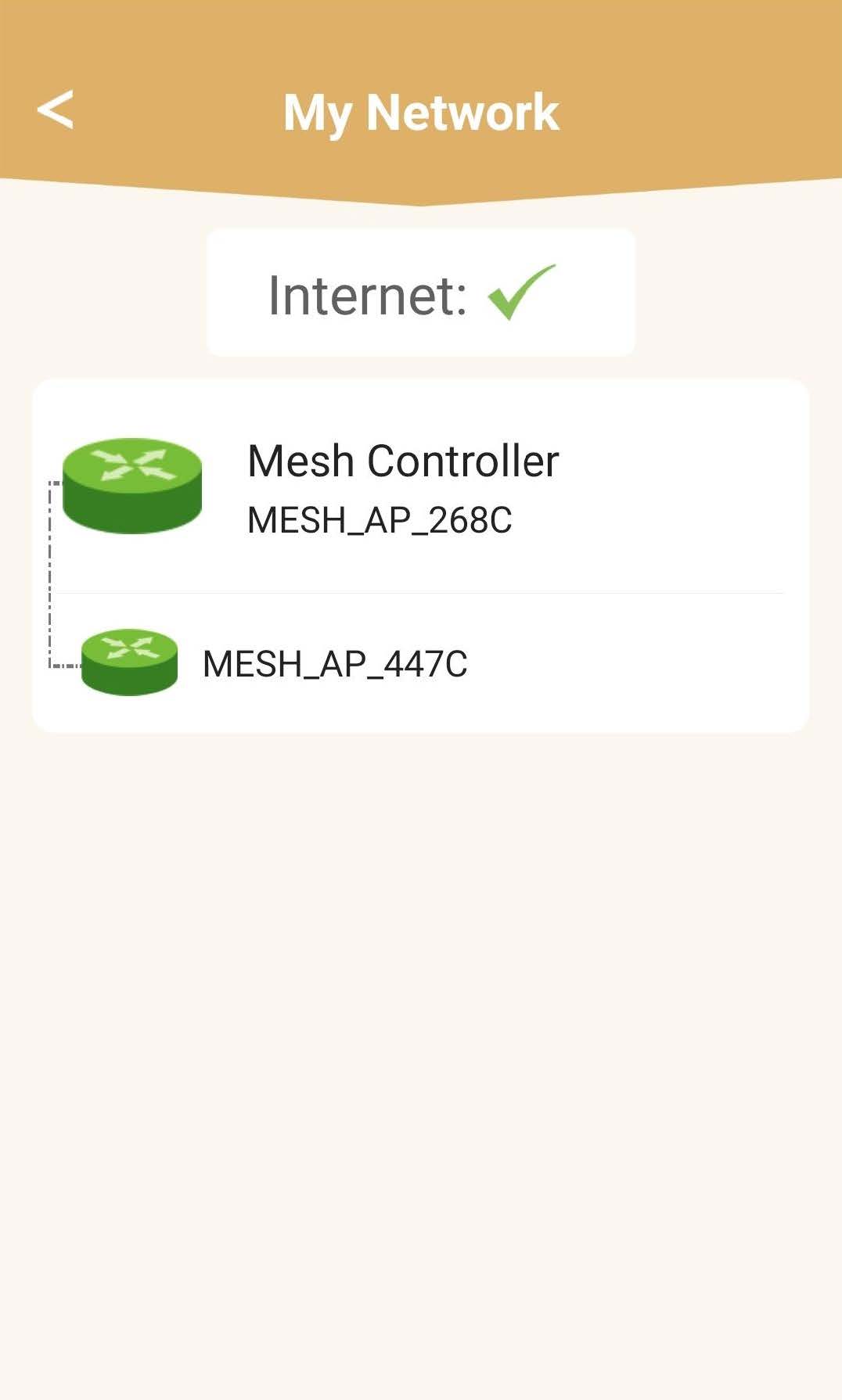
Кликнете върху „Моята мрежа“

5 Състояние на мрежата наMesh
Ще видите състоянието на покритието, осигурявано от вашите устройства „ mesh “.
Моля, имайте предвид, че когато устройствата „ mesh “ се показват в сиво, обхватът, осигуряван от устройството, не е достатъчен. В този случай трябва да промените местоположението на устройството „ mesh “.
Ако устройствата „ mesh “ се показват в зелено, това означава, че работят правилно и осигуряват достатъчно покритие.