Не са намерени никакви елементи.
Не са намерени никакви елементи.
2K+ SMART HOME КАМЕРА
Всички въпроси
Не са намерени никакви елементи.
Не са намерени никакви елементи.
2K+ SMART HOME КАМЕРА
Как да настроите или управлявате администраторската си парола?
Ще зададете паролата си за администратор при създаването на профила си. Ако се наложи да я промените, моля, следвайте стъпките по-долу.

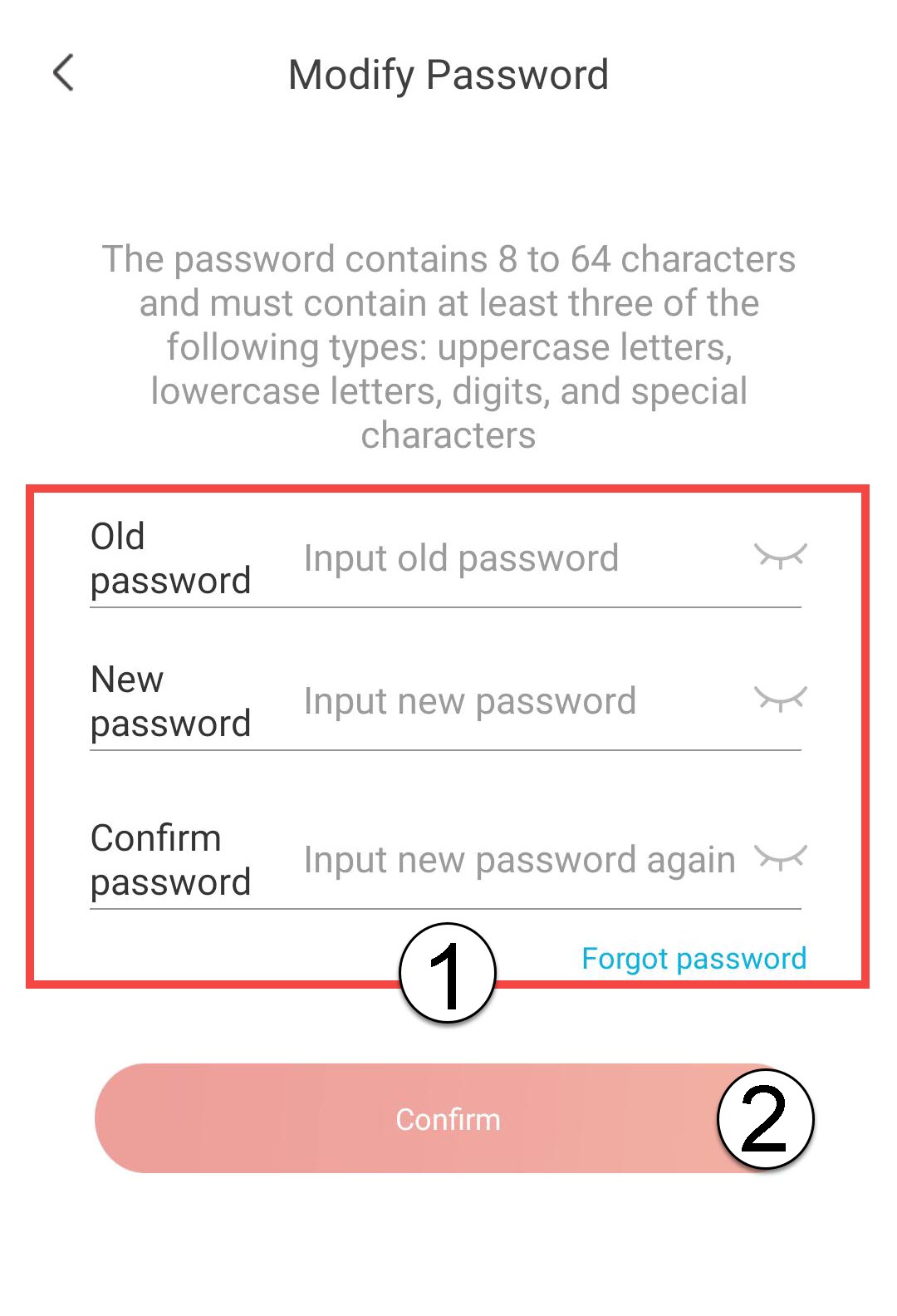
ПРЕДУПРЕЖДЕНИЕ: Паролата ви трябва да съдържа между 8 и 64 символа. Тя трябва да включва поне три от следните елементи: главни букви, малки букви, цифри и специален символ.
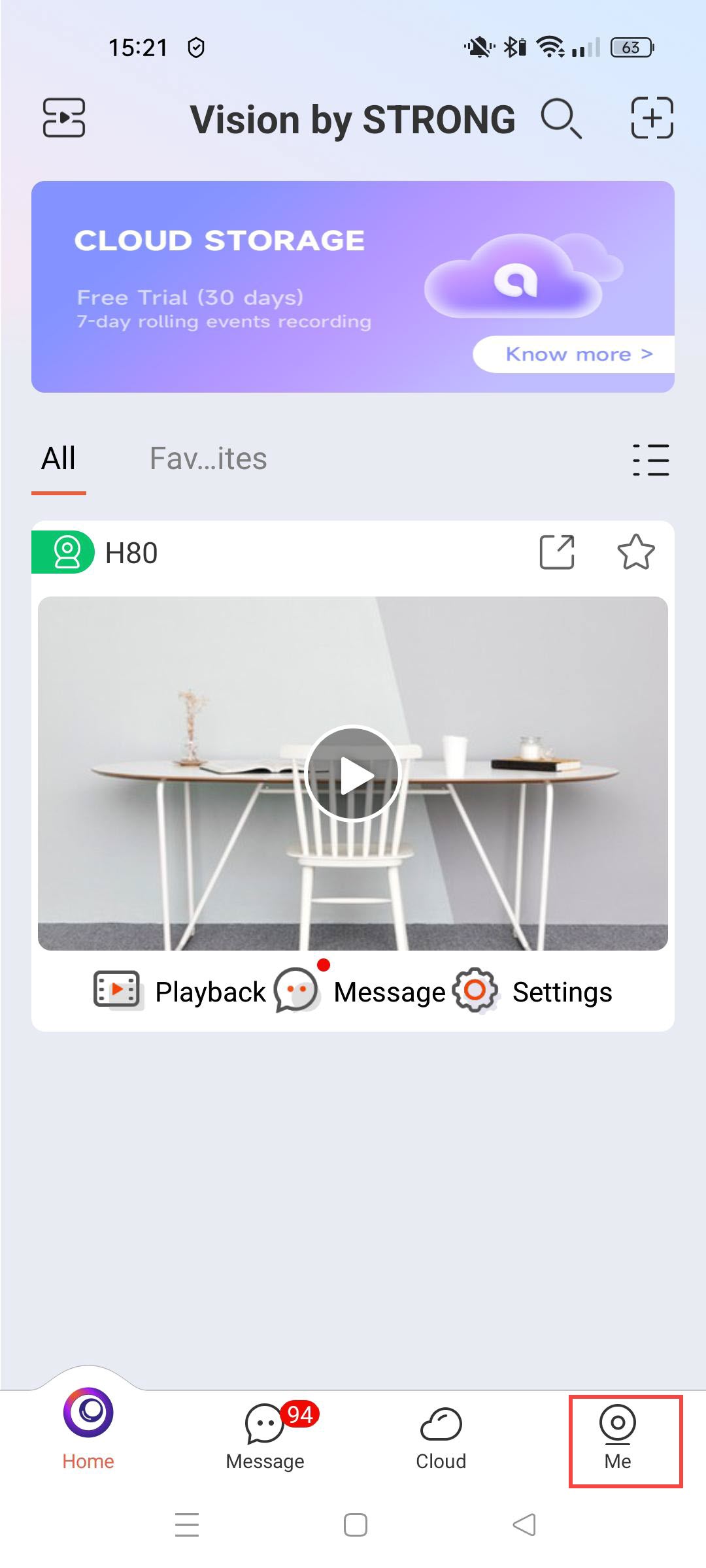
1. Достъпдо профила ви
Кликни тук.
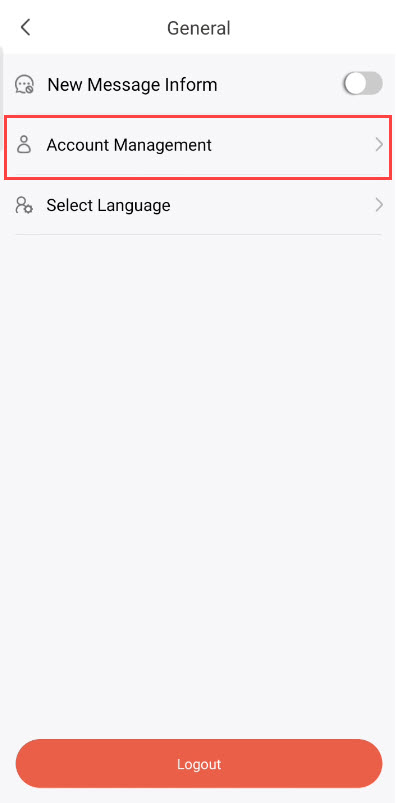
2Управление на отворенисметки
Кликнете върху „Управление на профила“.
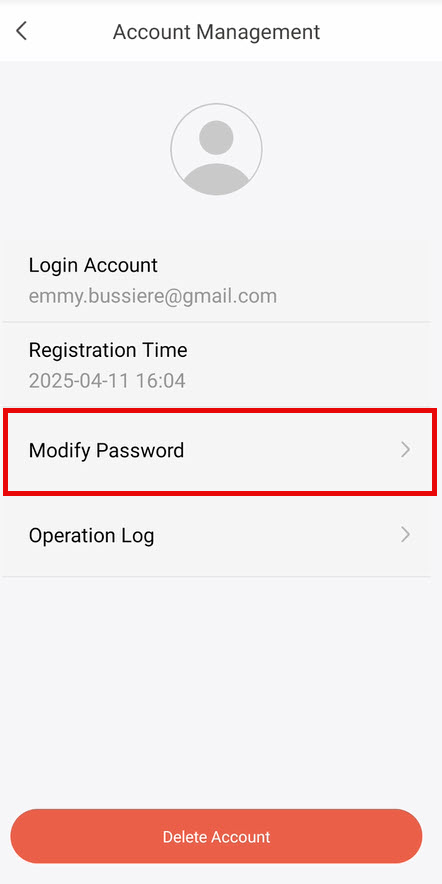
3Изберетеда промените паролата си
Кликнете върху „Промяна на паролата“.
4Въведетеданните за паролата си
Въведете следната информация, преди да кликнете
- Стара парола: Въведете текущата си парола.
- Нова парола: Въведете нова парола.
- Потвърдете паролата: Въведете същата парола, както в предходното поле.