
Двучестотен ретранслатор 750 UK
Не са намерени никакви елементи.
Не са намерени никакви елементи.
Всички въпроси
Двучестотен ретранслатор 750 UK
Не са намерени никакви елементи.
Не са намерени никакви елементи.
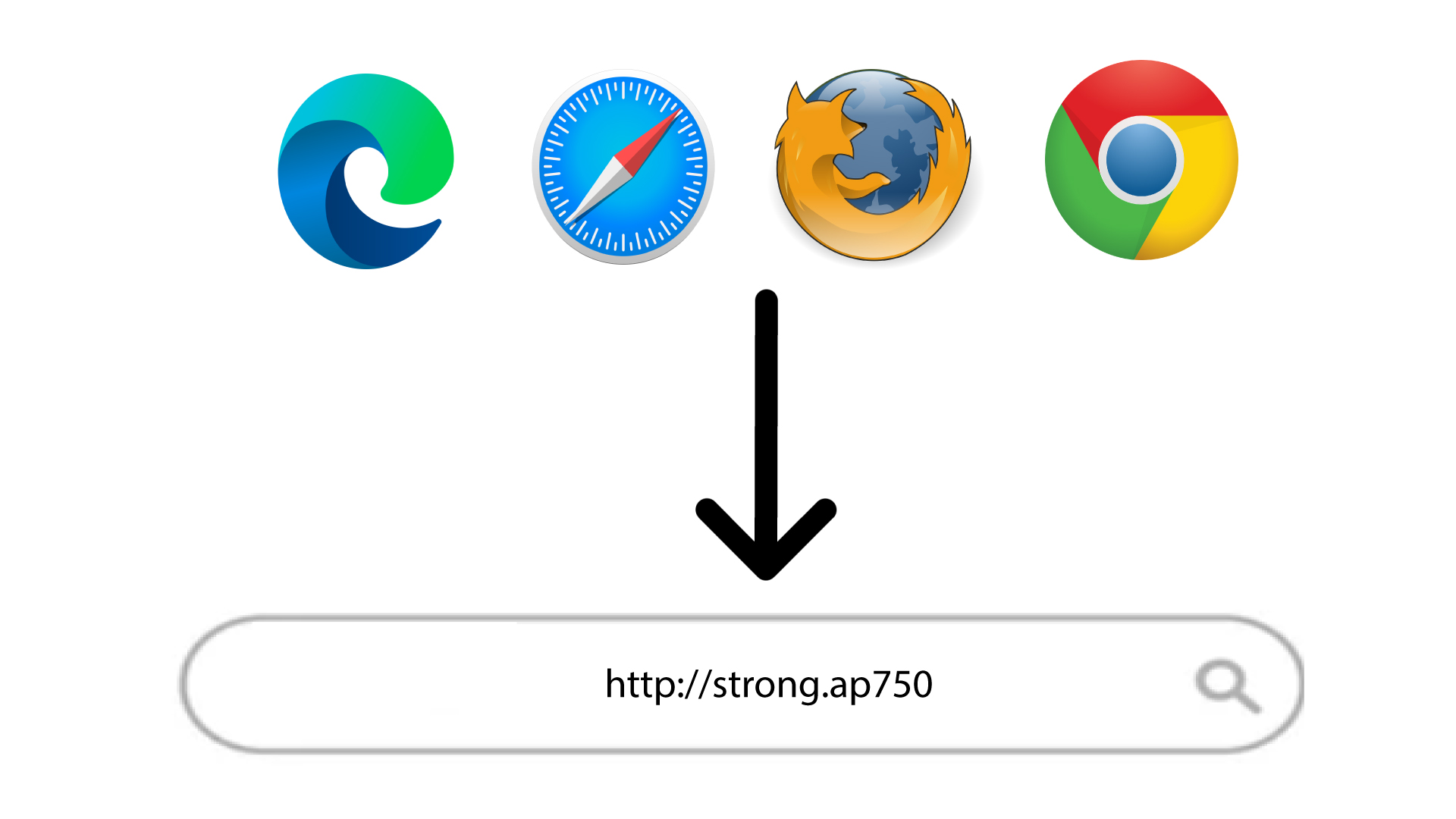
Не мога да вляза в уеб интерфейса (http://strong.ap750) след като настроих репитера си, защо?

ПРЕДУПРЕЖДЕНИЕ: Нормално е да не можете да се свържете с уеб интерфейса след настройката, тъй като данните за свързване са се променили. Всъщност, при завършване на настройката се създават две Wi-Fi мрежи. Трябва да се свържете с една от тези мрежи, за да получите достъп до уеб интерфейса.
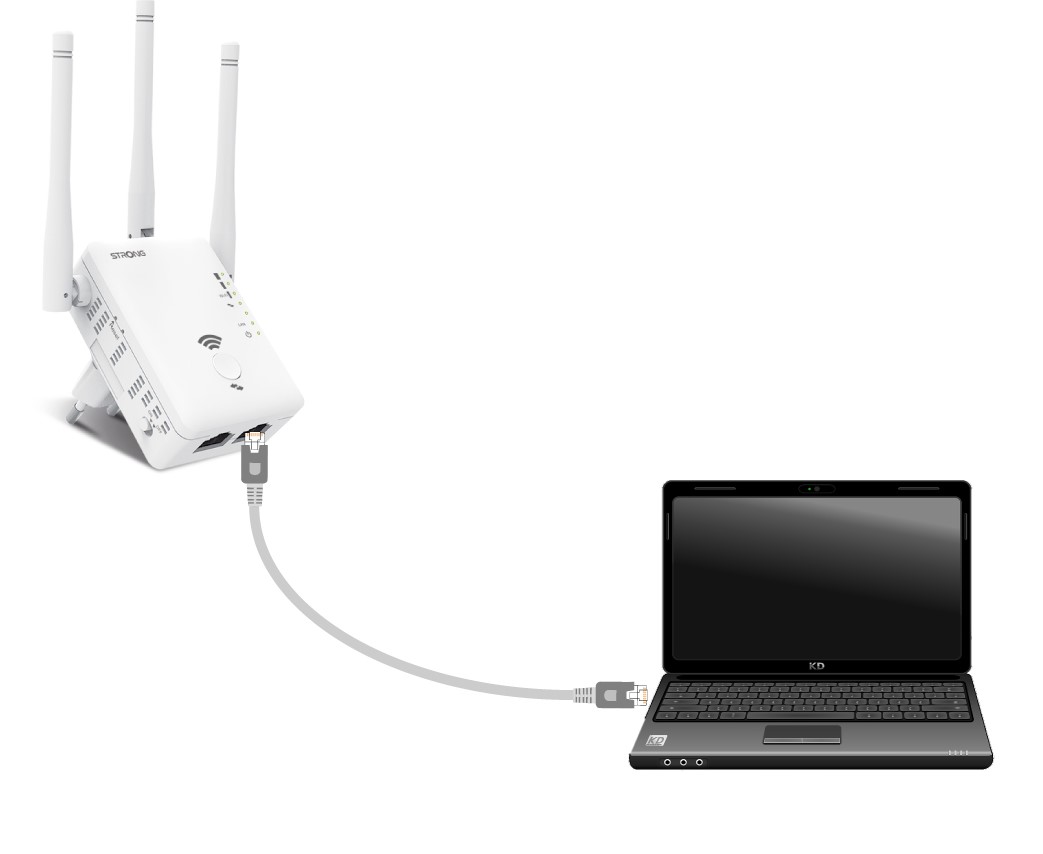
1. Свържетерутера си с RJ45 кабел
Свържете ретранслатора си към компютър чрез RJ45 кабел.
2. ОтворетеURL адреса на уеб интерфейса
Въведете URL адреса в браузъра си.
3Страница за вход
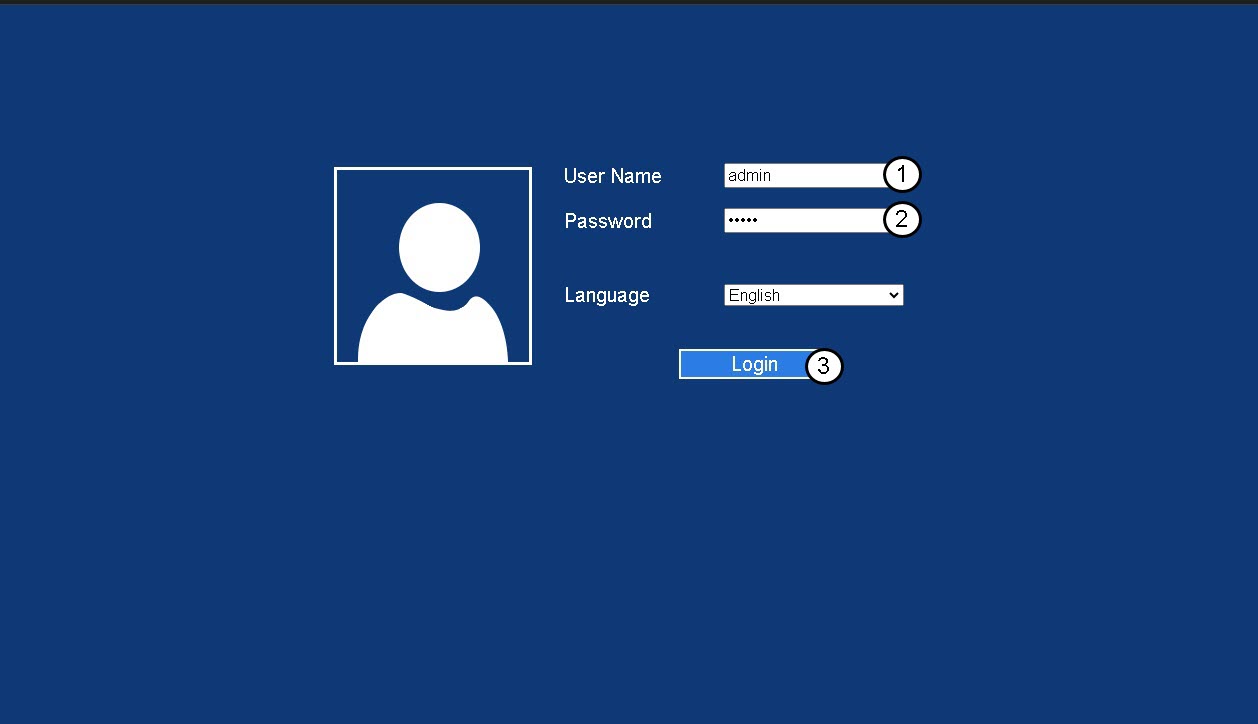
Въведете администраторската си парола и натиснете „Вход“.
4.Намерете IP адреса на рутера
В информацията за устройството потърсете IP адреса на повторителя
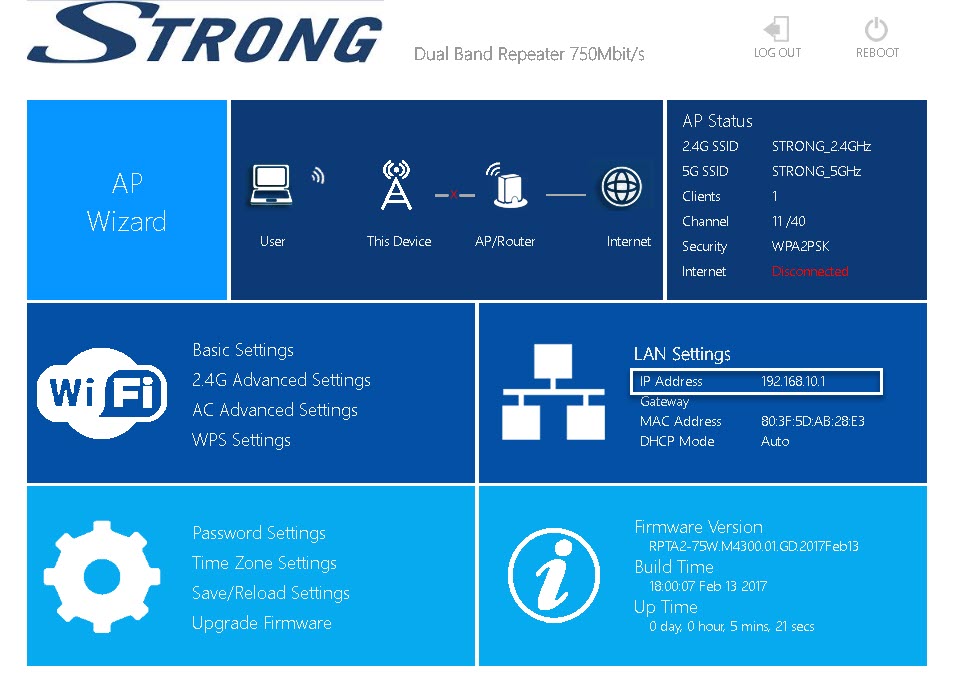
СЪВЕТ: IP адресът на вашия репитер се променя, след като бъде настроен към Wi-Fi хоста.