LEAP S3 | 4K Google TV с Dolby Vision
Всички въпроси
LEAP S3 | 4K Google TV с Dolby Vision
Защо все още не е възможно да се регулира нивото на звука, след като опцията за регулиране на звука е деактивирана?
Ако все още не можете да регулирате силата на звука с дистанционното управление на LEAP S3, моля, следвайте инструкциите по-долу, за да „изтриете“ телевизора от настройките на дистанционното управление.
1Настройки
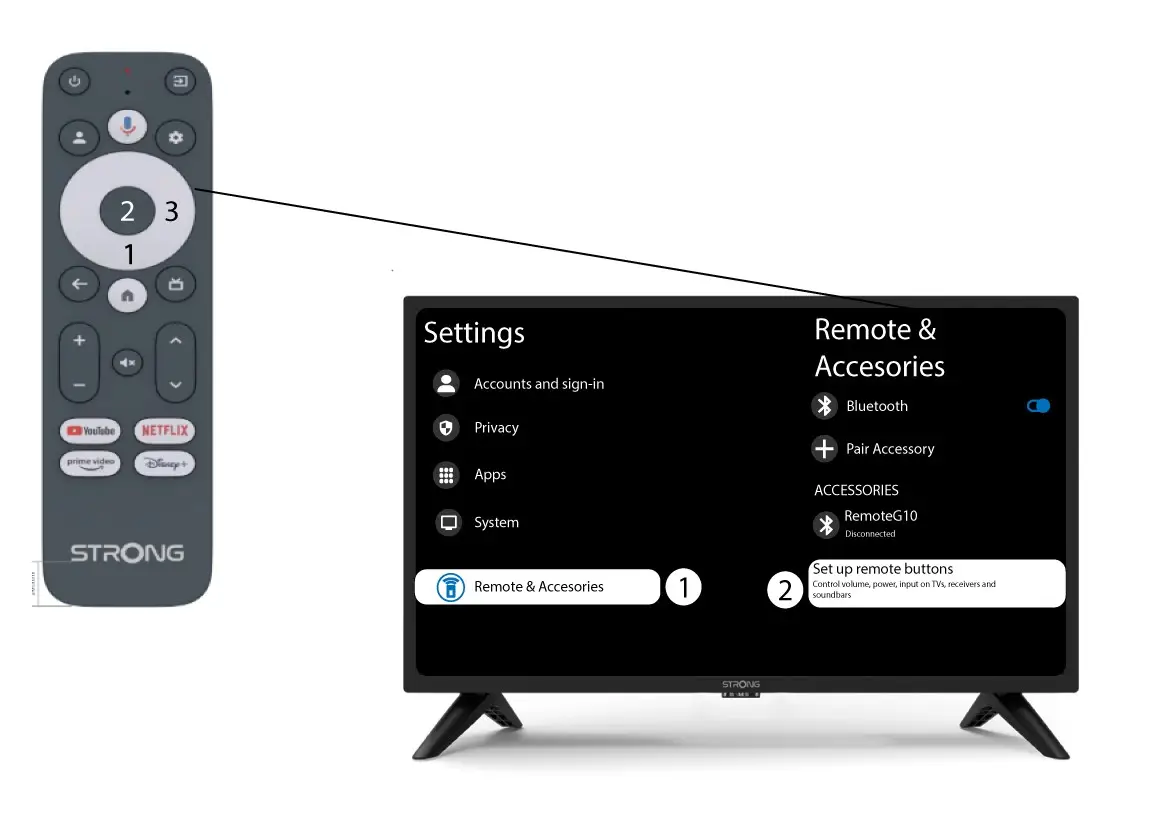
Натиснете бутона „Настройки“ и след това натиснете „ОК“

2. Настройки на дистанционното управлениеи аксесоарите
Натиснете няколко пъти бутона „Надолу“, за да изберете „Дистанционно управление и аксесоари“, и натиснете бутона „ОК “. След това натиснете няколко пъти бутона „Надолу“, за да изберете „Настройка на бутоните на дистанционното управление“, и натиснете бутона „ОК “.
3Забраветеза телевизора, свързан с дистанционното управление
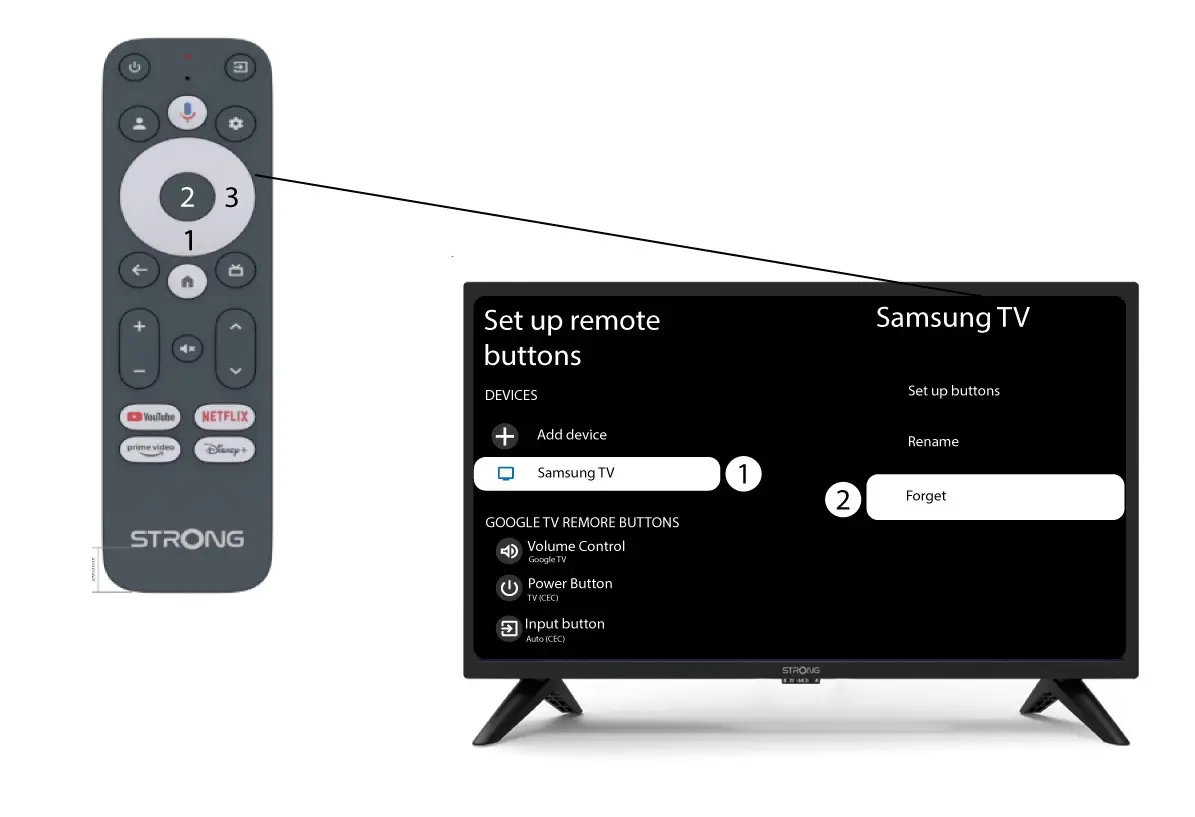
Ако телевизорът вече е настроен и се показва в списъка, трябва да го изтриете от списъка, за да го конфигурирате отново.
За да направите това, изберете марката на телевизора и натиснете „Забрави“, след което натиснете бутона „OK“, за да потвърдите.
4. Проверетерегулатора на силата на звука
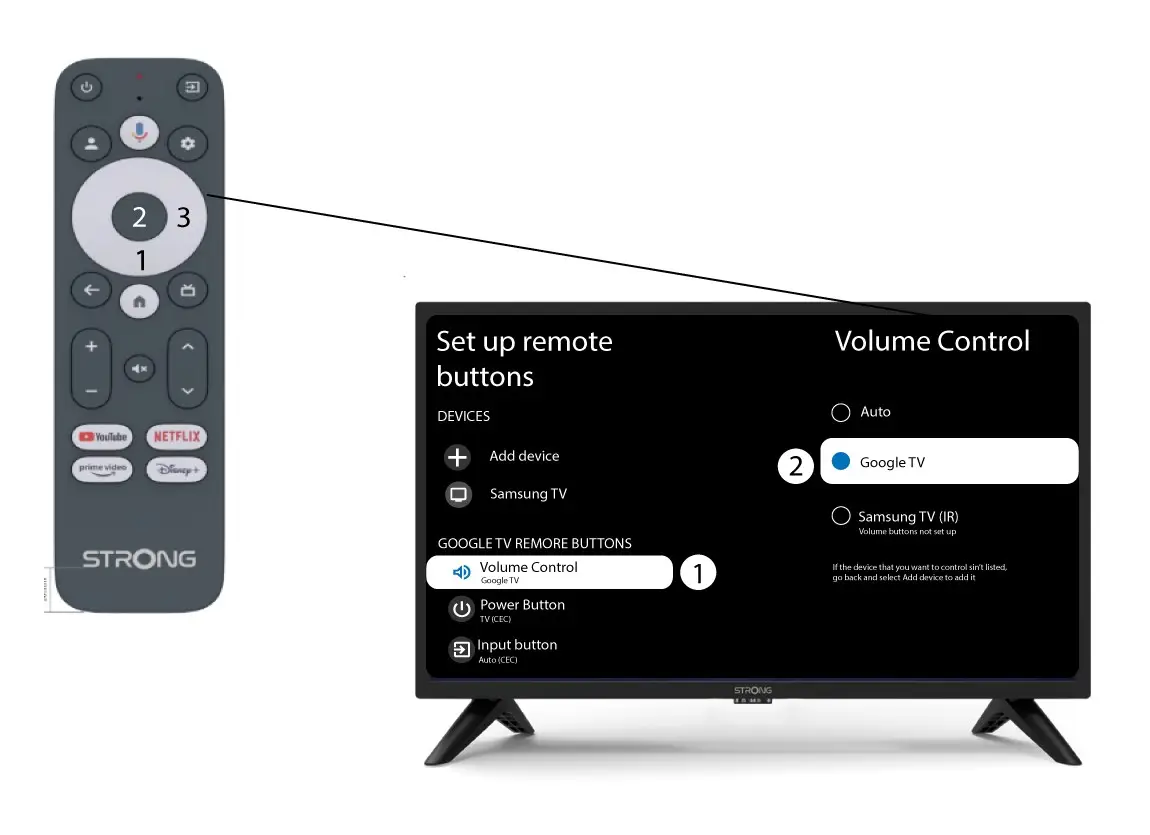
Накрая трябва да проверите дали регулаторът на силата на звука е настроен на „Google TV“. Ако това не е така, моля, изберете го и регулаторът на силата на звука трябва да работи правилно и на двете дистанционни управления.