CPL 600 Duo Wi-Fi FR V2
Всички въпроси
CPL 600 Duo Wi-Fi FR V2
Защо има прекъсвания в моята Wi-Fi връзка на 2,4 GHz и как може да помогне превключването на канал 1, 6 или 11?
Защо има прекъсвания в моята Wi-Fi връзка на 2,4 GHz и как може да помогне превключването на канал 1, 6 или 11?
За да сведете до минимум смущенията, препоръчваме да промените канала на вашата Wi-Fi мрежа на 1, 6 или 11. Тези канали са достатъчно отдалечени един от друг, за да се избегне припокриването им, което намалява вероятността от смущения, причинени от други мрежи и устройства, работещи в близост. Като изберете един от тези канали, можете да подобрите стабилността и производителността на вашата Wi-Fi връзка.
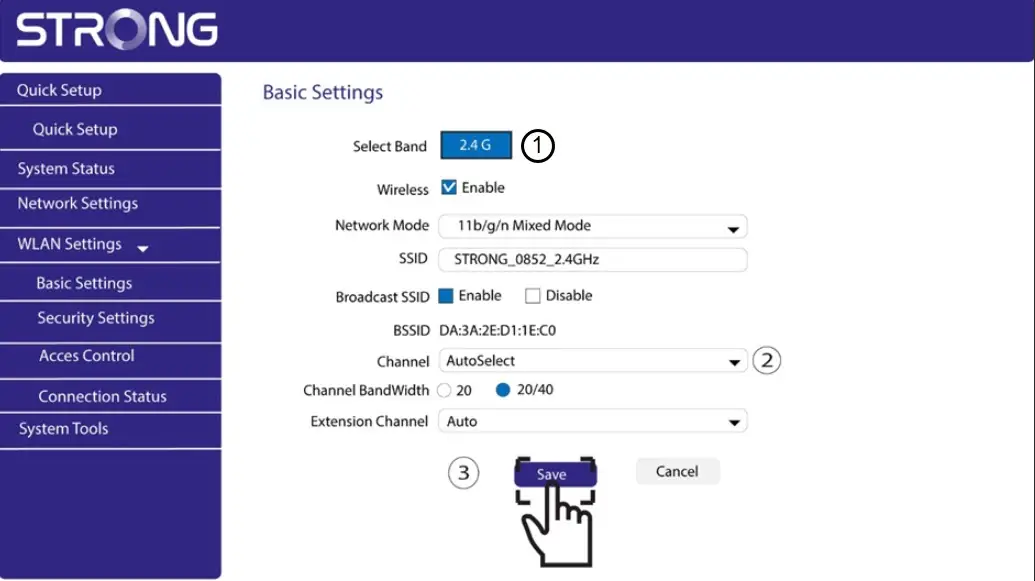
За да промените канала, отворете настройките на вашето Wi-Fi устройство с Powerline чрез уеб интерфейса му. Намерете раздела „Настройки на WLAN“ > „Основни настройки“ и изберете канал 1, 6 или 11.
1. Свържете сес Wi-Fi мрежата
За да направите това, въведете SSID и паролата на рутера във вашето устройство.

2ВъведетеIP адреса на уеб интерфейса
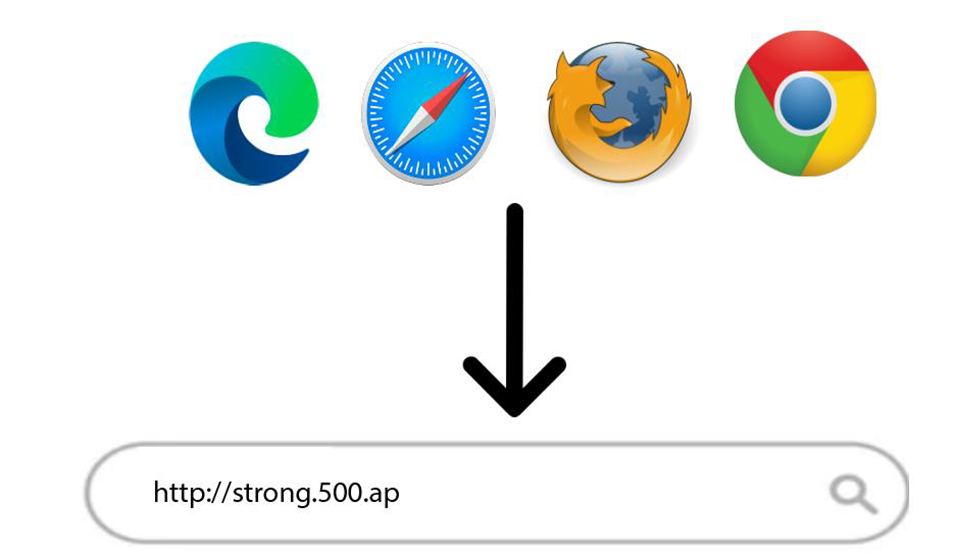
След това въведете следния IP адрес в браузъра си: http://strong.500.ap
3Страница за вход
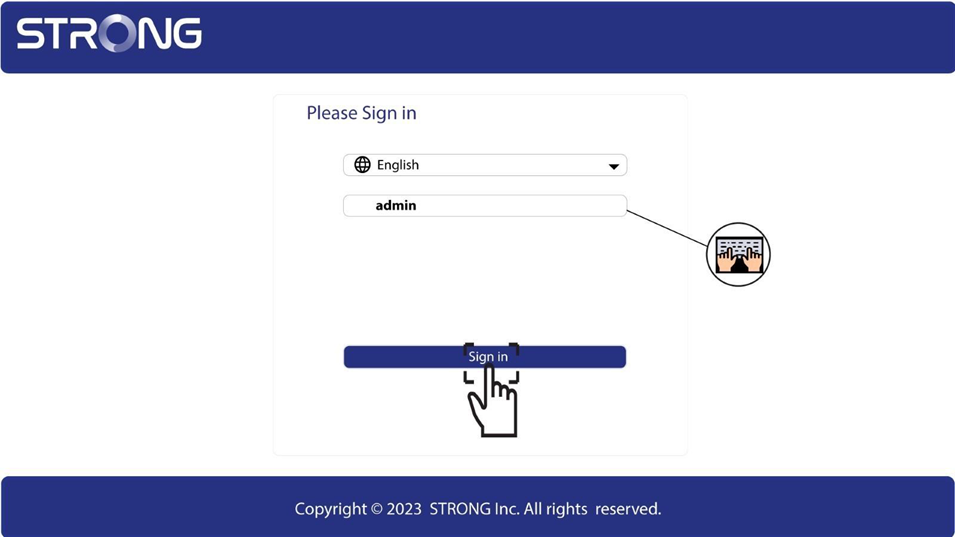
След като отворите страницата с IP адреса, кликнете върху нея и въведете потребителското име (admin). След това кликнете върху „Вход“.
4. Настройки на WLAN
Кликнете върху „Настройки на WLAN“ и „Основни настройки“.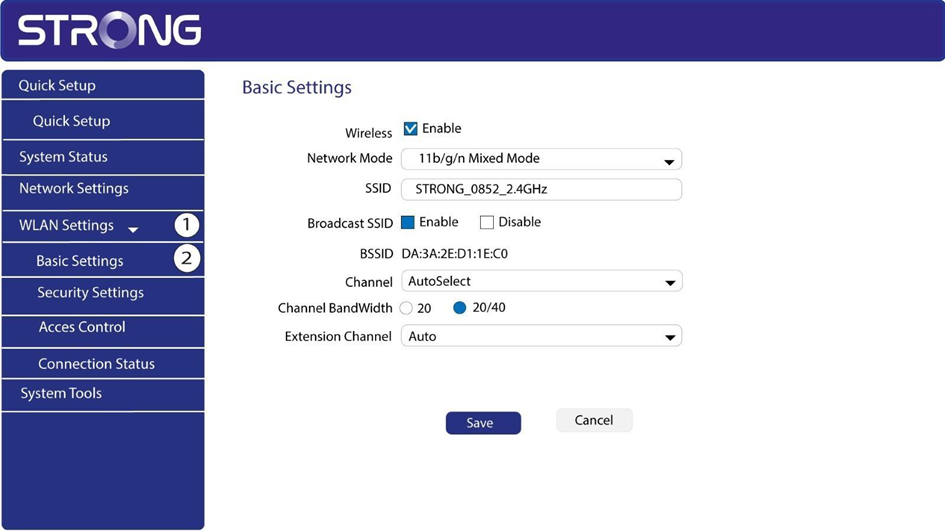
5. Изберетечестотната лента на мрежата
Изберете честотната лента 2,4 Г. След това изберете канал от падащия списък (1, 6 или 11) и кликнете върху „Запази“.