
Powerline 1000 Duo Wi-Fi EU V2
Alle spørgsmål
Powerline 1000 Duo Wi-Fi EU V2
Kan jeg deaktivere Wi-Fi-funktionen på Wi-Fi-modulet, så det fungerer som en almindelig Powerline?
Ja, det er muligt at deaktivere Wi-Fi. Følg nedenstående trin for at gøre dette.
1. Opretforbindelse til Powerline-Wi-Fi-netværket
Opret forbindelse til Powerline-enhedens Wi-Fi.
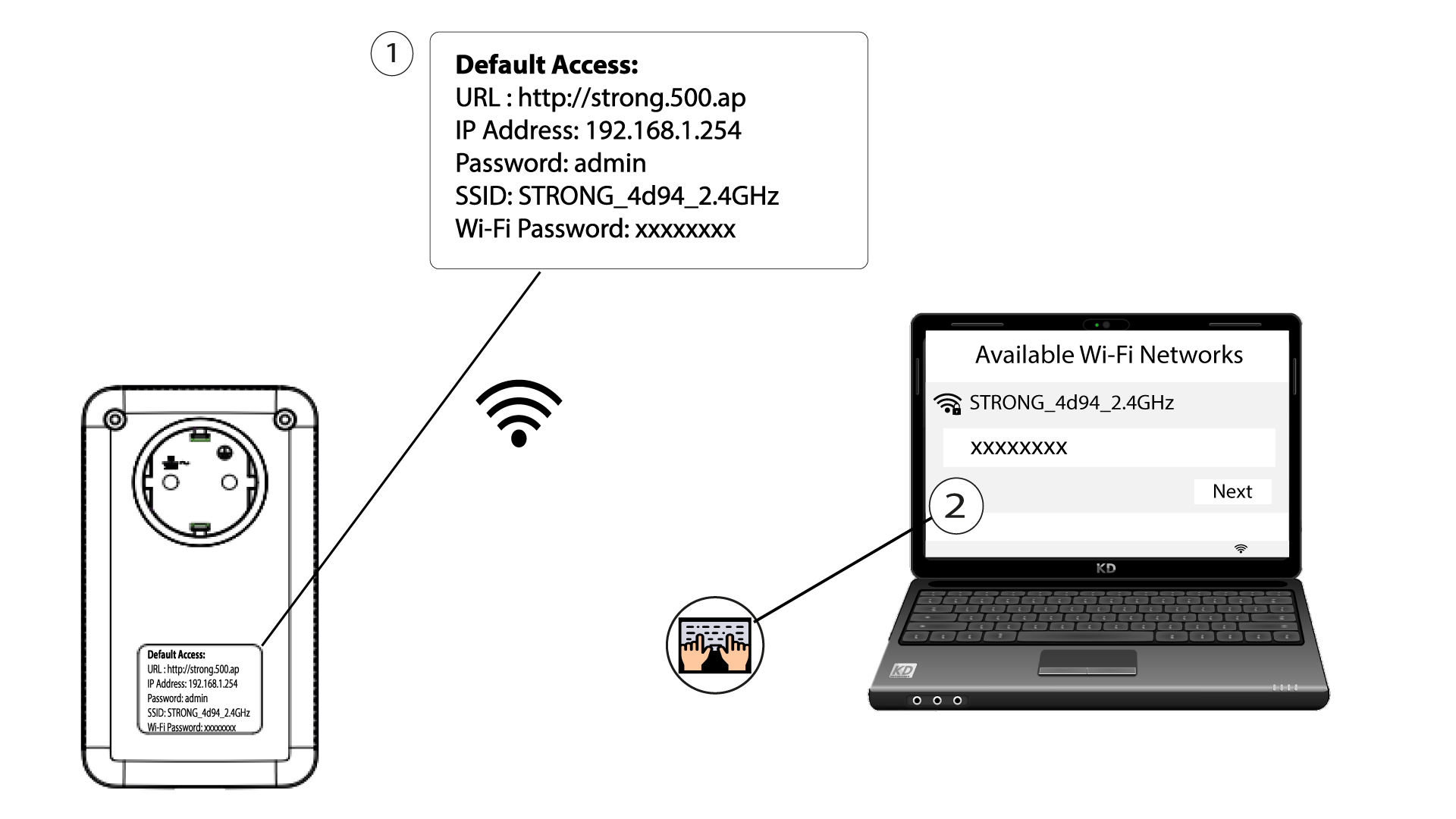
2Gåtil webgrænsefladen
Opret forbindelse til brugergrænsefladen på Powerline Wi-Fi-modulet via Wi-Fi eller ved at indtaste http://strong.500.ap i adresselinjen i din internetbrowser – grænsefladen bør nu blive vist.

3Indtastloginoplysningerne
Når du er på startsiden, skal du indtaste adgangskoden: admin

4.WLAN-indstillinger
Klik på »WLAN-indstillinger «, og vælg derefter »Grundlæggende indstillinger«.

5. DeaktiverWi-Fi’et
Fjern markeringen i afkrydsningsfeltet »Aktiver« under linjen »Trådløst« alt efter dine behov, og klik på »Gem«.


Bemærk, at du skal tilslutte enheden via et RJ45-kabel for at genaktivere Wi-Fi via modulets brugergrænseflade. En anden måde at genaktivere Wi-Fi på er at nulstille Powerline Wi-Fi ved hjælp af en papirclips, indtil LED’erne blinker. Alle enheder, der var forbundet til Powerline Wi-Fi-netværket, vil automatisk blive afbrudt.