Ingen varer fundet.
LEAP
Ingen varer fundet.
Alle spørgsmål
Ingen varer fundet.
LEAP
Ingen varer fundet.
Hvordan kan jeg tilføje eller fjerne et program fra startskærmen?
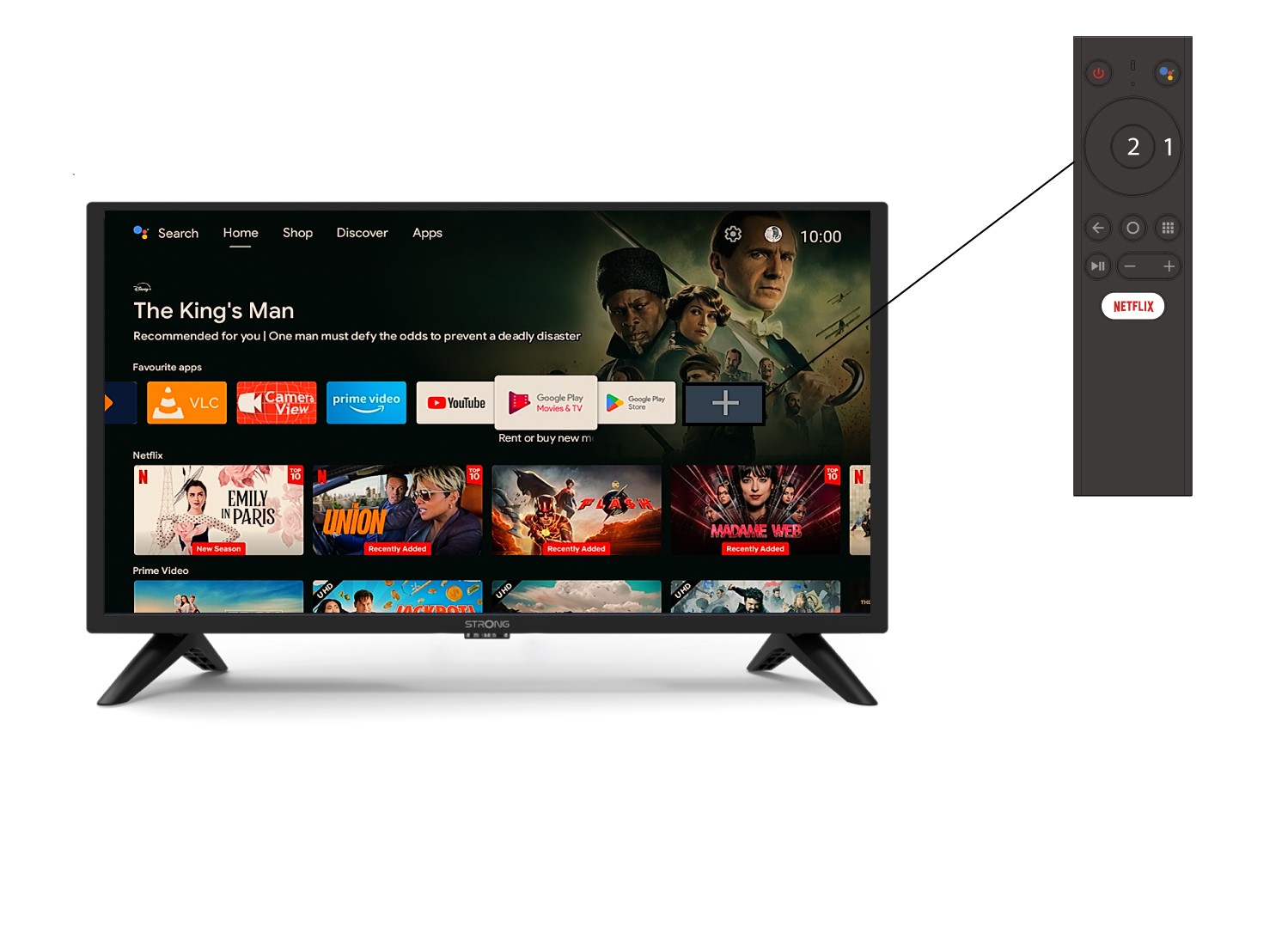
1Eksempel1: Tilføjelse af en app
For at tilføje en app til startskærmen skal du gå til +-ikonet, der er placeret i bunden af listen over apps, der allerede findes på startskærmen, og trykke på «OK».
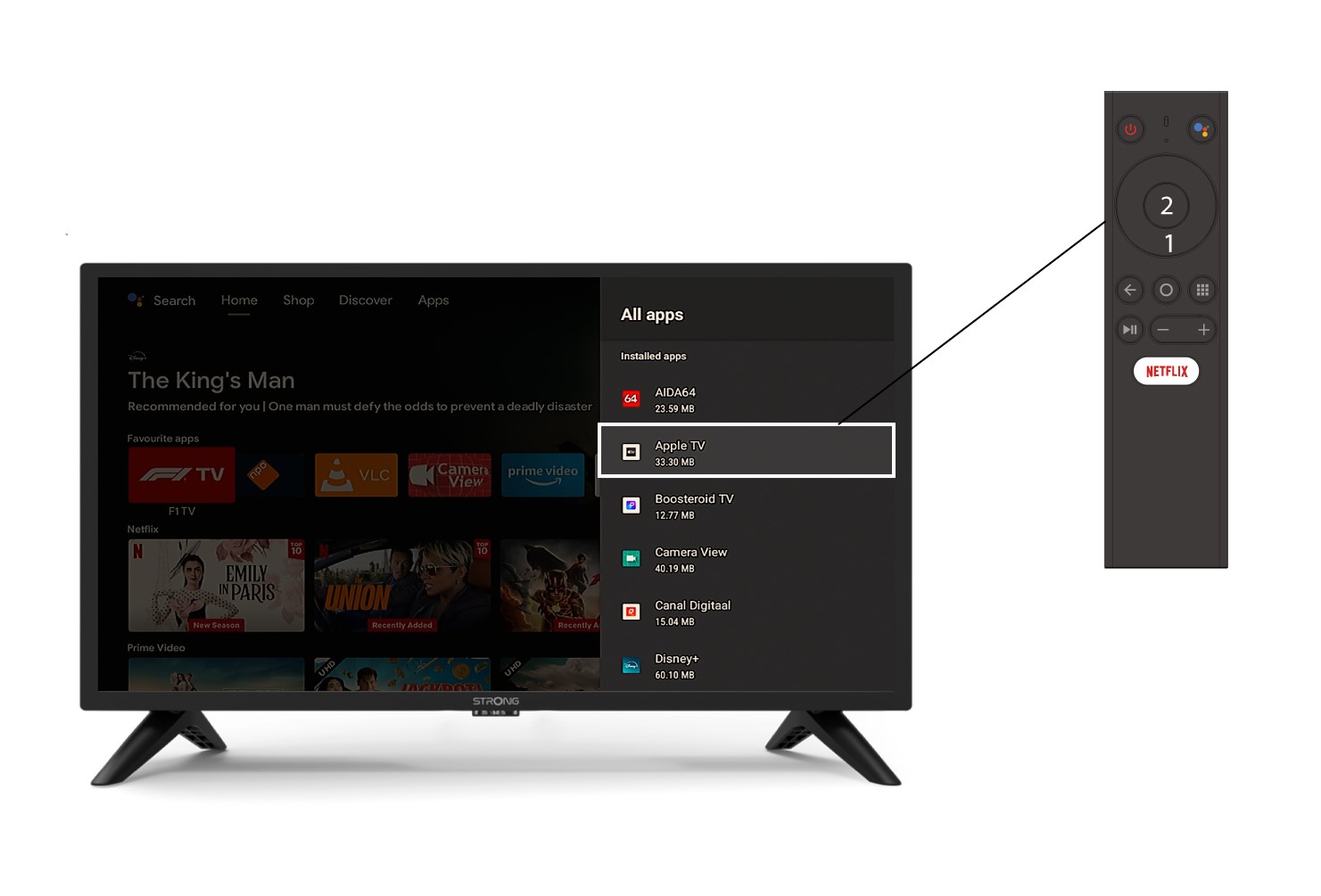
2. Liste over apps
Derefter åbnes listen over programmer. Vælg det ønskede program, og tryk på OK-knappen på fjernbetjeningen.
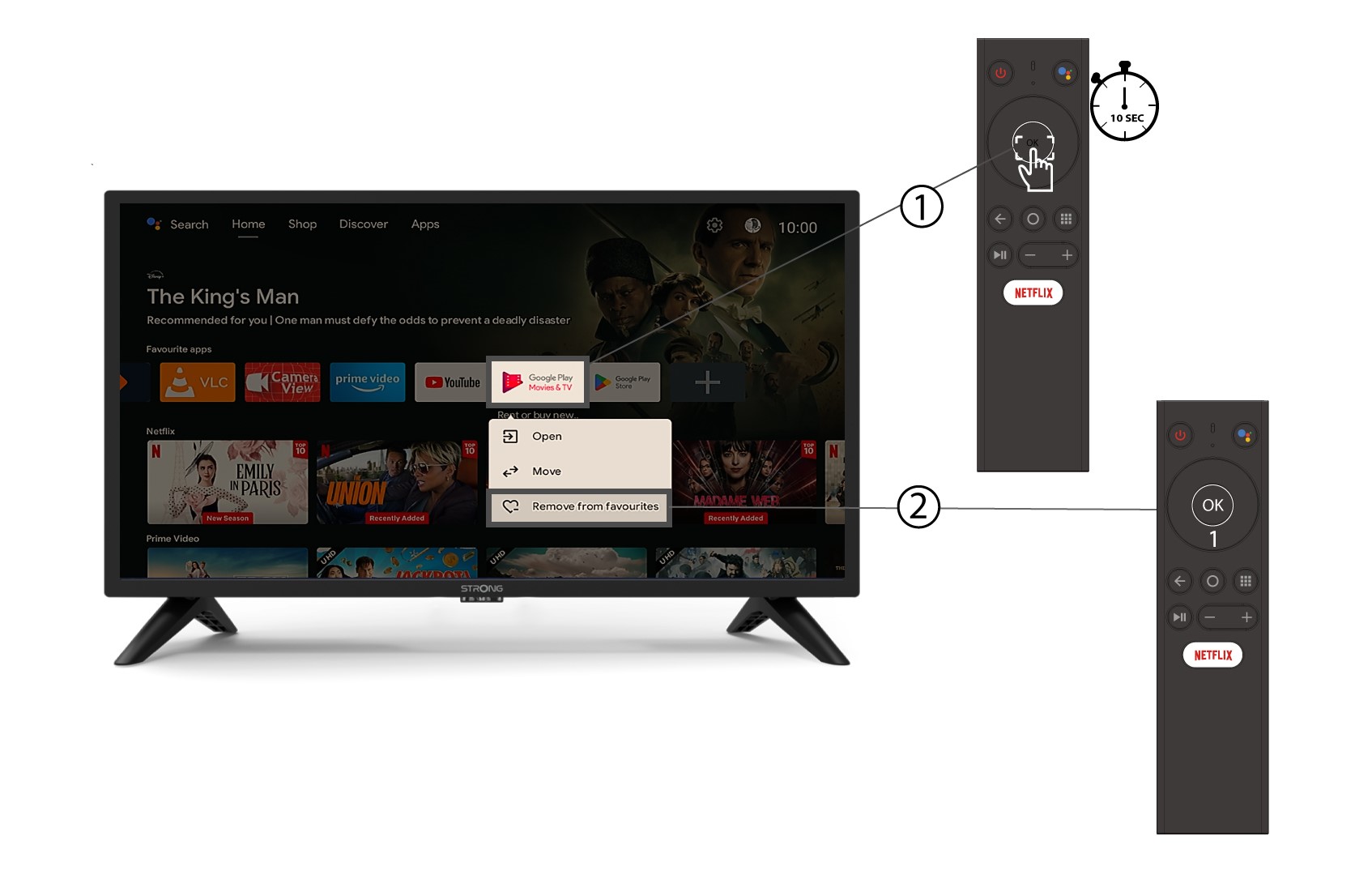
3Eksempel2: Sletning af en app
For at fjerne et program fra startskærmen skal du i listen over programmer, der allerede findes på startskærmen, finde det program, du vil fjerne, trykke længe på knappen «OK», hvorefter der vises et vindue, hvor du skal vælge «Fjern fra favoritter».