ATRIA Wi-Fi 5 Mesh 2100 (2-pak)
Alle spørgsmål
ATRIA Wi-Fi 5 Mesh 2100 (2-pak)
Hvordan kan jeg indstille/tildele en statisk IP-adresse til min Atria Mesh 2100-enhed?
Det kan være en god idé at tildele en statisk IP-adresse til din mesh -controller, så du lettere kan få adgang til webgrænsefladen på dit netværk via Atria-appen Mesh .
Du kan også tildele dedikerede IP-adresser til de enheder, der er tilsluttet dit mesh -netværk, via webgrænsefladen.
1. Tilfælde1: Konfigurer en statisk IP-adresse til mesh -controlleren i Atria Mesh -appen
Download smartphone-appen»ATRIA MESH « fra App Store eller Google Play Store.

2. Tilslutningtil Wi-Fi
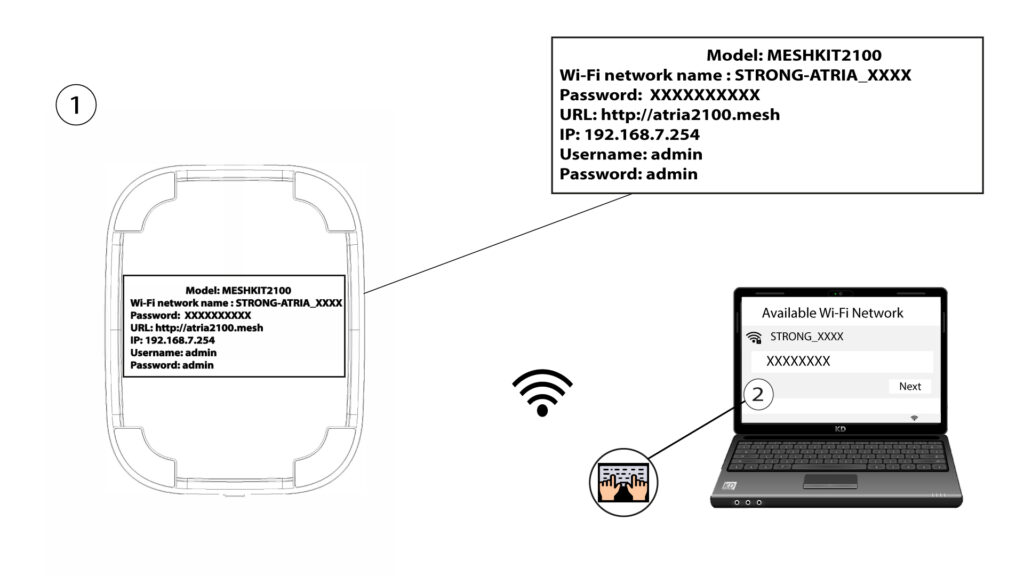
Opret forbindelse til Wi-Fi-netværket på din » mesh «-enhed.
3. Referencer
Derefter skal du oprette forbindelse til Wi-Fi-netværket på Mesh med din smartphone og derefter logge ind på appen med dine loginoplysninger, som bør være»admin« og»admin«, hvis du ikke har ændret dem.

4Mitnetværk
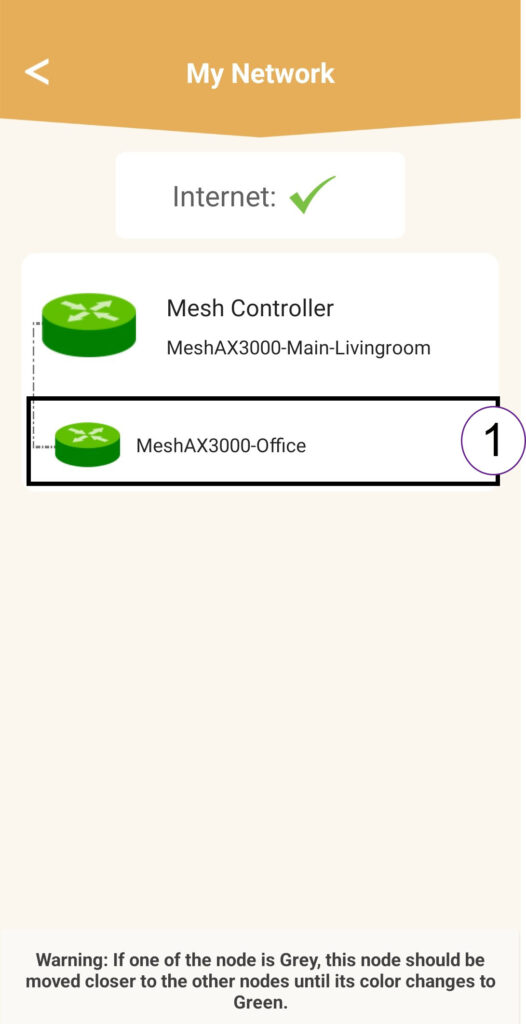
Klik på »Mit netværk«.

5Mesh -agent
Klik på navnet på » Mesh «-agenten på listen.
6IP-adresse
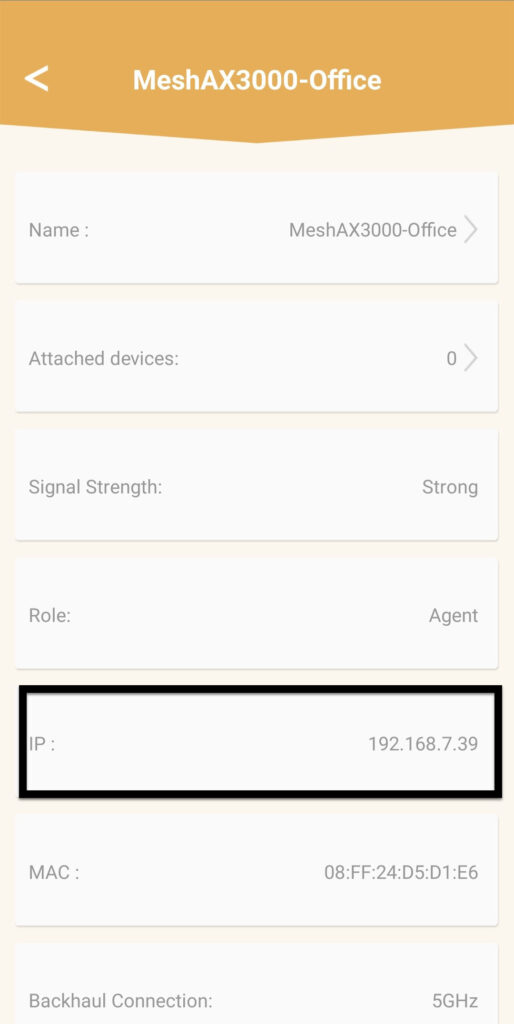
Find enhedens IP-adresse og MAC-adresse.
7. Skrivde nye oplysninger ned
Skriv IP-adressen og MAC-adressen ned.
8. Internetindstillinger
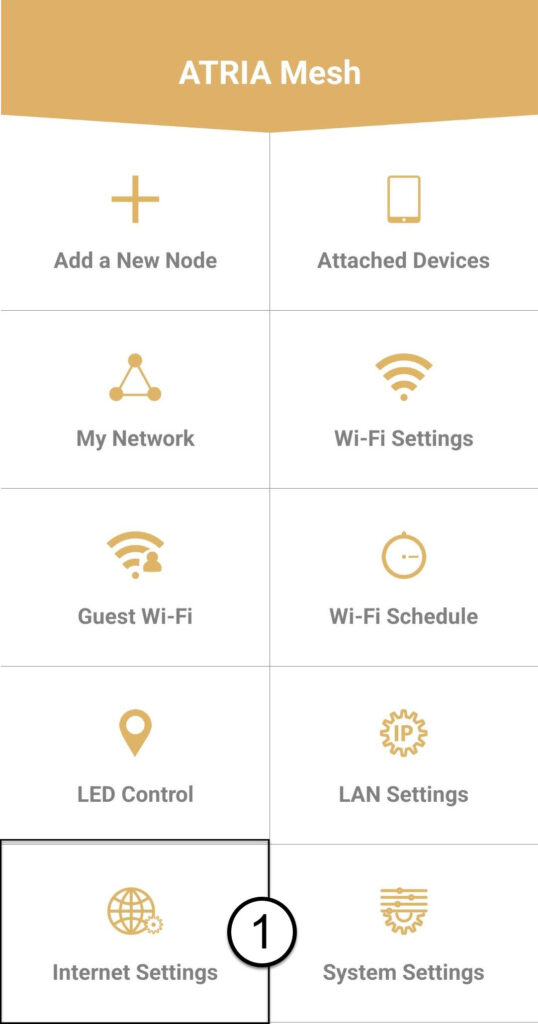
Klik på »Internetindstillinger«.
9Statiske
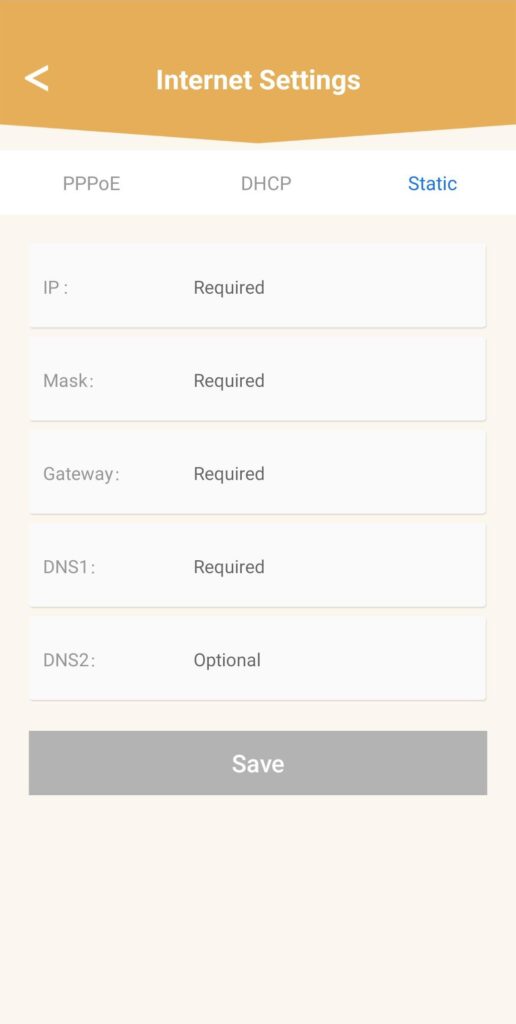
Vælg »Statisk IP«. Indtast følgende oplysninger, inden du klikker på »Gem«:
- IP: Indtast agentens IP-adresse
- Maske: Feltet udfyldes automatisk med den relevante værdi
- Gateway: Feltet udfyldes automatisk med den korrekte værdi
- DNS1: Indtast den primære DNS-adresse (du kan finde disse oplysninger i webgrænsefladen: Netværk > LAN -> Aktiver manuel DNS)
- DNS2: Indtast den sekundære DNS-adresse (du kan finde denne oplysning i webgrænsefladen: Netværk > LAN > Aktivér manuel DNS)
1. Tilfælde2: Tildel en dedikeret IP-adresse til dine mesh -agenter/enheder i webgrænsefladen
For at gøre dette skal du oprette forbindelse til Wi-Fi-netværket på din mesh .

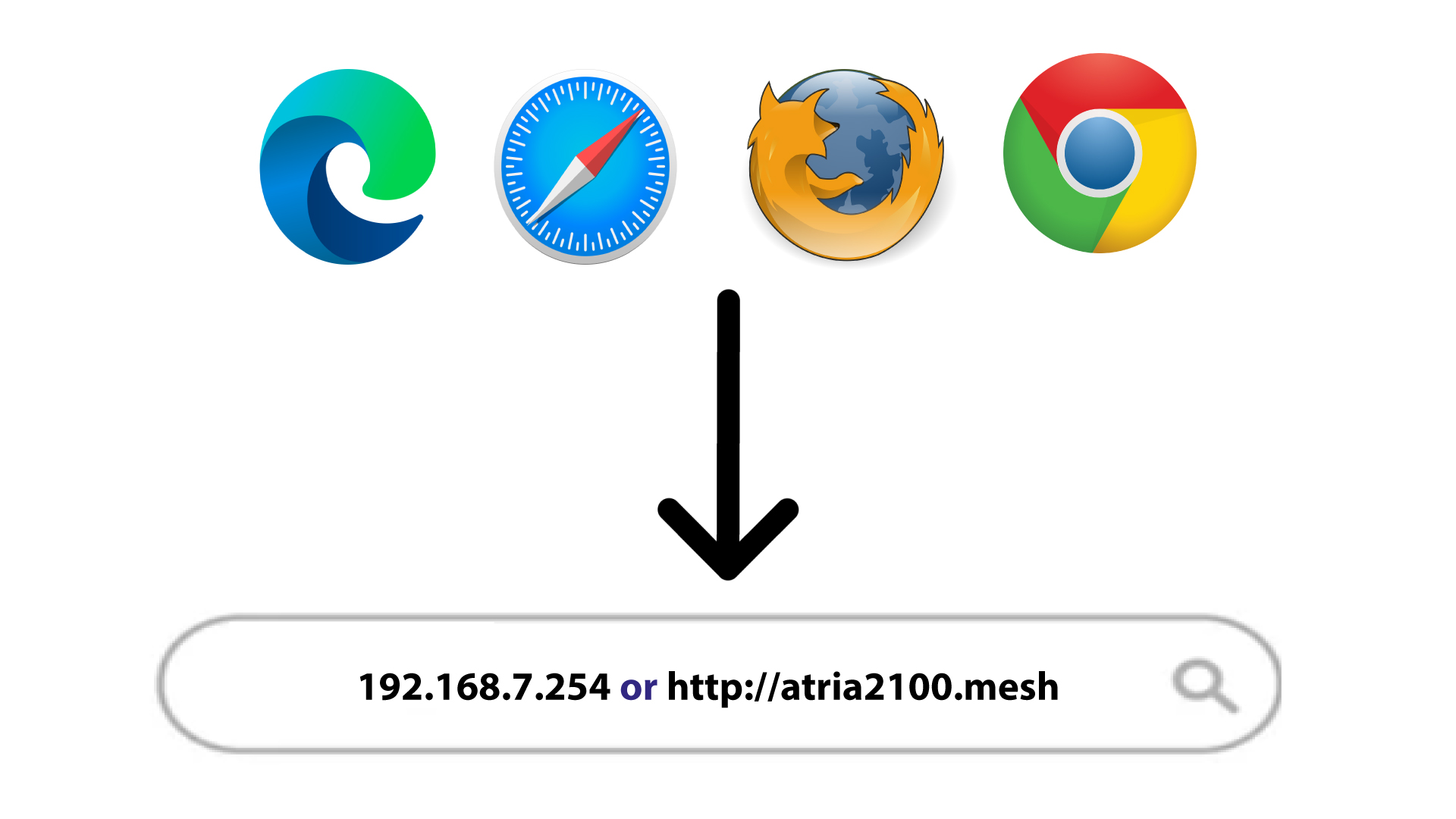
2IP-adressen til webgrænsefladen i din browser
Gå til IP-adressen på hoved mesh -enheden.
3LAN-oplysninger
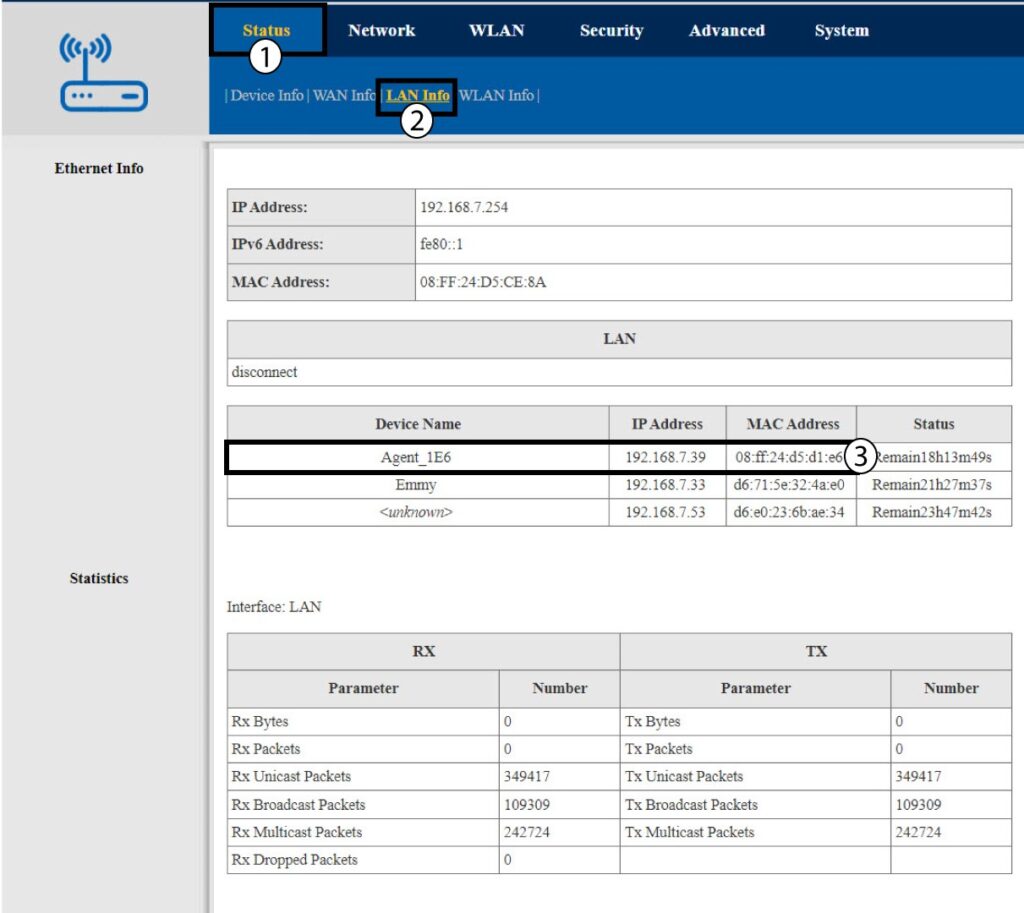
Klik på »Status« og »LAN-oplysninger«. Find enheden » mesh « på den viste liste; dens navn begynder med »Agent«.
4. Skrivde nye oplysninger ned
Skriv agentens IP-adresse og MAC-adresse ned.
5. StatiskIP-adresse
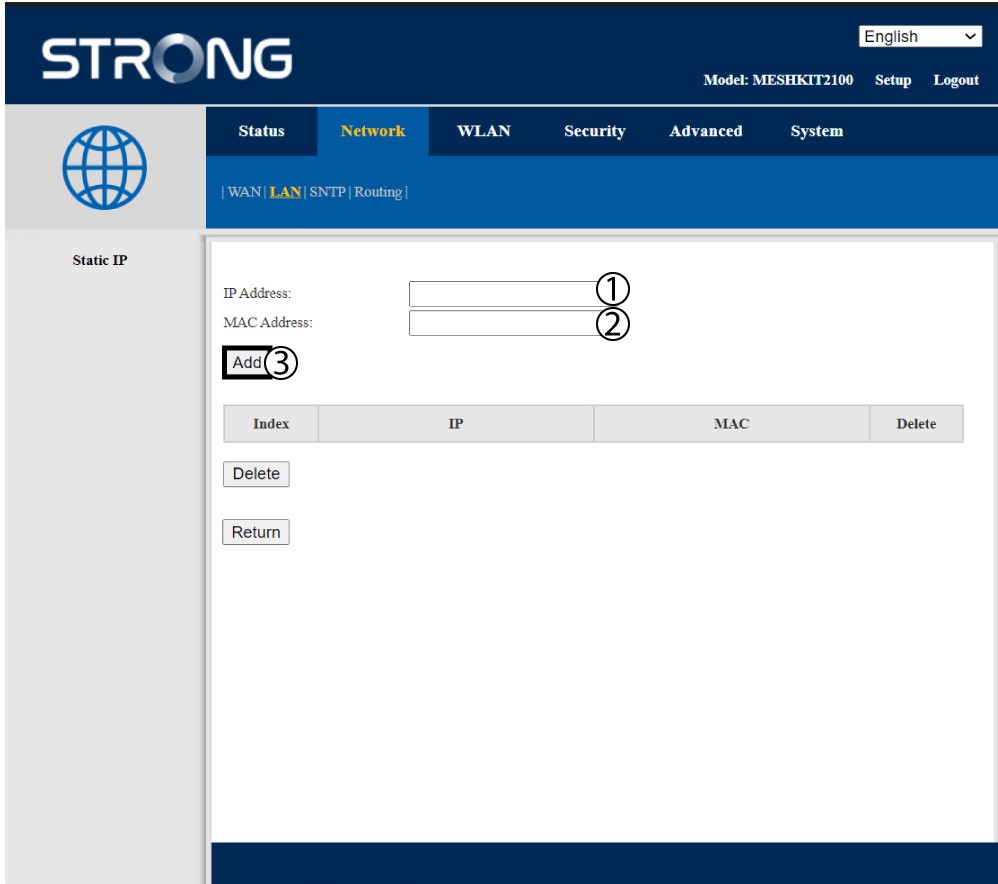
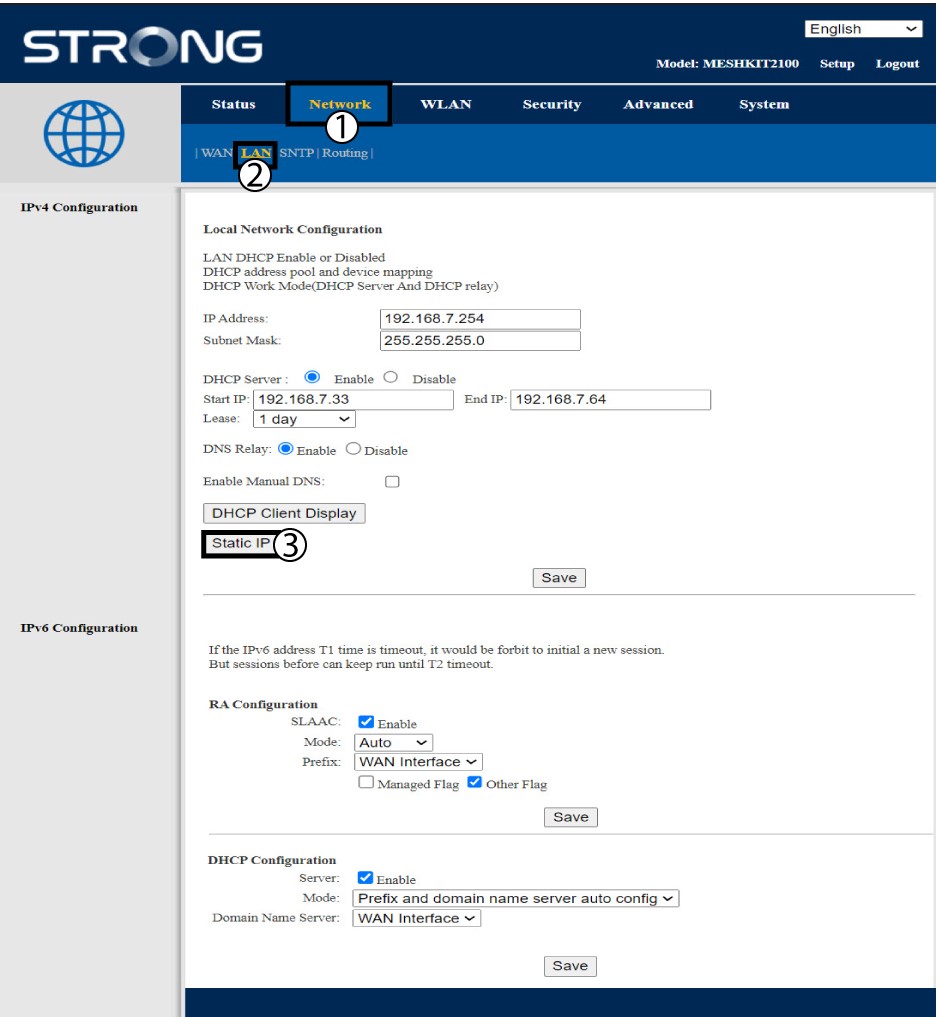
Klik på »Netværk og LAN«. Klik derefter på »Statisk IP«.
6. TilføjIP-adresse og MAC-adresse
Indtast IP- adressen og MAC -adressen, før du klikker på »Tilføj«.