
4G bærbart hotspot 150
Ingen varer fundet.
Ingen varer fundet.
Alle spørgsmål
4G bærbart hotspot 150
Ingen varer fundet.
Ingen varer fundet.
Hvordan får jeg adgang til webgrænsefladen?
For at få adgang til webgrænsefladen skal du være forbundet til Wi-Fi-netværket på din 4G PORTABLE HOTSPOT 150 MED SKÆRM/4G PORTABLE HOTSPOT 150, efter at du har sat SIM-kortet i kortsporet.
1. Opret forbindelsetil routerens Wi-Fi-netværk
For at gøre dette skal du indtaste routerens SSID og adgangskode på din enhed.
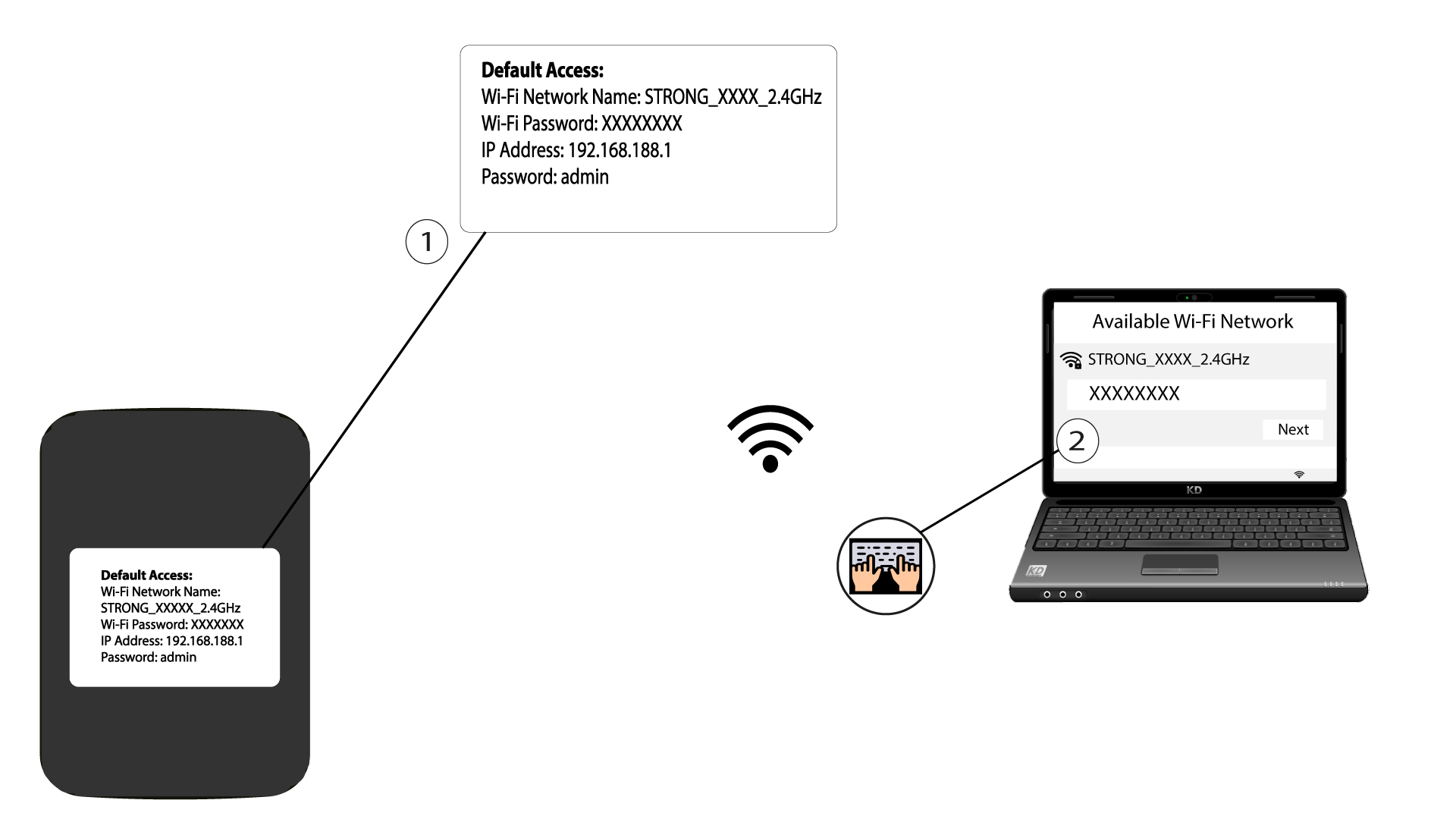
2Gåtil IP-adressen for webgrænsefladen
Indtast derefter følgende IP-adresse i din browser: 192.168.188.1

3Gåtil login-siden
Når du har åbnet siden med IP-adressen, skal du indtaste adgangskoden og klikke på »Login«.

4Advarselsmeddelelse
Når du er logget ind, vil du se en advarselsmeddelelse om administratoradgangskoden.


Advarsel: Når du har oprettet forbindelse for første gang, anbefaler vi på det kraftigste, at du ændrer administratoradgangskoden for at sikre adgangen til routeren og forhindre hacking.