
Universal Repeater 300S
Ingen varer fundet.
Ingen varer fundet.
Alle spørgsmål
Universal Repeater 300S
Ingen varer fundet.
Ingen varer fundet.
Hvordan ændrer jeg administratoradgangskoden til min repeater?
1Opret forbindelsetil webgrænsefladen
Følg denne vejledning for at oprette forbindelse til webgrænsefladen.
2Opsætning
Klik på »Opsætning« i den nederste bjælke.
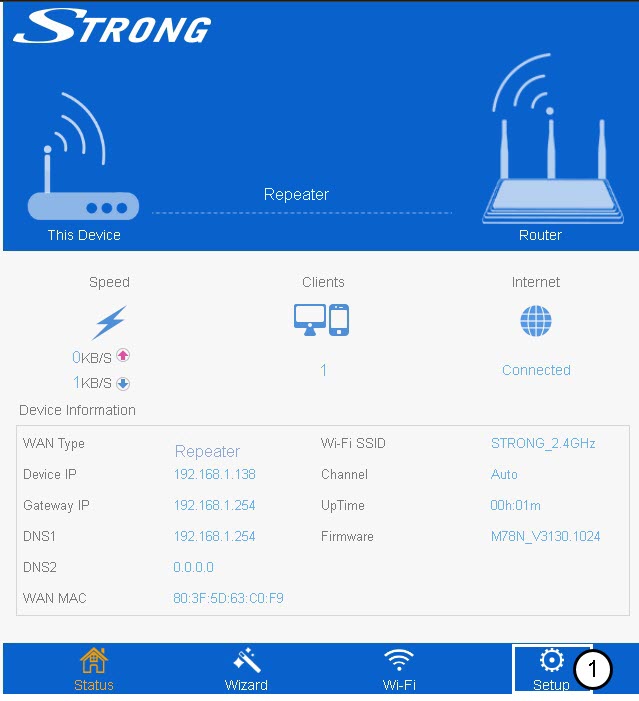
3. Adgangskode
Klik på »Login-adgangskode«.
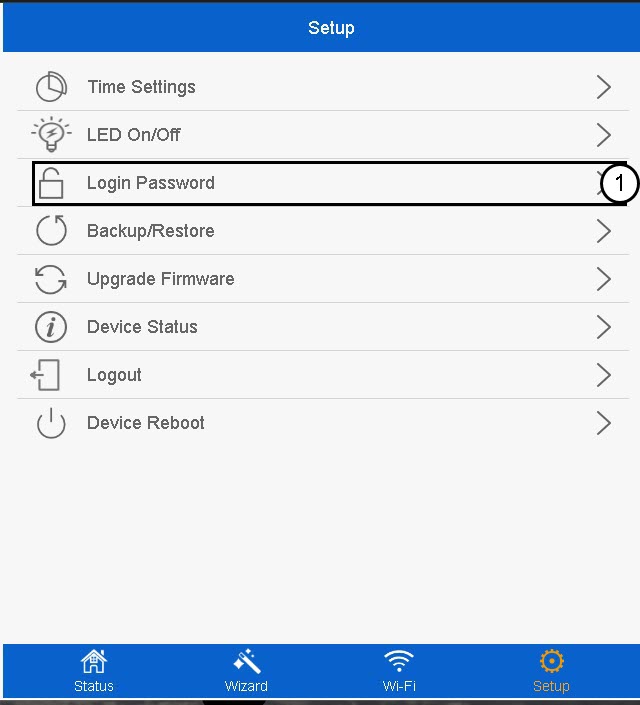
4. Opretden nye adgangskode
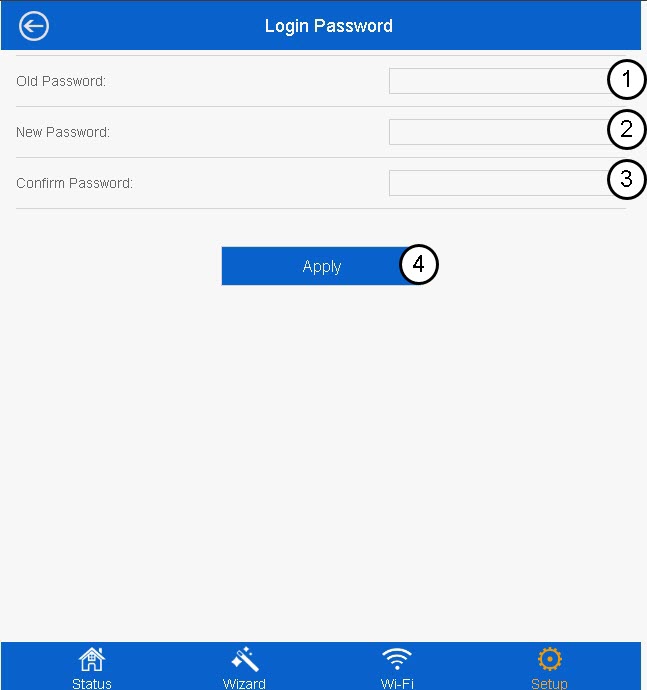
Indtast følgende oplysninger, inden du klikker på »Anvend«:
- Gammel adgangskode: Indtast standardadgangskoden.
- Ny adgangskode: Indtast en ny adgangskode
- Bekræft adgangskode: Indtast den samme adgangskode som i det forrige felt.
Den nye adgangskode skal bestå af mellem 8 og 31 tegn (små bogstaver, store bogstaver, tal og specialtegn). Kun følgende specialtegn er tilladt: @ ! §% * ? &

Advarsel: Sørg for at notere den nye administratoradgangskode, da du får brug for den for at oprette forbindelse til webgrænsefladen. Hvis du glemmer din administratoradgangskode, skal du nulstille din repeater til standardindstillingerne ved at følge denne vejledning.