
Powerline 1000 Duo Wi-Fi Mini UK
Alle spørgsmål
Powerline 1000 Duo Wi-Fi Mini UK
Hvordan ændrer jeg SSID-navnet og adgangskoden til Powerline 1000 Wi-Fi-netværket?
1 Opret forbindelsetil powerline-netværkets Wi-Fi
Opret forbindelse til Wi-Fi-netværket på pwerline 1000 Wi-Fi Mini.
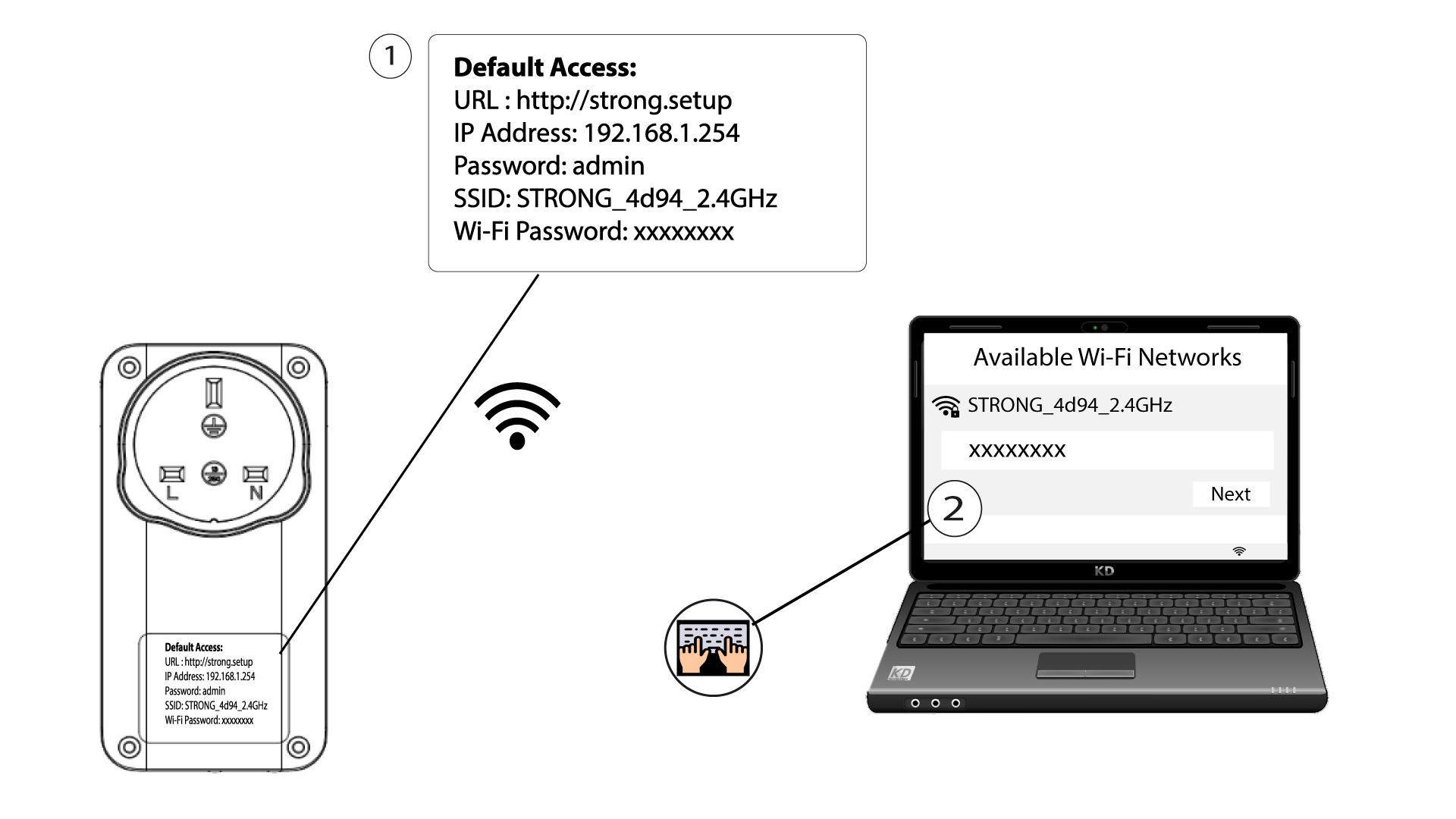
2. Gåtil IP-adressen for webgrænsefladen
Du får adgang til brugergrænsefladen ved at indtaste URL’en: http://strong.setup i adresselinjen i din webbrowser.

3Indtastdine loginoplysninger
Indtast derefter adgangskoden: admin

4Hurtigopsætning
Gå til menuen, vælg »Hurtig opsætning«, klik derefter på »Access Point (AP)« og klik på »NÆSTE«.

5Indtastde nye netværksoplysninger
Rediger SSID’et og adgangskoden. Når du opretter den nye adgangskode, bør du undgå at bruge bogstavet »I« med stort og »l« med småt, da de let kan forveksles. Vi anbefaler desuden, at du opretter en adgangskode, der består af en blanding af store og små bogstaver samt tal. Når du er færdig med at redigere, skal du klikke på NÆSTE for at gemme.

6. Skrivde nye netværksoplysninger ned
Skriv det nye SSID og adgangskoden ned på et stykke papir, og tilslut derefter alle dine enheder igen til Powerline 1000 Wi-Fi Mini ved hjælp af de nye indstillinger.
