
Atria Mesh extender trio 1200 UK
Ingen varer fundet.
Ingen varer fundet.
Alle spørgsmål
Atria Mesh extender trio 1200 UK
Ingen varer fundet.
Ingen varer fundet.
Hvordan ændrer jeg SSID’et (Wi-Fi-netværksnavnet) og adgangskoden til mit Wi-Fi- mesh -netværk? (TILFÆLDE 1: Webgrænseflade)
1Adgangtil webgrænsefladen
For at oprette forbindelse til Web UI skal du følge denne vejledning: Hvordan får jeg adgang til Web UI?
2. Wi-Fi-indstillinger
Klik på »Wi-Fi« i venstre sidepanel.
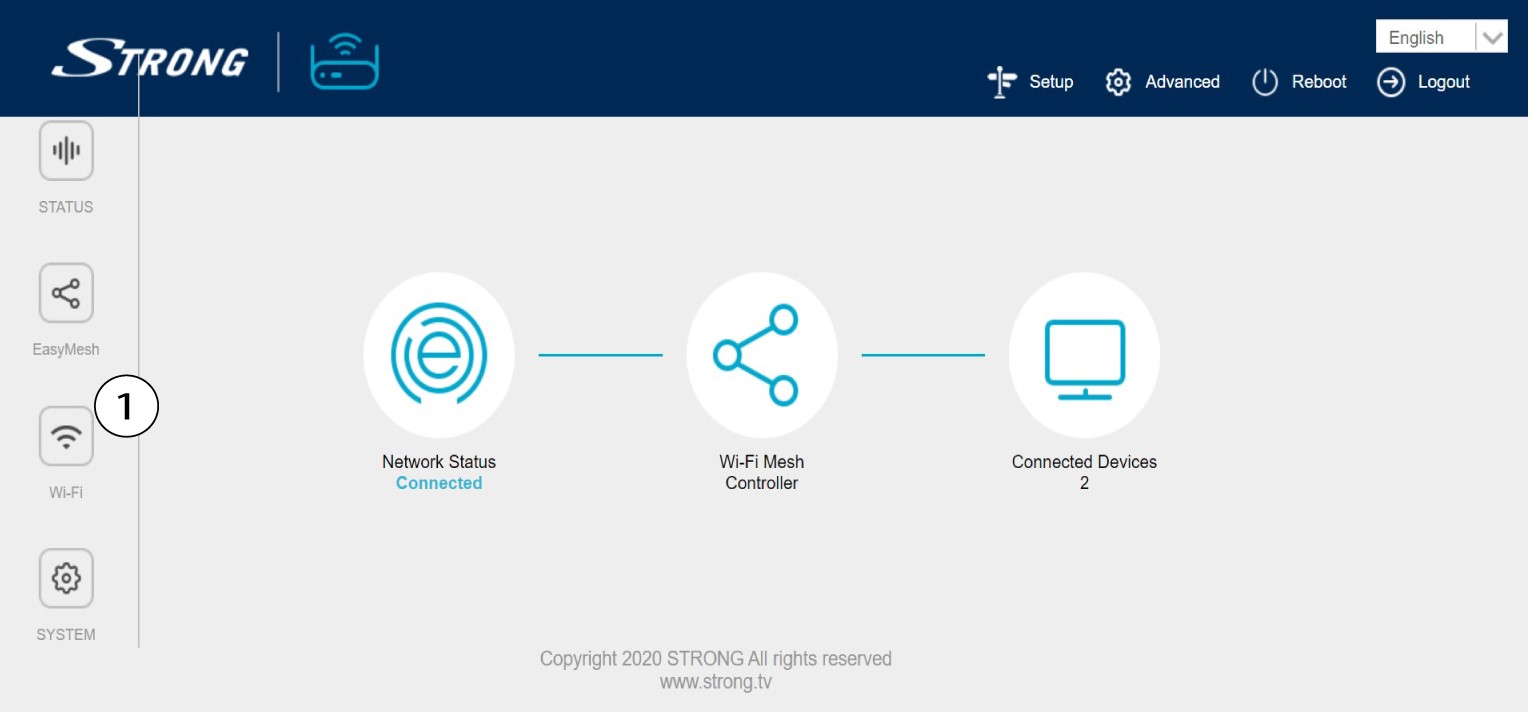
3. Redigeroplysninger om Wi-Fi-netværket
Klik på 5 G WLAN eller 2,4 G WLAN. Indtast derefter følgende oplysninger, inden du klikker på »Anvend«:
o SSID: Indtast et nyt netværksnavn
o Wi-Fi-nøgle: Indtast en ny adgangskode. (tjek skærmbilledet boks for at sikre, at du har indtastet den rigtige
adgangskode, som du ønskede)
Bemærk venligst, at du skal indtaste en adgangskode på mellem 8 og 32 tegn, der skal indeholde store bogstaver, små bogstaver, tal og mindst ét specialtegn (@, $, !, %, *, ?, &)

4. Skrivde nye netværksoplysninger ned
Skriv de nye netværksoplysninger ned på et stykke papir.
