4G LTE Router 300 Mini UK
Ingen varer fundet.
Ingen varer fundet.
Alle spørgsmål
4G LTE Router 300 Mini UK
Ingen varer fundet.
Ingen varer fundet.
Hvordan forbinder jeg mine enheder via WPS?

Du kan bruge WPS-funktionen til at oprette en Wi-Fi-forbindelse mellem din router og f.eks. dine computere og/eller din printer. Det er ikke muligt at forbinde en mobiltelefon via WPS. For nemt at forbinde din telefon til Wi-Fi skal du scanne QR-koden på bagsiden af din router; den vil automatisk forbinde dig til netværket uden at du skal indtaste Wi-Fi-adgangskoden.
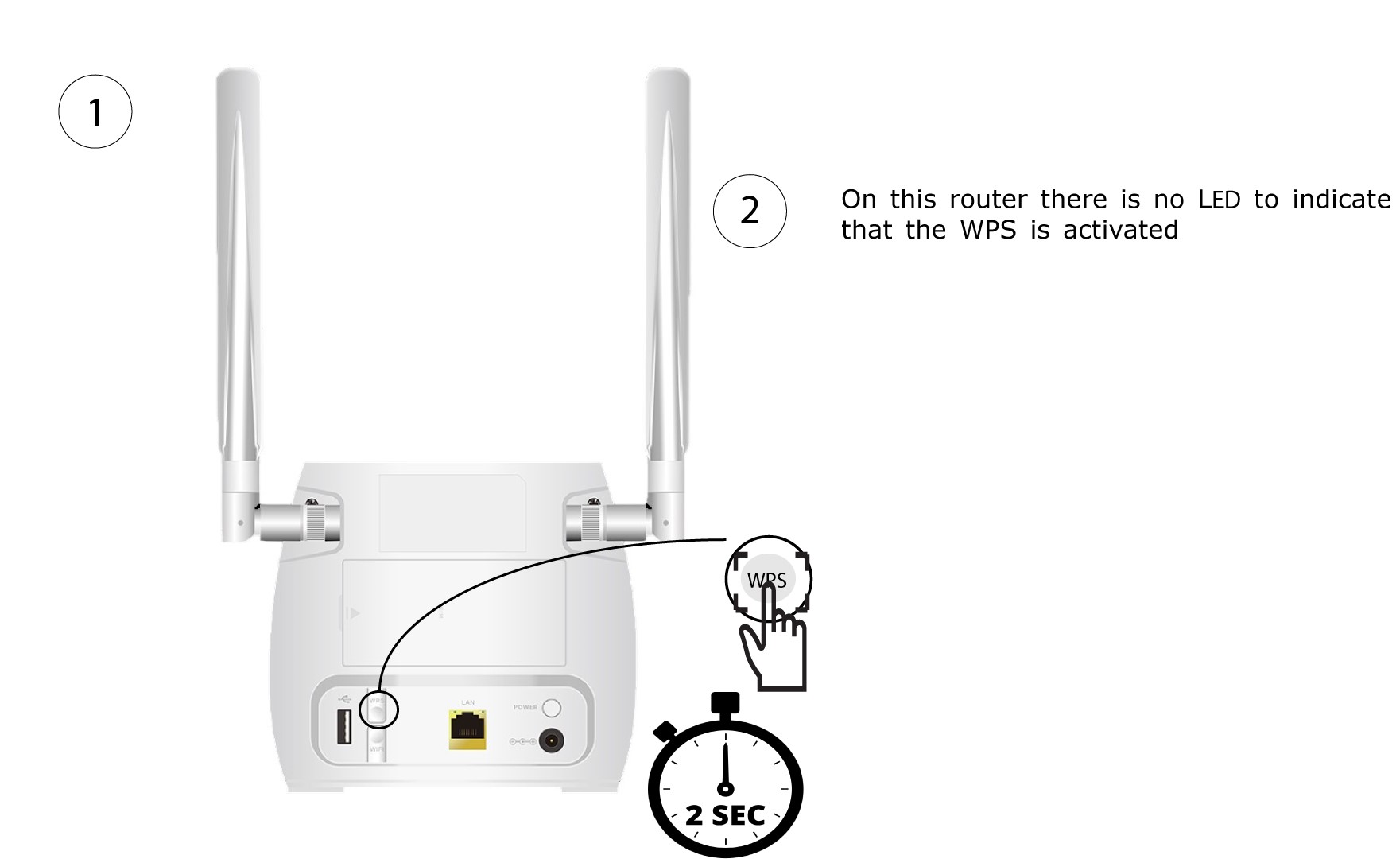
1. Tryk påWPS-knappen
Tryk på WPS-knappen på bagsiden af routeren i 2 sekunder, så alle kompatible enheder i dit hjem automatisk kan oprette forbindelse til routerens Wi-Fi-netværk.
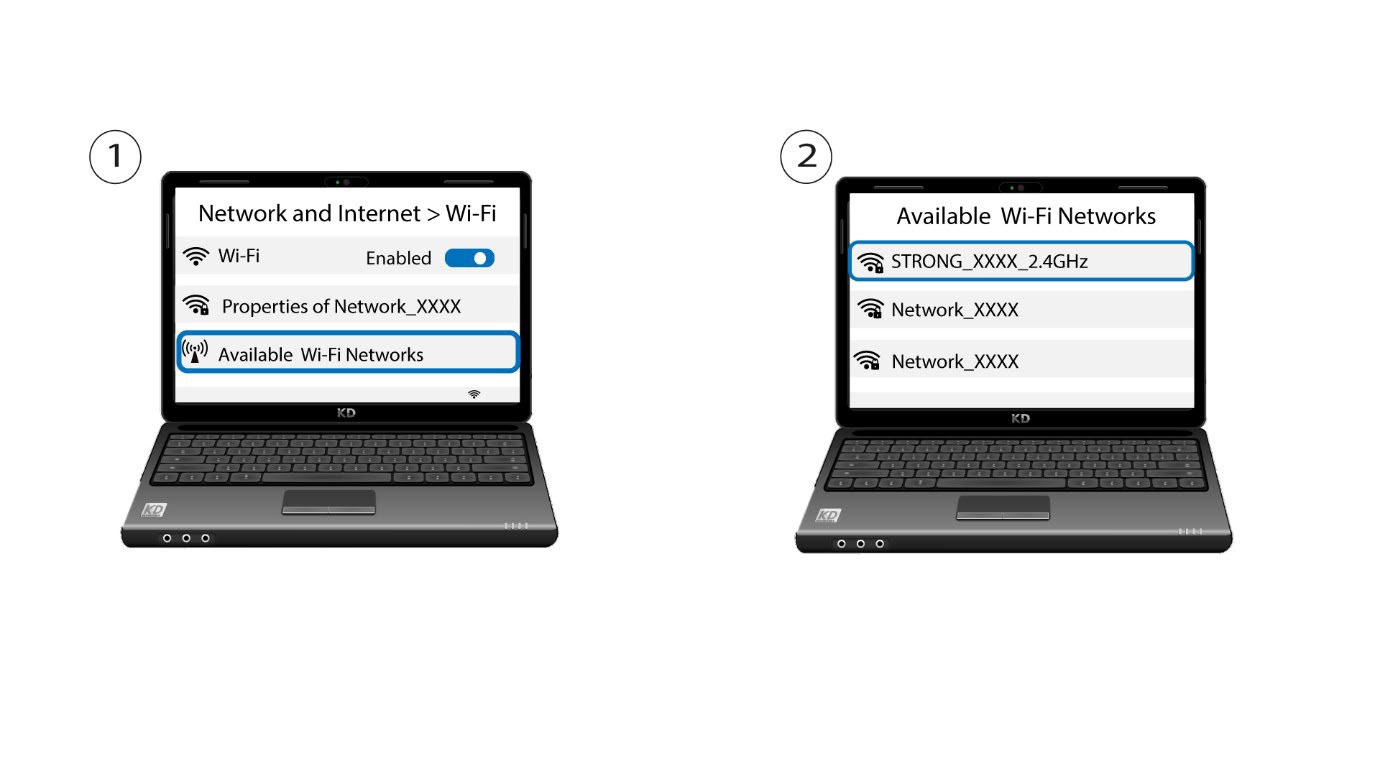
2Vælgrouterens Wi-Fi-netværk
Gå til Wi-Fi-indstillingerne på din computer eller telefon, og klik på routerens navn for at vælge den.
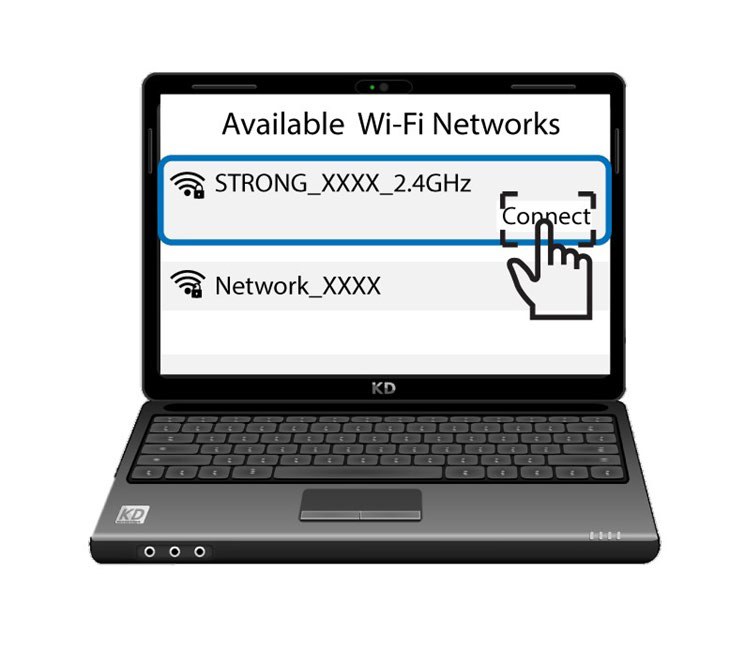
3 Opret forbindelsetil Wi-Fi’et
Klik derefter på knappen »Opret forbindelse«