4G AIRHOME 300 Mini-router med aftagelige 4G-antenner
Alle spørgsmål
4G AIRHOME 300 Mini-router med aftagelige 4G-antenner
Hvordan opdaterer jeg enhedens firmware?
Når du er logget ind på webgrænsefladen, skal du kontrollere, hvilken firmwareversion din enhed bruger, ved hjælp af onlineopgraderingsfunktionen i webgrænsefladen. På den måde installeres den nyeste firmwareversion.
Hvis du har en anden version, skal du følge vejledningen nedenfor for at opdatere din firmware.
1. Opret forbindelsetil Wi-Fi’et
For at opdatere enhedens firmware skal du oprette forbindelse til enhedens Wi-Fi-netværk.

2Gåtil IP-adressen for webgrænsefladen
Indtast derefter følgende IP-adresse: 192.168.0.1 i din browser.

3Loginside
Klik derefter på »Log ind«.

4Indtastdine loginoplysninger
Du skal indtaste brugernavn og adgangskode. Klik derefter på »Log ind«.

5. Avanceredeindstillinger
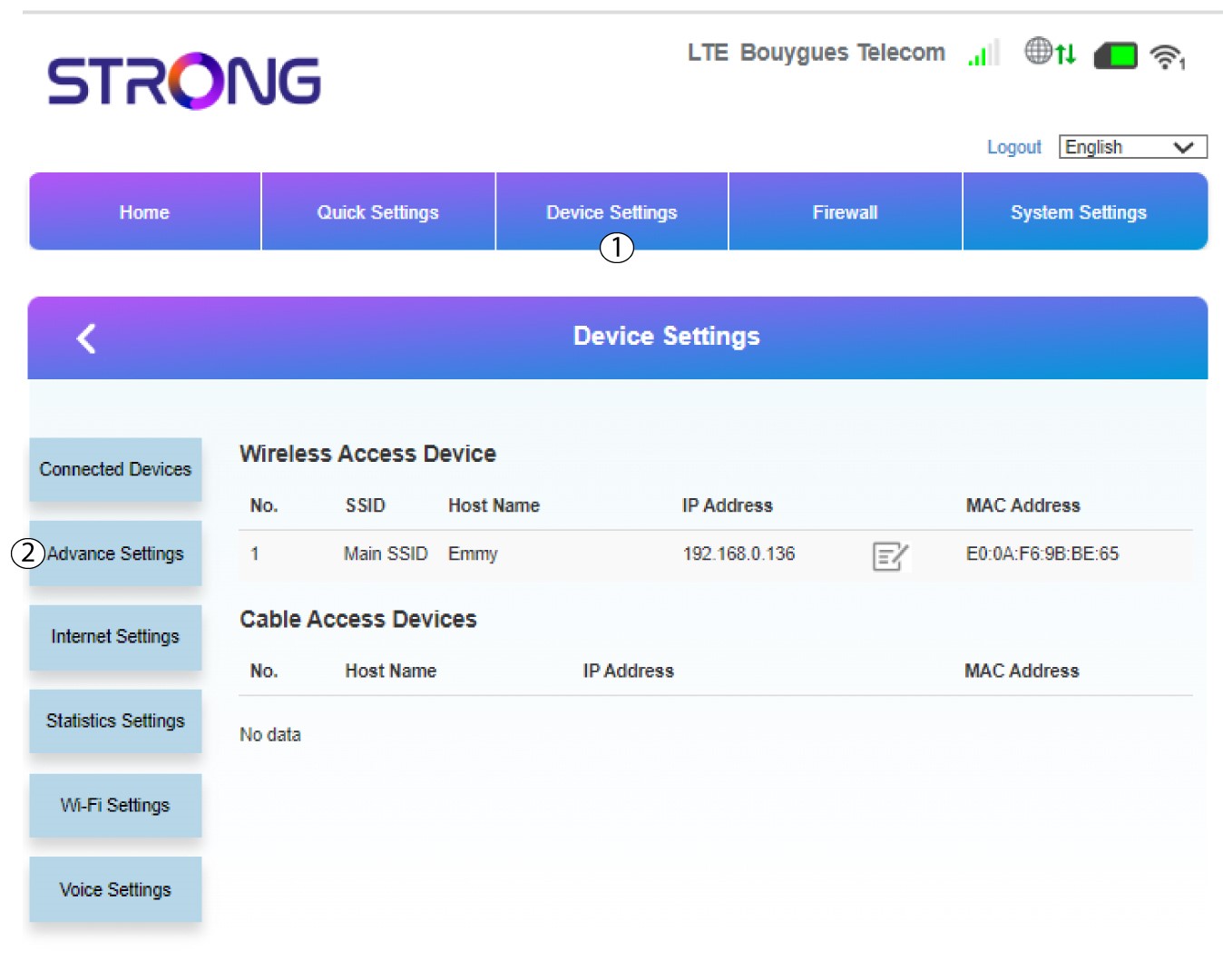
Klik på »Enhedsindstillinger«, og vælg »Avancerede indstillinger«.
6Online-opgradering
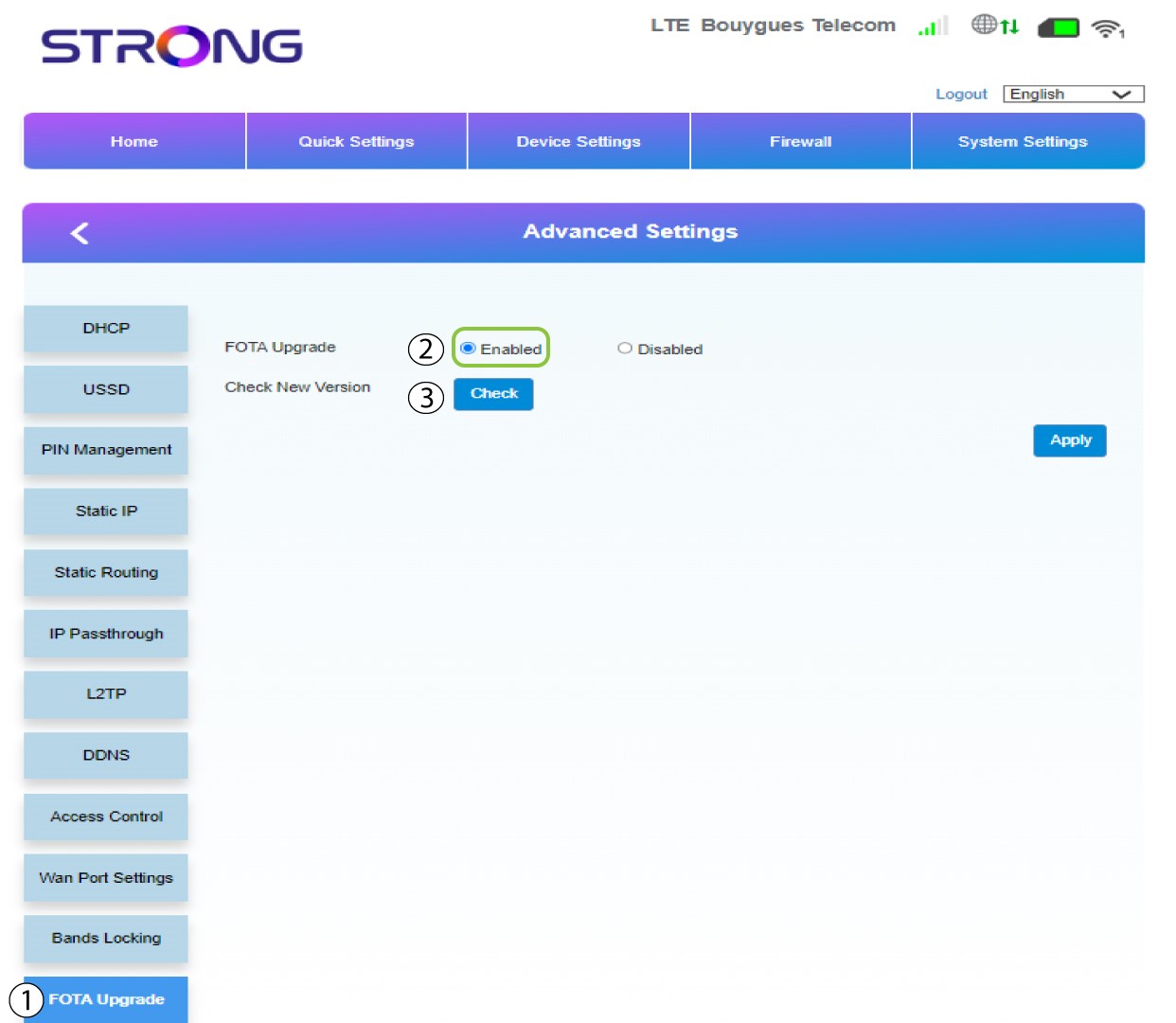
I »Avancerede indstillinger« skal du klikke på »FOTA-opgradering « og vælge »Aktiveret«. Klik derefter på »Kontroller«.
7Tilfælde1: advarselsmeddelelse (firmwaren er opdateret)
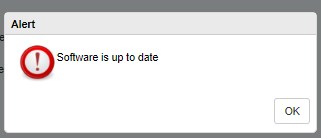
Der vises en meddelelse, der informerer dig om, at der er en opdatering tilgængelig. Hvis der er en, skal du klikke på »Ja«, så softwaren downloades og installeres. Hvis softwaren er opdateret, vil du se følgende meddelelse:
8Tilfælde2: Der er en ny firmwareversion tilgængelig
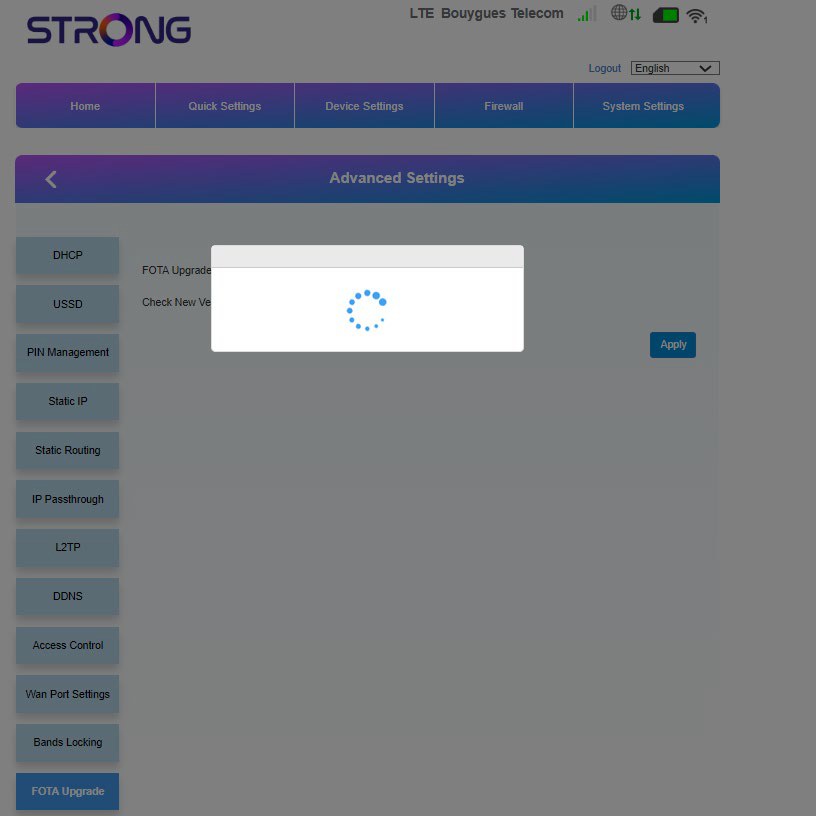
I tilfælde af en opdatering skal du vente, indtil opdateringen er afsluttet. Under opdateringen lyser enhedernes LED’er blåt, og det blå lys bevæger sig fra venstre mod højre fra det ene ikon til det andet. Når opdateringen er færdig, vender ikonerne tilbage til deres oprindelige farve. Opdateringen kan vare op til 5 minutter.