ATRIA Mesh add-on 1200 UK
Alle spørgsmål
ATRIA Mesh add-on 1200 UK
Hvordan opdaterer jeg firmwaren på enheden » Mesh «?

Du skal først opdatere mesh -agenterne (enheder, der ikke er forbundet til internetrouteren) og
derefter mesh -controlleren (mesh enhed, der er forbundet til internetrouteren via et RJ45-kabel).
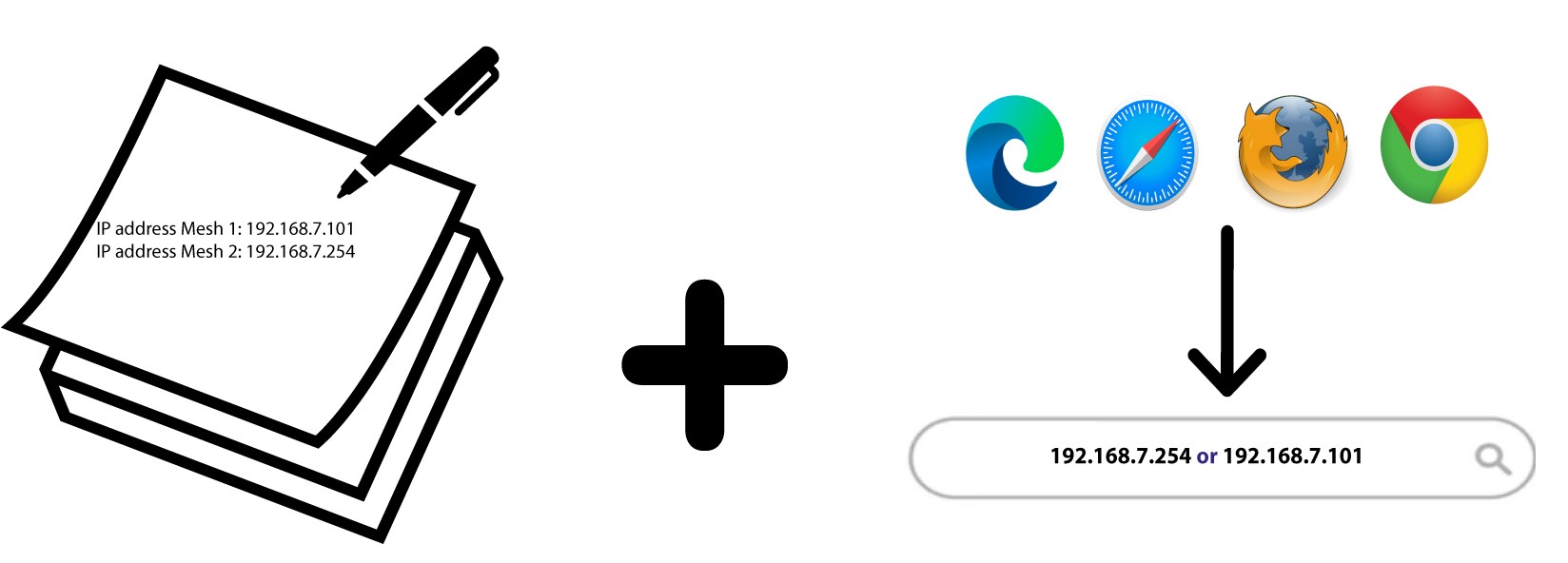
Du skal notere IP-adresserne på alle mesh enhederne for at kunne oprette forbindelse til webgrænsefladen
på hver enkelt enhed.
- De nye softwareversioner til vores produkter kan findes her. Klik på navnet på dit produkt på listen over Wi-Fi- Mesh -enheder.
- Hvis afsnittet er tomt, betyder det, at der ikke er nogen opdatering tilgængelig for produktet.
1. Gå indpå vores hjemmeside
Indtast følgende adresse i søgefeltet i din browser:
https://www.strong-eu.com/

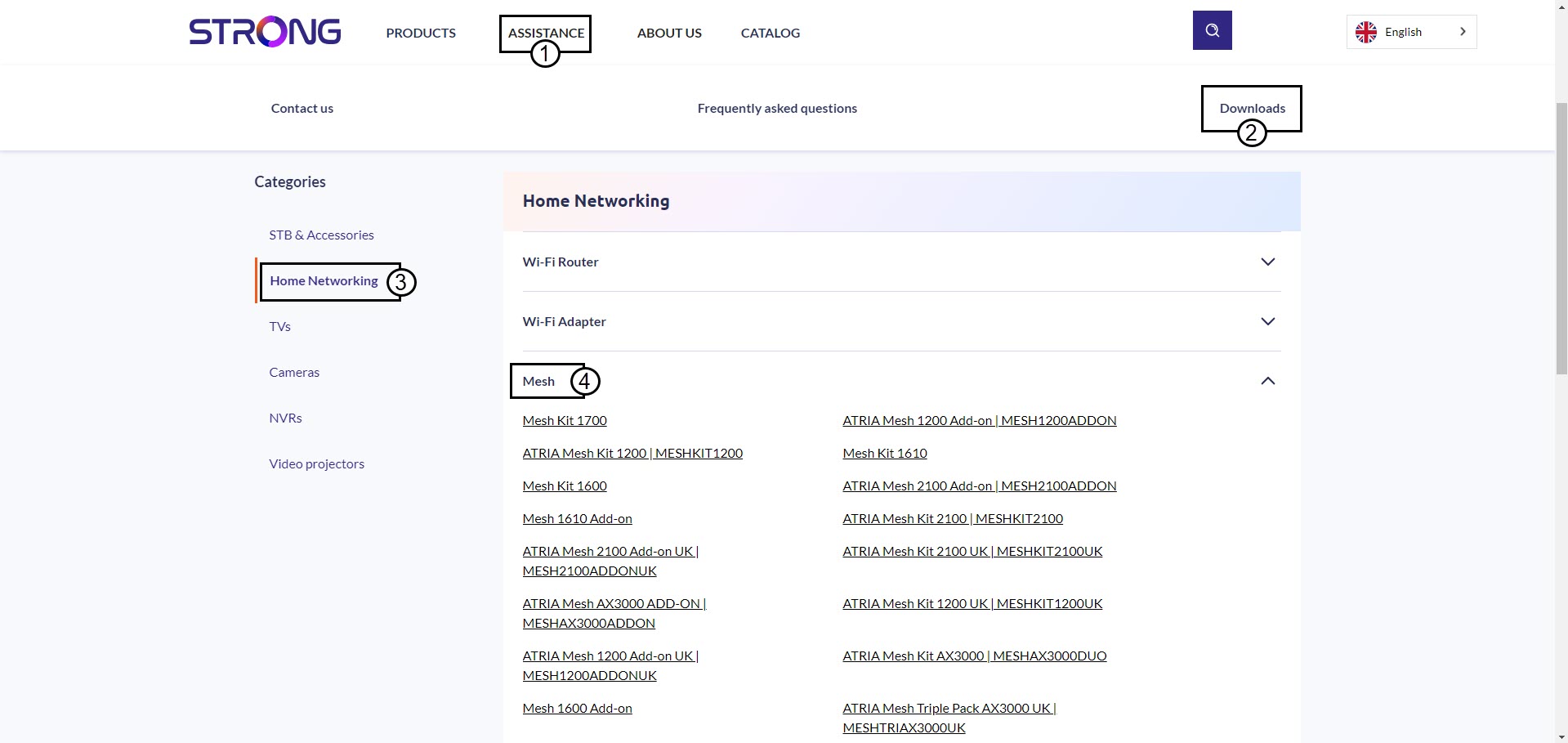
2.Download-side
Klik på »Hjælp og downloads«. Klik derefter på »Hjemmenetværk « og Mesh.
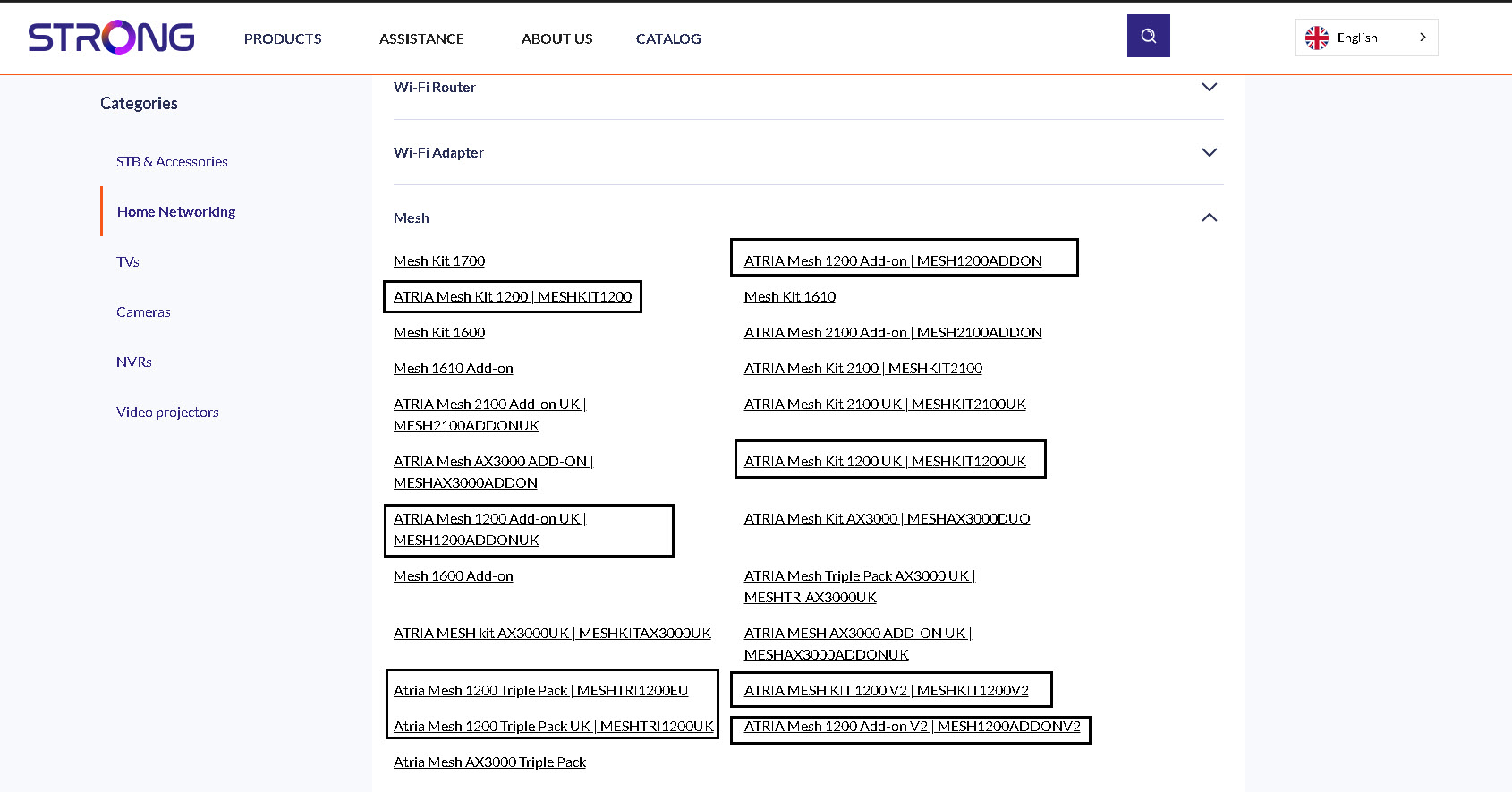
3Produktside
Klik på navnet på dit produkt.
4Software
Du finder den nye software under afsnittet om software. Hvis der ikke er noget afsnit, betyder det, at der ikke er nogen ny version tilgængelig.
5Åbnwebgrænsefladen
Opret forbindelse til webgrænsefladen ved at indtaste IP-adressen Mesh
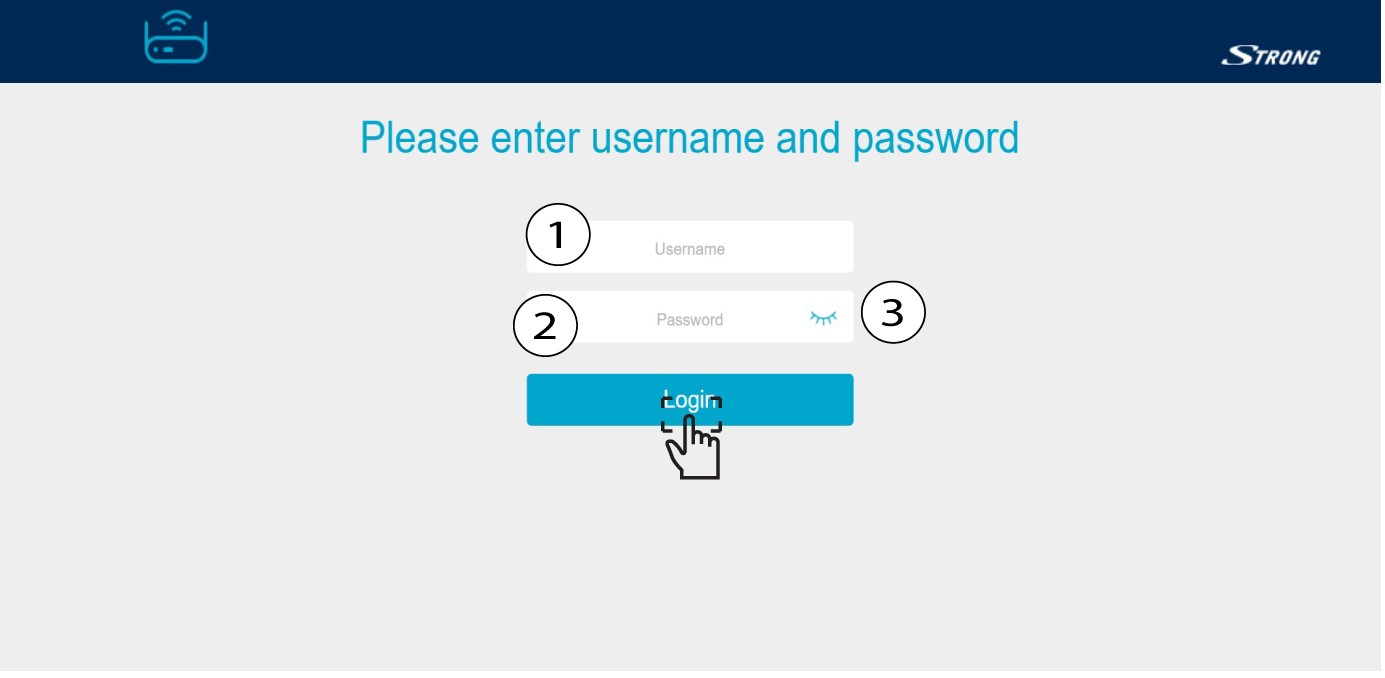
6Indtastdine loginoplysninger
Indtast dit brugernavn og din adgangskode, og klik på »Log ind«.
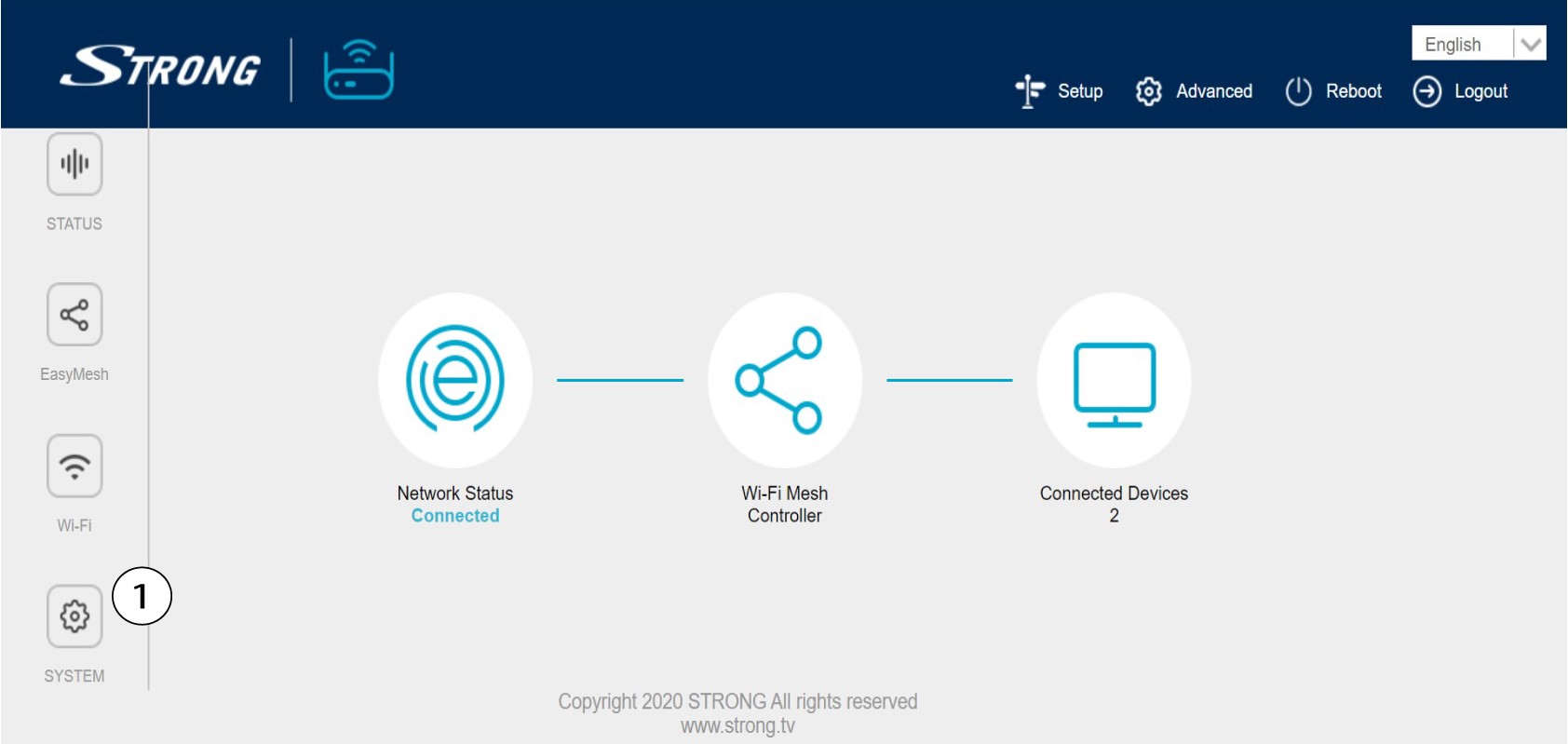
7Systemindstillinger
Klik på »System«.
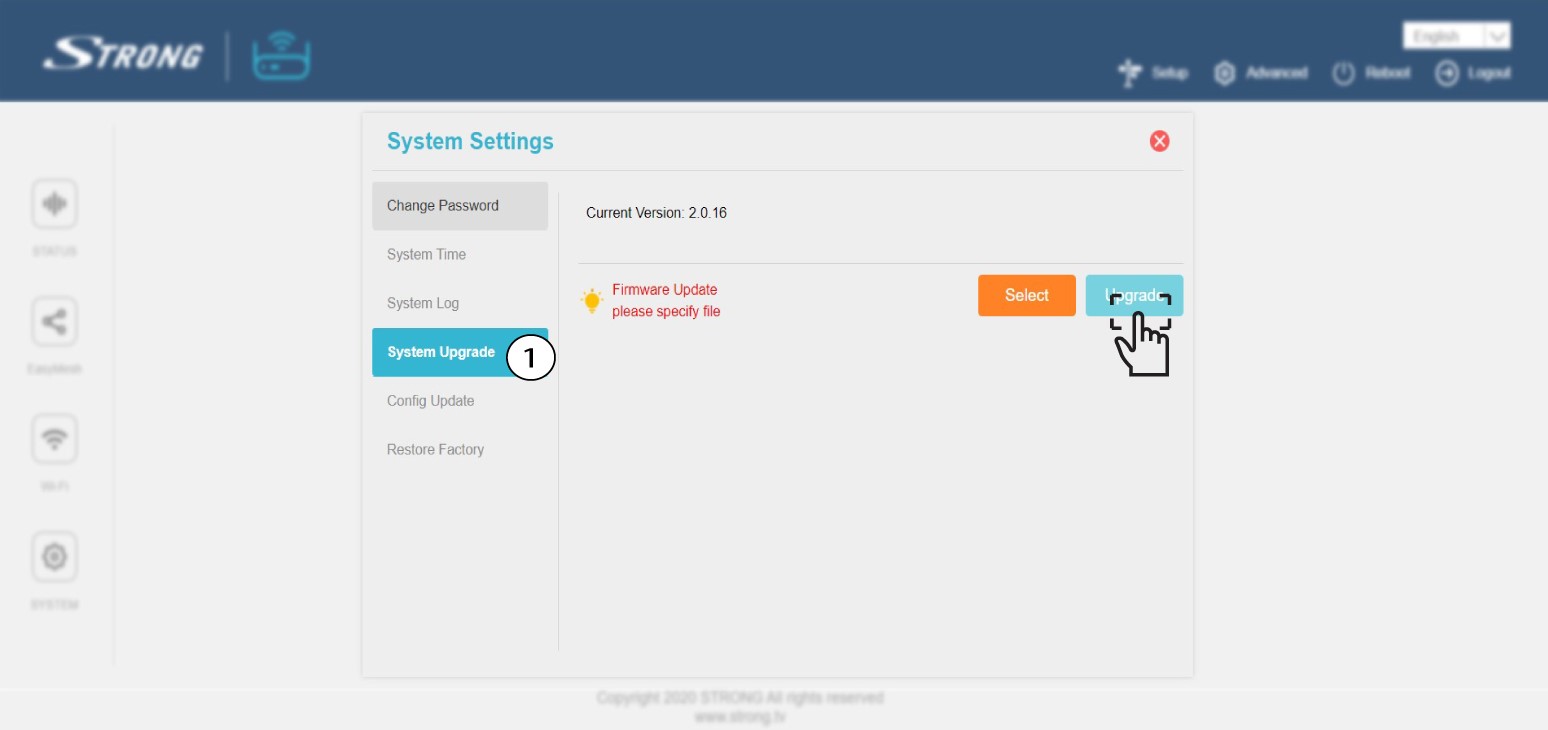
8Firmwareopdatering
Klik på »Firmware-opgradering « og vælg (vælg den fil, du tidligere har downloadet fra vores hjemmeside). Klik derefter på »Opgrader«.