4K GOOGLE TV boks S3+ | DOLBY VISION ATMOS
Alle spørgsmål
4K GOOGLE TV boks S3+ | DOLBY VISION ATMOS
Jeg har tilsluttet et AZERTY-tastatur via USB, men det genkendes som et QWERTY-tastatur. Hvorfor?
Jeg har tilsluttet et AZERTY-tastatur via USB, men det genkendes som et QWERTY-tastatur. Hvorfor?

Advarsel: Vær opmærksom på, at det er Google, der fastlægger, hvilke tastaturlayouter der understøttes til eksterne tastaturer. Derfor er dit tastaturlayout muligvis ikke understøttet. I så fald anbefaler vi, at du kontakter producenten af dit tastatur for at høre, om der findes en app, der kan gøre dit tastatur kompatibelt.
1. Tændfor enheden
Tænd for dit tv og din LEAP S3.
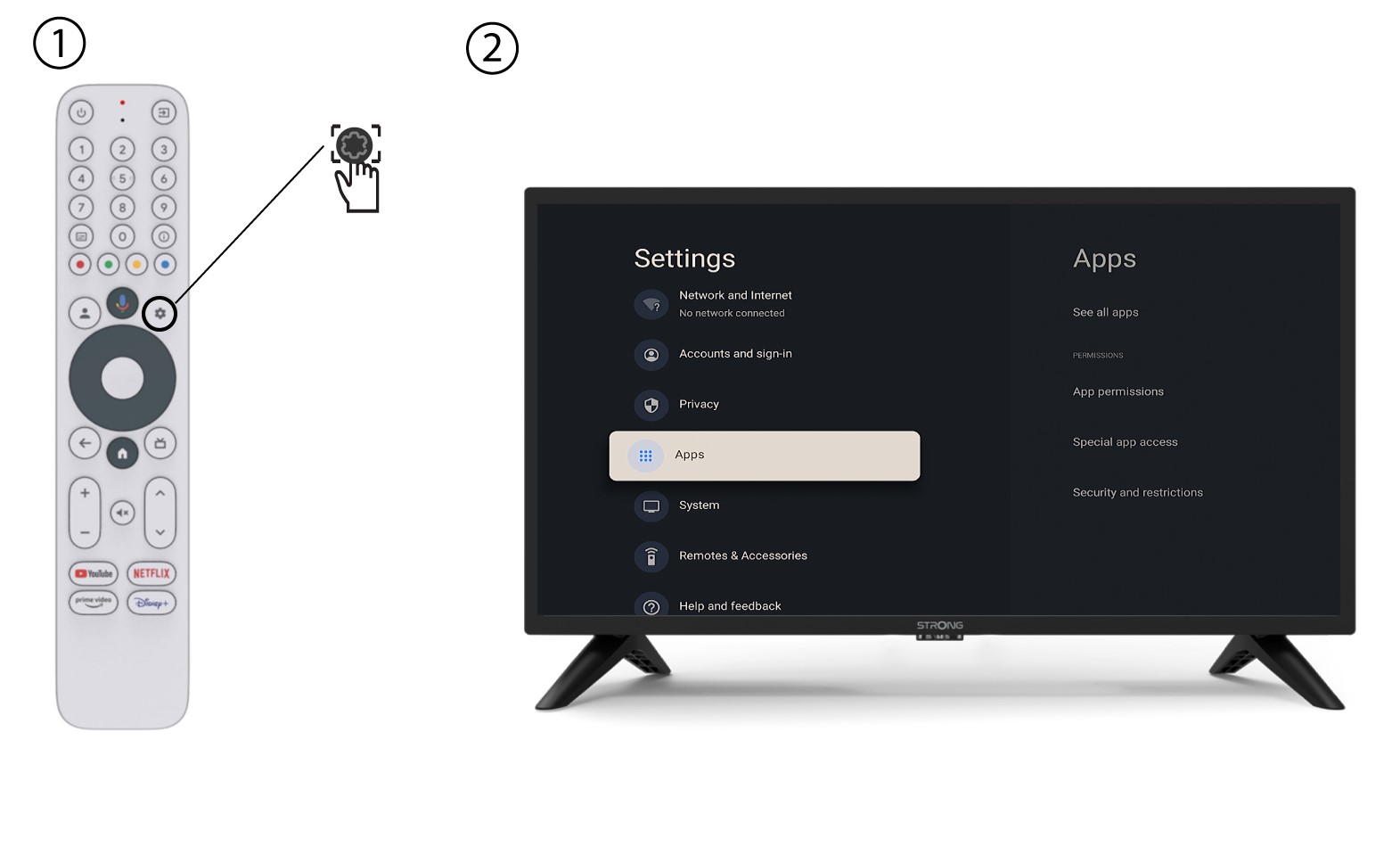
2Indstillingsmenuen
Tryk på knappen »Indstillinger« på fjernbetjeningen (tandhjulsikonet). Menuen »Indstillinger« vises på tv-skærmen.
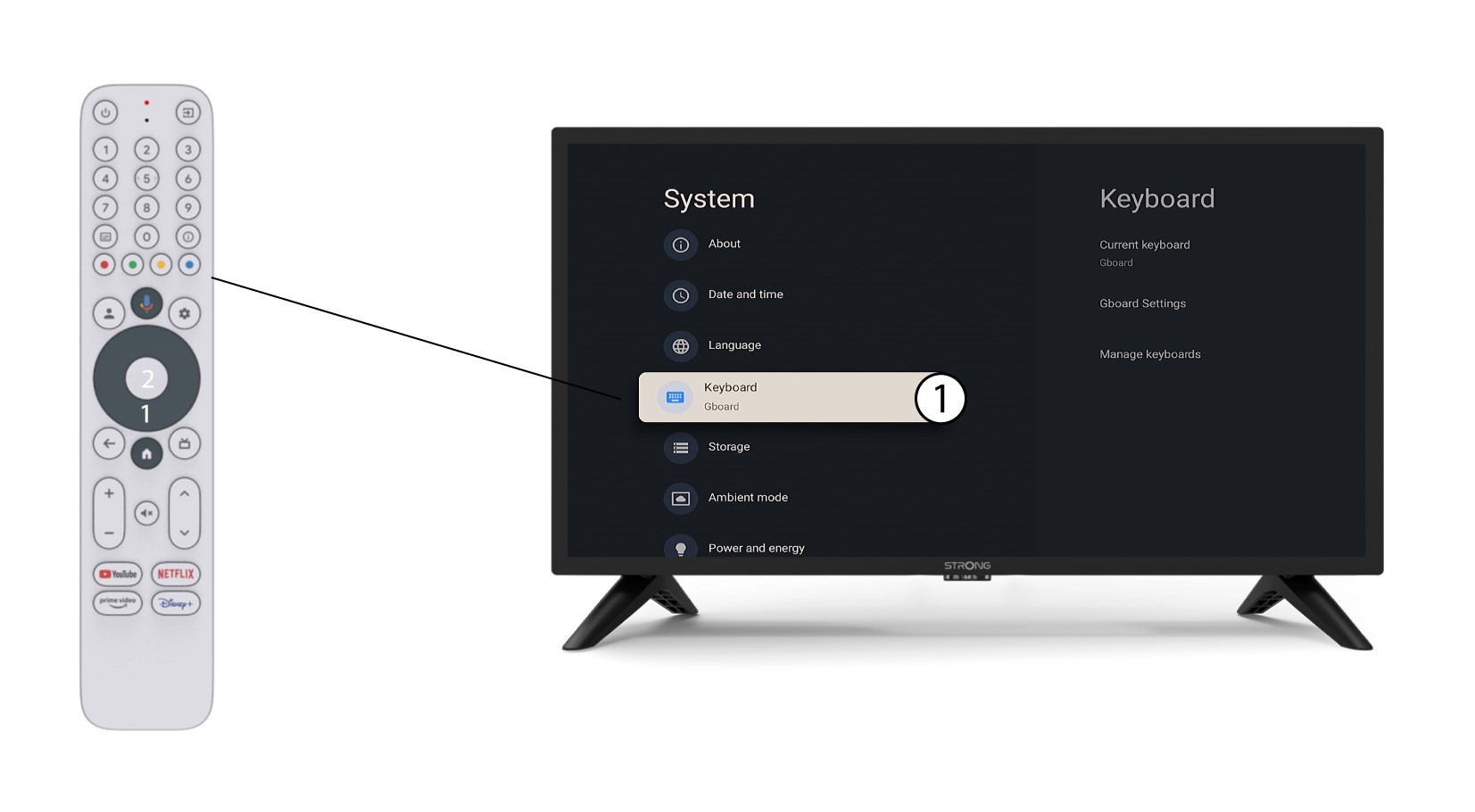
3. Tastaturindstillinger
Vælg »Tastatur«i menuen »Indstillinger«, og tryk på OK-knappen på fjernbetjeningen.
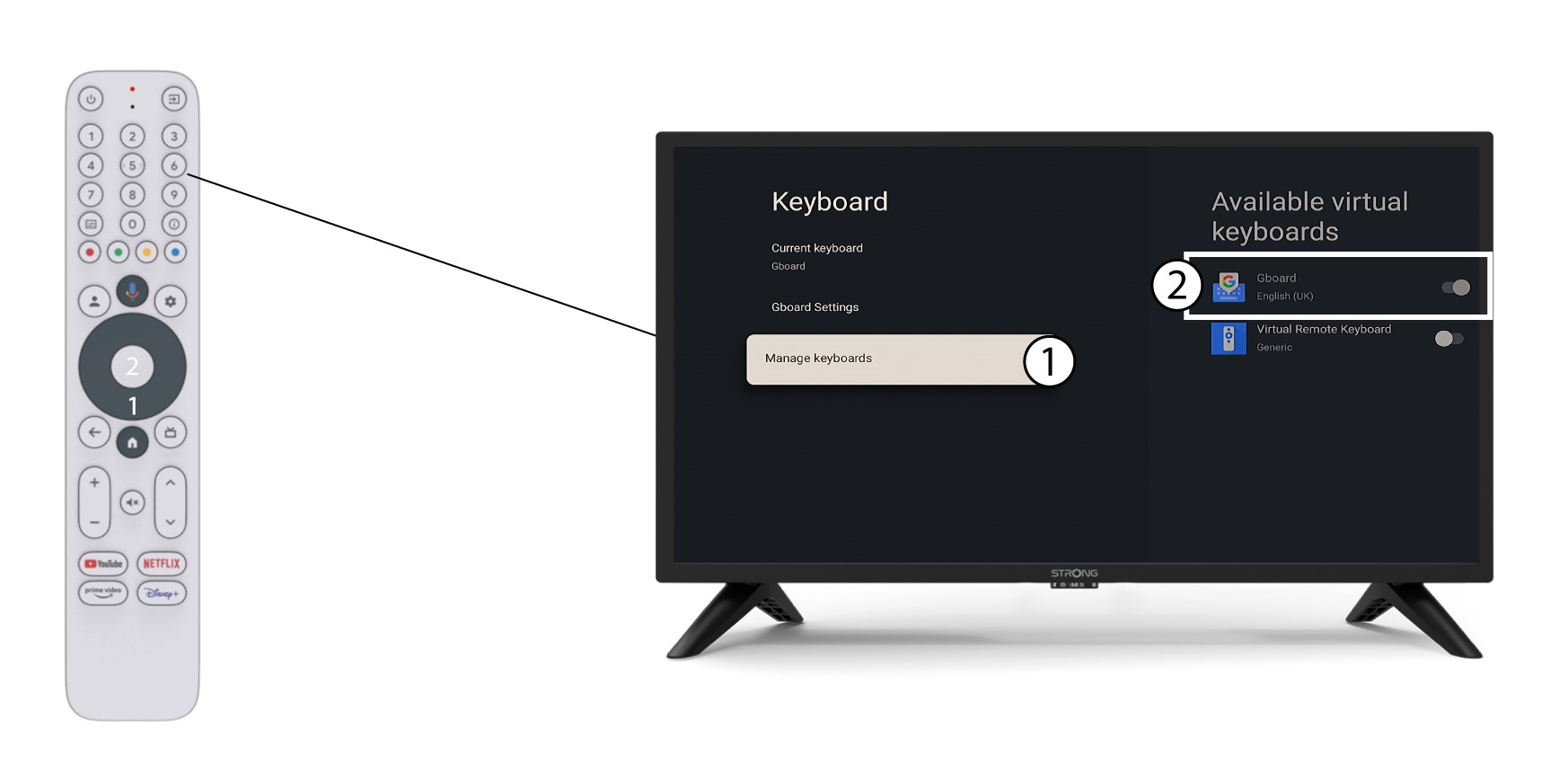
4Manage-tastatur
Klik på »Administrer tastatur«. Klik derefter på vippeknappen for at deaktivere det.
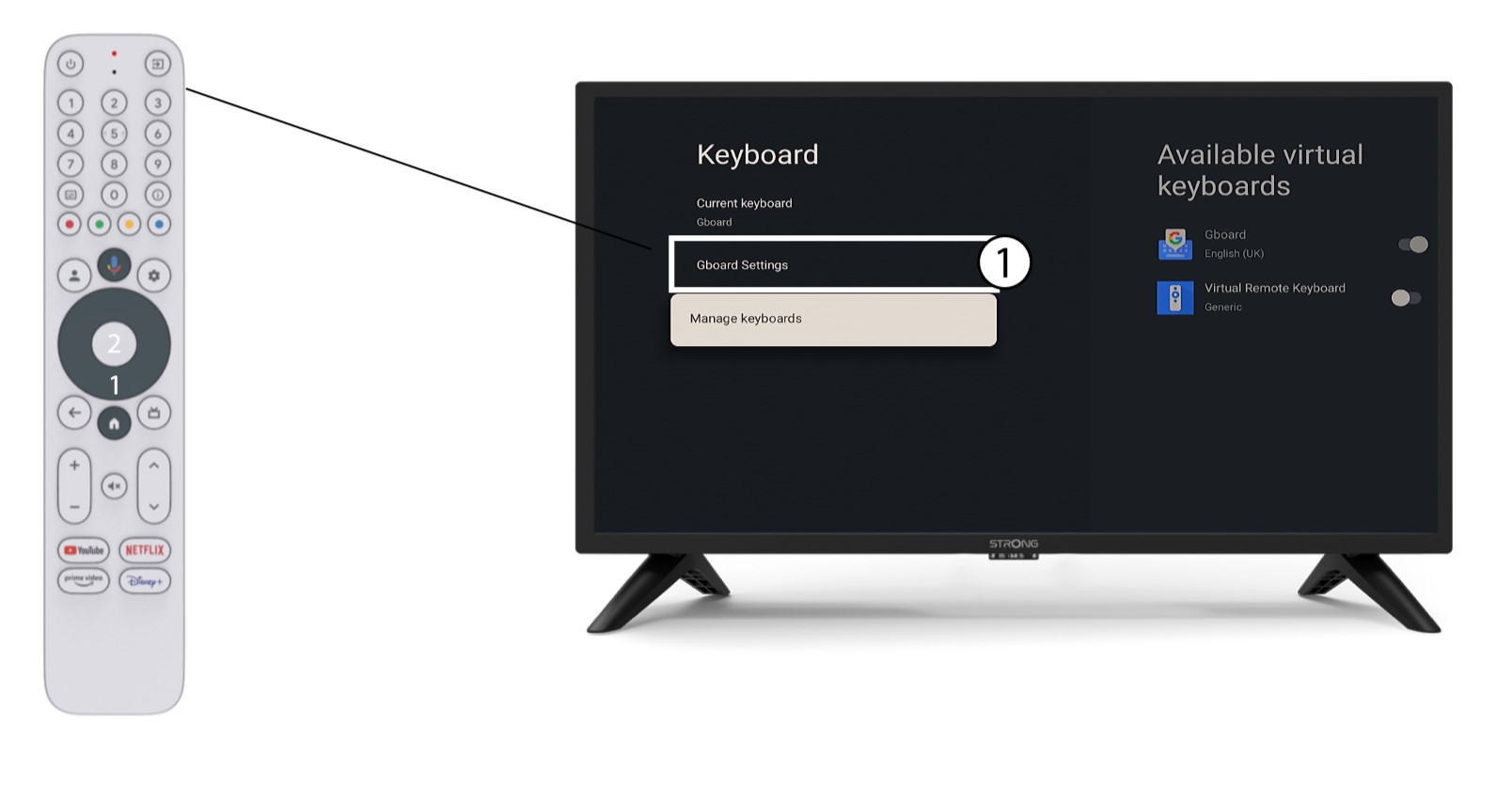
Indstillinger for 5Gboard
Klik på »Gboard-indstillinger«, vælg sproget, og tryk på OK.
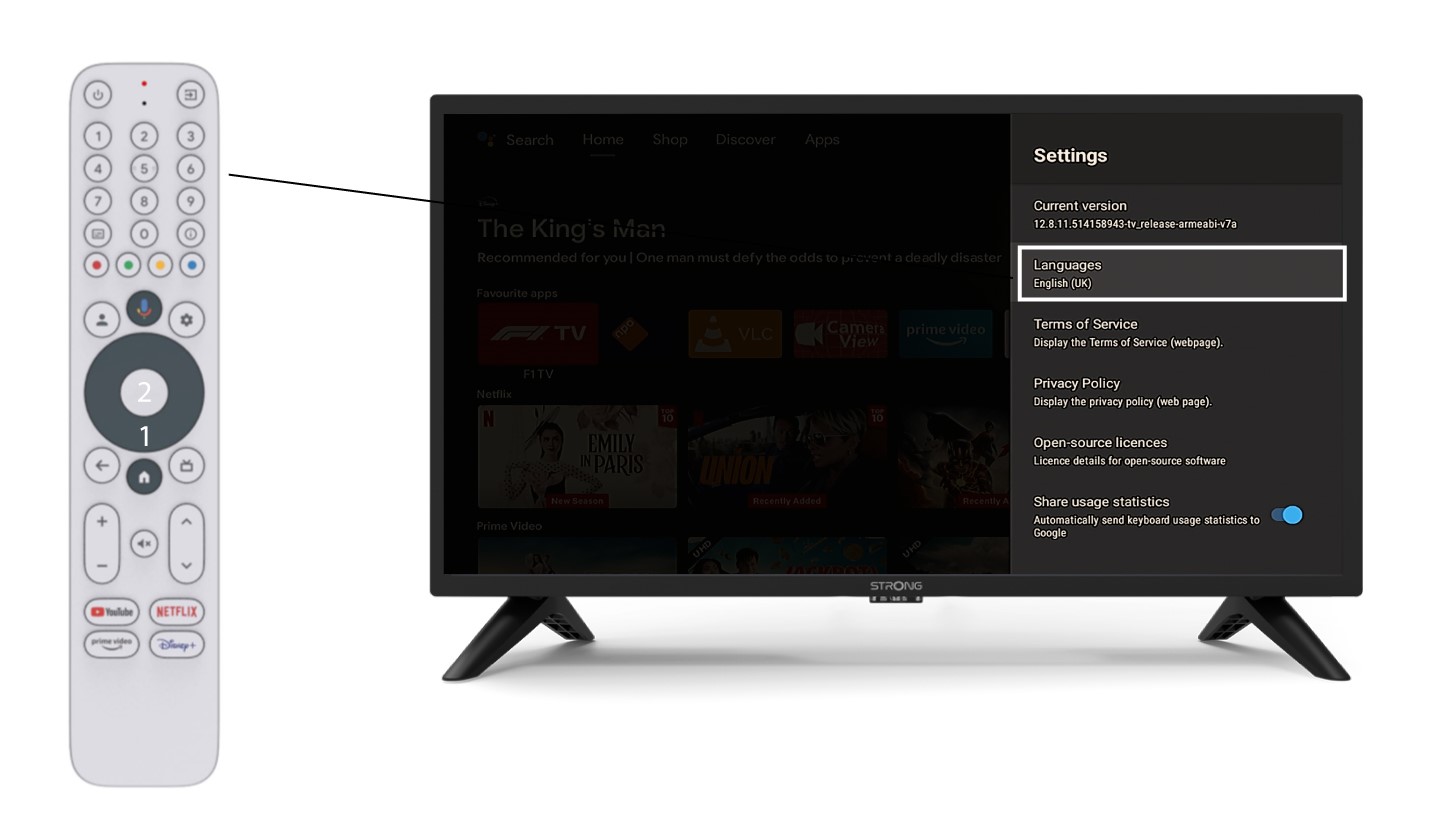
6Sprogindstillinger
Klik på »Sprog« under »Indstillinger«, og vælg den ønskede værdi