
Powerline 600 Duo Wi-Fi Mini
Alle Fragen
Powerline 600 Duo Wi-Fi Mini
Kann ich die WLAN-Funktion des WLAN-Moduls deaktivieren, damit es als einfacher „ Powerline “ fungiert?
Ja, es ist möglich, das WLAN zu deaktivieren. Befolgen Sie dazu bitte die folgenden Schritte.
1. Stellen Sie eine Verbindungzum WLAN-Netzwerk „ Powerline “ her.
Stellen Sie eine Verbindung zum WLAN des „ Powerline “ her.
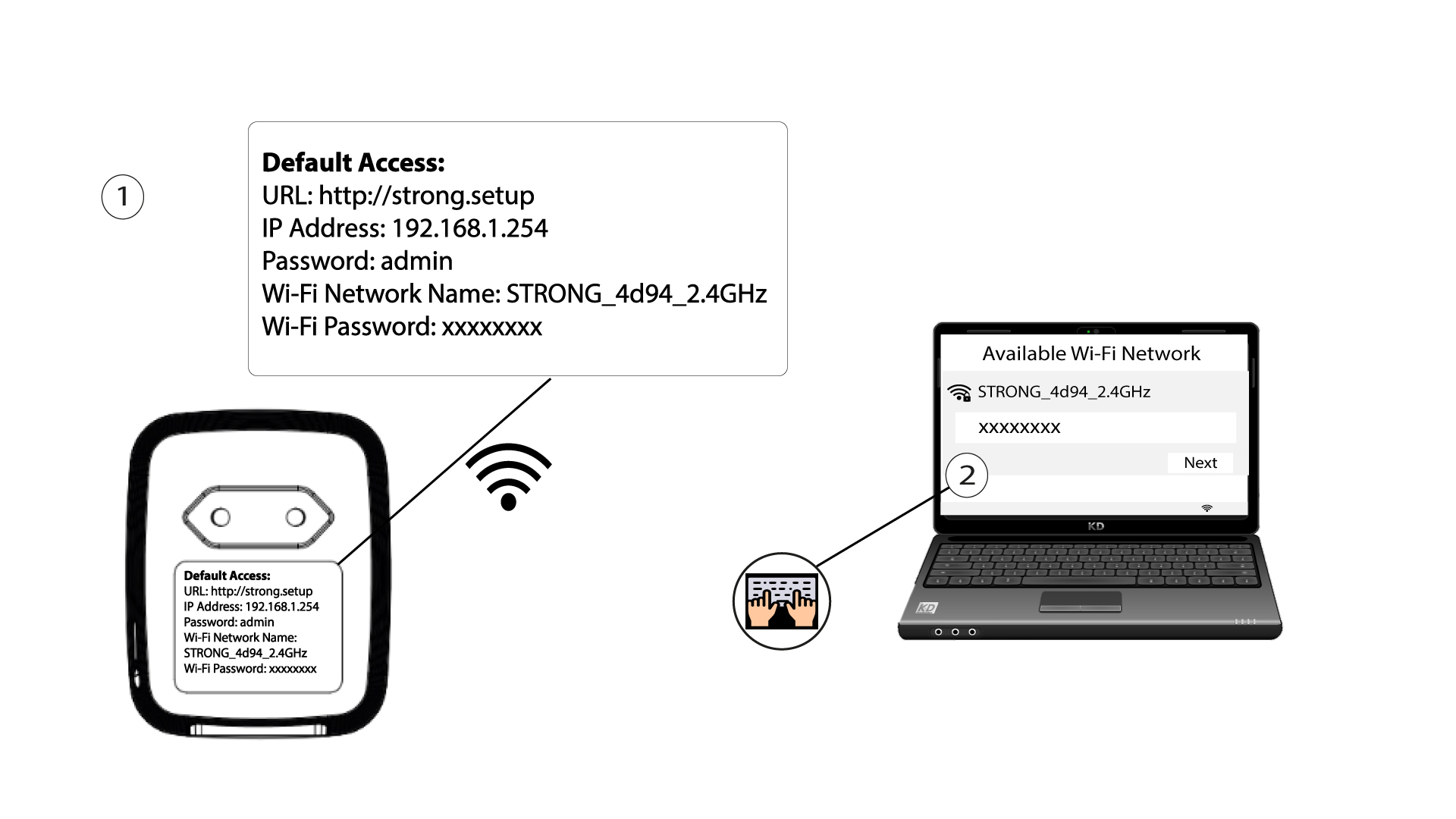
2. Rufen Siedie IP-Adresse der Web-Benutzeroberfläche auf
Stellen Sie eine Verbindung zur Benutzeroberfläche des WLAN-Moduls „ Powerline “ über WLAN her oder geben Sie http://strong.setup in die Adressleiste Ihres Internetbrowsers ein – die Benutzeroberfläche sollte daraufhin angezeigt werden.

3Geben SieIhre Anmeldedaten ein
3. Geben Sie auf der Startseite das Passwort „admin“ ein.

4WLAN-Einstellungen
Klicken Sie auf „WLAN-Einstellungen“ und wählen Sie anschließend„Grundeinstellungen“ aus.

5. WLAN deaktivieren
Deaktivieren Sie je nach Bedarf das Kontrollkästchen „Aktivieren“ in der Zeile „Drahtlos“ und klicken Sie auf „Speichern“.


Bitte beachten Sie, dass Sie zur Reaktivierung des WLANs über die Benutzeroberfläche des Moduls eine Verbindung über ein RJ45-Kabel herstellen müssen. Eine weitere Möglichkeit zur Reaktivierung des WLANs besteht darin, den WLAN- Powerline -Adapter mit einer Büroklammer zurückzusetzen, bis die LEDs blinken. Alle Geräte, die mit dem WLAN verbunden waren, werden automatisch getrennt.