
Powerline 1000 Duo Wi-Fi Mini
Alle Fragen
Powerline 1000 Duo Wi-Fi Mini
Wie ändere ich den SSID-Namen und das Passwort des WLAN-Netzwerks „ Powerline 1000 Mini“?
1. Mit dem WLAN verbinden
Stellen Sie eine Verbindung zum WLAN des „ Powerline 1000 Wi-Fi Mini“ her.
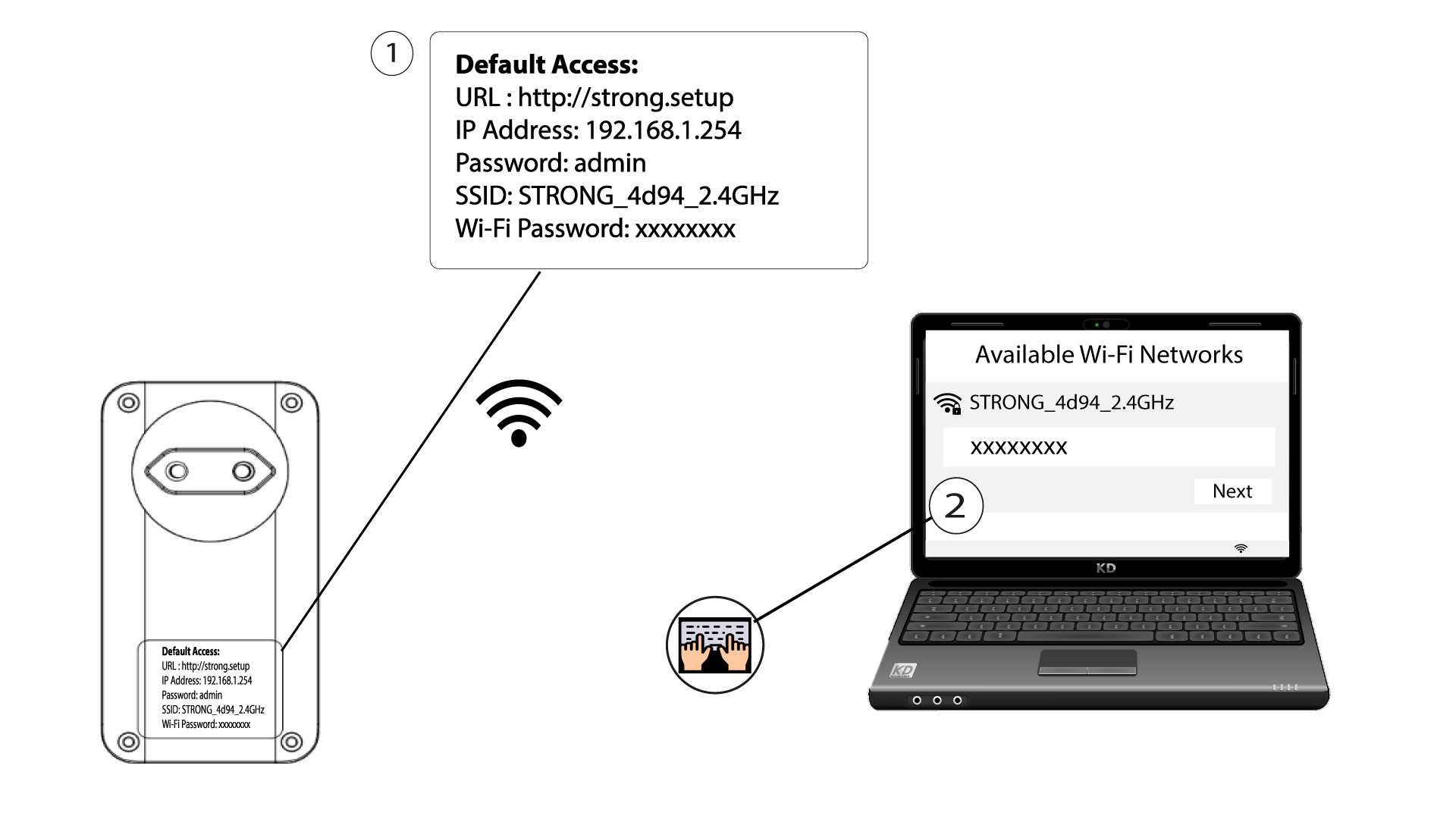
2. Rufen Siedie IP-Adresse der Web-Benutzeroberfläche auf
Rufen Sie die Benutzeroberfläche auf, indem Sie die URL http://strong.setup in die Adressleiste Ihres Internetbrowsers eingeben.

3Geben SieIhre Anmeldedaten ein
Geben Sie anschließend das Passwort ein: admin

4SchnelleEinrichtung
Gehen Sie zum Menü, wählen Sie „Schnelleinrichtung“ aus, klicken Sie dann auf „Access Point (AP)“ und anschließend auf „WEITER“.

5. Geben Sieden neuen Netzwerknamen und das neue Passwort ein.
Bearbeiten Sie die SSID und die Passphrase. Vermeiden Sie bei der Festlegung der neuen Passphrase bitte den Großbuchstaben „I“ und den Kleinbuchstaben „l“, da diese leicht verwechselt werden können. Wir empfehlen Ihnen außerdem, eine Passphrase zu erstellen, die abwechselnd aus Großbuchstaben, Kleinbuchstaben und Ziffern besteht. Wenn Sie Ihre Änderungen abgeschlossen haben, klicken Sie auf „WEITER“, um sie zu speichern.

6. Notieren Siesich die neuen Netzwerkdaten
Bitte notieren Sie sich die neue SSID und das neue Passwort auf einem Blatt Papier und verbinden Sie anschließend alle Ihre Geräte erneut mit dem „ Powerline 1000 Wi-Fi Mini“, indem Sie die neuen Einstellungen verwenden.
