
Atria Mesh extender trio 1200 UK
Keine Artikel gefunden.
Keine Artikel gefunden.
Alle Fragen
Atria Mesh extender trio 1200 UK
Keine Artikel gefunden.
Keine Artikel gefunden.
Wie richte ich mein WLAN- mesh -Netzwerk ein (Fall 1: WPS-Taste)?
Informationen zur Konfiguration Ihres „ Mesh “-Netzwerks finden Sie in der Kurzanleitung (QIG), die im „ box “ Ihres Produkts enthalten ist.
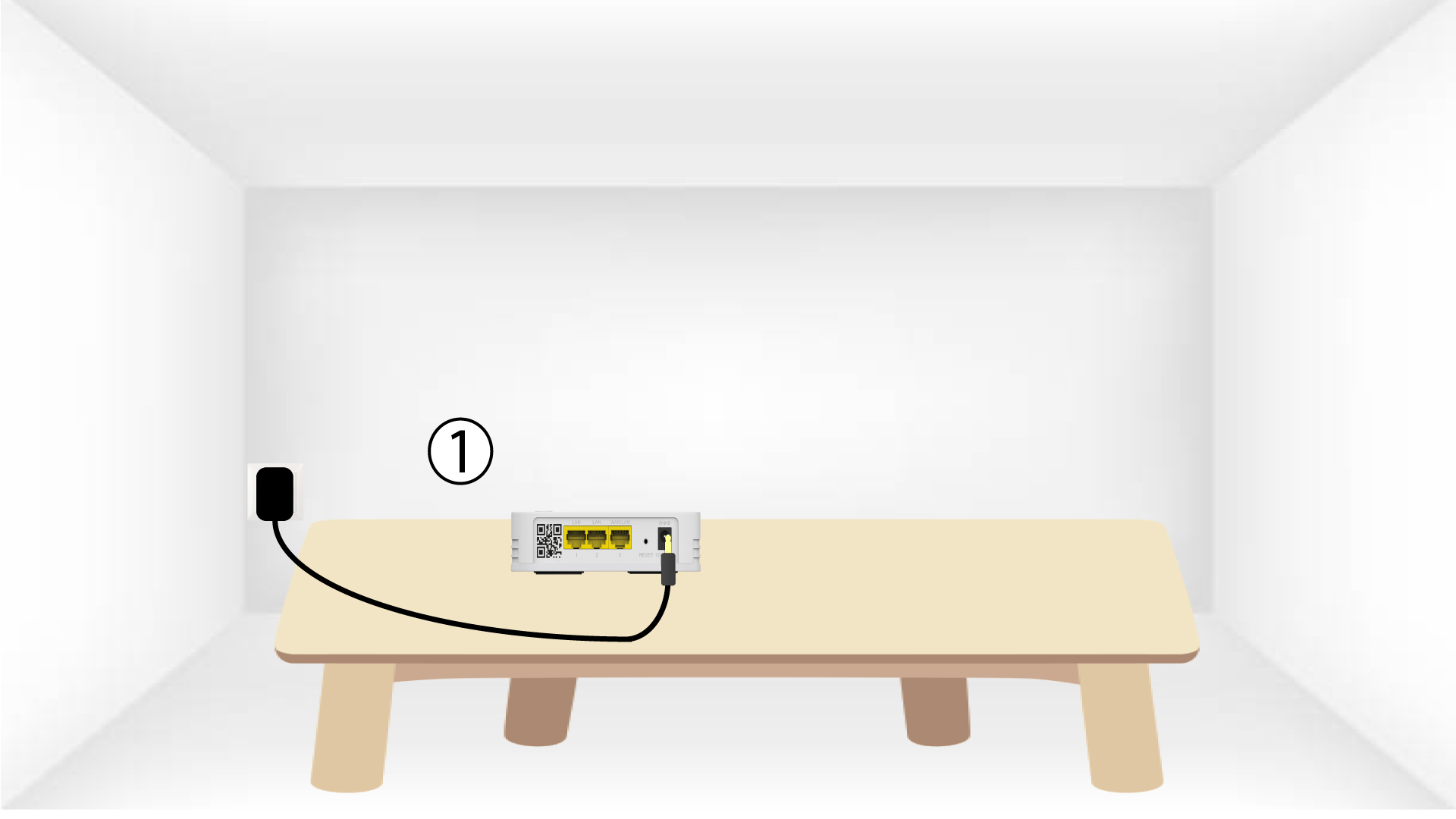
1. Schließen Siedas Gerät an.
Sie müssen das „ mesh “-Gerät an die Steckdose anschließen, um es einzuschalten (das Gerät verfügt über keinen Netzschalter), und es über ein RJ45-Kabel mit Ihrem Modem verbinden (
).

2WartenSie während der Konfiguration
Anschließend müssen Sie einige Minuten warten, bis sich das Gerät selbst konfiguriert hat.
3.Schließen Sie das zweite Gerät an.
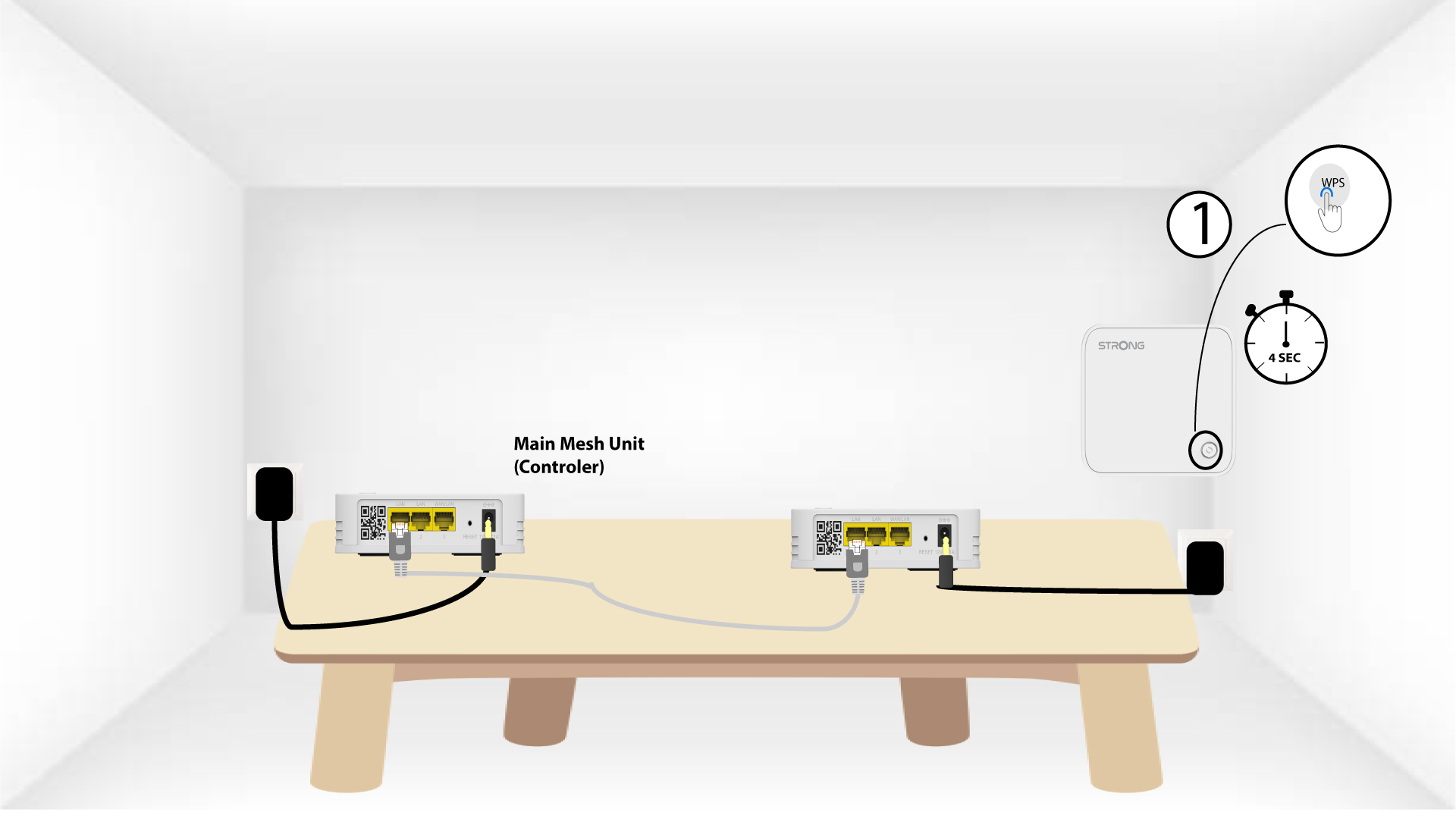
Sie müssen das zweite „ mesh “-Gerät anschließen.
4. Aktivieren Siedas WPS auf dem Hauptgerät mesh
Drücken Sie die WPS-Taste am „ Mesh “-Gerät, das mit Ihrem Modem/Router verbunden ist, mindestens 4 Sekunden lang.
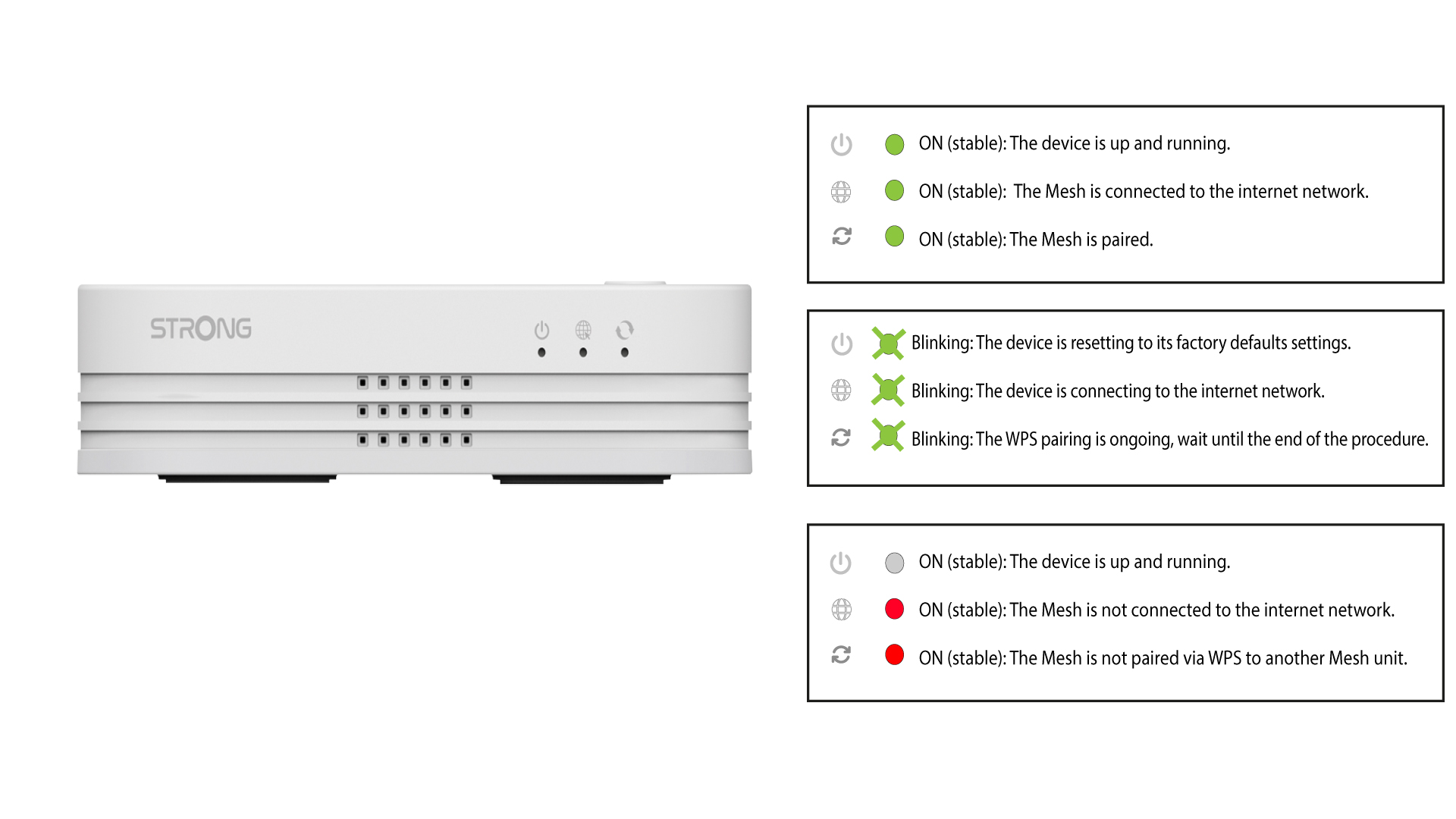
Nach der Aktivierung von WPS blinkt die LED grün.
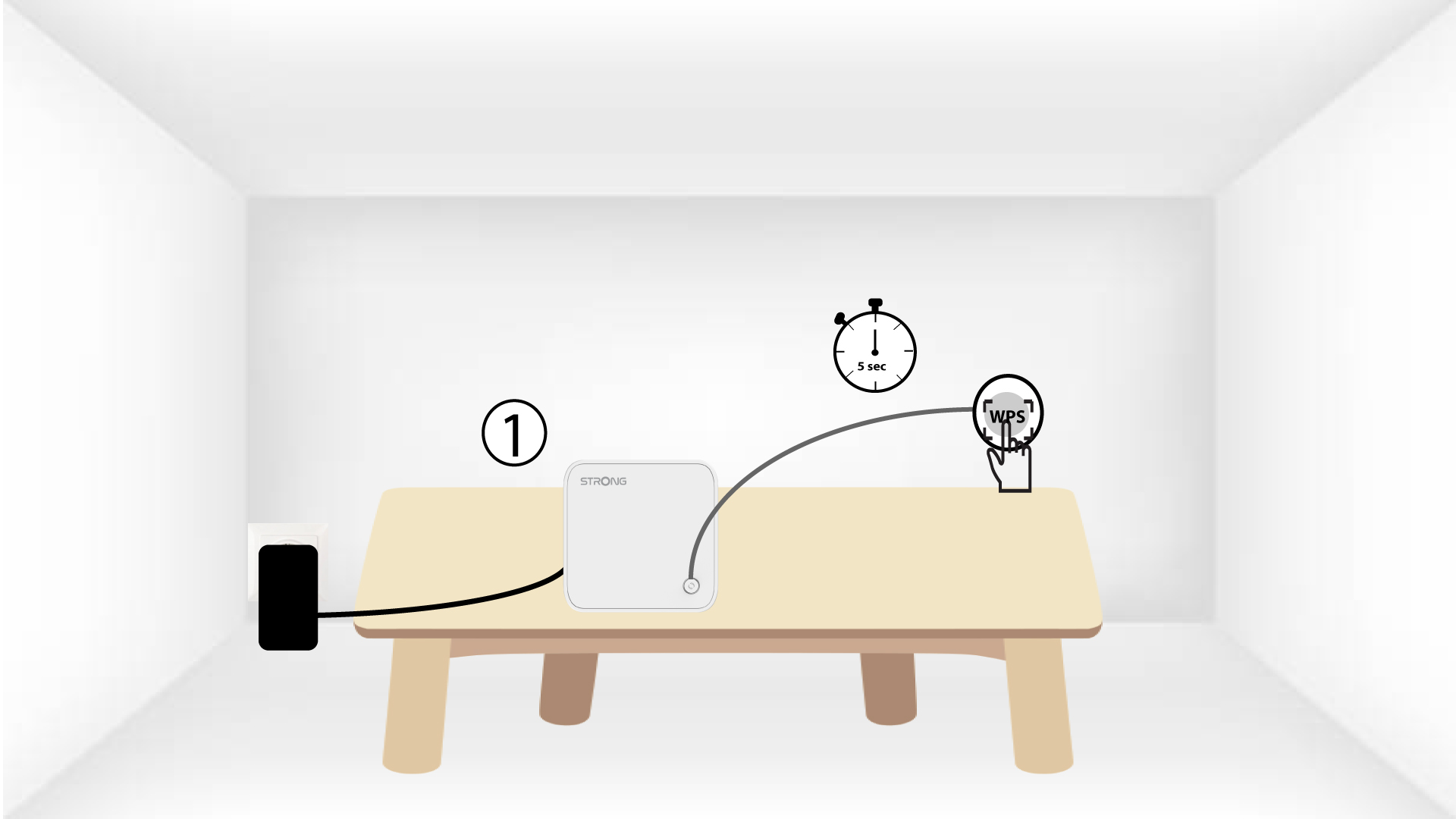
5. Aktivieren Siedas WPS auf dem zweiten mesh
Drücken Sie die WPS-Taste am zweiten „ Mesh “-Gerät mindestens 4 Sekunden lang.
6Gerätewerden gekoppelt
Lorem ipsum dolor sit amet, consectetur adipisicing elit. Denn niemand weiß, dass die Pflicht zur Leistung der Dienstleistung eine Ausnahme darstellt.