
4G AIRHOME 210 UK fest installierten 4G-Antennen
Alle Fragen
4G AIRHOME 210 UK fest installierten 4G-Antennen
Wie setze ich meinen Router auf die Werkseinstellungen zurück?
Es kann vorkommen, dass Ihr Gerät nicht ordnungsgemäß funktioniert und Sie keinen Internetzugang haben. In diesem Fall empfehlen wir Ihnen, Ihr Gerät auf die Werkseinstellungen zurückzusetzen und anschließend gegebenenfalls die Firmware erneut zu aktualisieren.
Sie haben zwei Möglichkeiten: Sie können das Gerät entweder durch Drücken der Reset-Taste zurücksetzen oder dies über die Web-Benutzeroberfläche vornehmen.
FALL 1: Reset-Taste
Drücken Sie dazu die Reset-Taste auf der rechten Seite des Routers zwei Sekunden lang.

1FALL2: Zurücksetzen über die Web-Benutzeroberfläche
Um eine Verbindung zur Web-Benutzeroberfläche herzustellen, befolgen Sie bitte die Anweisungen unter: Wie greife ich auf die Web-Benutzeroberfläche zu?
2. Firmware-Update
Klicken Sie anschließend auf „Firmware-Update“.

3Auf Werkseinstellungen zurücksetzen
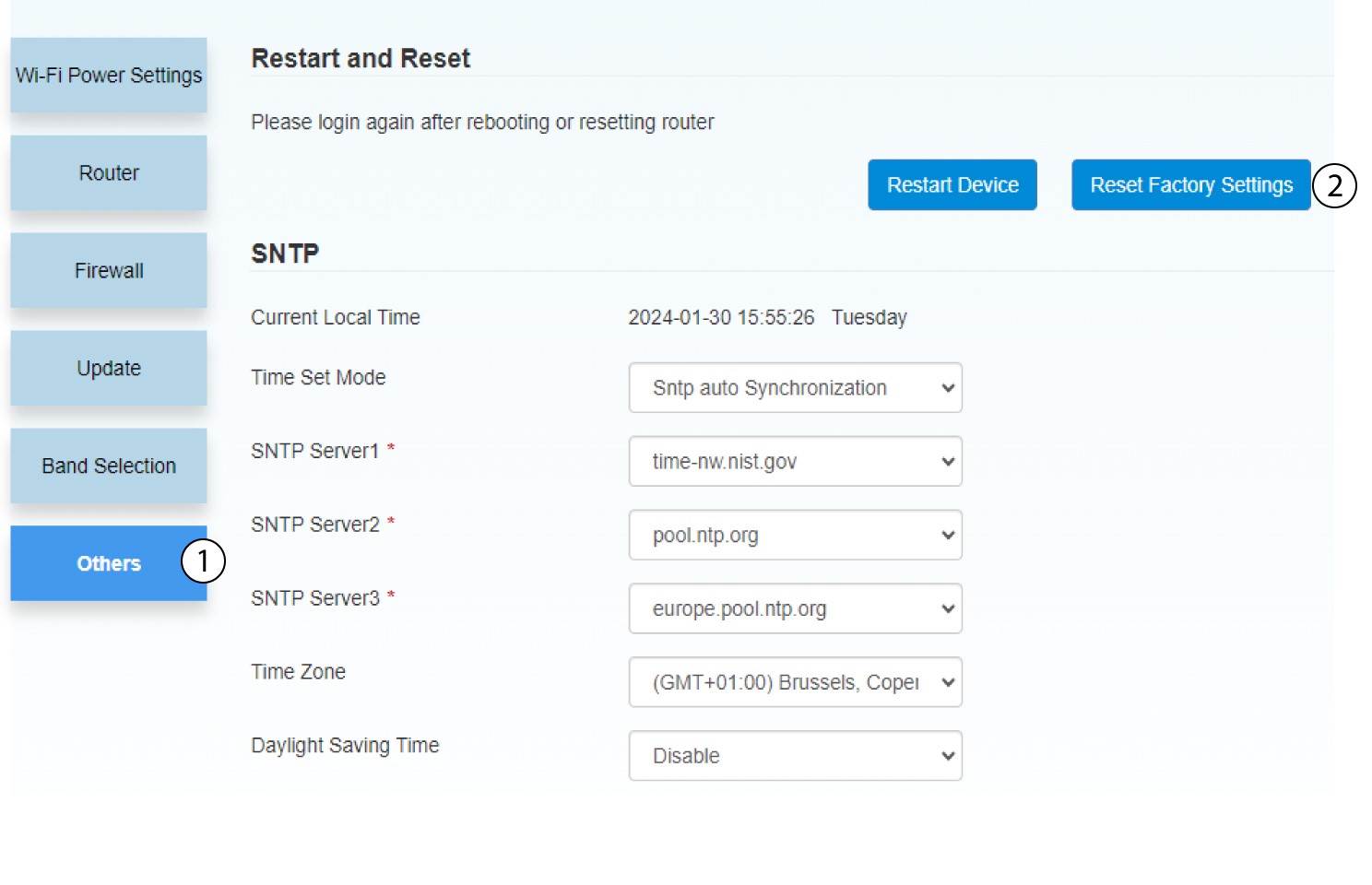
Klicken Sie auf „Sonstiges“. Klicken Sie im Abschnitt „Neustart und Zurücksetzen “ auf „Auf Werkseinstellungen zurücksetzen“.
4Popup-Benachrichtigung
Klicken Sie in der Popup-Meldung auf „JA “.
