Keine Artikel gefunden.
4K GOOGLE TV BOX S3+ | DOLBY VISION ATMOS
Keine Artikel gefunden.
Alle Fragen
Keine Artikel gefunden.
4K GOOGLE TV BOX S3+ | DOLBY VISION ATMOS
Keine Artikel gefunden.
Wie setze ich den LEAP S3 auf die Werkseinstellungen zurück?

Warnung: Wenn Sie Ihr Gerät auf die Werkseinstellungen zurücksetzen, werden alle Anwendungen und benutzerdefinierten Einstellungen gelöscht. Sie müssen alle Ihre Anwendungen von Grund auf neu installieren.
1. Schalten Siedas Gerät ein.
Schalten Sie Ihren Fernseher und Ihren LEAP S3 ein.
2. Rufen Siedas Einstellungsmenü auf.
Drücken Sie das Zahnrad-Symbol (Einstellungs-Taste) auf der Fernbedienung. Drücken Sie anschließend die OK-Taste auf Ihrer Fernbedienung, um das Einstellungsmenü zu öffnen.

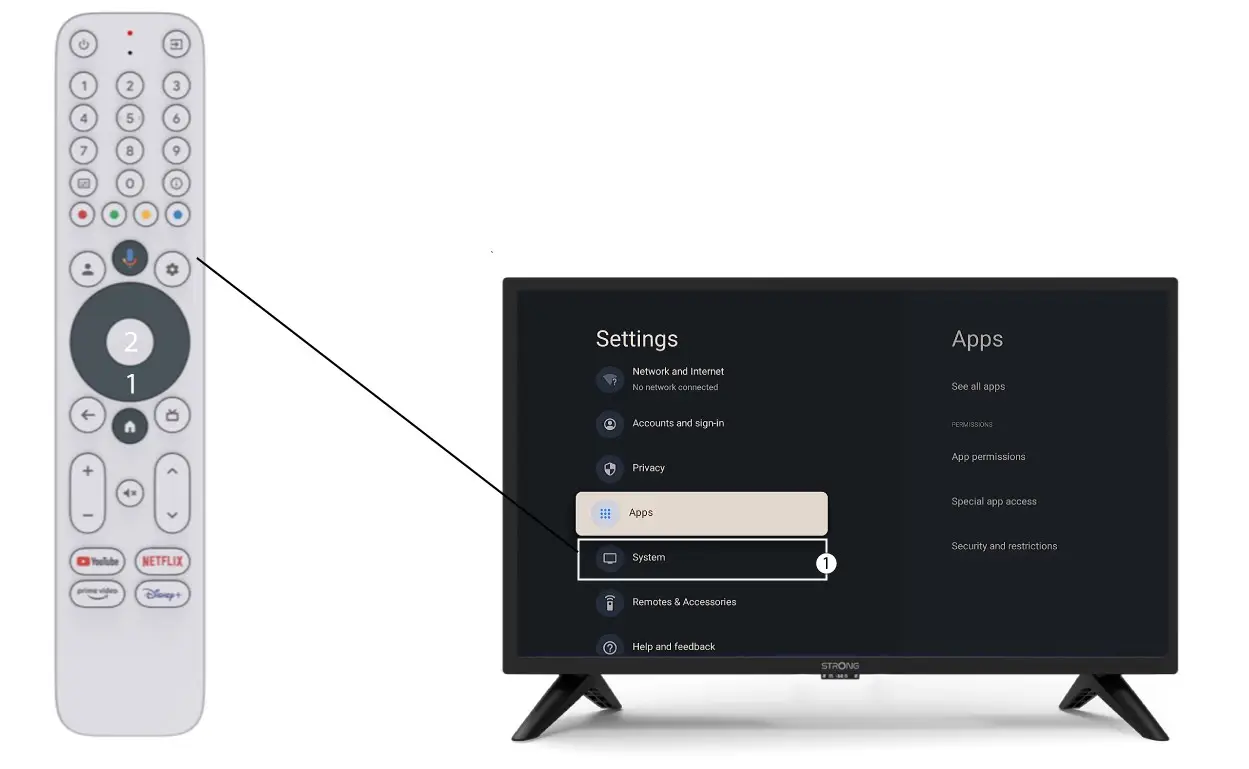
3Systemeinstellungen
Wählen Sie im Menü „Einstellungen“ die Option „System “ aus und drücken Sie „OK“.
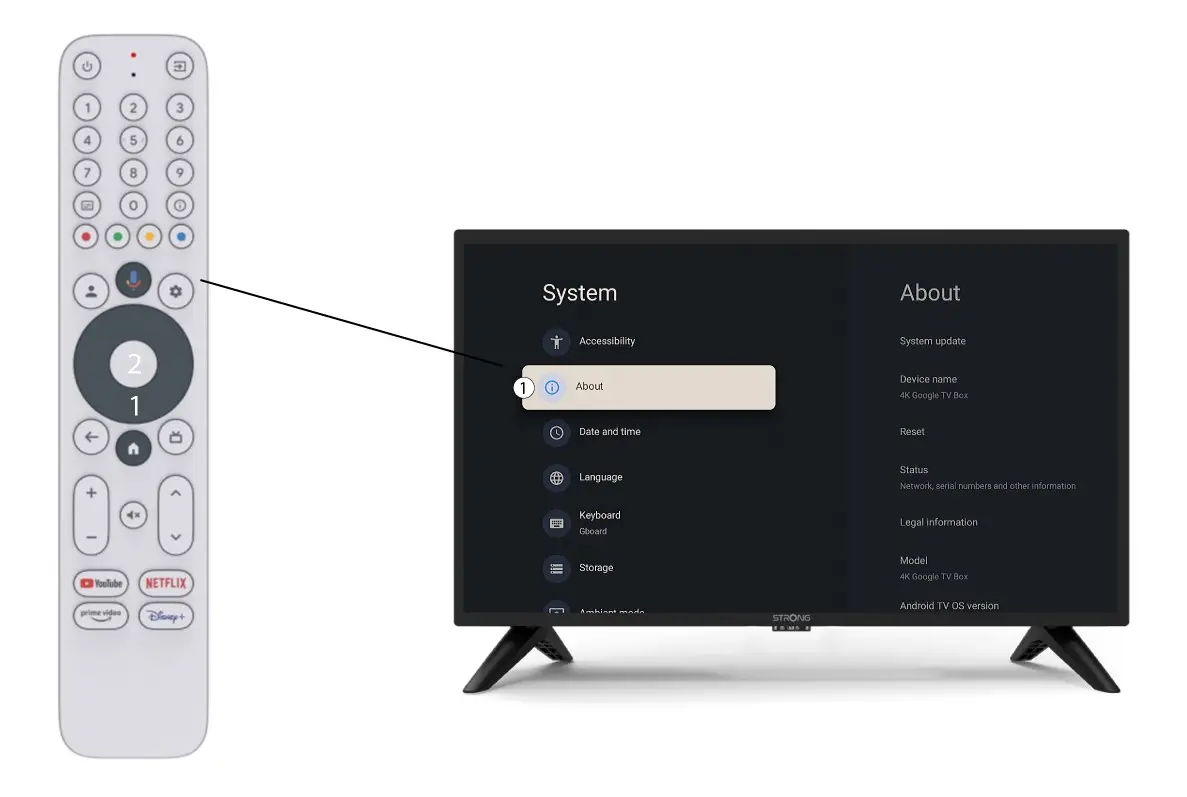
4Über
Wählen Sie im Menü „Systemeinstellungen“ den Punkt „Info“ aus und drücken Sie die OK-Taste auf Ihrer Fernbedienung.
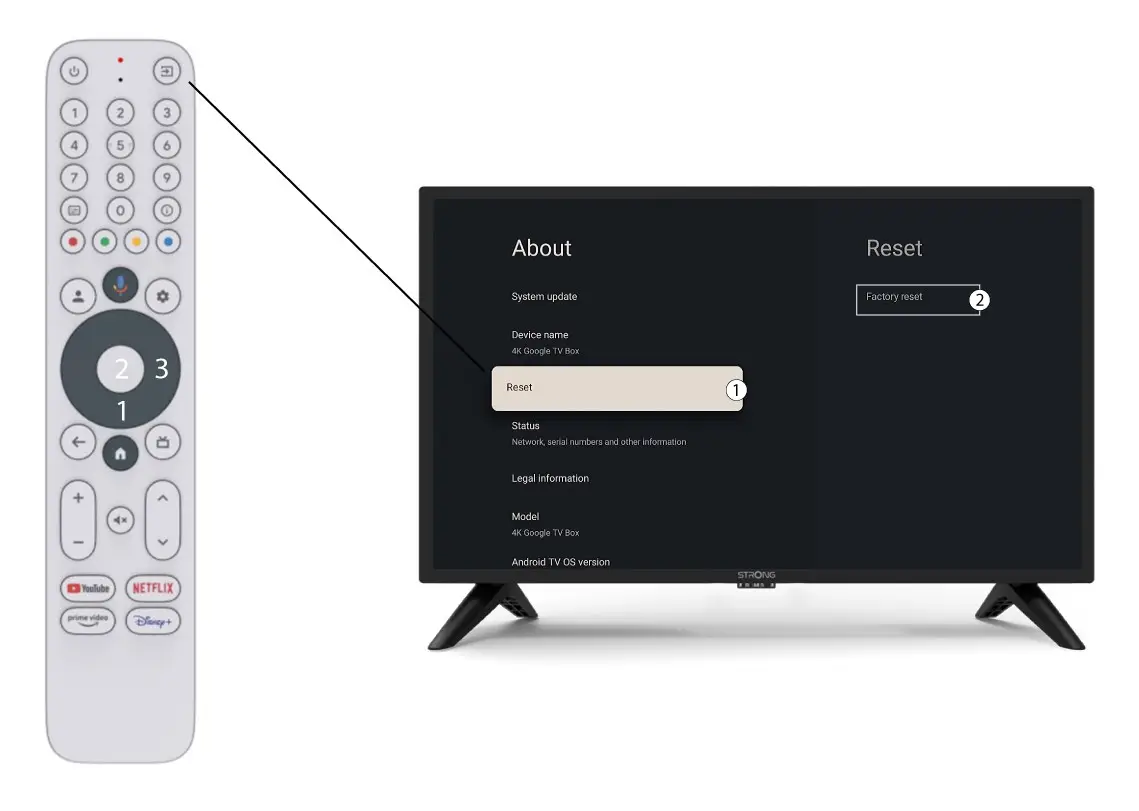
5. Werkseinstellungenzurücksetzen
Wählen Sie „Zurücksetzen“ und anschließend „Auf Werkseinstellungen zurücksetzen“, bevor Sie auf „OK“ klicken.