
Repeater AX1800
Keine Artikel gefunden.
Keine Artikel gefunden.
Alle Fragen
Repeater AX1800
Keine Artikel gefunden.
Keine Artikel gefunden.
Wie richte ich eine statische IP-Adresse für meinen repeater ein?
1. Verbindungzur Web-Benutzeroberfläche herstellen
Befolgen Sie diese Schritte, um eine Verbindung zur Web-Benutzeroberfläche herzustellen.
2. Systemstatus
Klicken Sie im Bildschirm „Systemstatus“ im Abschnitt „LAN“ auf die Schaltfläche „Weitere Details “.
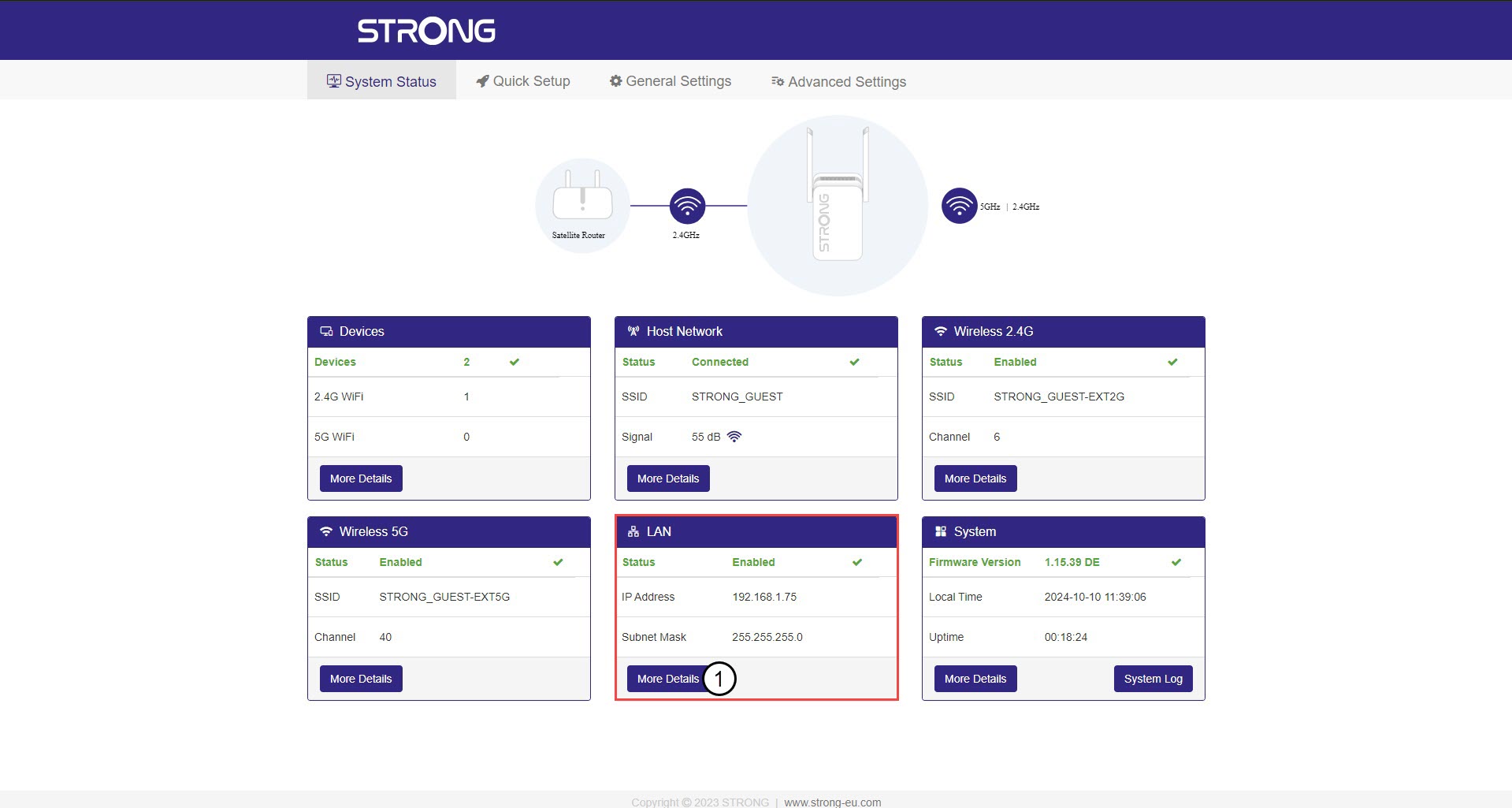
3. StatischeIP-Adresse
Klicken Sie auf „Einstellungen“ und dann auf den Schalter „Statische Adresse “. Geben Sie anschließend die folgenden Informationen ein, bevor Sie auf „Speichern und übernehmen“ klicken:
- IP-Adresse: Geben Sie die IP-Adresse für repeater ein.
- Subnetzmaske: Wählen Sie die Subnetzmaske aus der Liste aus
- Standard-Gateway: Geben Sie die IP-Adresse Ihres repeater
- Bevorzugtes DNS: Sie können denselben Wert wie im vorherigen Feld eingeben.
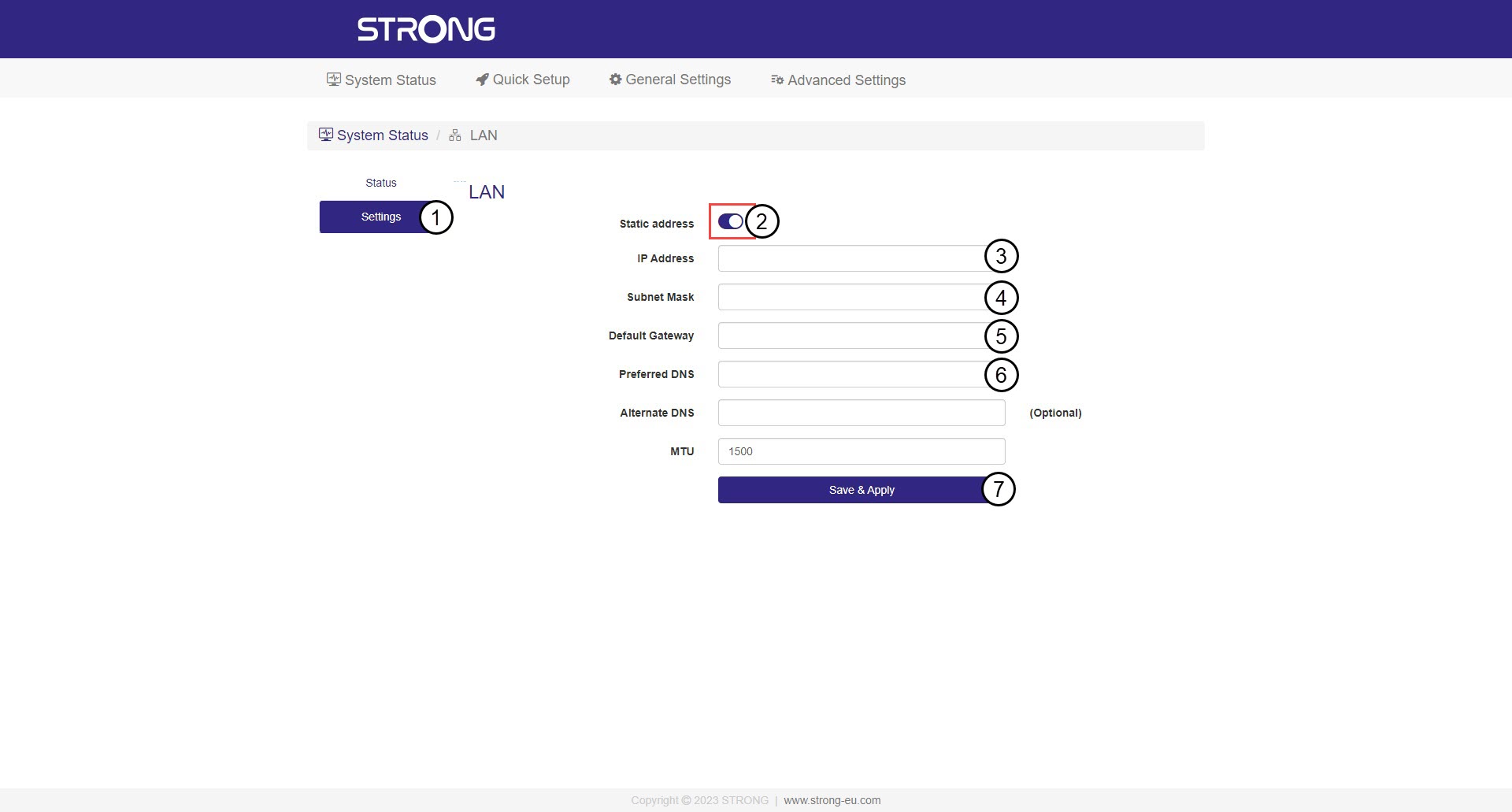

Warnung: Notieren Sie sich die neue IP-Adresse Ihres Netzwerks. Diese benötigen Sie ab sofort, um eine Verbindung zur Web-Benutzeroberfläche herzustellen.