ATRIA Mesh add-on 1200 UK
Alle Fragen
ATRIA Mesh add-on 1200 UK
Wie sollte ich mein „ Mesh “-Netzwerk einrichten, um mein WLAN-Netzwerk zu optimieren?
Um Ihre Netzabdeckung zu optimieren, sollten Sie den „ mesh “ an der Stelle installieren, an der Sie Empfangsprobleme haben, um einen möglichst großen Bereich in Ihrem Zuhause abzudecken. Bitte stellen Sie sicher, dass sich die „ mesh “-Geräte nicht in einem Raum befinden, in dem sich eine tragende Wand befindet, da das WLAN-Signal umso schlechter durch die Wand dringen kann, je dicker diese ist.
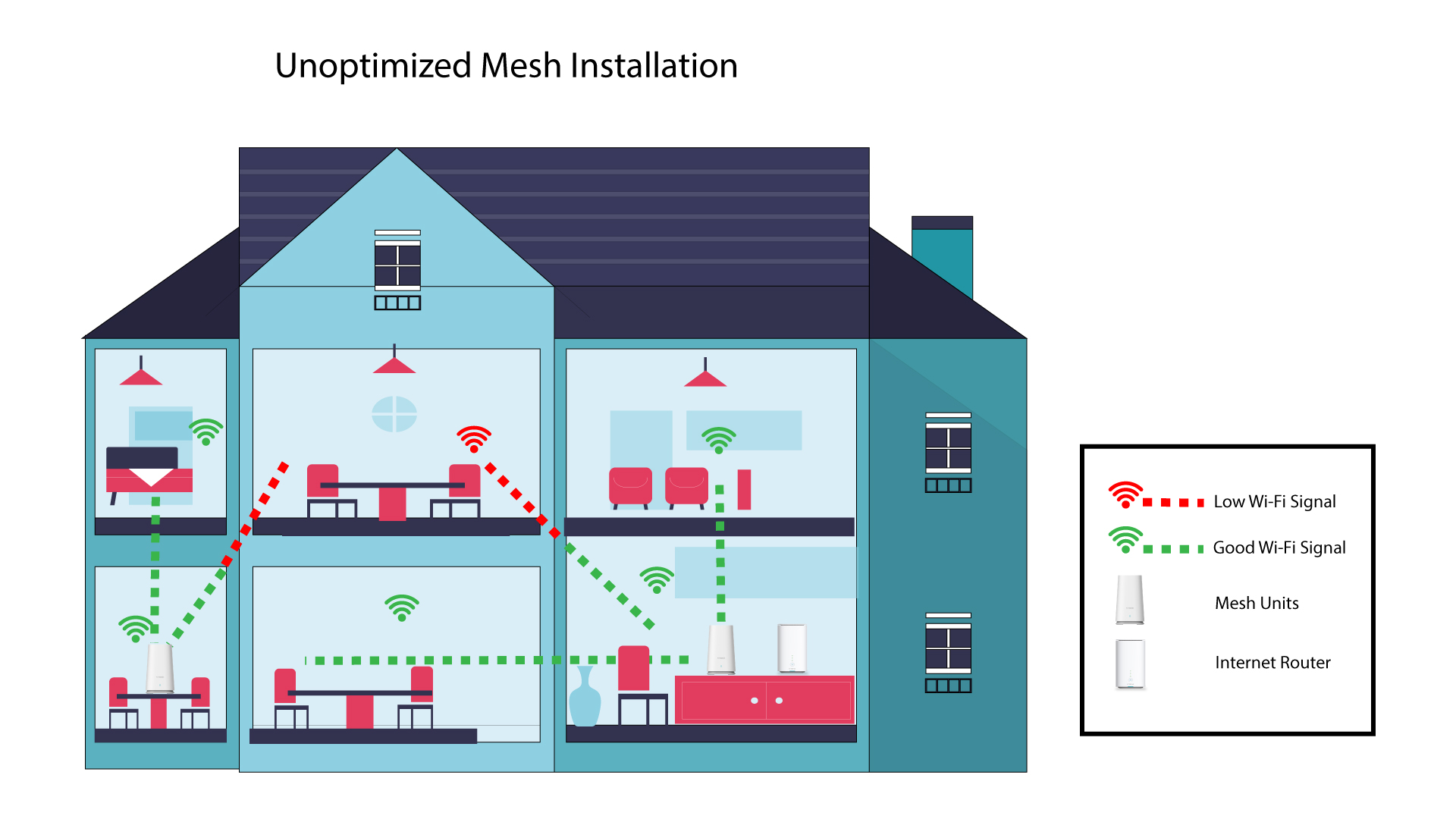
Das folgende Schema zeigt die WLAN-Abdeckung in einem Haus, in dem sich die „ mesh “-Knoten nicht an den richtigen Stellen im Haus befinden, um eine angemessene Abdeckung zu gewährleisten.
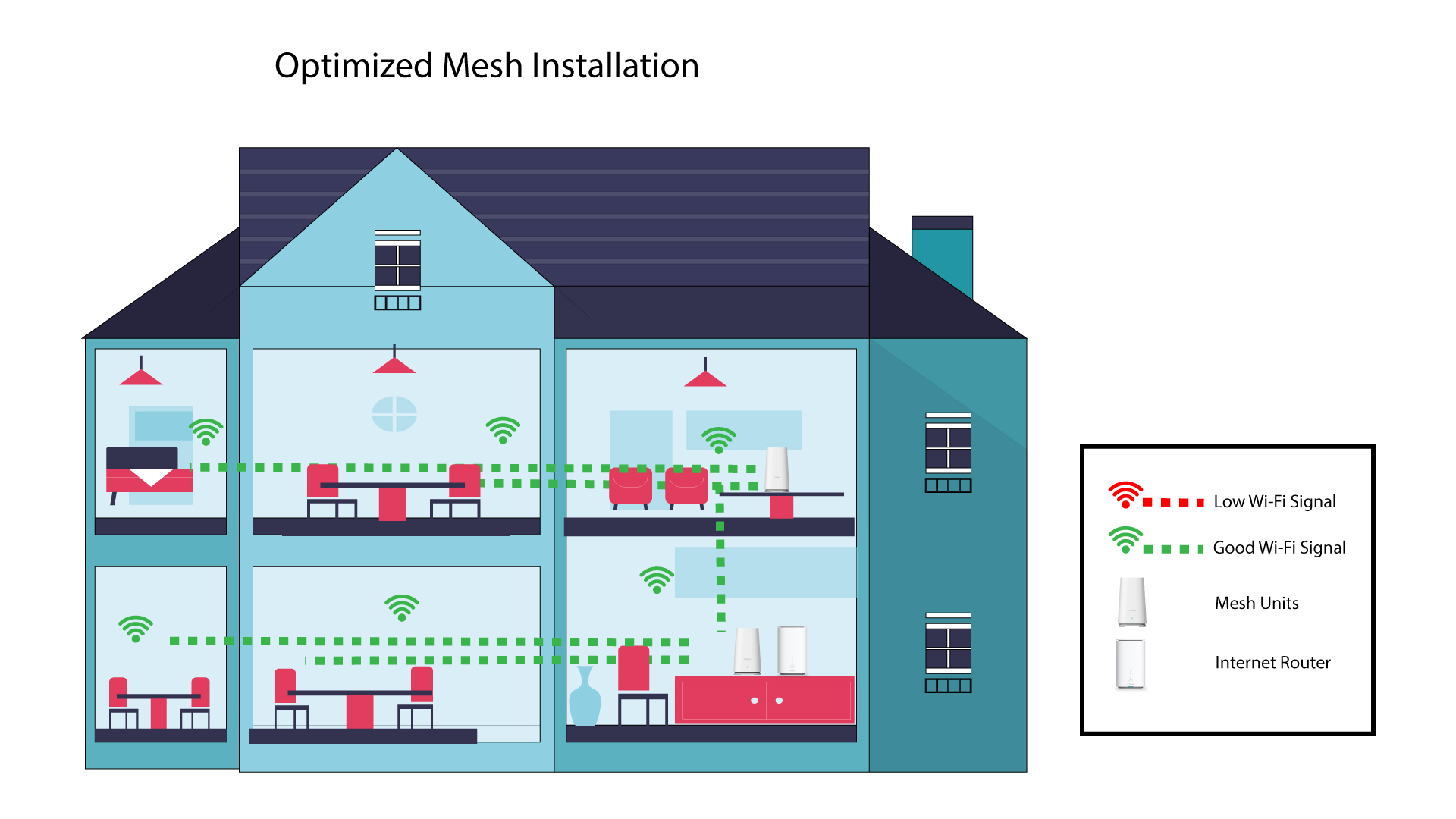
Das folgende Schema zeigt die WLAN-Abdeckung im Inneren eines Hauses, in dem sich die „ mesh “-Knoten im rechten Bereich des Hauses befinden, um eine angemessene Abdeckung zu gewährleisten.
1. Laden Siedie App herunter
Laden Sie die Atria-App „ Mesh “ herunter.
2. Stellen Sie eine Verbindungzum WLAN des mesh
Stellen Sie eine Verbindung zum WLAN Ihres „ mesh “-Geräts her.

3Mit der App verbinden
Geben Sie den Benutzernamen und das Passwort ein, bevor Sie auf „Anmelden“ klicken.

4MeinNetzwerk
Klicken Sie auf „Mein Netzwerk“

5Mesh Netzwerkstatus
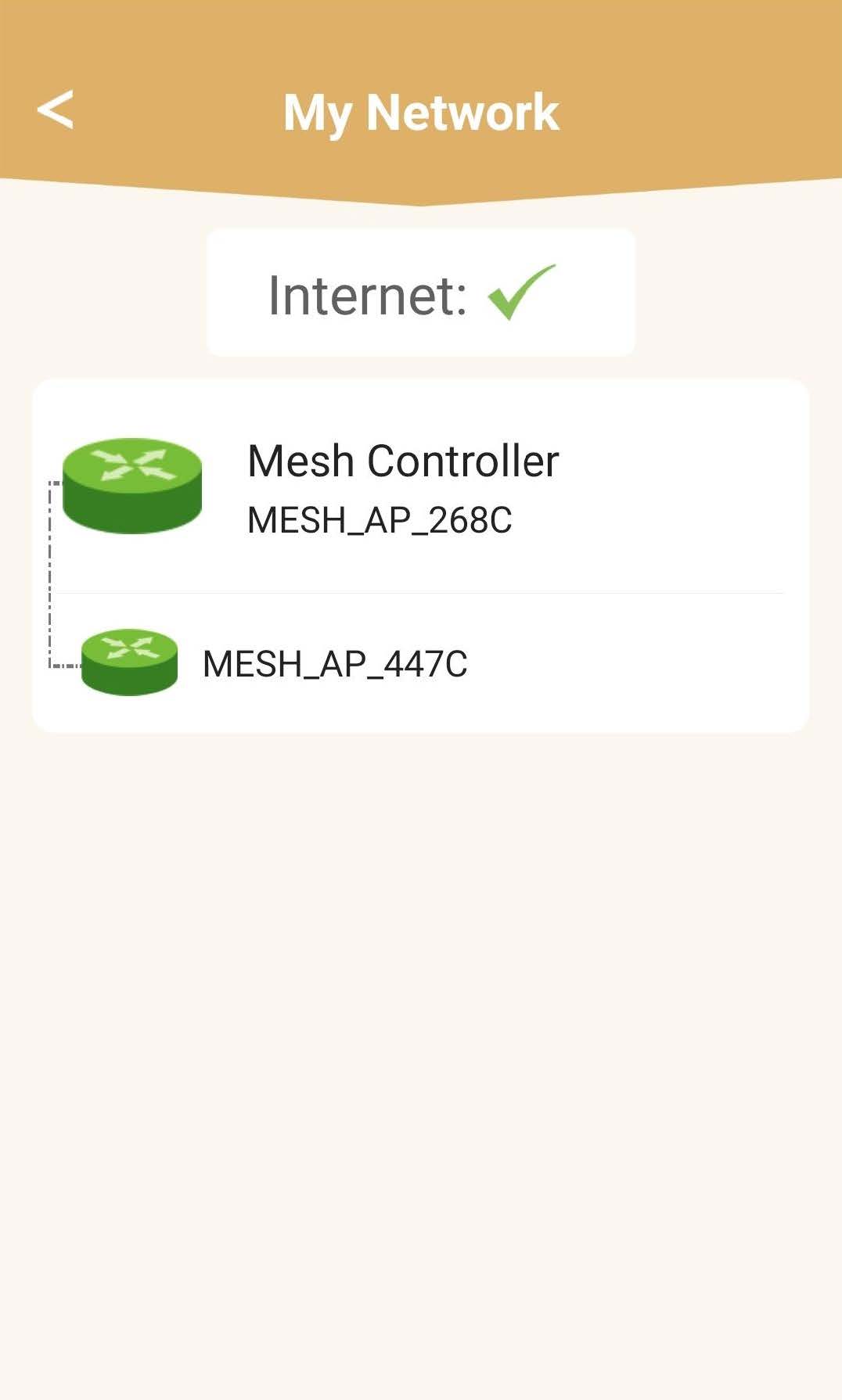
Sie sehen den Status der von Ihren „ mesh “-Geräten bereitgestellten Abdeckung.
Bitte beachten Sie: Wenn die „ mesh “-Geräte grau angezeigt werden, reicht die von dem Gerät gebotene Reichweite nicht aus. In diesem Fall müssen Sie die Position Ihres „ mesh “-Geräts ändern.
Wenn die „ mesh “-Geräte grün angezeigt werden, bedeutet dies, dass sie ordnungsgemäß funktionieren und eine ausreichende Abdeckung bieten.