
ATRIA Mesh extender kit 1200 UK
Alle Fragen
ATRIA Mesh extender kit 1200 UK
Ich habe das WLAN-Passwort meines „ Mesh “-Netzwerks vergessen. Wie kann ich es herausfinden?
Das Standard-WLAN-Passwort befindet sich auf der Unterseite Ihres Geräts. Falls Sie es jedoch bereits geändert haben, müssen Sie den „ Mesh 1200“ möglicherweise auf die werkseitigen Standardeinstellungen zurücksetzen.

1FALL1: Netzwerkinformationen in der Web-Benutzeroberfläche
Um eine Verbindung zur Web-Benutzeroberfläche herzustellen, befolgen Sie bitte diese Anleitung: Wie greife ich auf die Web-Benutzeroberfläche zu?
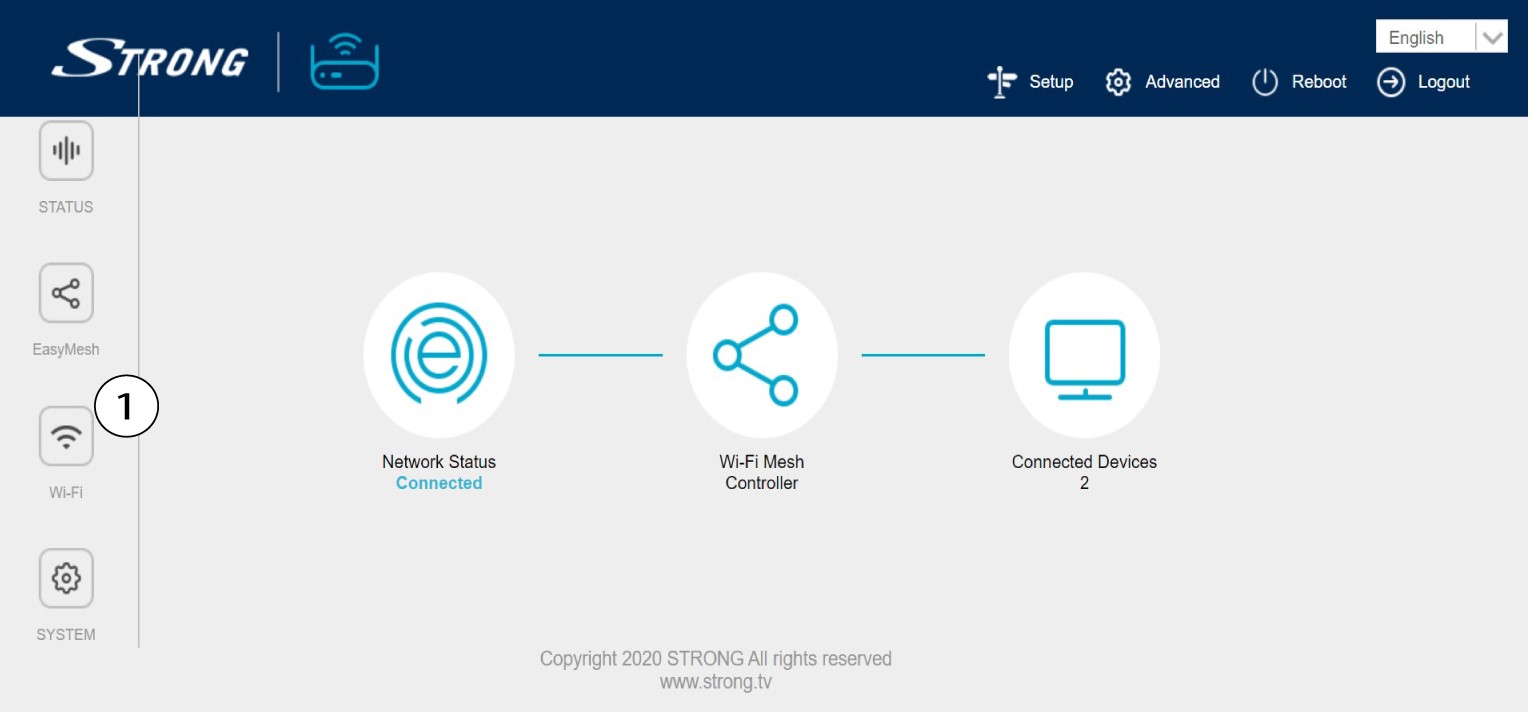
2. WLAN-Einstellungen
Klicken Sie in der linken Leiste auf „WLAN “.
32,4 G WLAN
Bei 5G-WLAN oder 2,4-GHz-WLAN wird der Name Ihres WLANs im SSID-Feld angezeigt, und Sie können unter
das Passwort dieses WLANs einsehen, indem Sie das Kontrollkästchen „ box “ rechts neben dem Feld „Wi-Fi Key“ aktivieren.

4. Notieren Sie die Informationen
Schreib das Passwort auf einen Zettel.

1FALL2: Netzwerkinformationen in der App
Um eine Verbindung zur Web-Benutzeroberfläche herzustellen, befolgen Sie bitte diese Anleitung: Wie verwende ich die Atria-App „ Mesh “?
2. WLAN-Einstellungen
Klicken Sie in der linken Leiste auf „WLAN “.

3Passwort anzeigen
Klicken Sie auf das Augensymbol, um das Passwort anzuzeigen.

4. Notieren Sie die Informationen
Schreib das Passwort auf einen Zettel.