4G LTE Router 300 Mini UK
Alle Fragen
4G LTE Router 300 Mini UK
Was kann ich in der Web-Benutzeroberfläche tun?
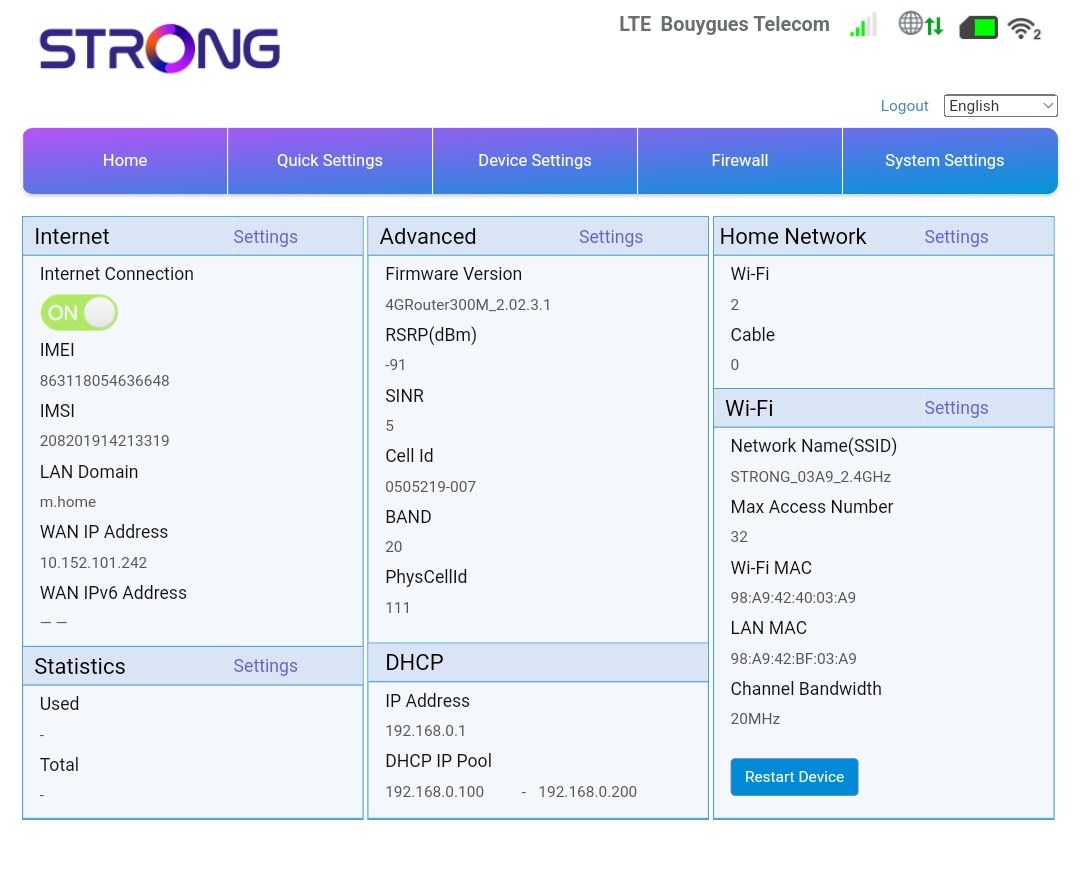
Die Web-Benutzeroberfläche ist in 5 Bereiche unterteilt. Weitere Informationen finden Sie unter .
• Startseite: Hier finden Sie die wichtigsten Informationen zu Ihrem Router, darunter den Status der Internetverbindung, die Firmware-Version, die IP-Adresse sowie Informationen zum WLAN-Netzwerk und zum Heimnetzwerk usw.
• Schnelleinstellungen: Hier können Sie Ihre SSID und Ihr Passwort bearbeiten.
• Geräteeinstellungen: Hier sehen Sie die Anzahl der verbundenen Geräte und können IP-Adressen, PIN-Codes, Antenneneinstellungen, WLAN-Einstellungen, Internet-Einstellungen usw. verwalten.
• Firewall: Hier können Sie Sicherheitsparameter einrichten.
• Systemeinstellungen: Hier können Sie Updates durchführen, das Gerät neu starten oder Ihre Einstellungen bearbeiten.