
Powerline 1000 Duo Wi-Fi Mini UK
Όλες οι ερωτήσεις
Powerline 1000 Duo Wi-Fi Mini UK
Πώς μπορώ να αλλάξω το όνομα SSID και τον κωδικό πρόσβασης του δικτύου Wi-Fi του Powerline 1000;
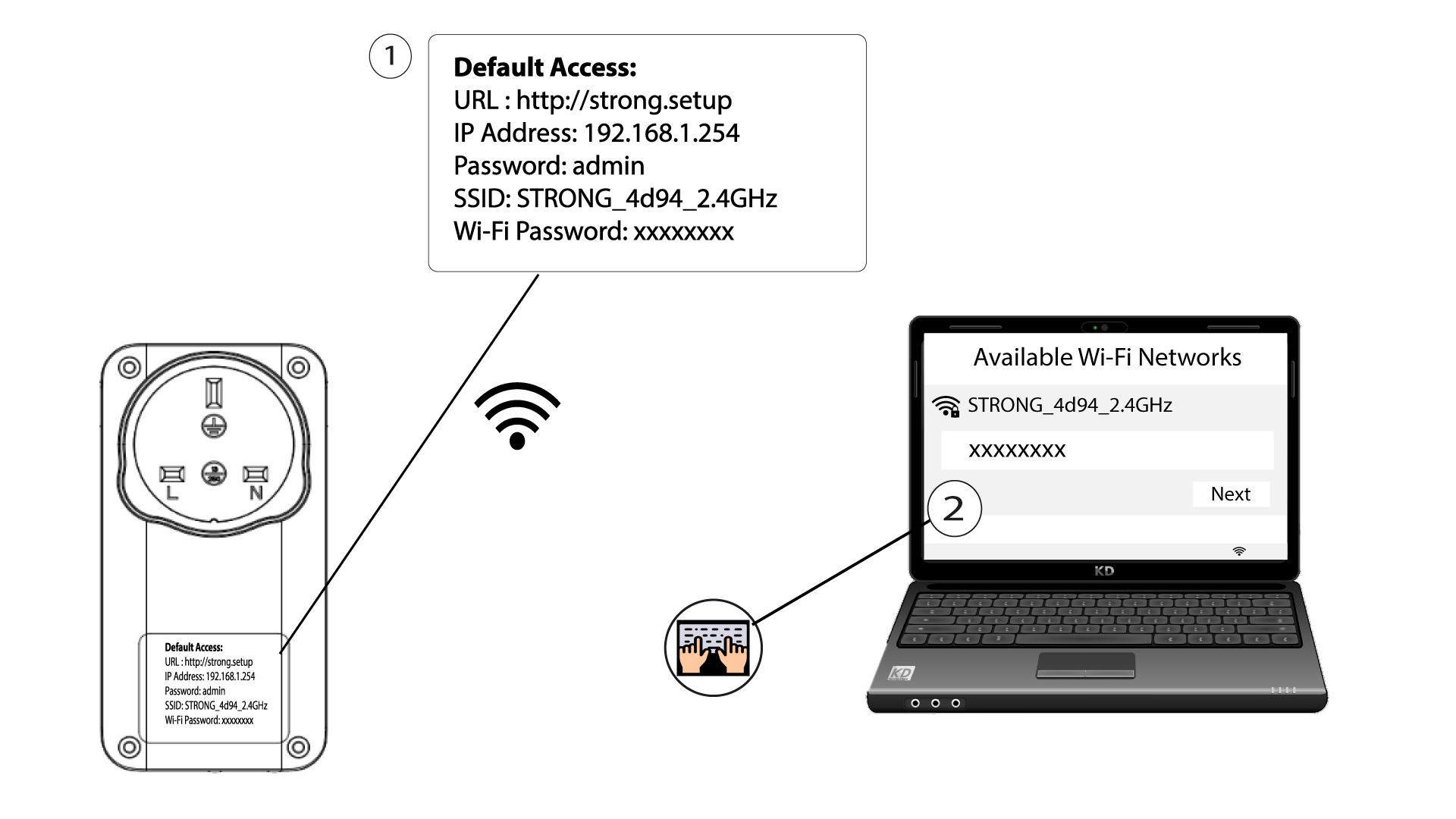
1. Συνδεθείτεστο δίκτυο Wi-Fi του Powerline
Συνδεθείτε στο δίκτυο Wi-Fi του pwerline 1000 Wi-Fi Mini.
2. Πλοηγηθείτεστη διεύθυνση IP του περιβάλλοντος χρήστη ιστού
Για να αποκτήσετε πρόσβαση στη διεπαφή χρήστη, πληκτρολογήστε τη διεύθυνση URL: http://strong.setup στη γραμμή διευθύνσεων του προγράμματος περιήγησης στο Διαδίκτυο.

3Εισάγετετα στοιχεία σύνδεσής σας
Στη συνέχεια, πληκτρολογήστε τον κωδικό πρόσβασης: admin

4. Γρήγορηεγκατάσταση
Μεταβείτε στο μενού, επιλέξτε «Γρήγορη ρύθμιση», στη συνέχεια κάντε κλικ στο «Σημείο πρόσβασης (AP)» και κάντε κλικ στο «ΕΠΟΜΕΝΟ».

5. Εισάγετετα νέα στοιχεία δικτύου
Επεξεργαστείτε το SSID και τη φράση πρόσβασης. Κατά τον καθορισμό της νέας φράσης πρόσβασης, αποφύγετε να χρησιμοποιείτε το κεφαλαίο «I» και το μικρό «l», καθώς μπορούν εύκολα να συγχέονται. Σας συνιστούμε επίσης να δημιουργήσετε μια φράση πρόσβασης που να αποτελείται από εναλλασσόμενα κεφαλαία, μικρά γράμματα και αριθμούς. Όταν ολοκληρώσετε τις αλλαγές σας, κάντε κλικ στο «NEXT» για να αποθηκεύσετε.

6. Καταγράψτετα νέα στοιχεία δικτύου
Σημειώστε το νέο SSID και τον κωδικό πρόσβασης σε ένα χαρτί και, στη συνέχεια, επανασυνδέστε όλες τις συσκευές σας στο Powerline 1000 Wi-Fi Mini χρησιμοποιώντας τις νέες ρυθμίσεις.
