
Αναμεταδότης διπλής ζώνης 750 UK
Όλες οι ερωτήσεις
Αναμεταδότης διπλής ζώνης 750 UK
Πώς μπορώ να ρυθμίσω τον επαναλήπτη μου ως σημείο πρόσβασης;
ΣΥΜΒΟΥΛΕΣ: Πριν ρυθμίσετε τον επαναλήπτη σας, παρακαλούμε να ακολουθήσετε την παρακάτω διαδικασία για να προσδιορίσετε τη θέση του επαναλήπτη σας: Ποια είναι η καλύτερη θέση για τον επαναλήπτη μου;
1. Συνδεθείτεστο περιβάλλον χρήστη του διαδικτύου
Ακολουθήστε μία από τις παρακάτω διαδικασίες για να συνδεθείτε στο περιβάλλον χρήστη του ιστού:
- Πώς μπορώ να συνδεθώ στη διεπαφή χρήστη μέσω διαδικτύου (Web UI) του επαναλήπτη; (Καλώδιο RJ45)
- Πώς μπορώ να συνδεθώ στη διεπαφή χρήστη μέσω διαδικτύου του επαναλήπτη; (Wi-Fi)
2Επιλέξτετη λειτουργία «Σημείο πρόσβασης»
Στη λειτουργία « switch » που βρίσκεται στη δεξιά πλευρά του επαναλήπτη σας, επιλέξτε τη θέση AP.
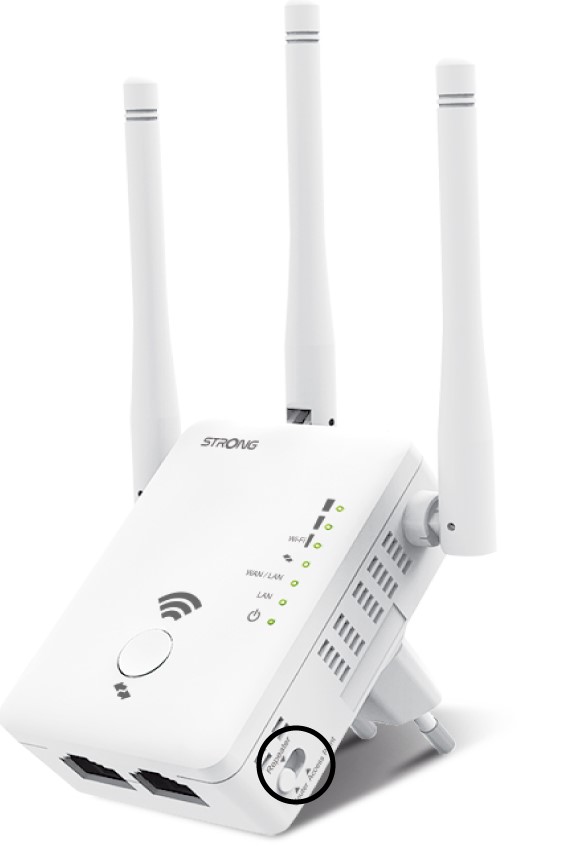
Οδηγός 3AP
Κάντε κλικ στο «AP Wizard».
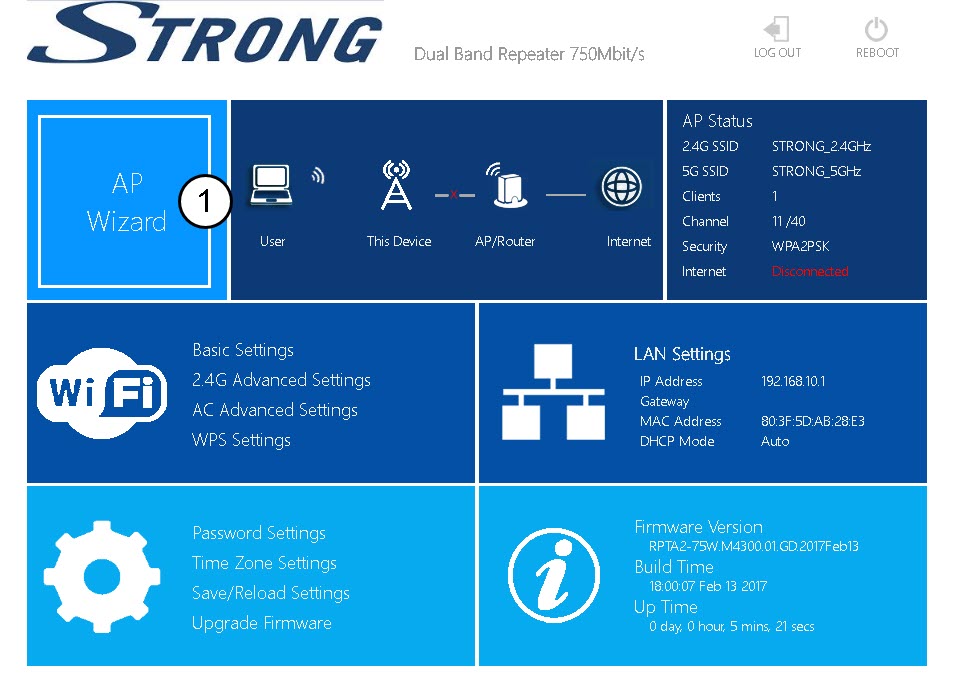
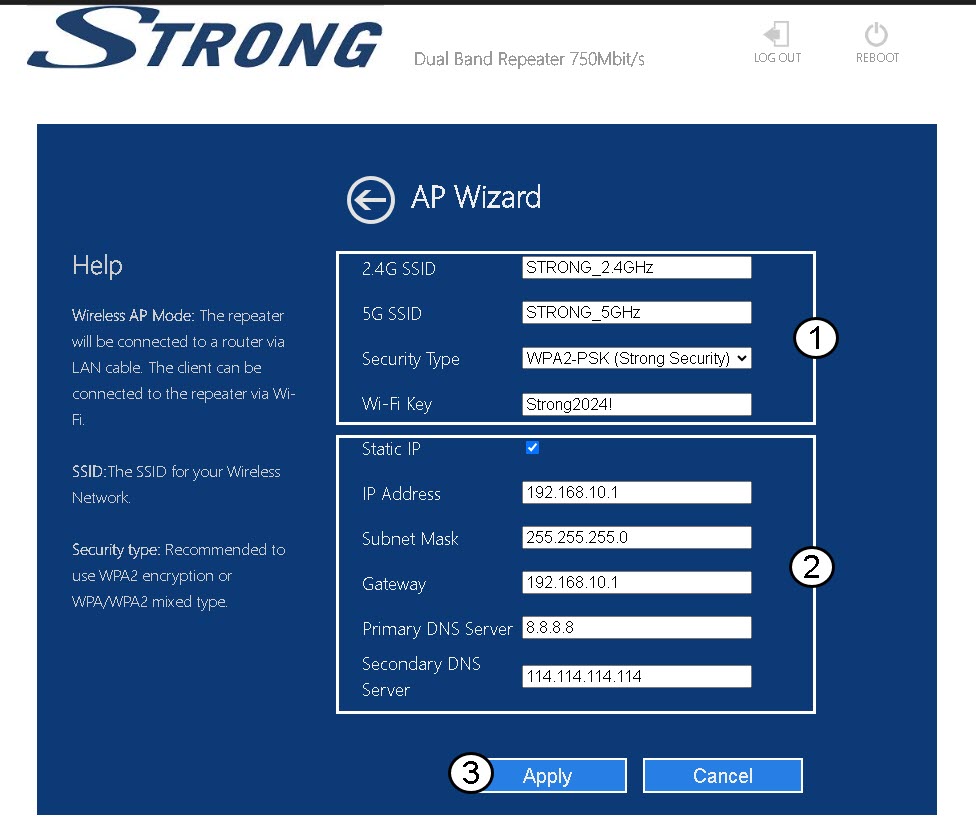
4. Ρύθμιση του σημείου πρόσβασης
Επιλέξτε την επιλογή «Στατική IP» για να ρυθμίσετε το δίκτυό σας. Εισαγάγετε ένα όνομα για κάθε SSID και επιλέξτε τον τύπο ασφάλειας του δικτύου σας· συνιστούμε να χρησιμοποιήσετε την επιλογή WPA2-PSK. Κάντε κλικ στο «Εφαρμογή» για επιβεβαίωση.
ΣΥΜΒΟΥΛΕΣ: Θα μπορείτε να συνδεθείτε στο περιβάλλον χρήστη μέσω διαδικτύου (Web UI) χρησιμοποιώντας τη διεύθυνση IP του επαναλήπτη..
5Περιμένετεκατά τη διάρκεια της διαμόρφωσης
Παρακαλώ περιμένετε ενώ ο επαναλήπτης πραγματοποιεί τη ρύθμιση.
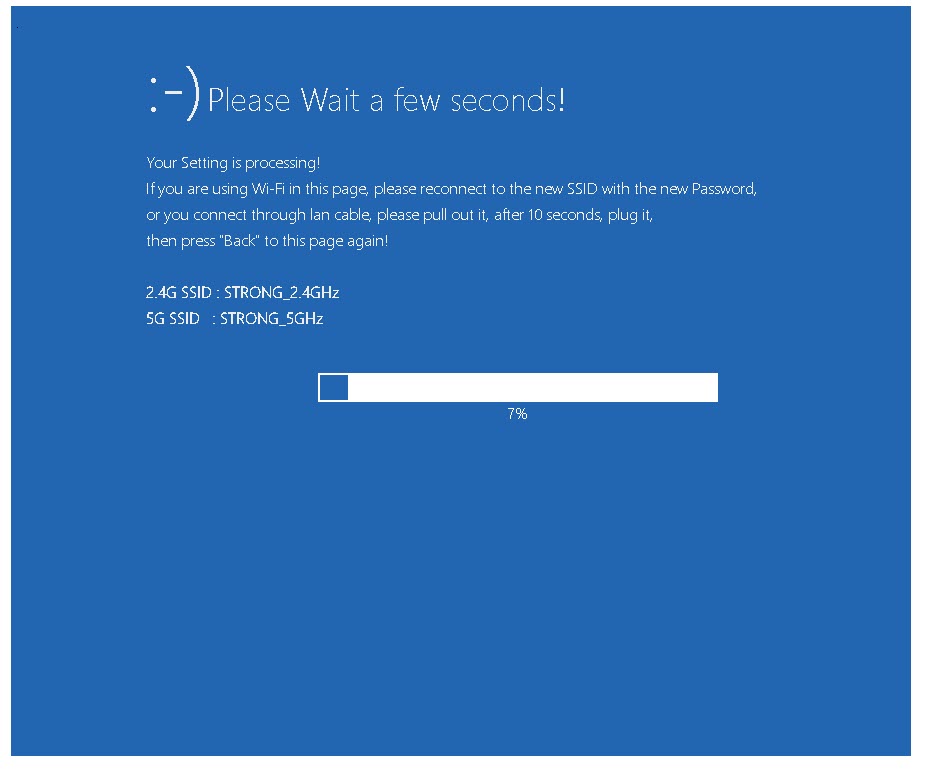

Προειδοποίηση: Σημειώστε τους κωδικούς πρόσβασης και τα ονόματα των δικτύων Wi-Fi.