
4G AIRHOME 210 UK σταθερές κεραίες 4G
Όλες οι ερωτήσεις
4G AIRHOME 210 UK σταθερές κεραίες 4G
Πώς μπορώ να επαναφέρω τον δρομολογητή μου στις εργοστασιακές ρυθμίσεις;
Μερικές φορές, ενδέχεται η συσκευή σας να μην λειτουργεί σωστά και να μην έχετε πρόσβαση στο Διαδίκτυο. Σε αυτή την περίπτωση, σας προτείνουμε να επαναφέρετε τη συσκευή σας στις εργοστασιακές ρυθμίσεις και, στη συνέχεια, να ενημερώσετε ξανά το firmware της, αν χρειαστεί.
Υπάρχουν δύο τρόποι για να το κάνετε αυτό: μπορείτε να επαναφέρετε τη συσκευή πατώντας το κουμπί επαναφοράς ή μέσω της διεπαφής χρήστη στο διαδίκτυο.
ΠΕΡΙΠΤΩΣΗ 1: Κουμπί επαναφοράς
Για να το κάνετε αυτό, πατήστε το κουμπί «Reset» στη δεξιά πλευρά του δρομολογητή για δύο δευτερόλεπτα.

1ΠΕΡΙΠΤΩΣΗ2: Επαναφορά μέσω του περιβάλλοντος χρήστη του ιστού
Για να συνδεθείτε στο Web UI, ακολουθήστε τις οδηγίες που αναφέρονται στο άρθρο: «Πώς μπορώ να αποκτήσω πρόσβαση στο Web UI;»
2. Ενημέρωση υλικολογισμικού
Στη συνέχεια, κάντε κλικ στην επιλογή «Ενημέρωση υλικολογισμικού».

3 Επαναφοράεργοστασιακών ρυθμίσεων
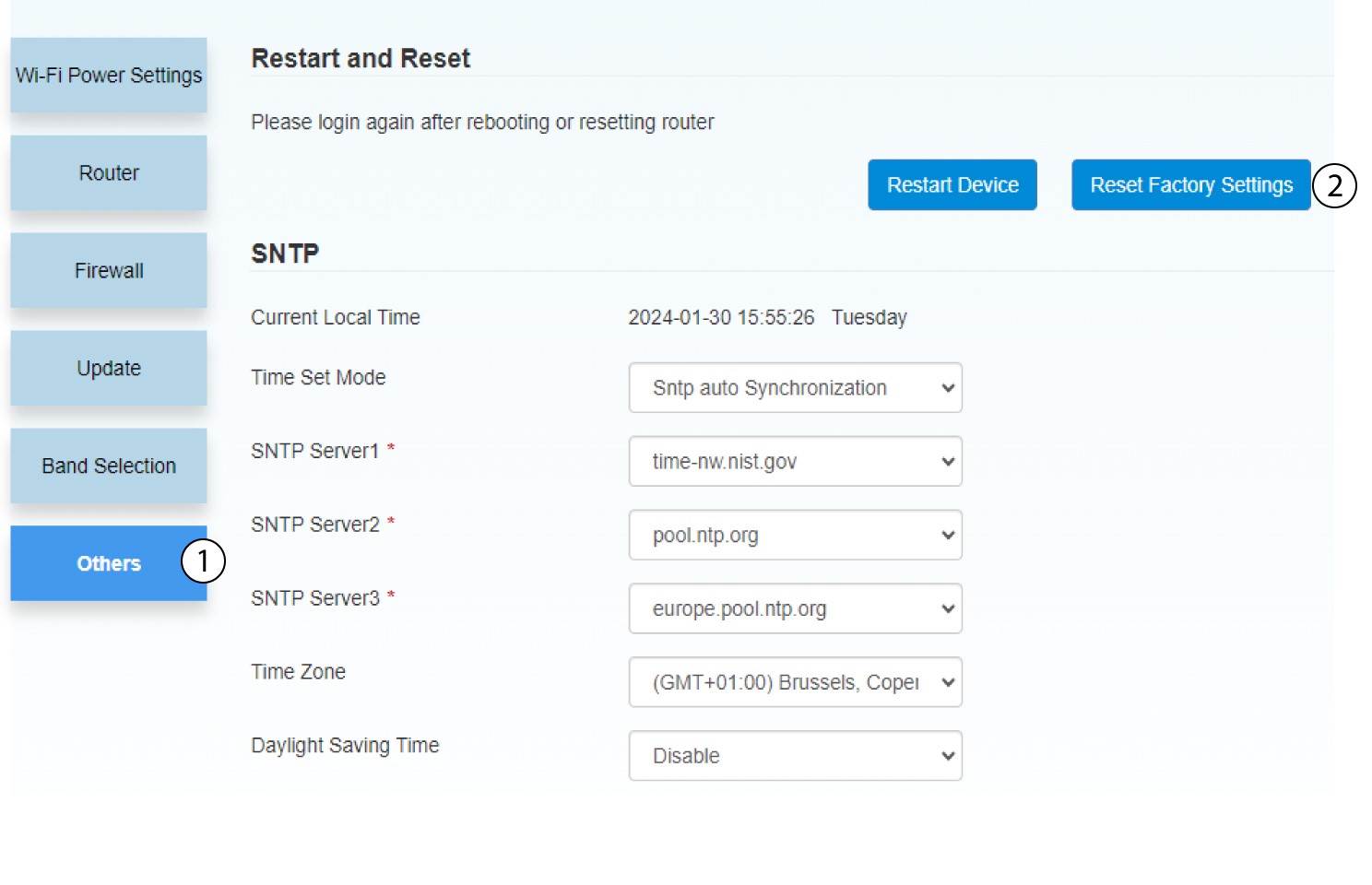
Κάντε κλικ στην επιλογή «Άλλα». Στην ενότητα «Επανεκκίνηση και επαναφορά», κάντε κλικ στην επιλογή «Επαναφορά εργοστασιακών ρυθμίσεων»
4. Αναδυόμενη ειδοποίηση
Κάντε κλικ στο «ΝΑΙ» στο αναδυόμενο μήνυμα.
