
Mesh ATRIA Wi-Fi 5 Mesh 2100 UK πακέτο 2 τεμαχίων)
Όλες οι ερωτήσεις
Mesh ATRIA Wi-Fi 5 Mesh 2100 UK πακέτο 2 τεμαχίων)
Πώς πρέπει να οργανώσω το δίκτυο « Mesh » για να βελτιστοποιήσω το δίκτυο Wi-Fi μου;
Για να βελτιστοποιήσετε την κάλυψή σας, θα πρέπει να εγκαταστήσετε το δρομολογητή « mesh » στο σημείο όπου αντιμετωπίζετε προβλήματα κάλυψης, ώστε να καλύψετε τη μεγαλύτερη δυνατή περιοχή στο σπίτι σας.
Παρακαλούμε βεβαιωθείτε ότι οι συσκευές « mesh » δεν βρίσκονται σε δωμάτιο όπου υπάρχει φέροντος τοίχος, καθώς όσο πιο παχύς είναι ο τοίχος, τόσο πιο δύσκολα μπορεί το σήμα Wi-Fi να τον διαπεράσει.
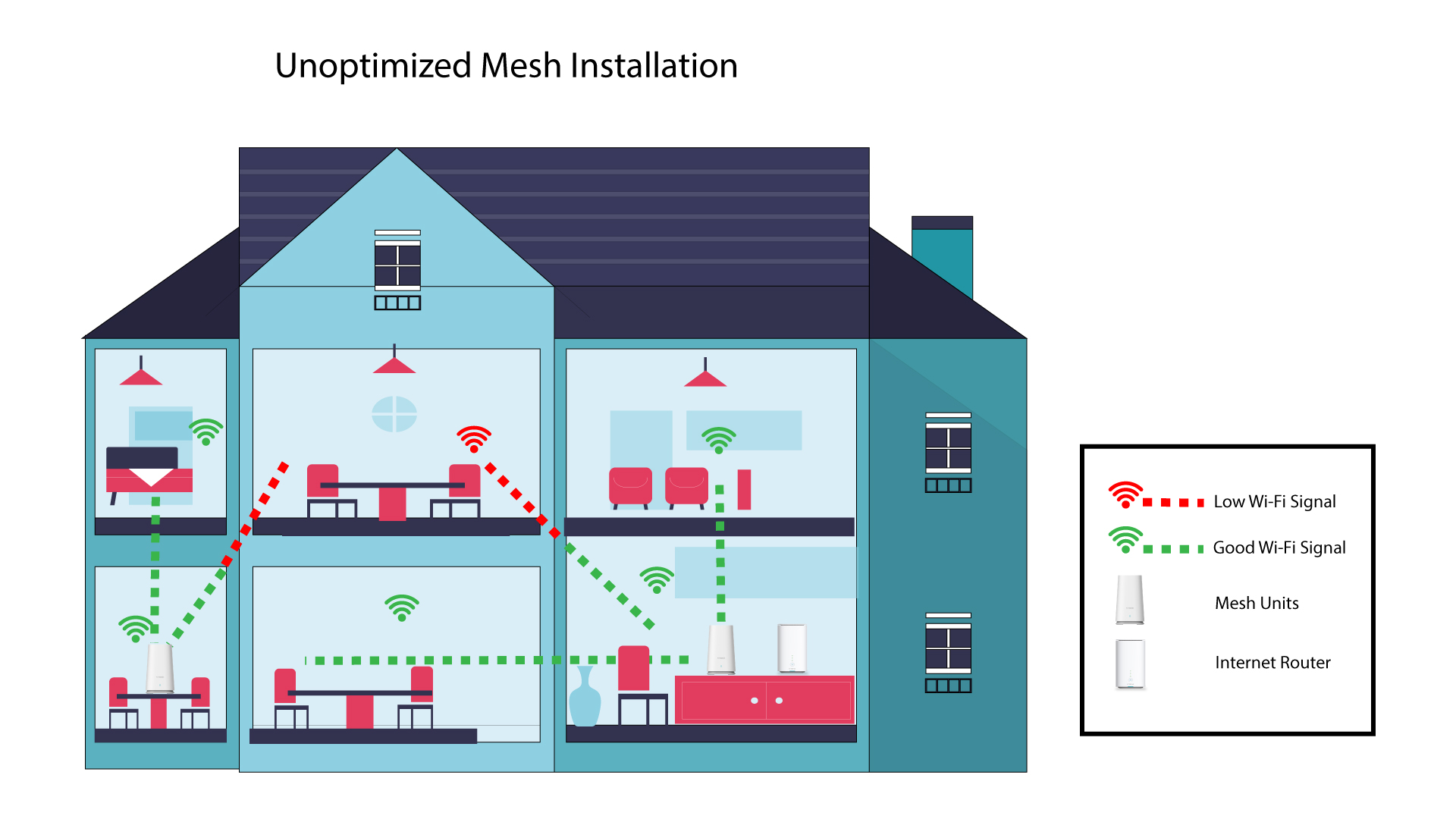
1 Μη βελτιστοποιημένηεγκατάσταση του Mesh
Το παρακάτω διάγραμμα απεικονίζει την κάλυψη Wi-Fi στο εσωτερικό ενός σπιτιού, όπου οι κόμβοι του δικτύου « mesh » δεν βρίσκονται στη σωστή περιοχή του σπιτιού για να εξασφαλίσουν επαρκή κάλυψη.
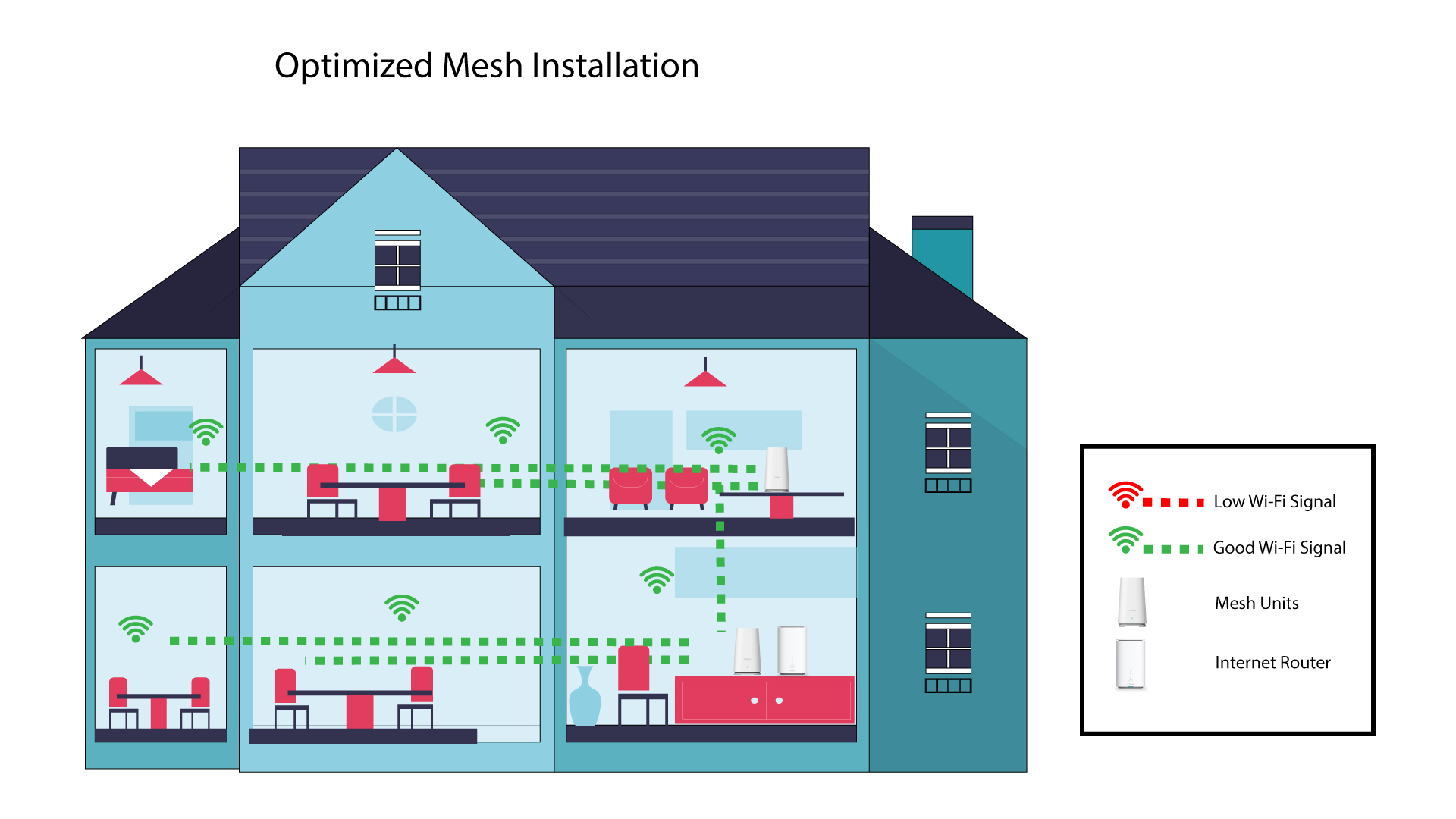
2 Βελτιστοποιημένηεγκατάσταση του Mesh
Το παρακάτω διάγραμμα απεικονίζει την κάλυψη Wi-Fi στο εσωτερικό ενός σπιτιού, όπου οι κόμβοι του δικτύου « mesh » είναι τοποθετημένοι στη δεξιά πλευρά του σπιτιού, ώστε να εξασφαλίζεται η κατάλληλη κάλυψη.
1AtriaΕφαρμογή « Mesh »
Κατεβάστε την εφαρμογή για smartphone «ATRIA MESH » από το App Store ή το Google Play Store.

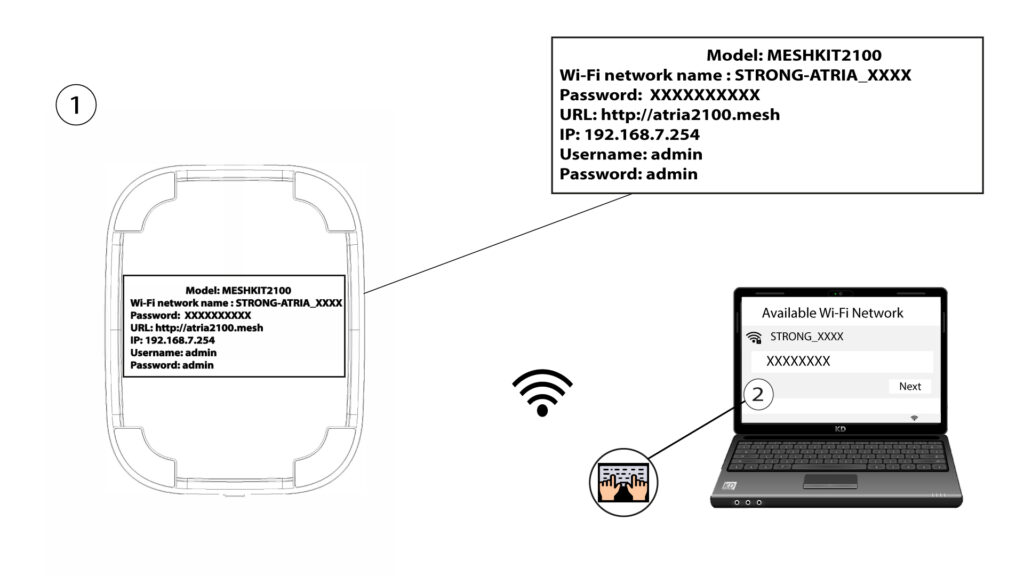
2. Σύνδεσηστο Wi-Fi
Συνδεθείτε στο Wi-Fi της συσκευής σας « mesh ».
3Δικαιώματα πρόσβασης
Στη συνέχεια, πρέπει να συνδεθείτε με το Wi-Fi του « Mesh » μέσω του smartphone σας και, στη συνέχεια, να συνδεθείτε στην εφαρμογή με τα στοιχεία σύνδεσής σας, τα οποία θα πρέπει να είναι «admin» και«admin», αν δεν τα έχετε αλλάξει.

4Το δίκτυό μου
Κάντε κλικ στην επιλογή «Το δίκτυό μου».

5 Όνοματου Mesh
Θα δείτε τα ονόματα των μονάδων « mesh » που έχετε ρυθμίσει στο δίκτυό σας.
Κάντε κλικ στο όνομα της μονάδας « mesh » για να δείτε τις πληροφορίες της.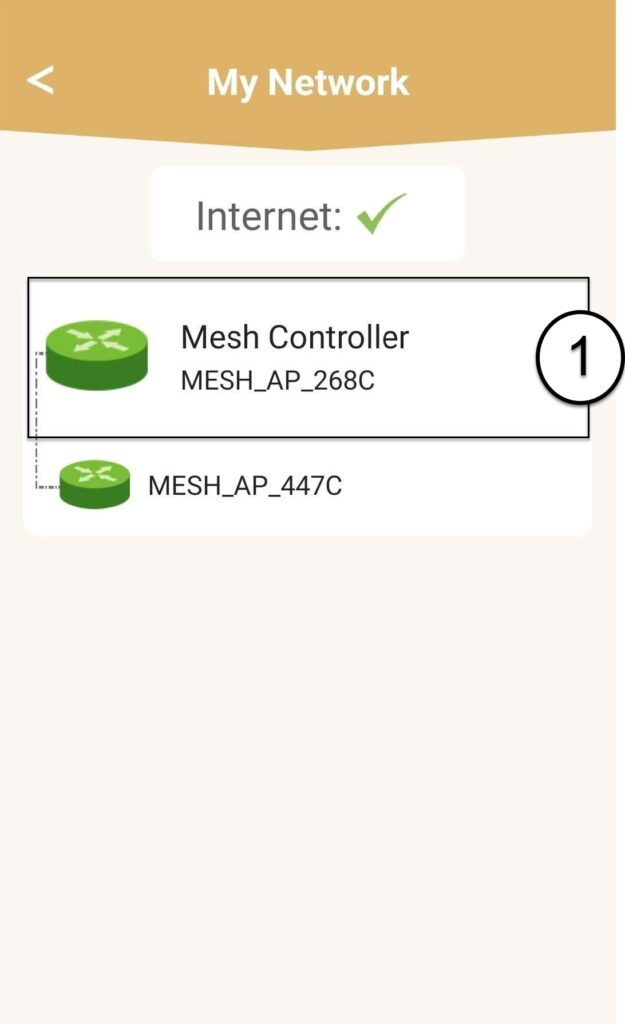
6Όνομα
Κάντε κλικ στο πεδίο «Όνομα».
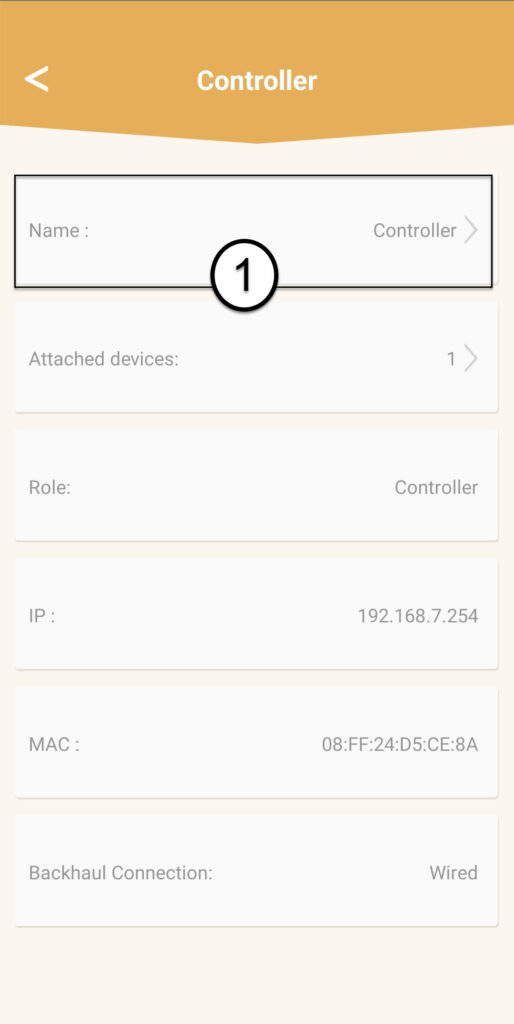
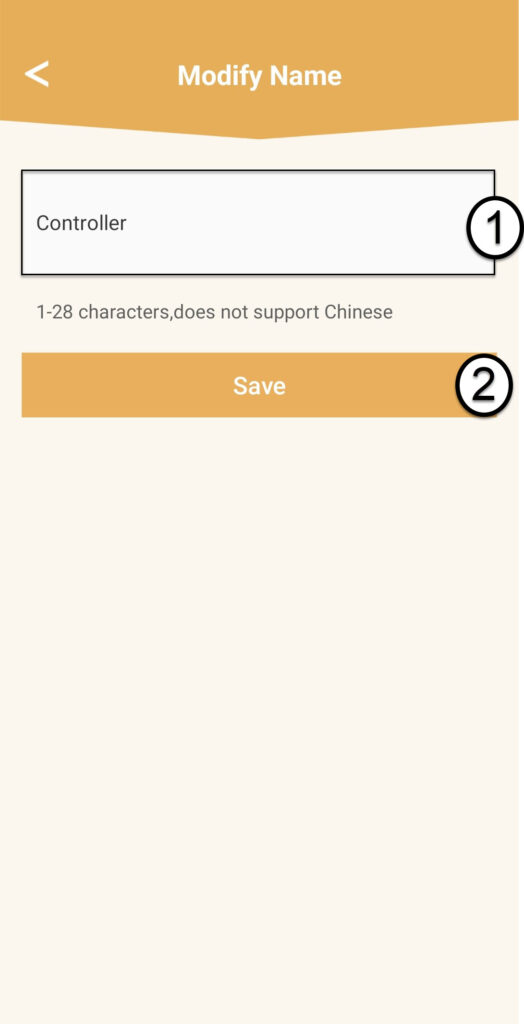
7Αλλαγήονόματος ελεγκτή
Πληκτρολογήστε ένα νέο όνομα και κάντε κλικ στο «Αποθήκευση»:
- Ο ελεγκτής mesh πρέπει να ονομαστεί ως εξής: MeshAX3000-Main- Όνοματουδωματίου
- Τα στοιχεία του δικτύου mesh πρέπει να ονομάζονται ως εξής: MeshAX3000-Όνομα_του_δωματίου

Προειδοποίηση: Εάν η μονάδα « mesh » εμφανίζεται με γκρι χρώμα, αυτό σημαίνει ότι δεν παρέχει επαρκή κάλυψη και ότι θα πρέπει να προσαρμόσετε τη θέση της για να βελτιστοποιήσετε το δίκτυο « mesh ».