
Mesh ATRIA Wi-Fi 5 Mesh 1200 (add-on)
Όλες οι ερωτήσεις
Mesh ATRIA Wi-Fi 5 Mesh 1200 (add-on)
Πώς να αλλάξετε τον κωδικό πρόσβασης διαχειριστή (Web UI)
1 Συνδέσουστο Wi-Fi του mesh
Για να το κάνετε αυτό, εισαγάγετε το SSID (όνομα δικτύου Wi-Fi) και τον κωδικό πρόσβασης Wi-Fi του δρομολογητή στη συσκευή σας:

2. Μεταβείτεστη διεύθυνση IP
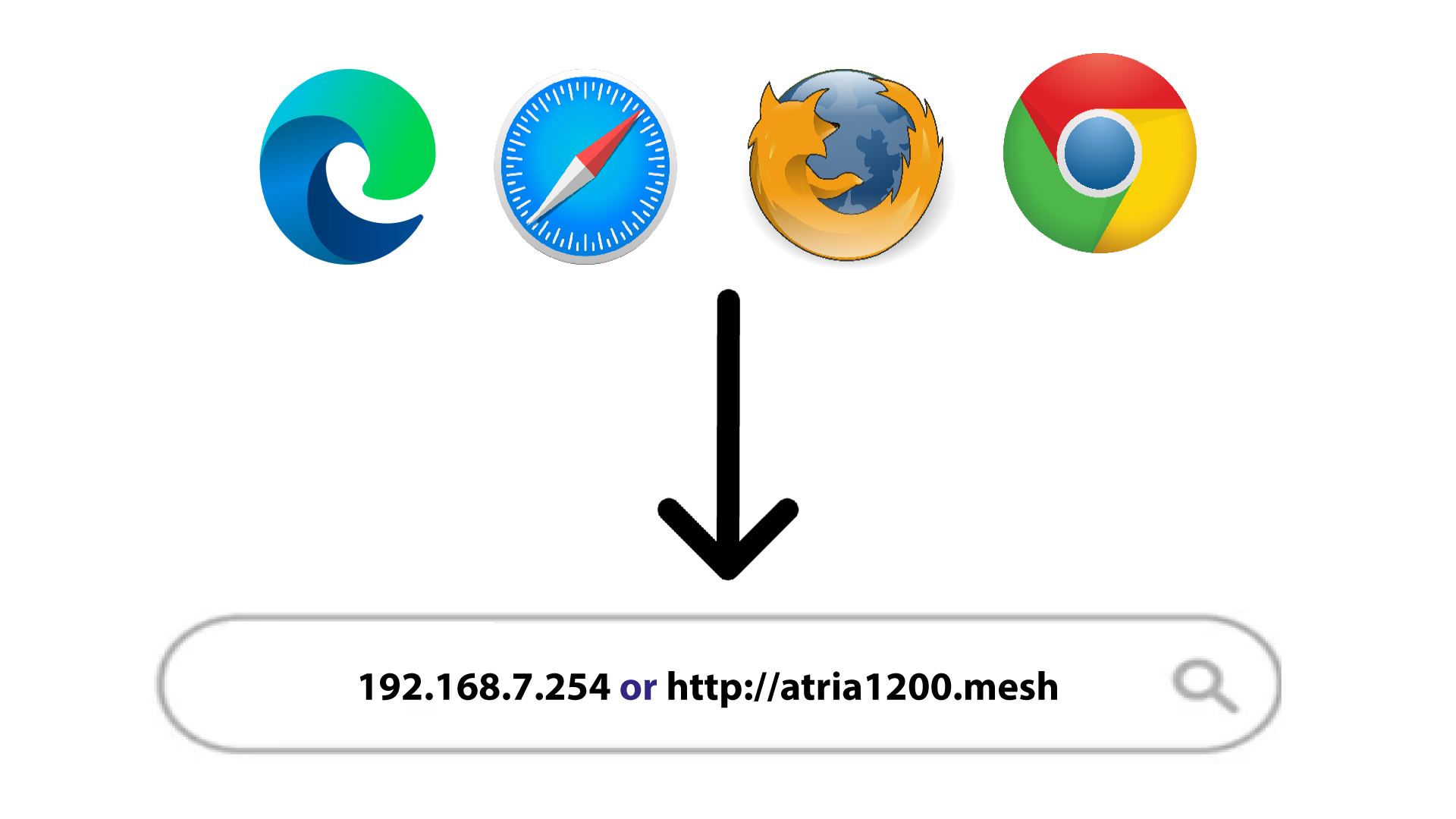
Στη συνέχεια, πληκτρολογήστε την ακόλουθη διεύθυνση IP στον περιηγητή σας: 192.168.7.254 ή πληκτρολογήστε την ακόλουθη διεύθυνση: http://atria1200.mesh
3Εισάγετετα στοιχεία σύνδεσής σας
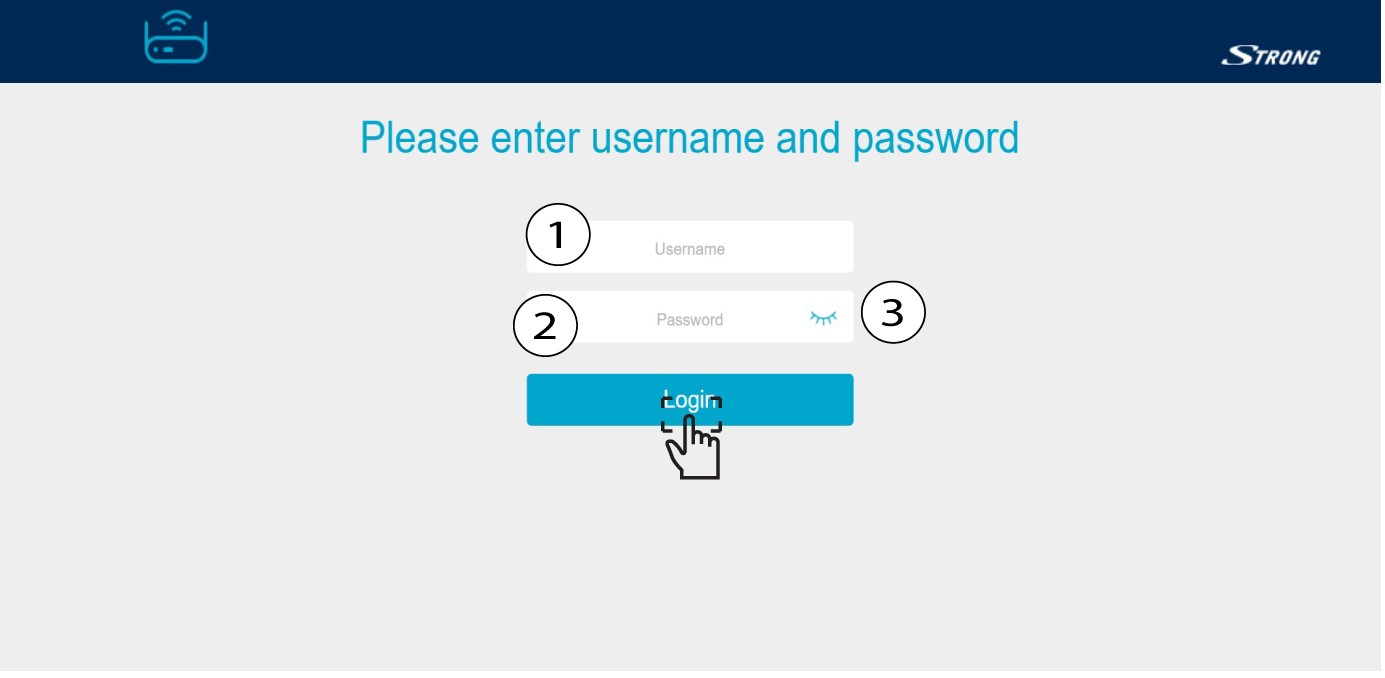
Πρέπει να εισαγάγετε το όνομα χρήστη (admin) και τον κωδικό πρόσβασης (admin). Στη συνέχεια, κάντε κλικ στο «Σύνδεση».
4 Ρυθμίσεις συστήματος
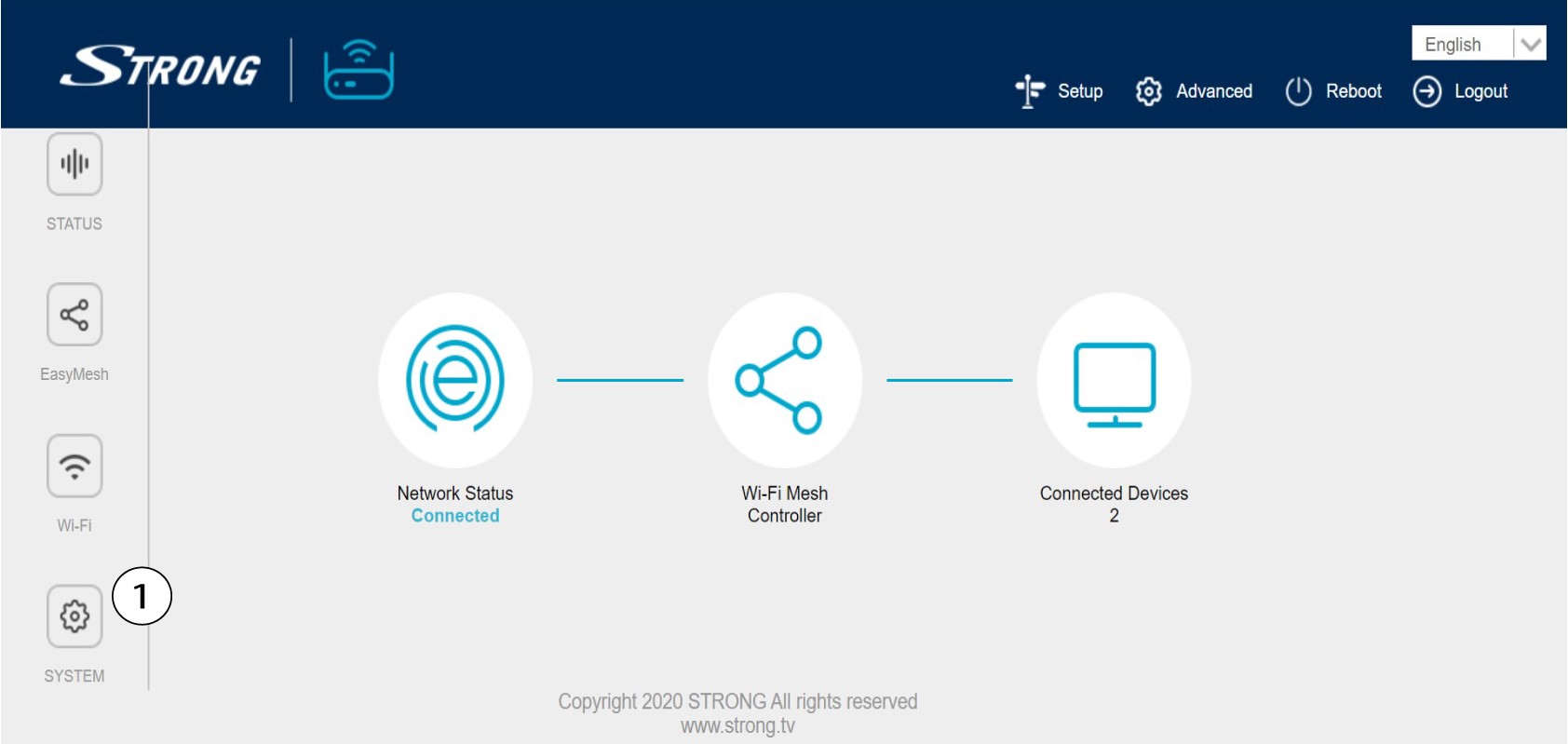
Βρίσκεστε τώρα στην κεντρική σελίδα του περιβάλλοντος χρήστη ιστού. Ίσως χρειαστεί να αλλάξετε τον κωδικό πρόσβασης διαχειριστή του περιβάλλοντος χρήστη ιστού μετά την πρώτη σας σύνδεση. Για να το κάνετε αυτό, ακολουθήστε τις παρακάτω οδηγίες. Για να προχωρήσετε, κάντε κλικ στην επιλογή «Σύστημα» στην αριστερή γραμμή.
5. Επεξεργασίατου κωδικού πρόσβασης διαχειριστή
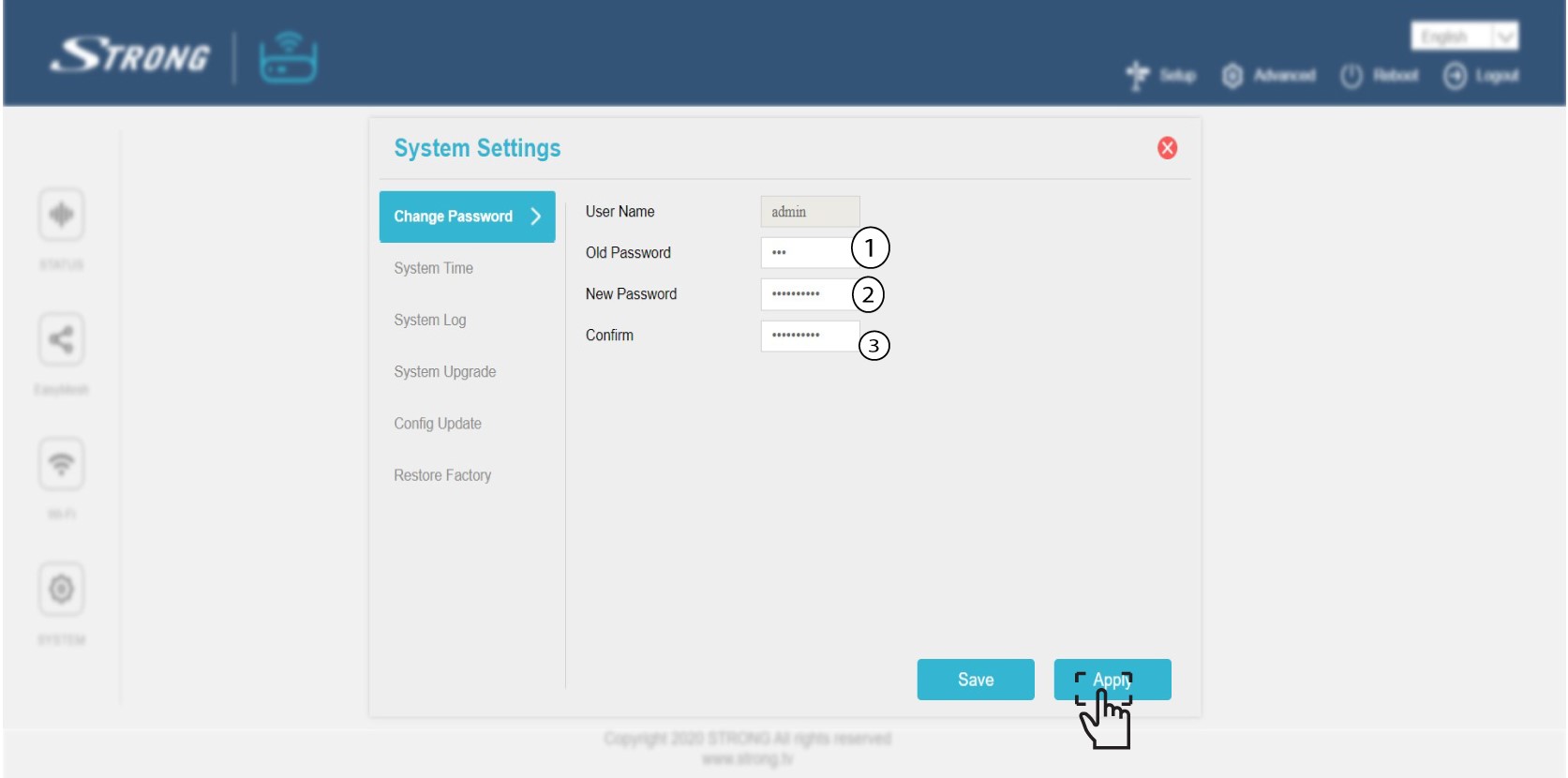
Εισάγετε τις ακόλουθες πληροφορίες πριν κάνετε κλικ στο «Επιβεβαίωση»:
o Παλιός κωδικός πρόσβασης: Εισάγετε τον παλιό κωδικό πρόσβασης διαχειριστή
o Νέος κωδικός πρόσβασης: Εισάγετε έναν νέο κωδικό πρόσβασης.
o Επιβεβαίωση κωδικού πρόσβασης: Εισάγετε τον ίδιο κωδικό πρόσβασης με αυτόν του προηγούμενου βήματος.
Προειδοποίηση: Σημειώστε ότι πρέπει να εισαγάγετε έναν κωδικό πρόσβασης μήκους μεταξύ 8 και 32 χαρακτήρων που να περιέχει κεφαλαία, μικρά γράμματα, αριθμούς και τουλάχιστον έναν ειδικό χαρακτήρα (@, $, !, %, *, ?, &)
6. Καταγράψτετον νέο κωδικό πρόσβασης
Σημείωσε τον νέο κωδικό πρόσβασης σε ένα κομμάτι χαρτί και κόλλησέ το κάτω από το « mesh ».
