
Powerline 600 Triple Mini UK
Όλες οι ερωτήσεις
Powerline 600 Triple Mini UK
Δεν έχω πρόσβαση στο Διαδίκτυο και/ή η λυχνία LED του εικονιδίου «home» δεν ανάβει.
Πρέπει να επαναφέρετε τους προσαρμογείς στις εργοστασιακές τους ρυθμίσεις. Για να επαναφέρετε τους προσαρμογείς, ακολουθήστε τα παρακάτω βήματα.
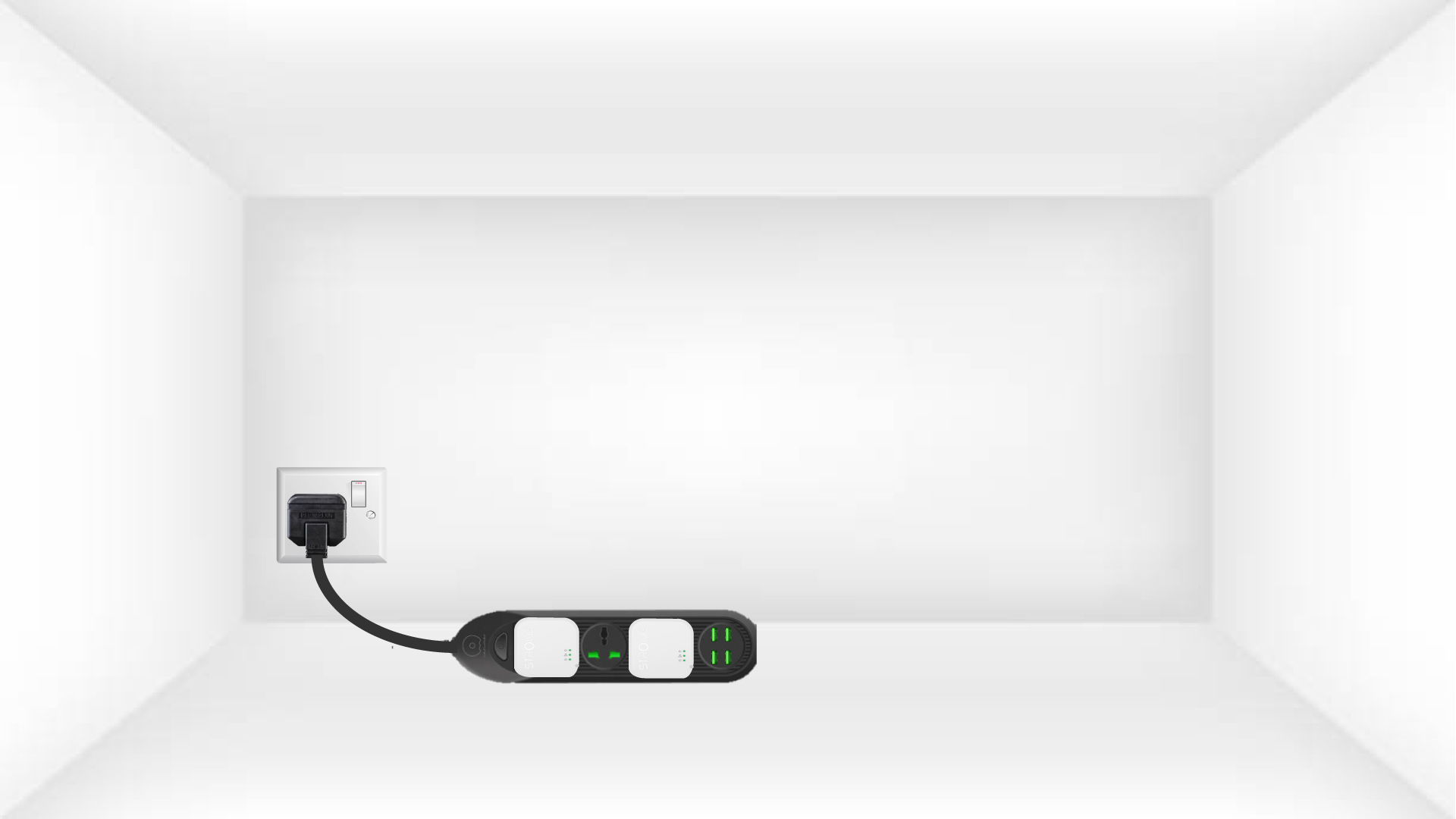
1. Συνδέστετους προσαρμογείς σε ένα πολύπριζο
Συνδέστε τους προσαρμογείς ο ένας μετά τον άλλο σε ένα πολύπριζο.
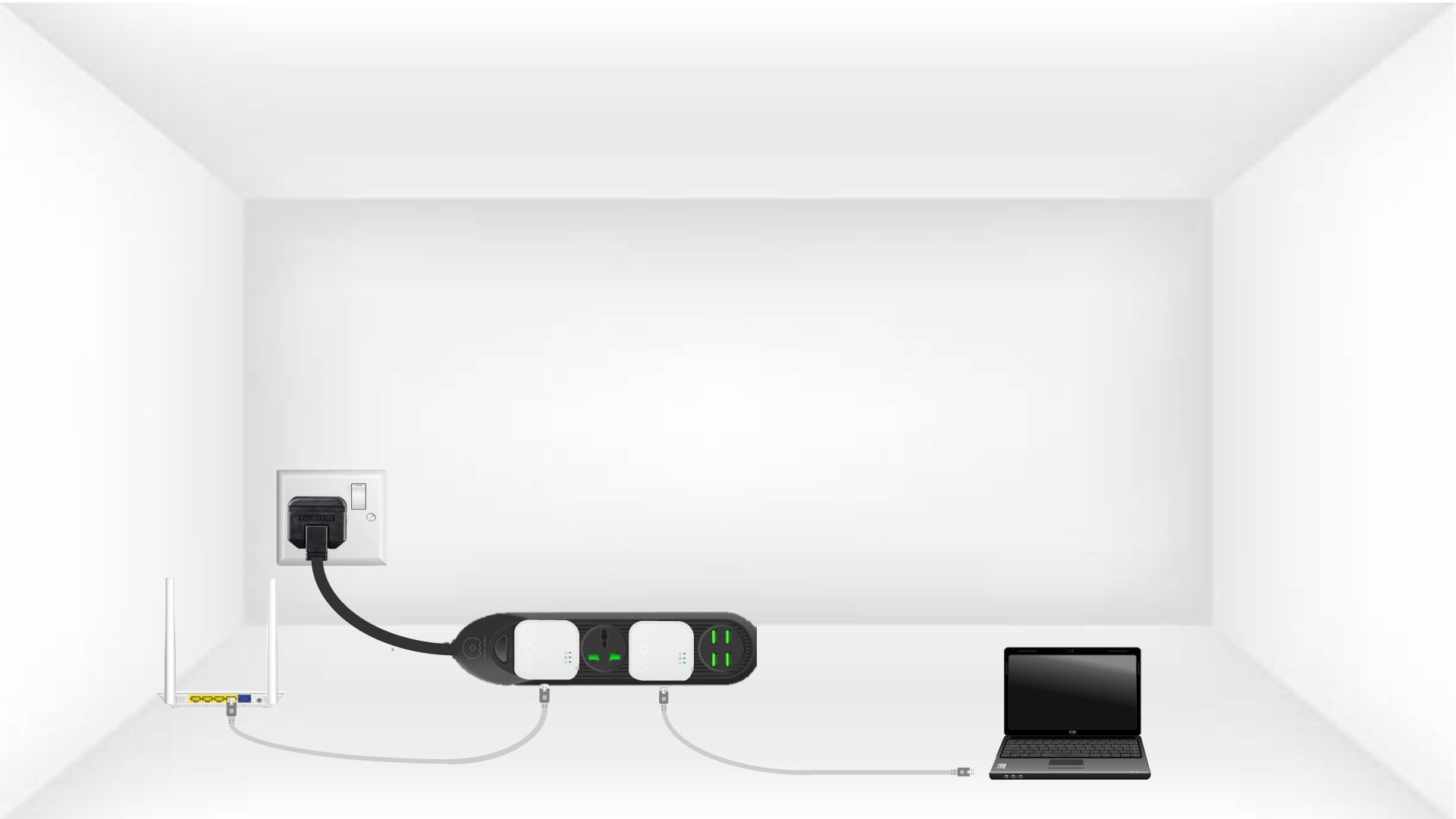
2. Συνδέστετους προσαρμογείς στο Διαδίκτυο
Συνδέστε κάθε προσαρμογέα σε μια συσκευή που λειτουργεί (δρομολογητής/πύλη διαδικτύου, συσκευή Android, Smart TV, υπολογιστή κ.λπ.) με καλώδιο Ethernet. Πρέπει να υπάρχει επικοινωνία μεταξύ των συσκευών, διαφορετικά ο προσαρμογέας θα μεταβεί αυτόματα σε κατάσταση αναμονής.
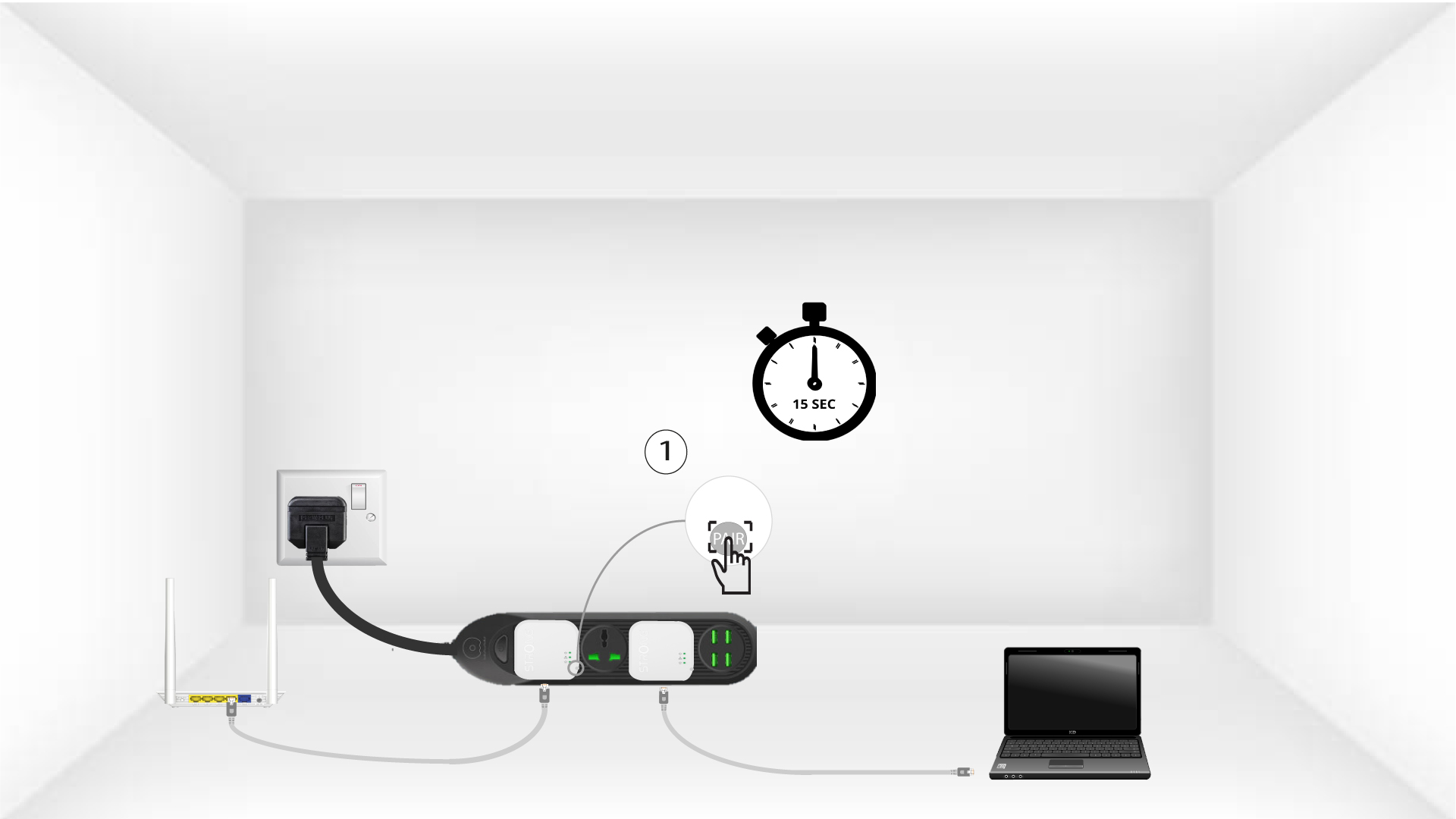
3 Πατήστετο κουμπί «Σύνδεση & Ασφάλεια» (πρώτος προσαρμογέας)
Μόλις συνδέσετε τον προσαρμογέα στην πρίζα και στο δίκτυο Ethernet, απλώς πατήστε το κουμπί «Connect & Secure» που βρίσκεται στη δεξιά πλευρά της συσκευής και κρατήστε το πατημένο για 15 δευτερόλεπτα.
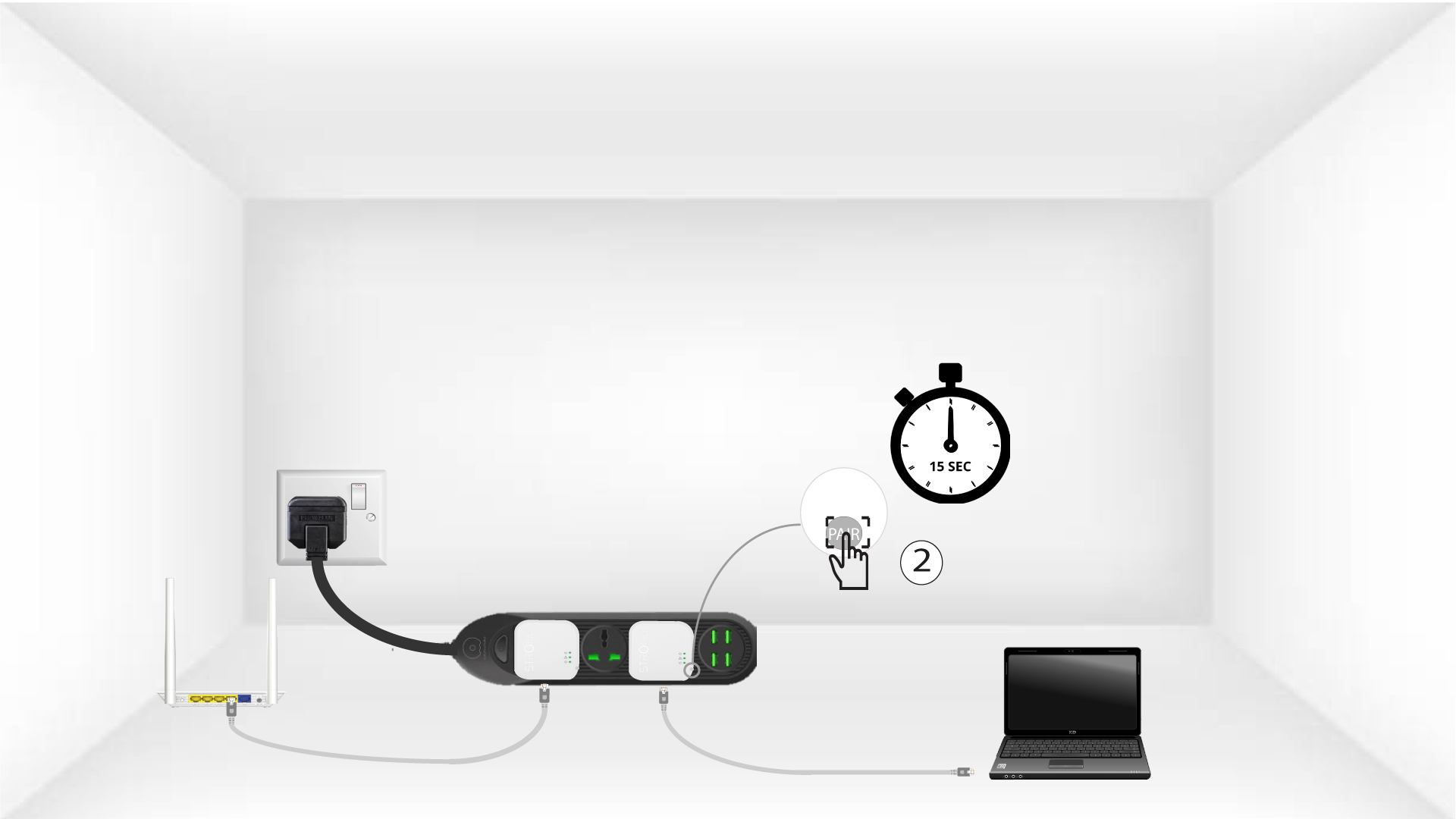
4 Πατήστετο κουμπί «Σύνδεση & Ασφάλεια» (δεύτερος προσαρμογέας)
Πατήστε το κουμπί«Connect & Secure»που βρίσκεται στη δεξιά πλευρά της δεύτερης συσκευής για 15 δευτερόλεπτα.
Το LED 5Homrαναβοσβήνει
Το LED με το εικονίδιο «Αρχική σελίδα» θα αρχίσει να αναβοσβήνει.
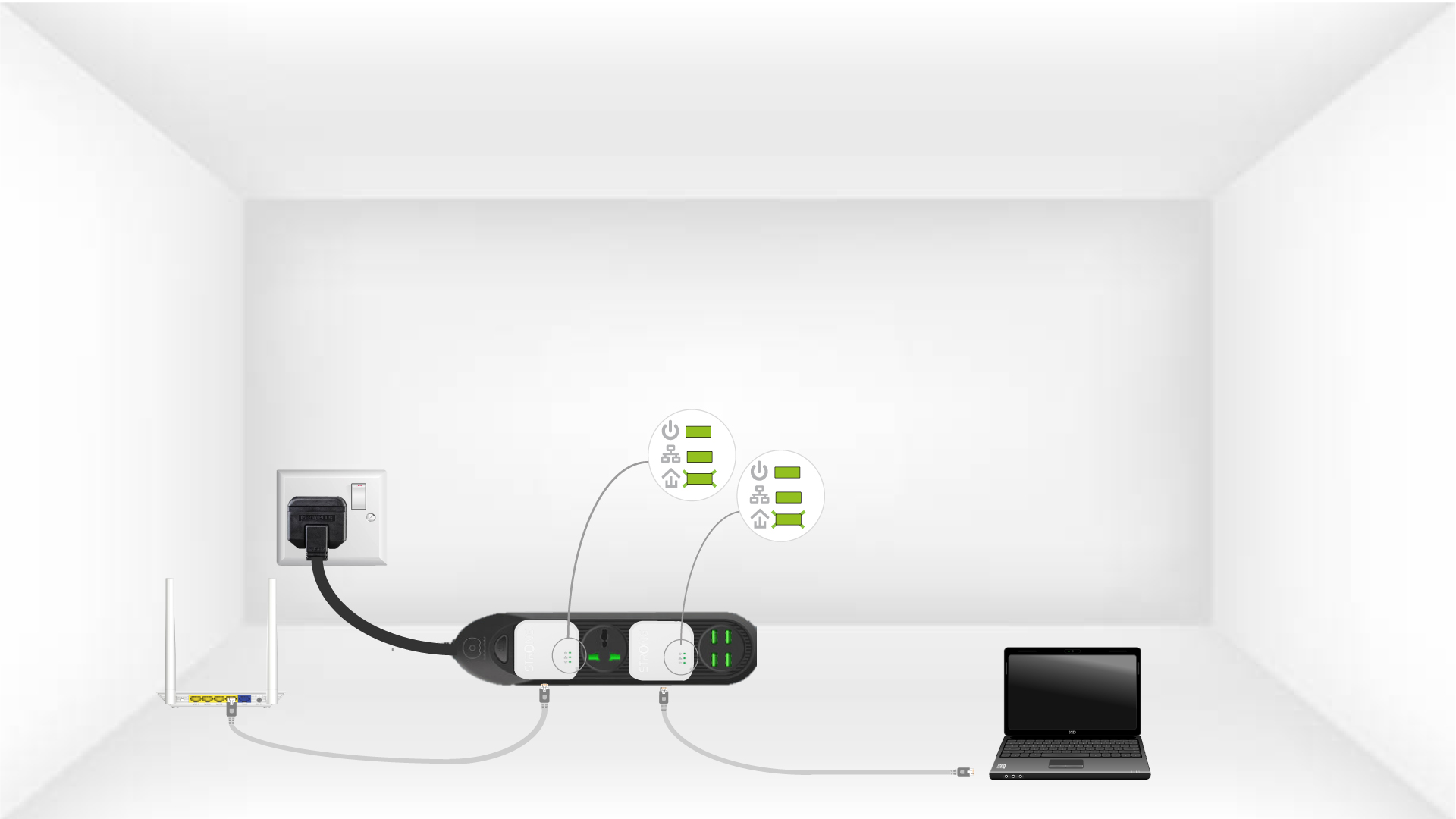
6. Οι προσαρμογείςείναι σε κατάσταση αναμονής
Όλα τα LED πρέπει να είναι πράσινα στο τέλος των λειτουργιών.
Επανάληψη
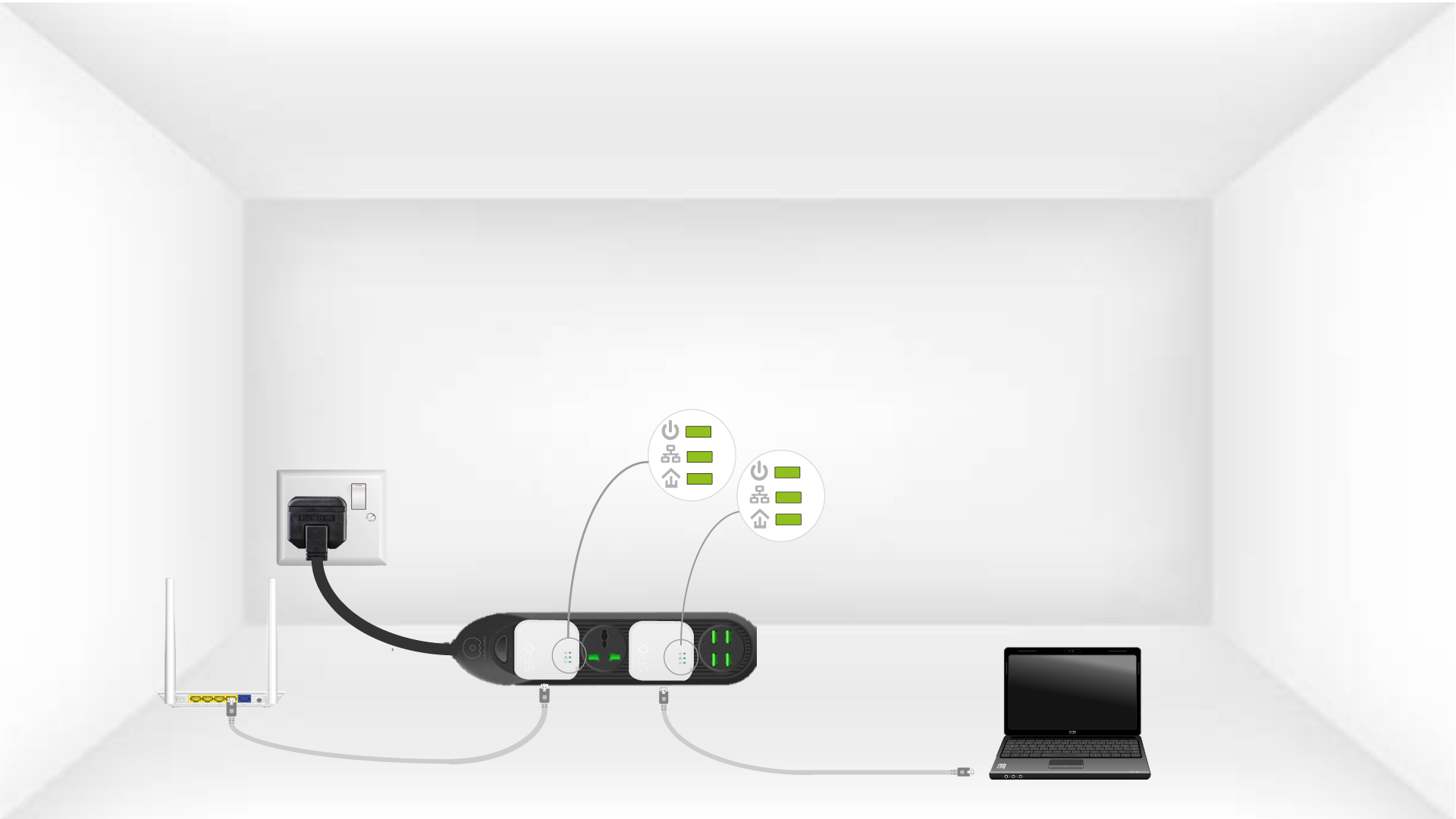
Επαναλάβετε την ίδια διαδικασία για ένα τρίτο Powerline. Μπορείτε να συνδέσετε έως και οκτώ Powerline 600 Mini στην ίδια ηλεκτρική εγκατάσταση.
Αφού πραγματοποιήσετε τη σύζευξη όλων των συσκευών, μπορείτε να τις τοποθετήσετε στο δωμάτιο όπου τις χρειάζεστε.