Powerline 500 Wi-Fi Τριπλό Πακέτο
Δεν βρέθηκαν αντικείμενα.
Δεν βρέθηκαν αντικείμενα.
Όλες οι ερωτήσεις
Powerline 500 Wi-Fi Τριπλό Πακέτο
Δεν βρέθηκαν αντικείμενα.
Δεν βρέθηκαν αντικείμενα.
Η ενδεικτική λυχνία με το εικονίδιο «σπίτι» στον προσαρμογέα Wi-Fi είναι αναμμένη, αλλά δεν μπορώ να συνδεθώ στο δίκτυο Wi-Fi του Powerline 500.
1. Συνδεθείτεστο Wi-Fi
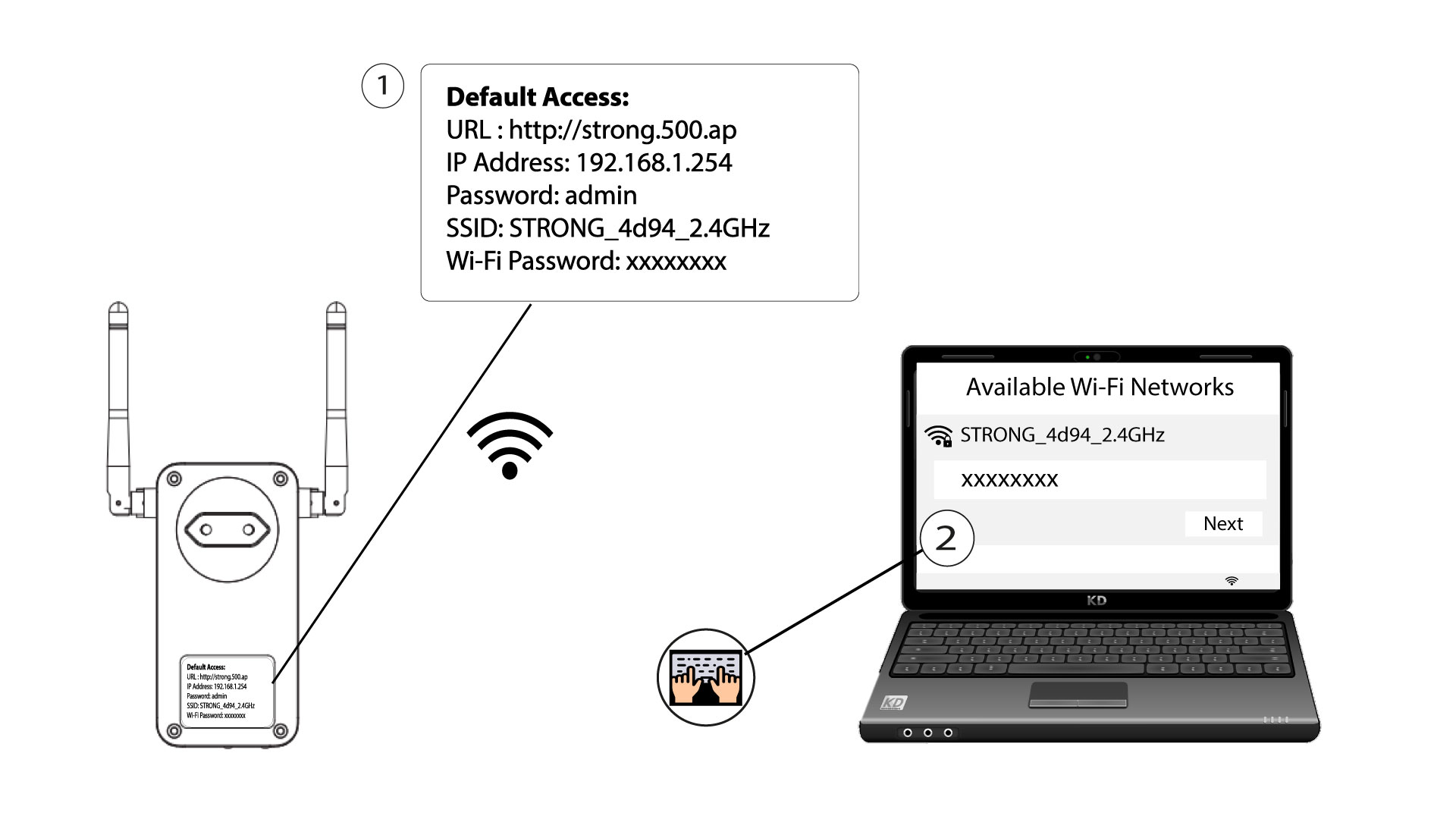
Για να συνδεθείτε για πρώτη φορά στο δίκτυο Wi-Fi του Powerline σας, πρέπει να συνδεθείτε στο SSID που αναγράφεται στο πίσω μέρος του προϊόντος και να χρησιμοποιήσετε τον κωδικό πρόσβασης Wi-Fi που επίσης αναγράφεται εκεί.
Παρακαλώ λάβετε υπόψη ότι το μικρό «L» μπορεί να συγχέεται με το κεφαλαίο «i», οπότε δοκιμάστε τις διάφορες πιθανότητες
2. Επαναφέρετετον προσαρμογέα Wi-Fi
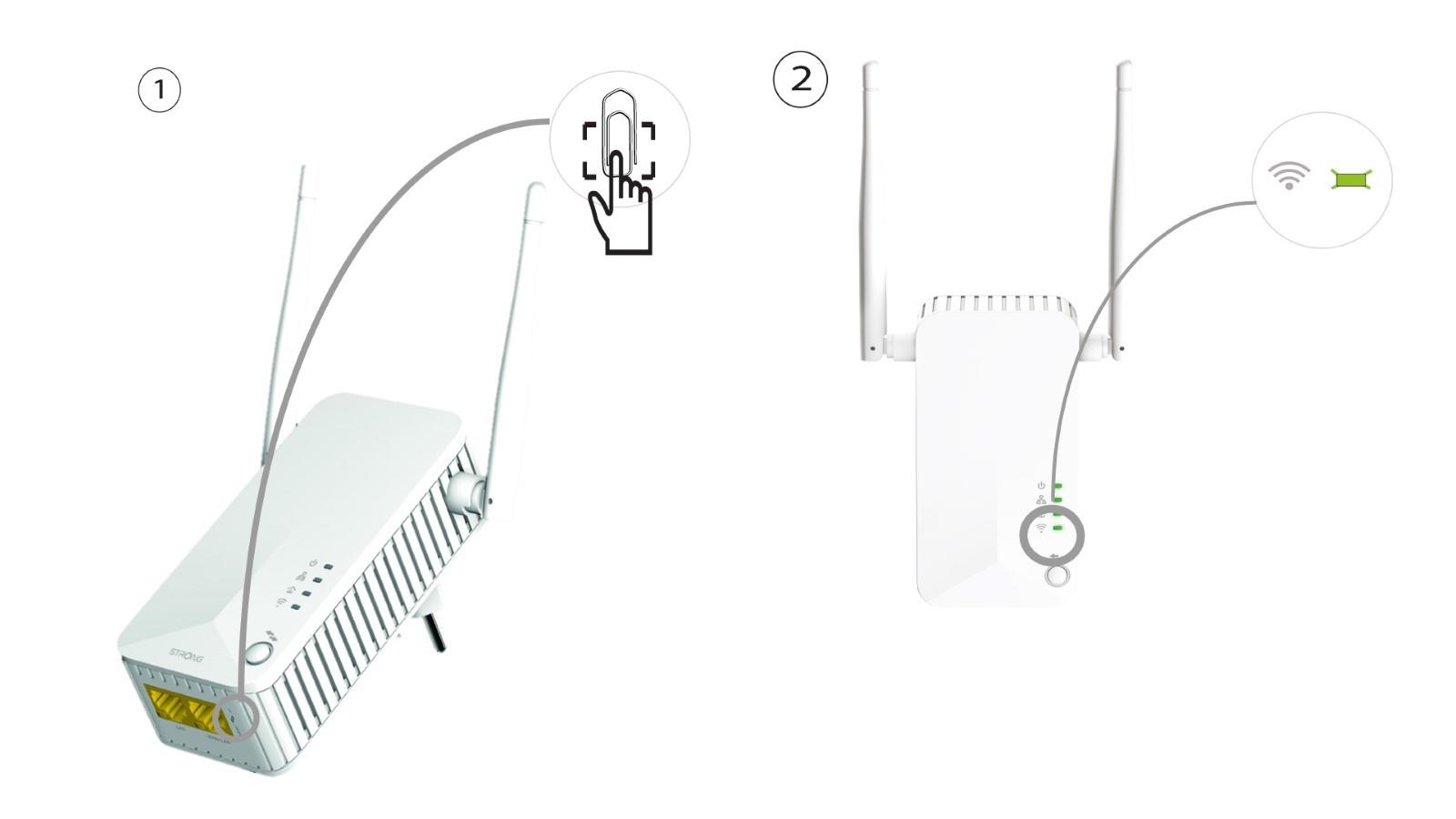
Εάν εξακολουθείτε να μην μπορείτε να συνδεθείτε στο Powerline 500 Wi-Fi, παρακαλούμε να κάνετε επαναφορά του Powerline Wi-Fi πιέζοντας ένα συνδετήρα στην οπή που βρίσκεται κάτω από τη συσκευή, μέχρι να αρχίσουν να αναβοσβήνουν οι ενδείξεις LED.