CPL 600 Duo Wi-Fi FR V2
Όλες οι ερωτήσεις
CPL 600 Duo Wi-Fi FR V2
Γιατί το Wi-Fi στα 2,4 GHz παρουσιάζει διακοπές και πώς μπορεί να βοηθήσει η αλλαγή του καναλιού στα 1, 6 ή 11;
Γιατί το Wi-Fi στα 2,4 GHz παρουσιάζει διακοπές και πώς μπορεί να βοηθήσει η αλλαγή του καναλιού στα 1, 6 ή 11;
Για να ελαχιστοποιήσετε τις παρεμβολές, σας συνιστούμε να αλλάξετε το κανάλι Wi-Fi σας στο 1, 6 ή 11. Αυτά τα κανάλια απέχουν αρκετά μεταξύ τους ώστε να μην αλληλεπικαλύπτονται, γεγονός που μειώνει τις πιθανότητες παρεμβολών από άλλα δίκτυα και συσκευές που λειτουργούν στην περιοχή. Επιλέγοντας ένα από αυτά τα κανάλια, μπορείτε να βελτιώσετε τη σταθερότητα και την απόδοση της σύνδεσής σας Wi-Fi.
Για να αλλάξετε το κανάλι, μεταβείτε στις ρυθμίσεις της συσκευής Wi-Fi Powerline μέσω της διαδικτυακής διεπαφής της. Αναζητήστε την ενότητα «Ρυθμίσεις WLAN > Βασικές ρυθμίσεις» και επιλέξτε το κανάλι 1, 6 ή 11.
1. Συνδεθείτεστο Wi-Fi
Για να το κάνετε αυτό, εισάγετε το SSID και τον κωδικό πρόσβασης του δρομολογητή στη συσκευή σας.

2. Εισαγάγετετη διεύθυνση IP του περιβάλλοντος χρήστη ιστού
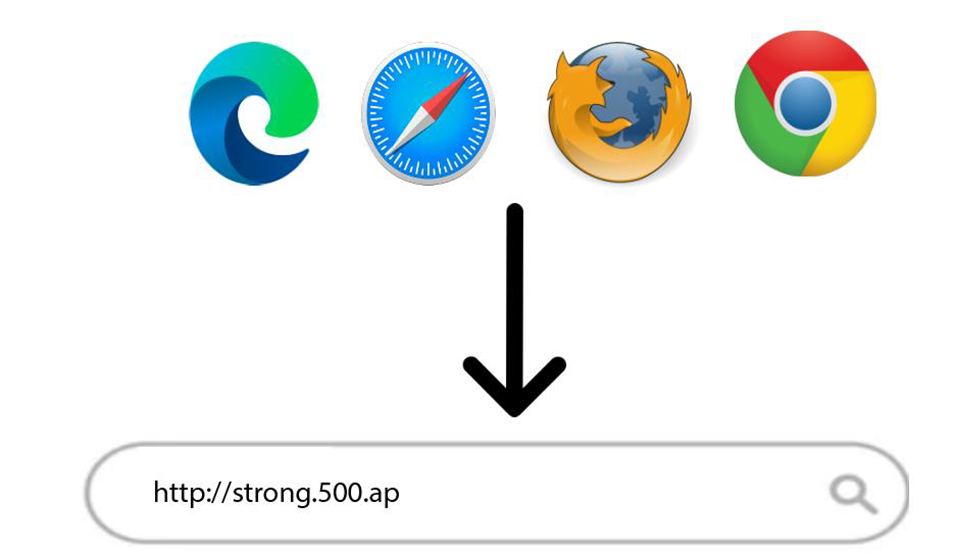
Στη συνέχεια, πληκτρολογήστε την ακόλουθη διεύθυνση IP στον περιηγητή σας: http://strong.500.ap
3Σελίδα σύνδεσης
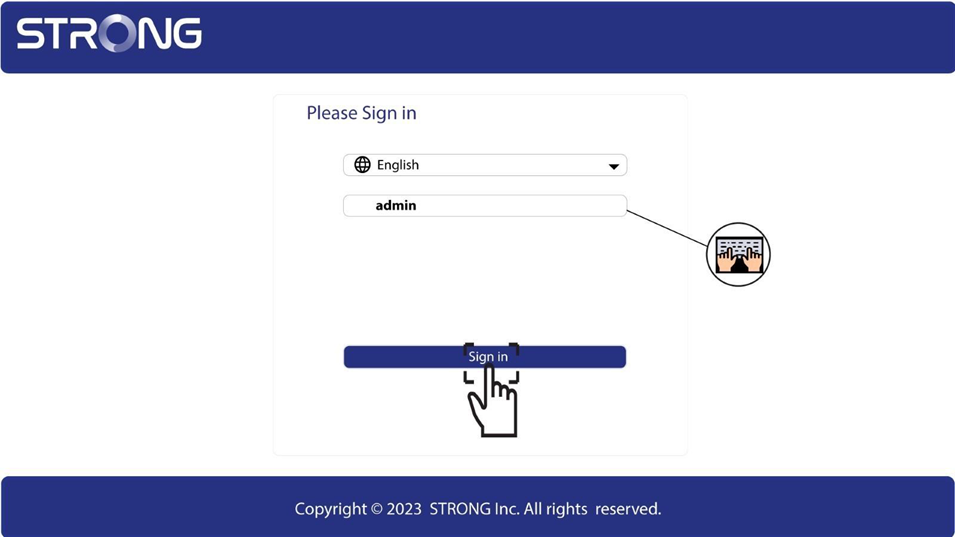
Αφού μεταβείτε στη διεύθυνση IP, κάντε κλικ και εισάγετε το όνομα χρήστη (admin). Στη συνέχεια, κάντε κλικ στο «Σύνδεση».
4. Ρυθμίσεις WLAN
Κάντε κλικ στις επιλογές «Ρυθμίσεις WLAN» και «Βασικές ρυθμίσεις».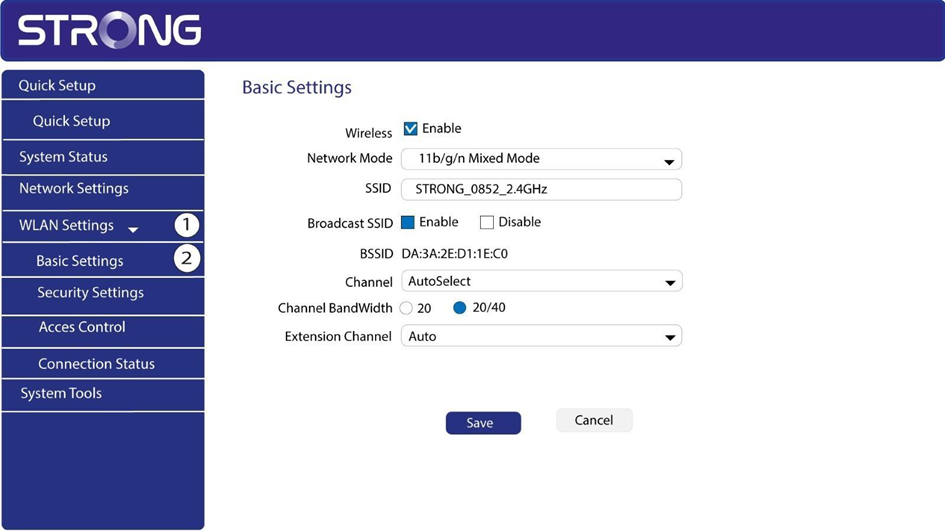
5Επιλέξτετη ζώνη δικτύου
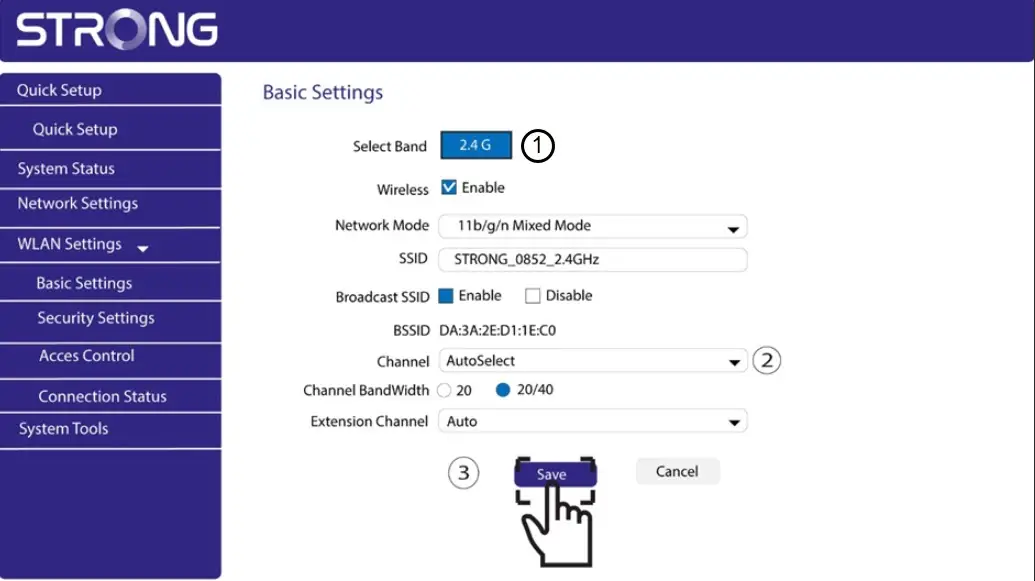
Επιλέξτε τη ζώνη δικτύου 2,4G. Στη συνέχεια, επιλέξτε το κανάλι από την αναπτυσσόμενη λίστα (1, 6 ή 11) και κάντε κλικ στο κουμπί «Αποθήκευση».