Ei löytynyt kohteita.
LEAP
Ei löytynyt kohteita.
Kaikki kysymykset
Ei löytynyt kohteita.
LEAP
Ei löytynyt kohteita.
Miten voin lisätä tai poistaa sovelluksen aloitusnäytöltä?
1Tapaus1: Sovelluksen lisääminen
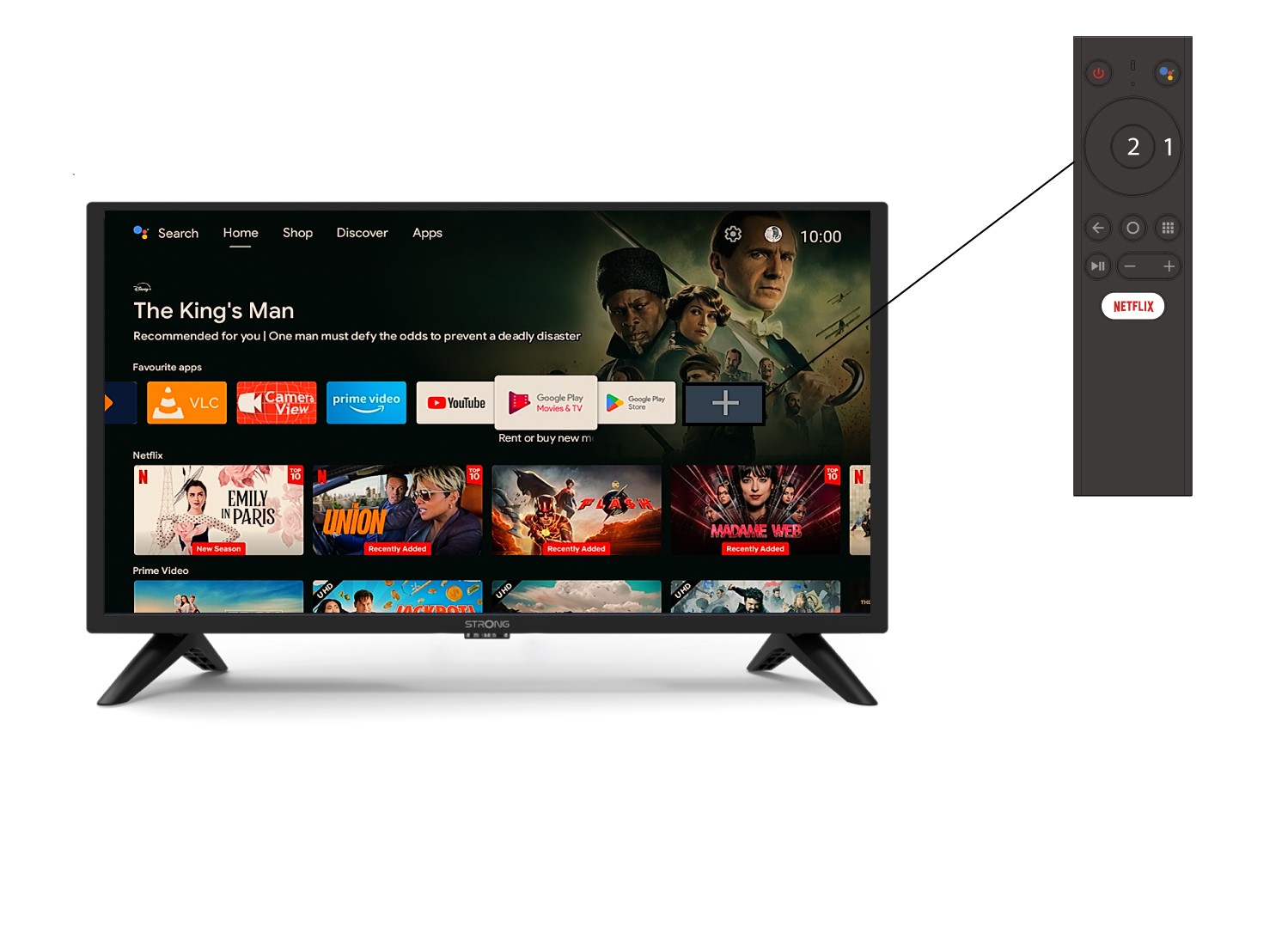
Voit lisätä sovelluksen aloitusnäyttöön siirtymällä +- kuvakkeeseen, joka sijaitsee aloitusnäytöllä jo olevien sovellusten luettelon lopussa, ja painamalla « OK ».
2Sovellusluettelo
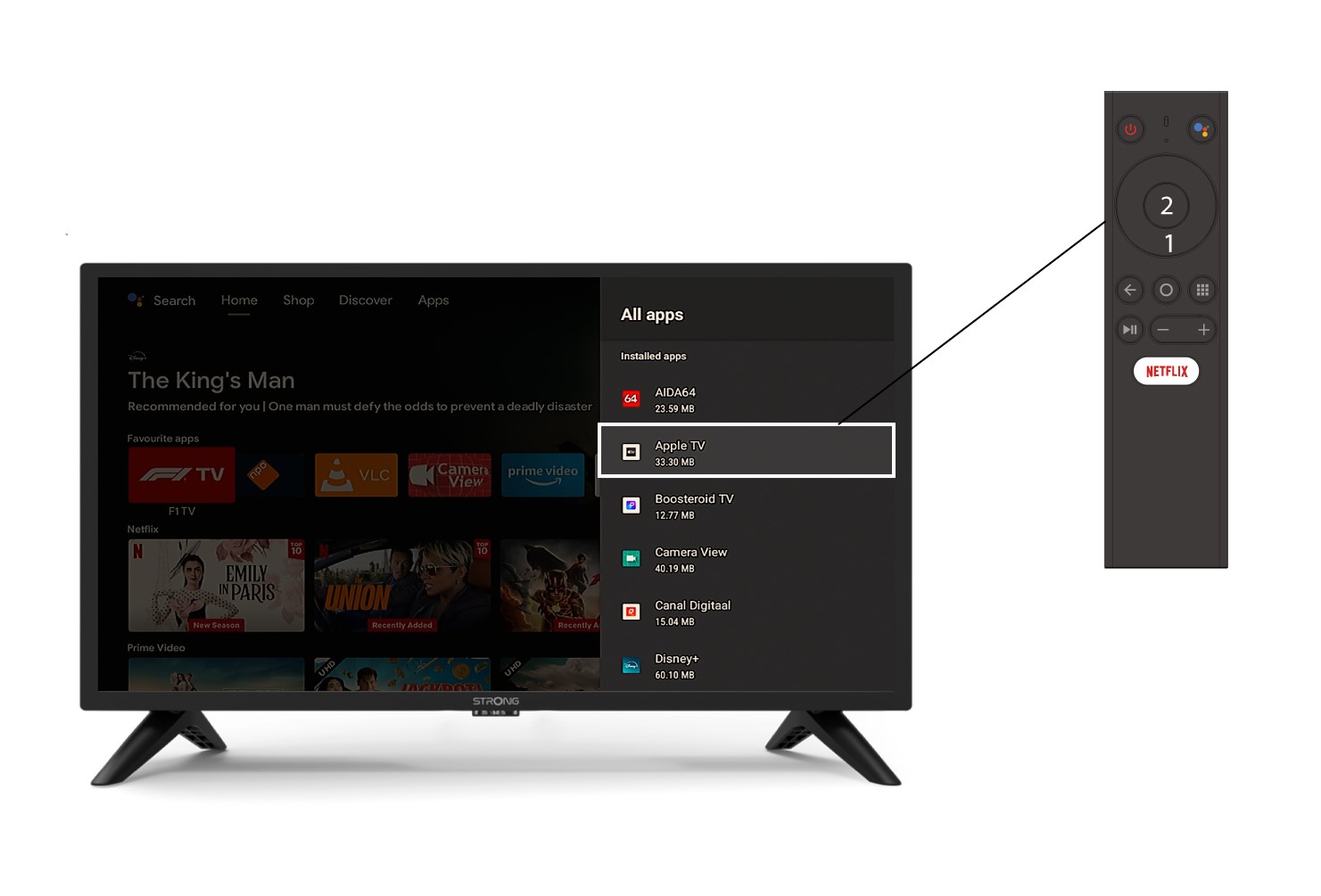
Tämän jälkeen sovellusluettelo avautuu. Valitse haluamasi sovellus ja paina kaukosäätimen OK -painiketta.
3Tapaus2: Sovelluksen poistaminen
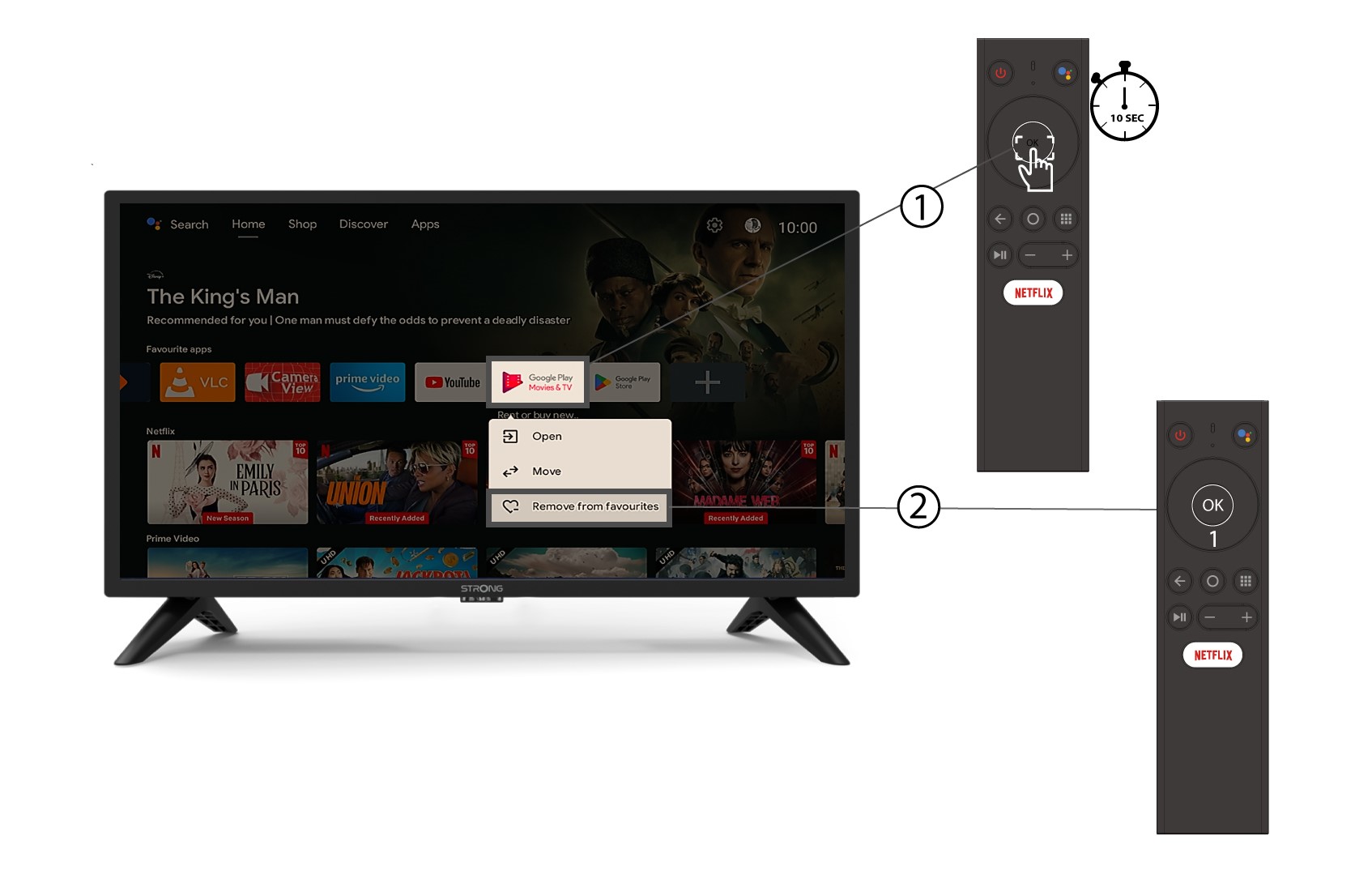
Voit poistaa sovelluksen aloitusnäytöltä seuraavasti: siirry aloitusnäytöllä jo olevien sovellusten luettelossa sen sovelluksen kohdalle, jonka haluat poistaa, paina pitkään « OK »-painiketta, jolloin avautuu ikkuna, ja valitse « Poista suosikeista ».