Ei löytynyt kohteita.
LEAP S3 | 4K Google TV Dolby Vision
Ei löytynyt kohteita.
Kaikki kysymykset
Ei löytynyt kohteita.
LEAP S3 | 4K Google TV Dolby Vision
Ei löytynyt kohteita.
Miten voin lisätä sovelluksen aloitusnäyttöön tai muuttaa sen järjestystä?
1Tapaus1: Sovelluksen lisääminen
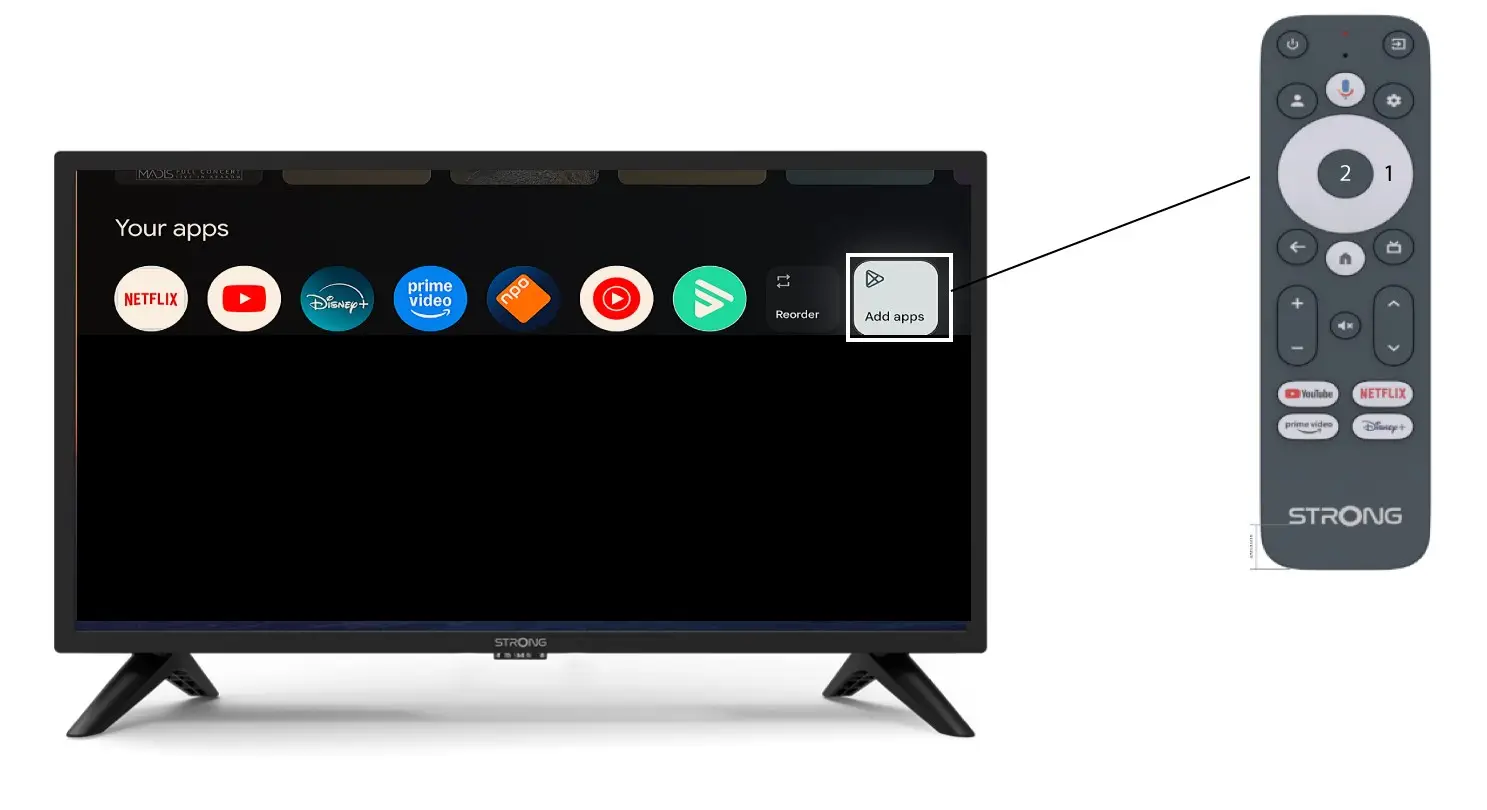
Jos haluat lisätä sovelluksen aloitusnäyttöön, siirry ”Lisää sovelluksia” -painikkeeseen, joka sijaitsee aloitusnäytöllä jo olevien sovellusten luettelon lopussa, ja paina ”OK”.
2Sovellusluettelo
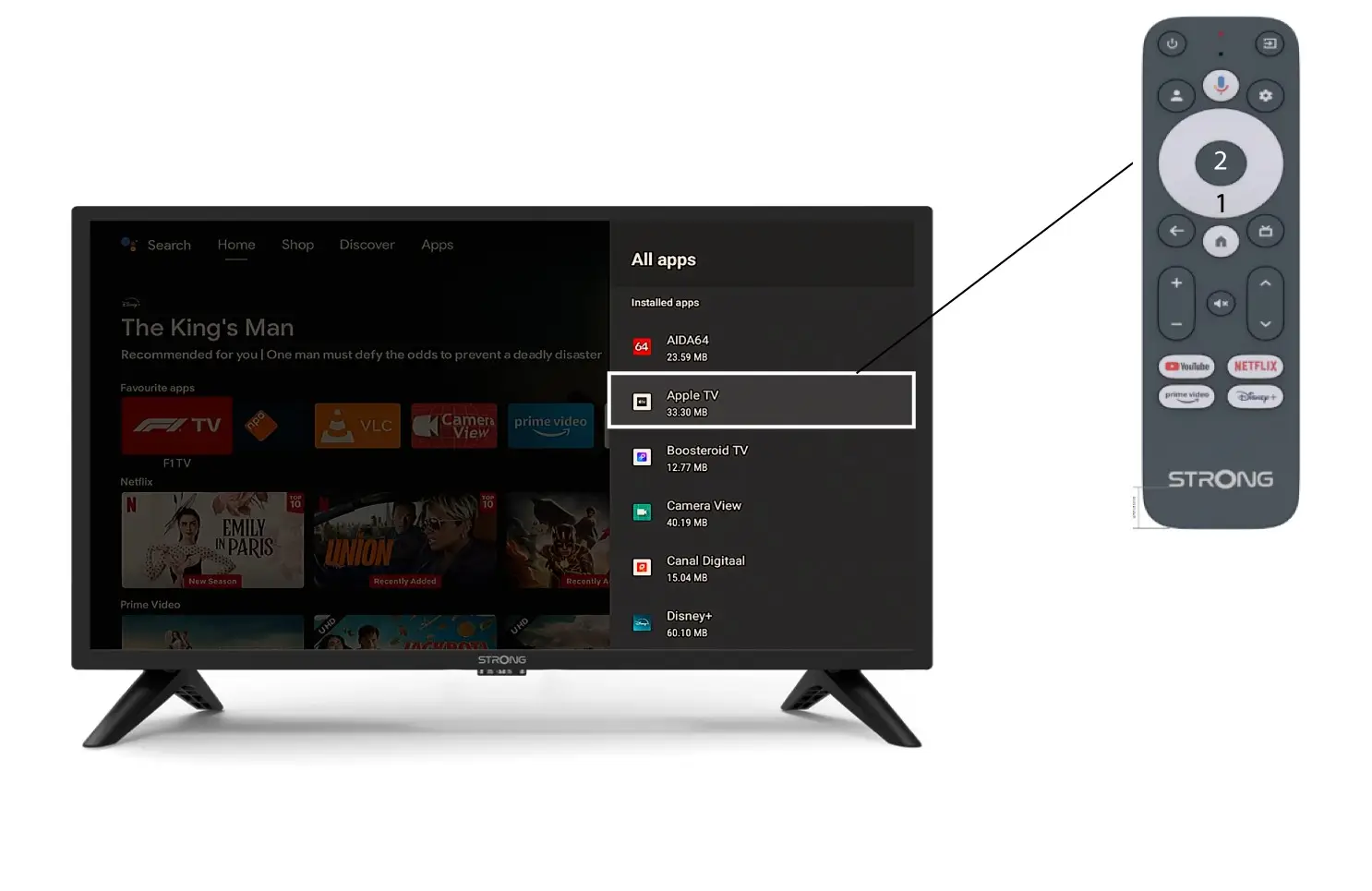
Tämän jälkeen sovellusluettelo avautuu. Valitse haluamasi sovellus ja paina kaukosäätimen OK -painiketta.
Huomaa, että sovelluksia ei voi poistaa suosikeista. Jos haluat, että sovellus katoaa tältä sivulta, sinun on poistettava se laitteelta.
3Tapaus2: Sovellusten järjestyksen muuttaminen
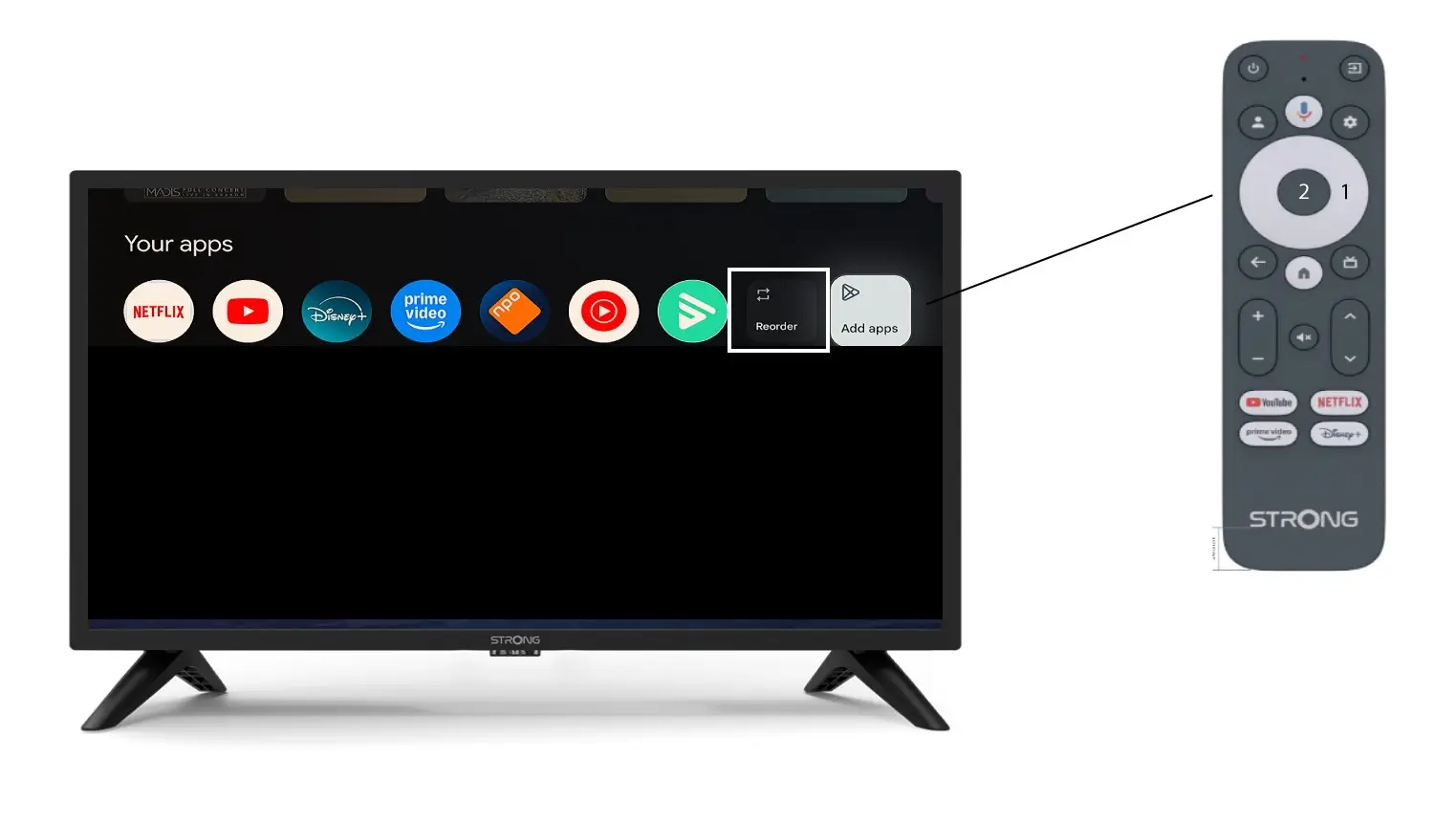
Voit muuttaa kotisivulla näkyvien sovellusten järjestystä napsauttamalla ”Järjestä uudelleen”.