
Powerline 1000 Duo Wi-Fi Mini UK
Kaikki kysymykset
Powerline 1000 Duo Wi-Fi Mini UK
Miten voin muuttaa Powerline 1000 -Wi-Fi-verkon SSID-nimen ja salasanan?
1. YhdistäPowerline-verkon Wi-Fi-verkkoon
Yhdistä pwerline 1000 Wi-Fi Mini -laitteen Wi-Fi-verkkoon.
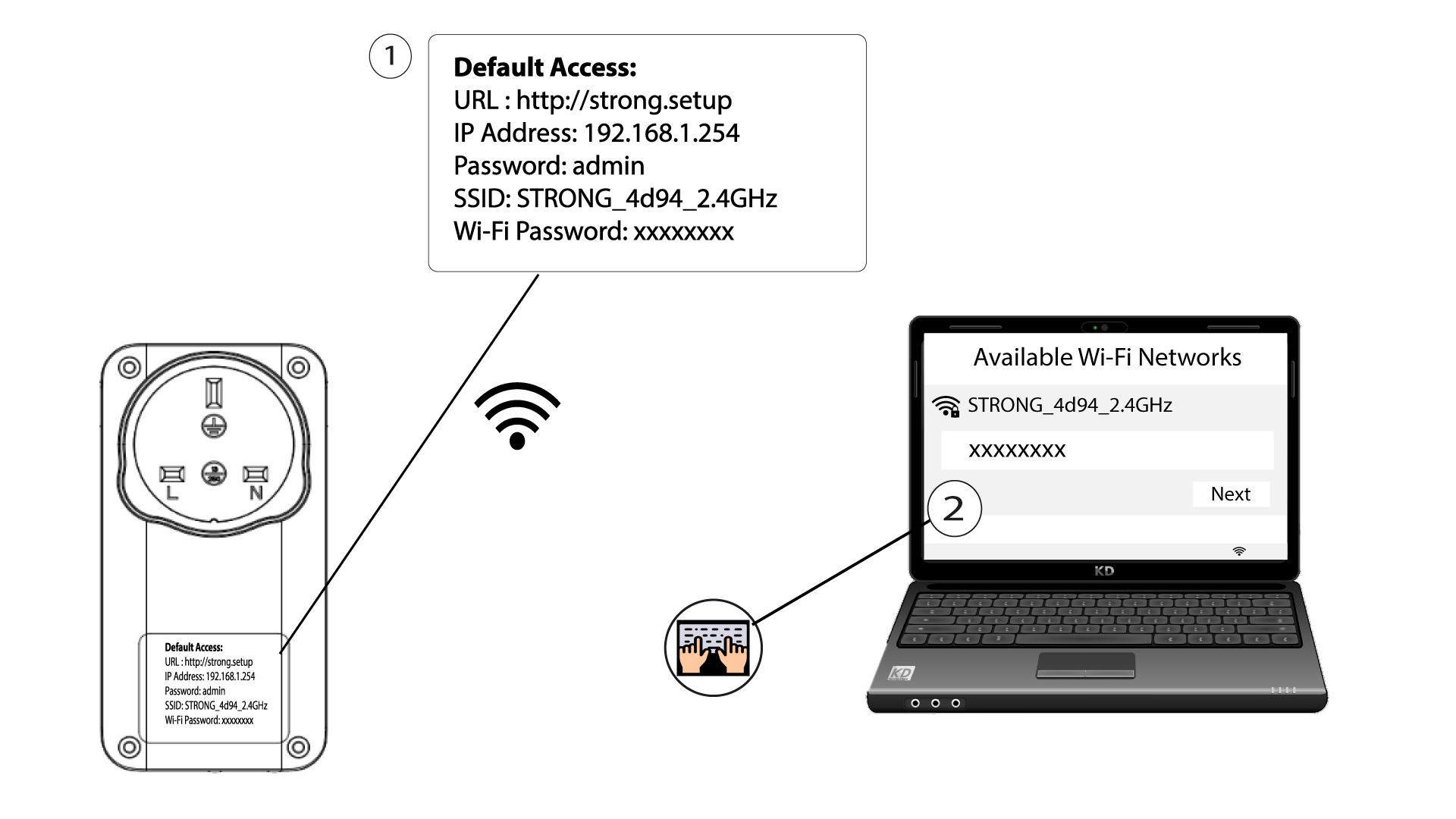
2Siirryverkkokäyttöliittymän IP-osoitteeseen
Pääset käyttöliittymään kirjoittamalla selaimen osoiteriville seuraavan URL-osoitteen: http://strong.setup.

3Syötätunnuksesi
Kirjoita sitten salasana: admin

4. Nopeaasennus
Siirry valikkoon, valitse Pikakäyttöönotto, napsauta sitten Tukiasema (AP) ja napsauta SEURAAVA.

5Syötäuudet verkkotiedot
Muokkaa SSID-tunnusta ja salasanaa. Kun määrität uutta salasanaa, vältä ison I-kirjaimen ja pienen l-kirjaimen käyttöä, sillä ne voidaan helposti sekoittaa toisiinsa. Suosittelemme myös, että luot salasanan, joka koostuu vuorotellen isoista ja pienistä kirjaimista sekä numeroista. Kun olet tehnyt muutokset, tallenna ne napsauttamalla SEURAAVA-painiketta.

6Kirjoitauudet verkkotiedot muistiin
Kirjoita uusi SSID ja salasanalause muistiin paperille ja yhdistä sitten kaikki laitteesi uudelleen Powerline 1000 Wi-Fi Mini -laitteeseen käyttämällä uusia asetuksia.
