
4G AIRHOME 200 Mini -reititin irrotettavilla 4G-antenneilla
Ei löytynyt kohteita.
Ei löytynyt kohteita.
Kaikki kysymykset
4G AIRHOME 200 Mini -reititin irrotettavilla 4G-antenneilla
Ei löytynyt kohteita.
Ei löytynyt kohteita.
Miten yhdistän laitteeni WPS:n avulla?

Matkapuhelinta ei voi yhdistää WPS-toiminnon avulla. Jos haluat yhdistää puhelimesi Wi-Fi-verkkoon helposti, skannaa reitittimen takapuolella oleva QR-koodi. Näin puhelimesi yhdistyy verkkoon automaattisesti ilman, että sinun tarvitsee syöttää Wi-Fi-salasanaa.
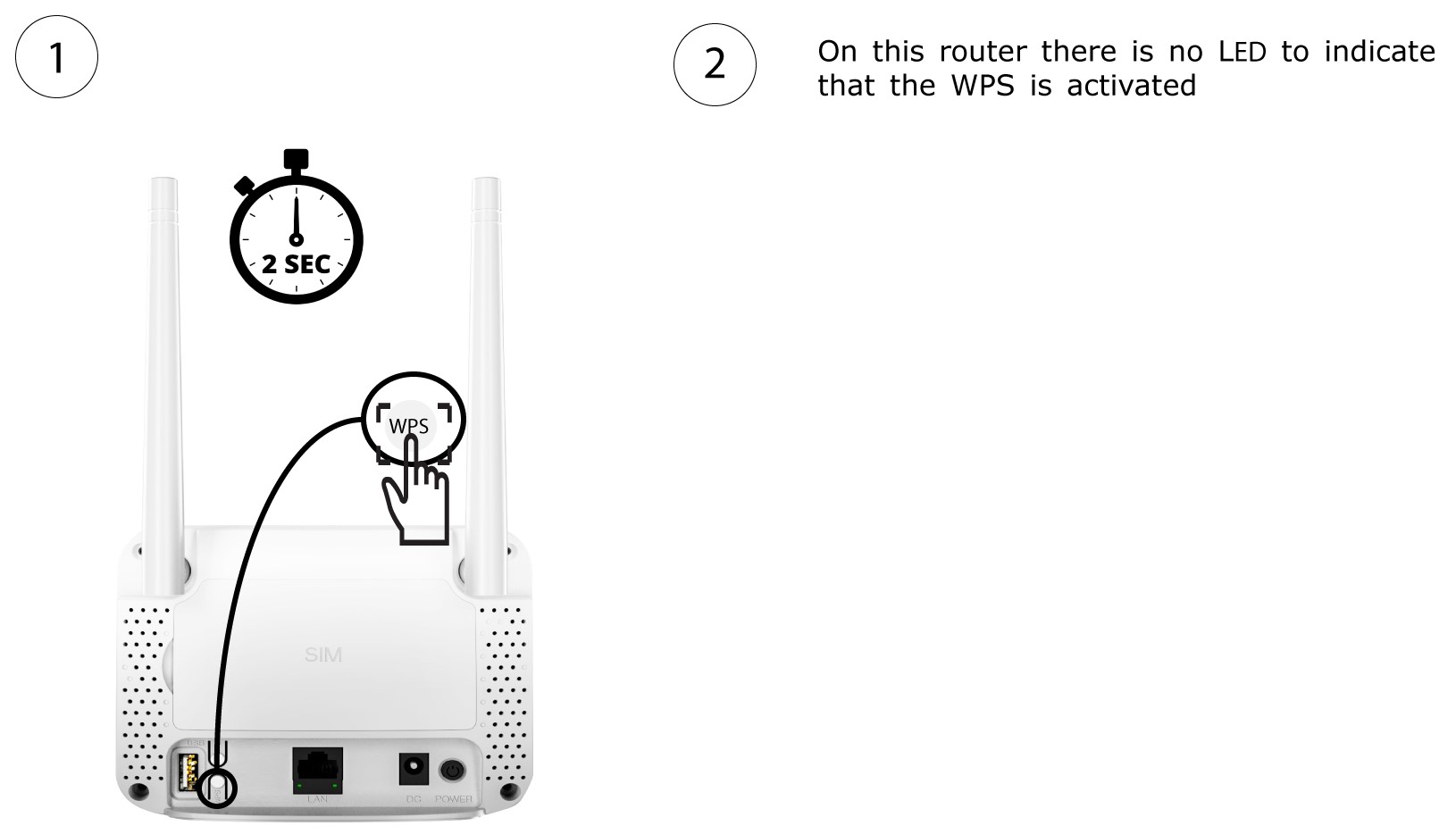
1. OtaWPS käyttöön
Paina reitittimen takapuolella olevaa WPS- painiketta 2 sekunnin ajan, jotta kaikki kotisi yhteensopivat laitteet voivat muodostaa automaattisesti yhteyden reitittimen Wi-Fi-verkkoon.
2ValitseWi-Fi-verkko luettelosta
Siirry tietokoneesi Wi-Fi-asetuksiin ja valitse reititin napsauttamalla sen nimeä.

3. YhdistäWi-Fi-verkkoon
Napsauta sitten Yhdistä -painiketta.
