Ei löytynyt kohteita.
LEAP AIR | 4K Google TV, HDR10+
Ei löytynyt kohteita.
Kaikki kysymykset
Ei löytynyt kohteita.
LEAP AIR | 4K Google TV, HDR10+
Ei löytynyt kohteita.
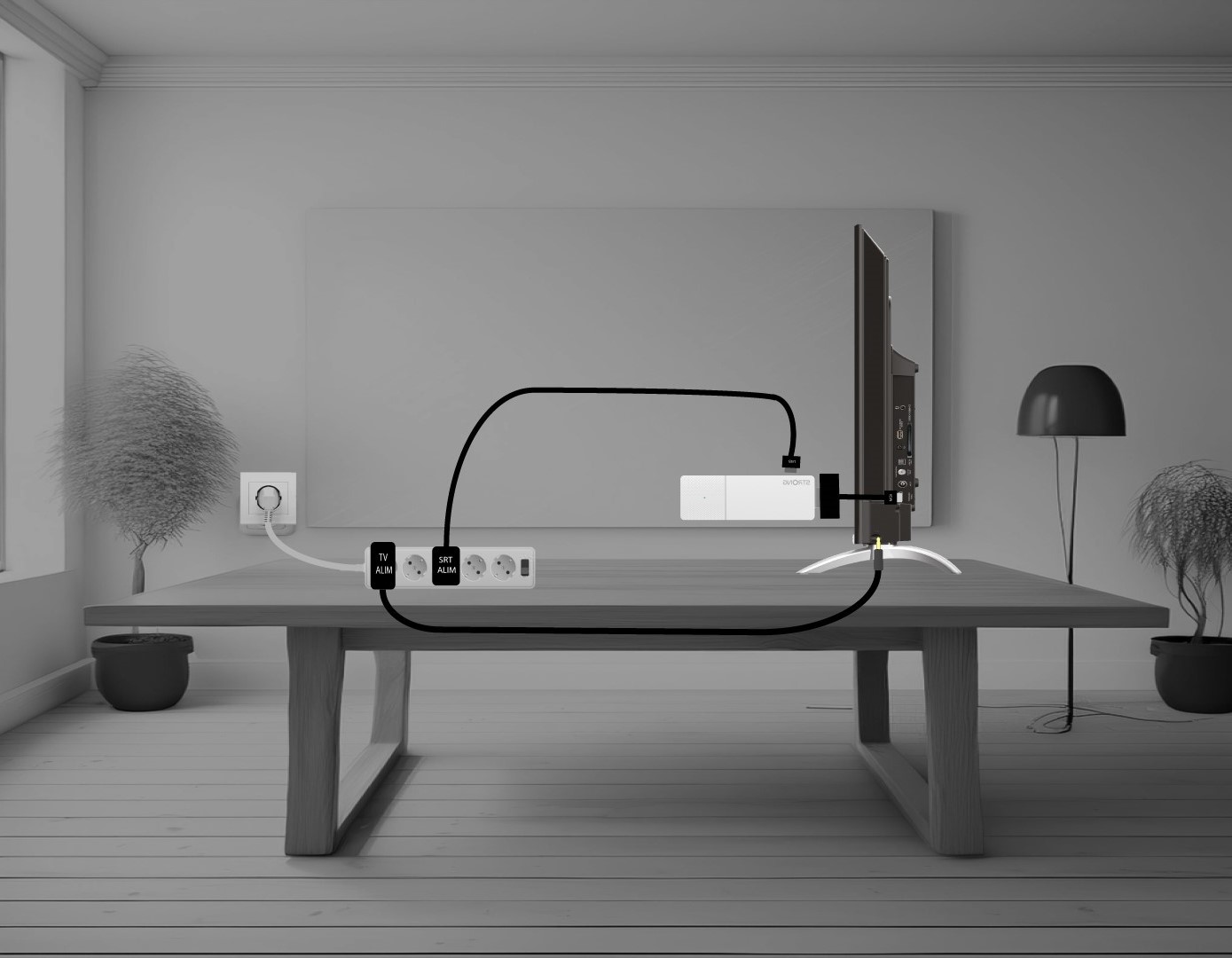
Miten liitän LEAP AIR -laitteen televisiooni?
Liitä HDMI- stick in ja HDMI-kaapeli toisiinsa ja kytke ne television HDMI-porttiin (1). Liitä sitten USB-kaapeli LEAP AIR -laitteeseen ja kytke se pistorasiaan (2) sekä televisioon (3).