
Toistin AX1800
Ei löytynyt kohteita.
Ei löytynyt kohteita.
Kaikki kysymykset
Toistin AX1800
Ei löytynyt kohteita.
Ei löytynyt kohteita.
Miten asetan toistimelleni kiinteän IP-osoitteen?
1. Yhdistäverkkokäyttöliittymään
Toimi seuraavasti, kun haluat muodostaa yhteyden verkkokäyttöliittymään.
2. Järjestelmäntila
Napsauta Järjestelmän tila -näytössä LAN-osion Lisätietoja-painiketta.
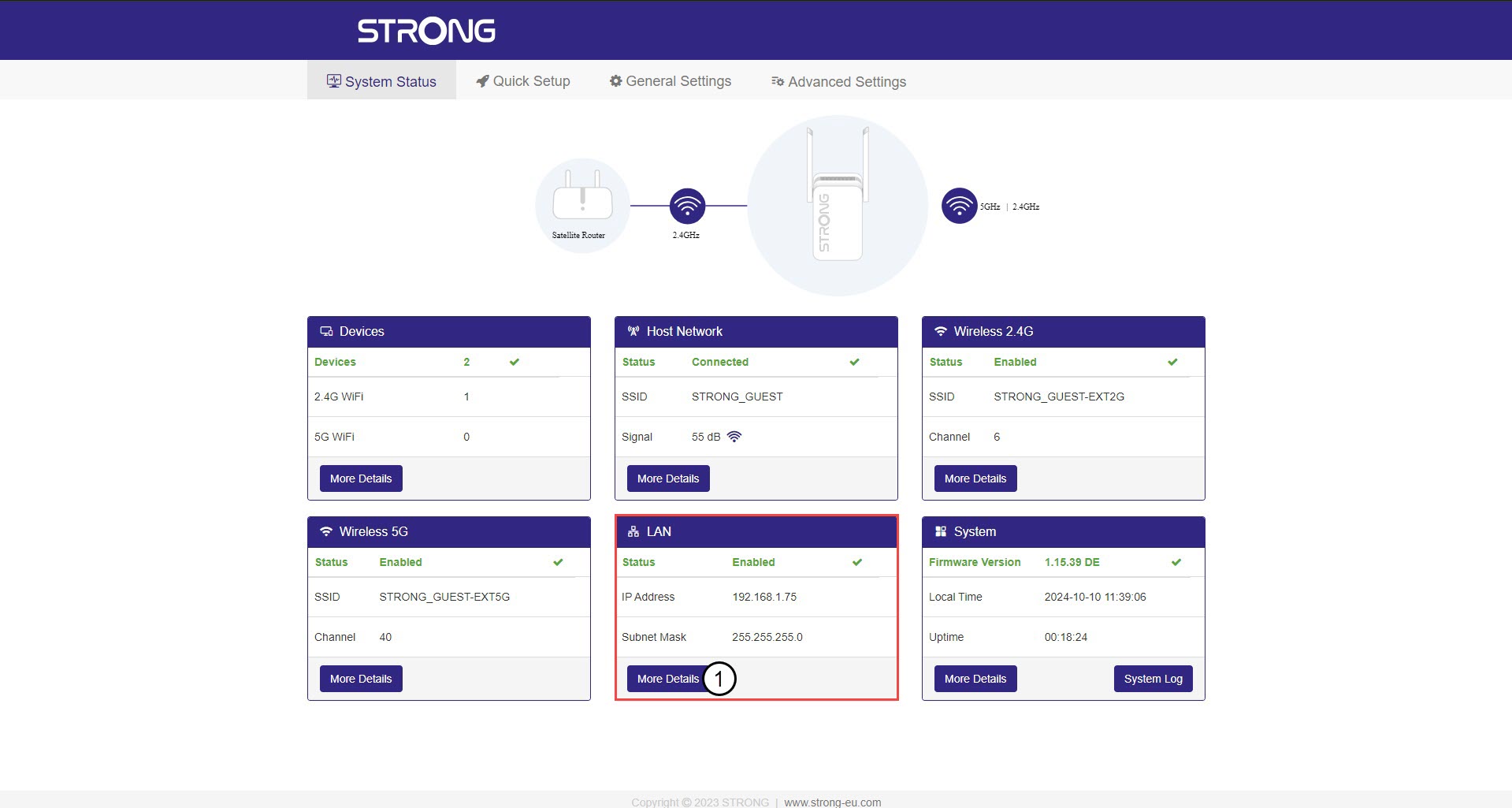
3. StaattinenIP-osoite
Napsauta Asetukset ja valitse Staattinen osoite -valintakytkin. Syötä sitten seuraavat tiedot ennen kuin napsautat Tallenna ja ota käyttöön:
- IP-osoite: Syötä toistimen IP-osoite.
- Aliverkon peite: Valitse aliverkon peite luettelosta
- Oletusyhdyskäytävä: Kirjoita toistimesi IP-osoite
- Ensisijainen DNS: Voit syöttää sama arvon kuin edellisessä kentässä.
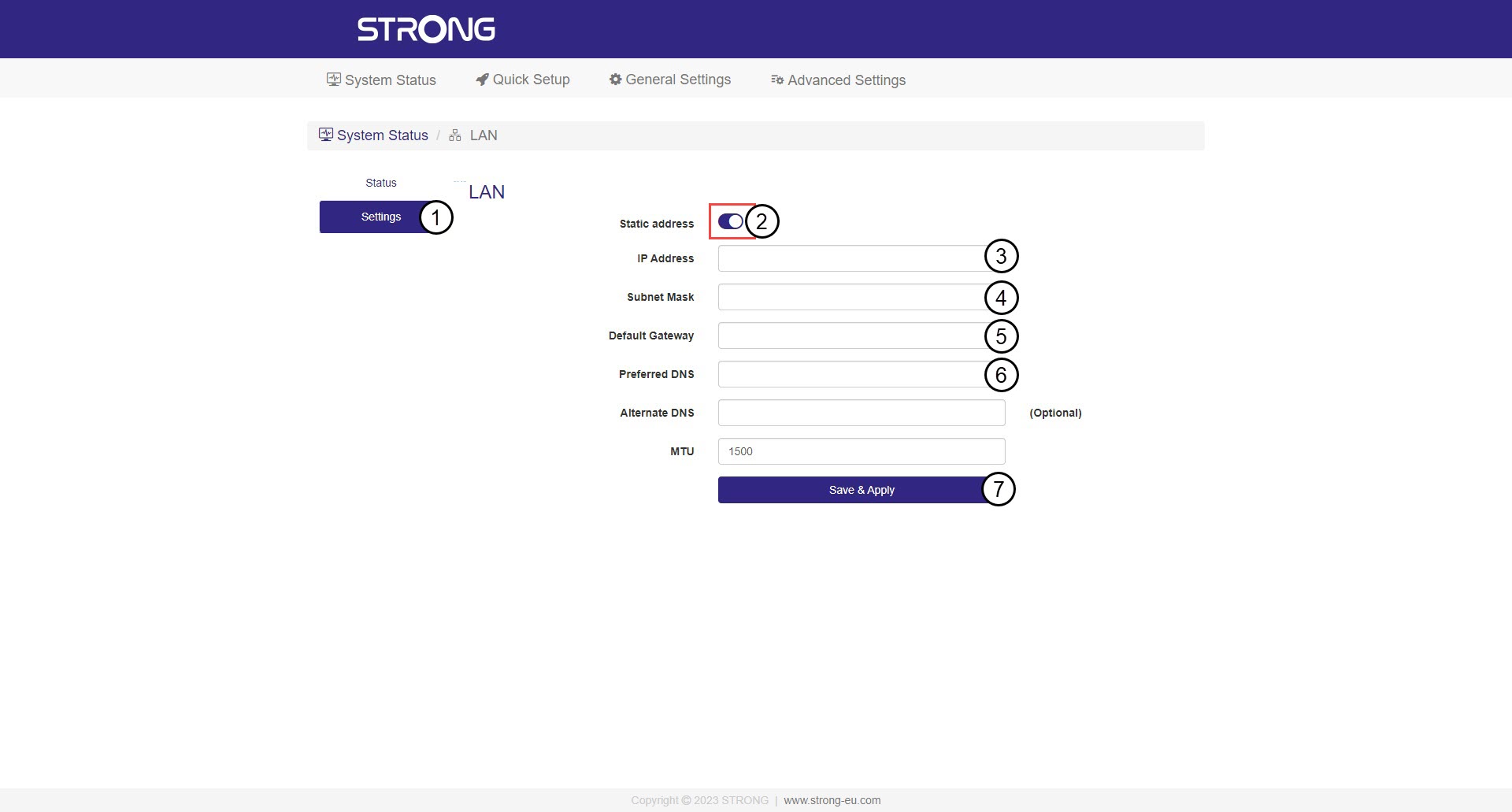

Varoitus: Kirjoita muistiin verkon uusi IP-osoite. Tarvitset sitä tästä lähtien, kun muodostat yhteyden verkkokäyttöliittymään.