4G AIRHOME 300 Mini -reititin irrotettavilla 4G-antenneilla
Kaikki kysymykset
4G AIRHOME 300 Mini -reititin irrotettavilla 4G-antenneilla
Miten päivitän laitteen laiteohjelmiston?
Kun olet kirjautunut verkkokäyttöliittymään, sinun on tarkistettava laitteesi laiteohjelmistoversio käyttämällä verkkokäyttöliittymän online-päivitystoimintoa. Näin laitteeseen asennetaan uusin laiteohjelmistoversio.
Jos laitteellasi on eri versio, päivitä laiteohjelmisto seuraavien ohjeiden mukaisesti.
1. YhdistäWi-Fi-verkkoon
Laitteen laiteohjelmiston päivittämiseksi sinun on muodostettava yhteys laitteesi Wi-Fi-verkkoon.

2Siirryverkkokäyttöliittymän IP-osoitteeseen
Syötä sitten selaimeesi seuraava IP-osoite: 192.168.0.1.

3Kirjautumissivu
Napsauta sitten Kirjaudu sisään.

4Syötätunnuksesi
Syötä käyttäjätunnus ja salasana. Napsauta sitten Kirjaudu sisään.

5. Lisäasetukset
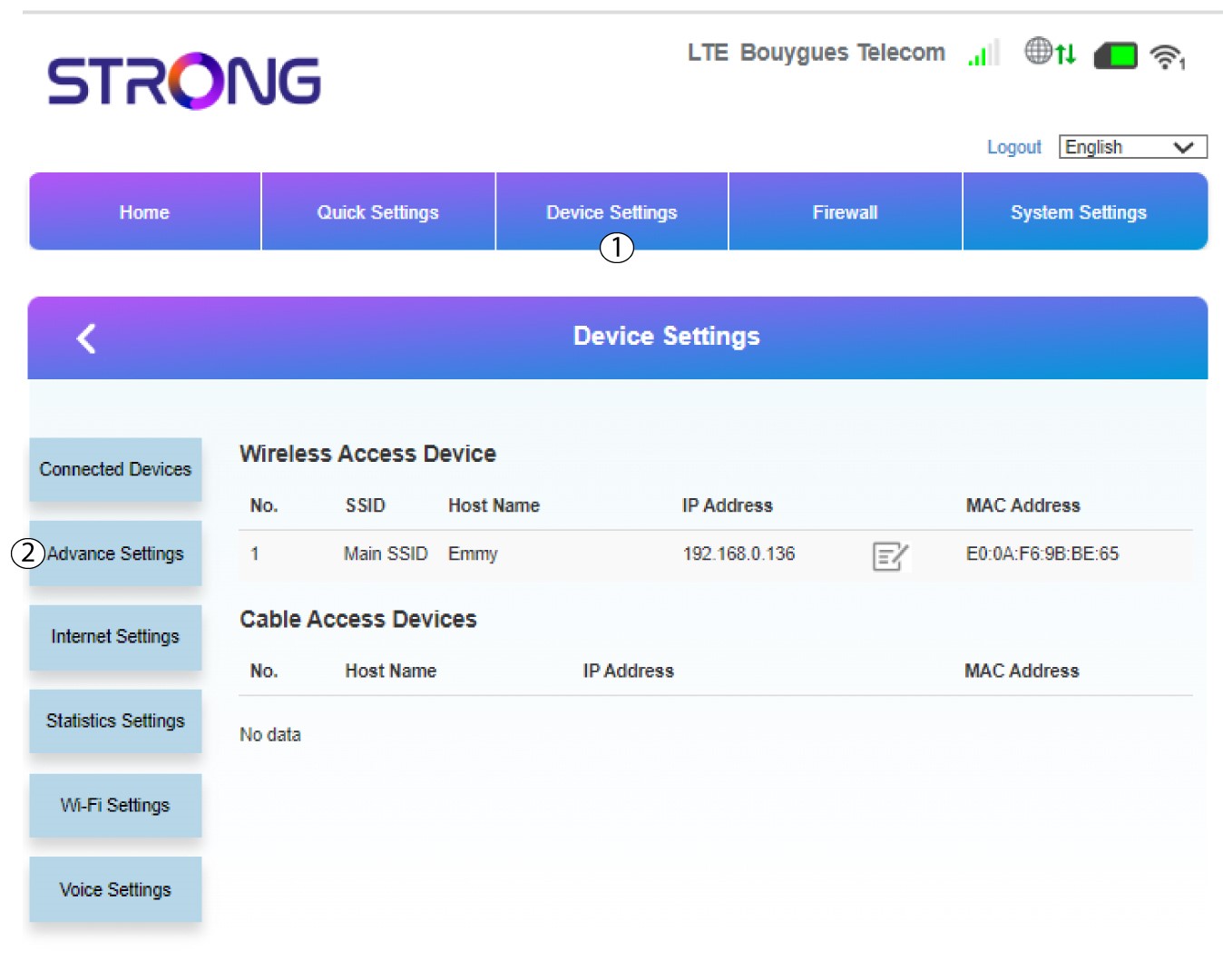
Napsauta Laiteasetukset ja valitse Lisäasetukset.
6. Päivitys verkossa
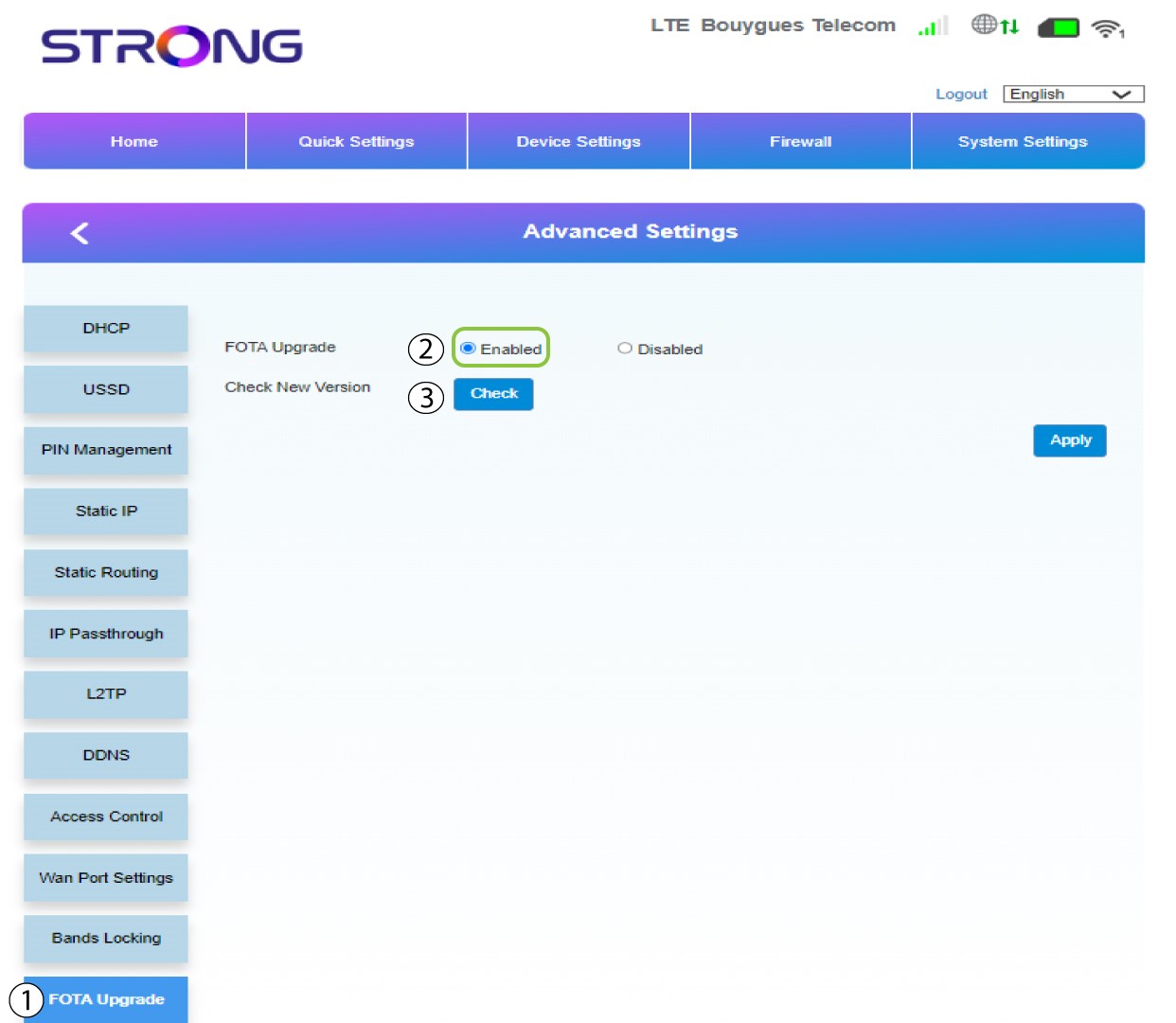
Napsauta Lisäasetuksissa kohtaa FOTA-päivitys ja valitse Käytössä. Napsauta sitten Tarkista.
7Tapaus1: varoitusviesti (laiteohjelmisto on ajan tasalla)
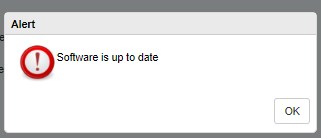
Jos päivitys on saatavilla, näyttöön ilmestyy ilmoitus. Jos päivitys on saatavilla, napsauta ”Kyllä”, jolloin ohjelmisto ladataan ja asennetaan. Jos ohjelmisto on ajan tasalla, näet seuraavan viestin:
8Tapaus2: Uusi laiteohjelmistoversio on saatavilla
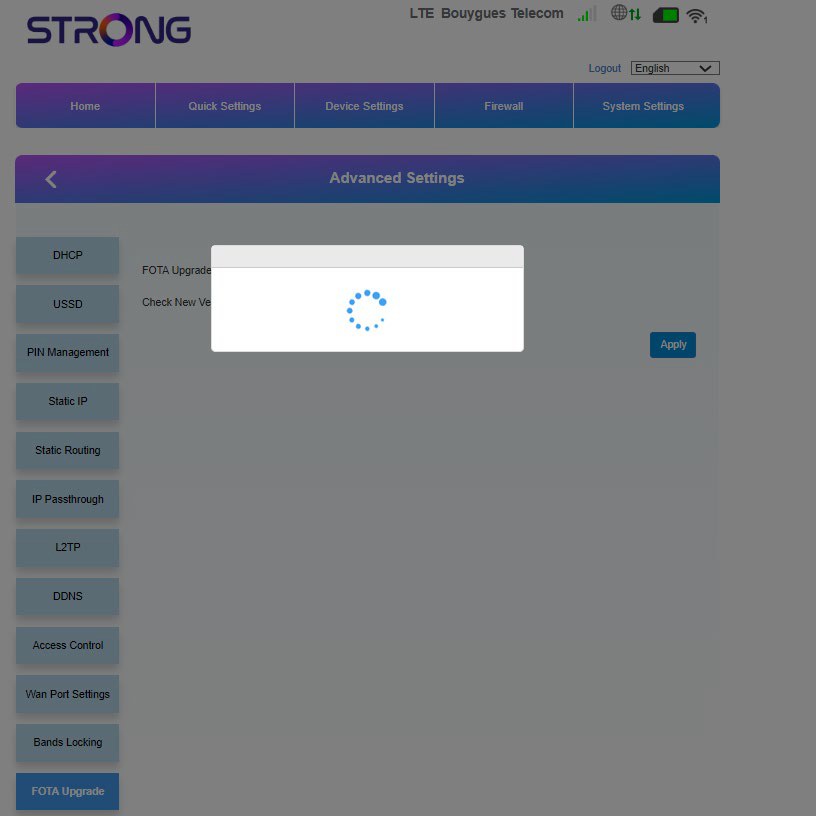
Päivityksen aikana sinun on odotettava, kunnes päivitys on valmis. Päivityksen aikana laitteiden LED-valot muuttuvat sinisiksi, ja sininen valo liikkuu vasemmalta oikealle kuvakkeesta toiseen. Kun päivitys on valmis, kuvakkeet palaavat entiseen väriinsä. Päivitys voi kestää jopa 5 minuuttia.