
ATRIA Wi-Fi 5 Mesh 2100 (2 kpl)
Kaikki kysymykset
ATRIA Wi-Fi 5 Mesh 2100 (2 kpl)
Miten minun pitäisi järjestää Mesh -verkko, jotta Wi-Fi-verkko toimisi mahdollisimman tehokkaasti?
Jotta kattavuus olisi mahdollisimman hyvä, sinun tulisi asentaa mesh siihen paikkaan, jossa sinulla on kattavuusongelmia, jotta se kattaisi mahdollisimman laajan alueen kotonasi.
Varmista, että mesh -laitteet eivät sijaitse huoneessa, jossa on kantava seinä, sillä mitä paksumpi seinä on, sitä vaikeampaa Wi-Fi-signaalin läpäisy voi olla.
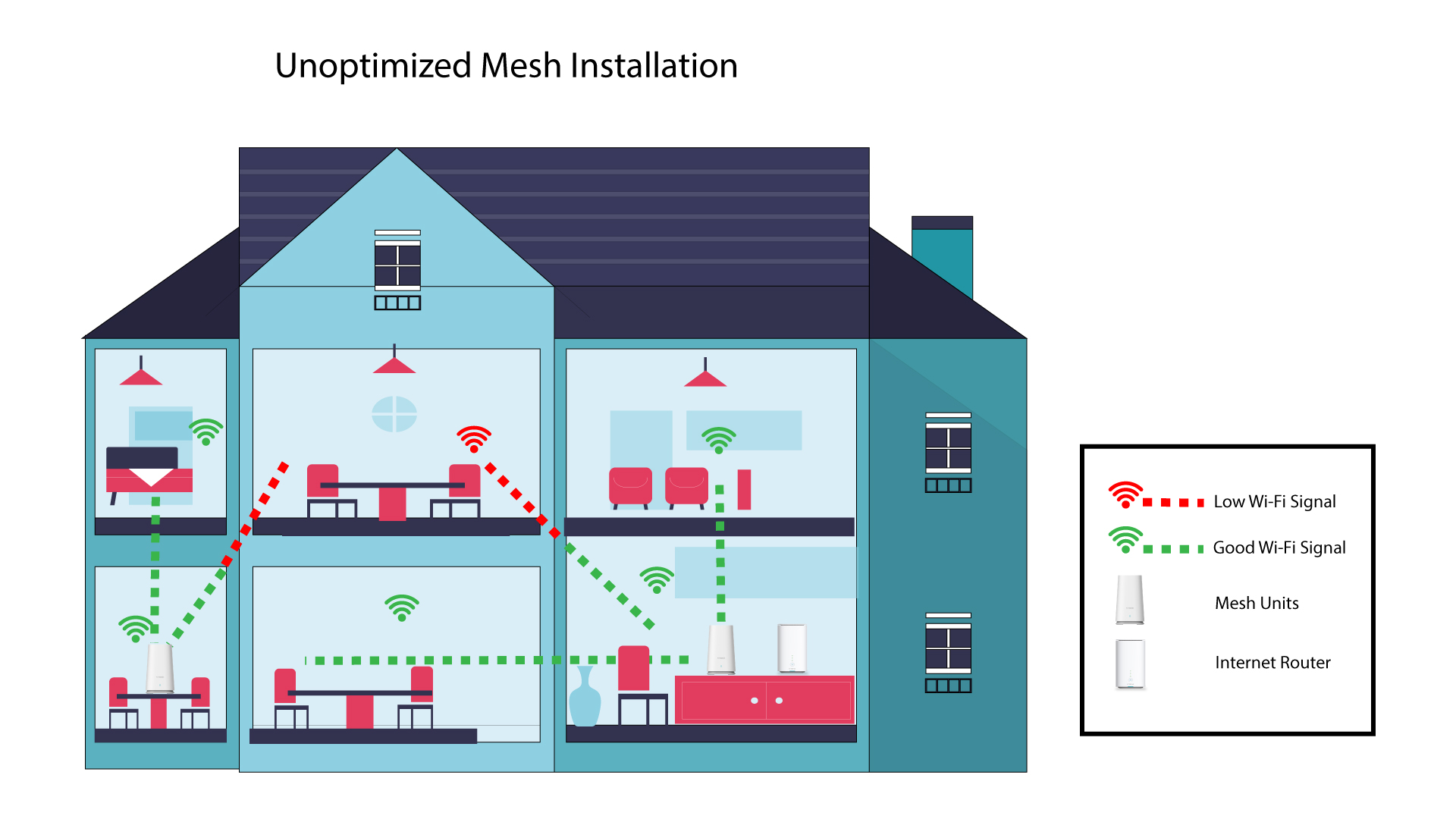
1 Mesh -asennus, jota ei ole optimoitu
Seuraava kaavio esittää Wi-Fi-kattavuuden talon sisällä, jossa mesh -solmut eivät sijaitse talon oikealla alueella, jotta kattavuus olisi asianmukainen.
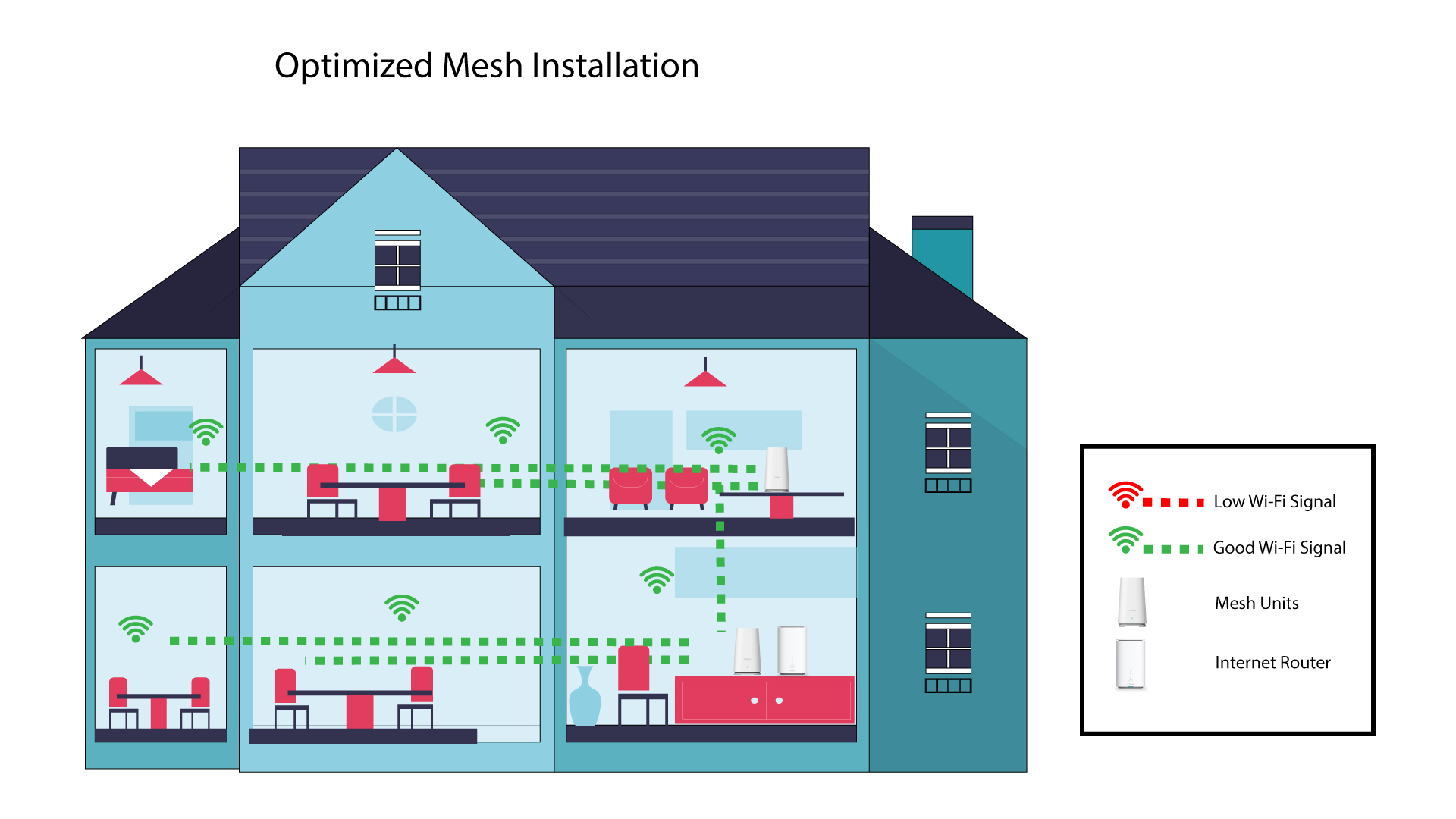
2 Mesh :n optimoituasennus
Seuraavassa kaaviossa esitetään Wi-Fi-kattavuus talon sisällä, jossa mesh -solmut on sijoitettu talon oikealle puolelle, jotta kattavuus olisi asianmukainen.
1Atria Mesh -sovellus
Lataa älypuhelinsovellus”ATRIA MESH ” App Storesta tai Google Play -kaupasta.

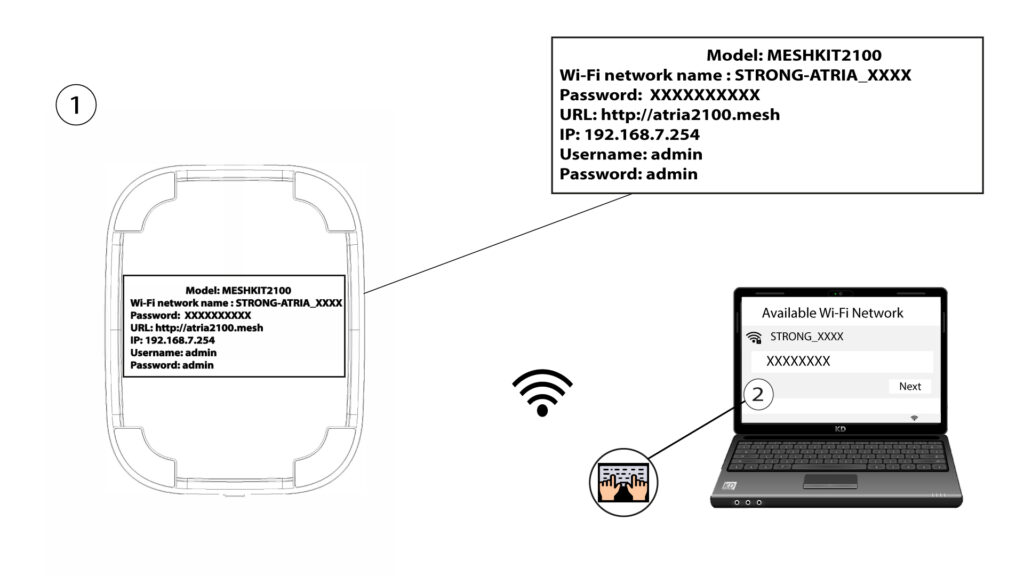
2. Yhteyden muodostaminenWi-Fi-verkkoon
Yhdistä mesh -laitteesi Wi-Fi-verkkoon.
3. Todistukset
Sitten sinun on muodostettava yhteys älypuhelimellasi Mesh -sivuston Wi-Fi-verkkoon ja kirjauduttava sovellukseen käyttäjätunnuksillasi, joiden pitäisi olla ”admin” ja”admin”, ellet ole muuttanut niitä.

4Omaverkosto
Napsauta ”Oma verkko”.

5Nimi: Mesh
Näet verkossasi määrittämiesi mesh -laitteiden nimet.
Napsauta ” mesh ” -yksikön nimeä, niin pääset katsomaan sen tietoja.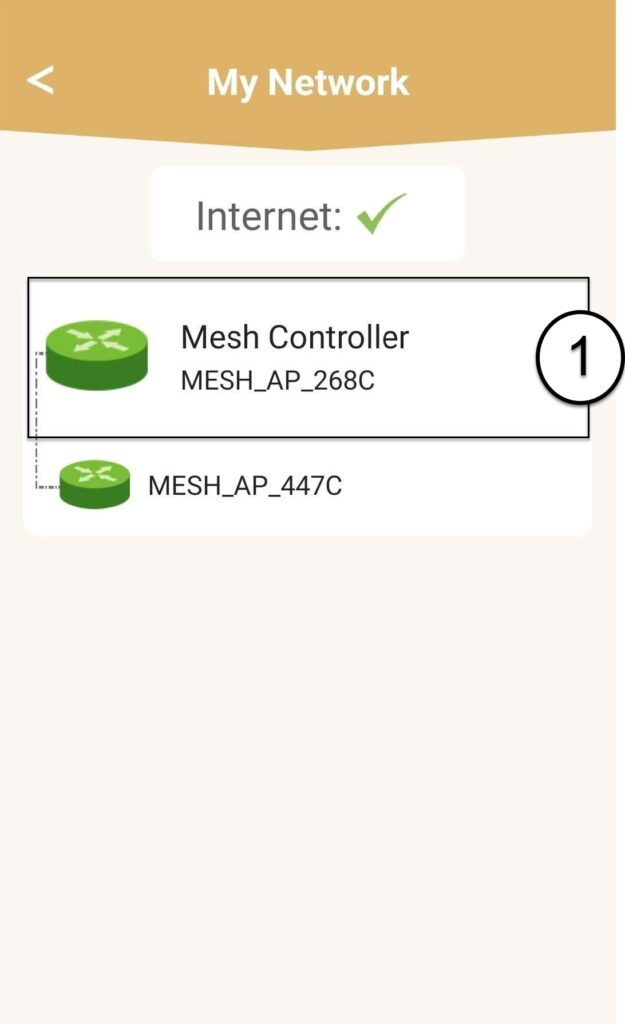
6Nimi
Napsauta nimikenttää.
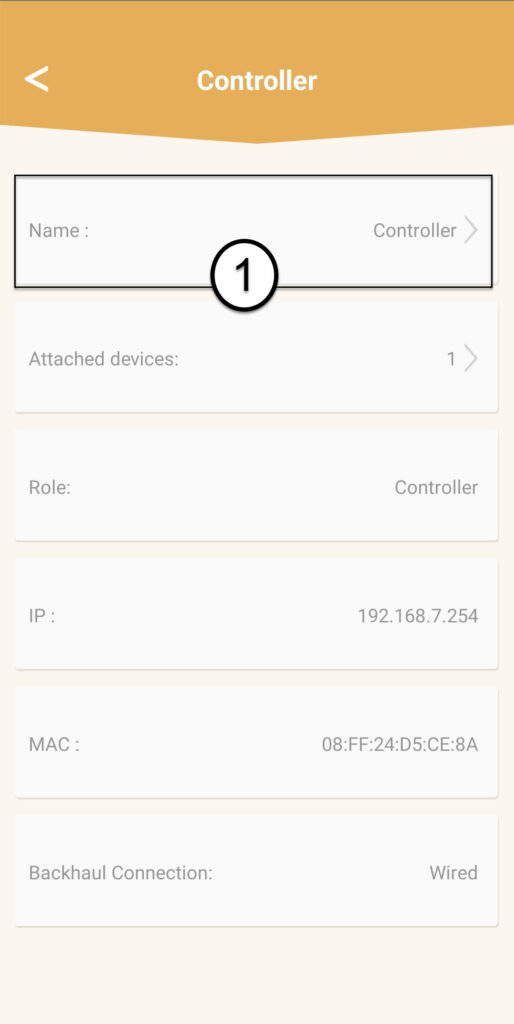
7Muutaohjaimen nimeä
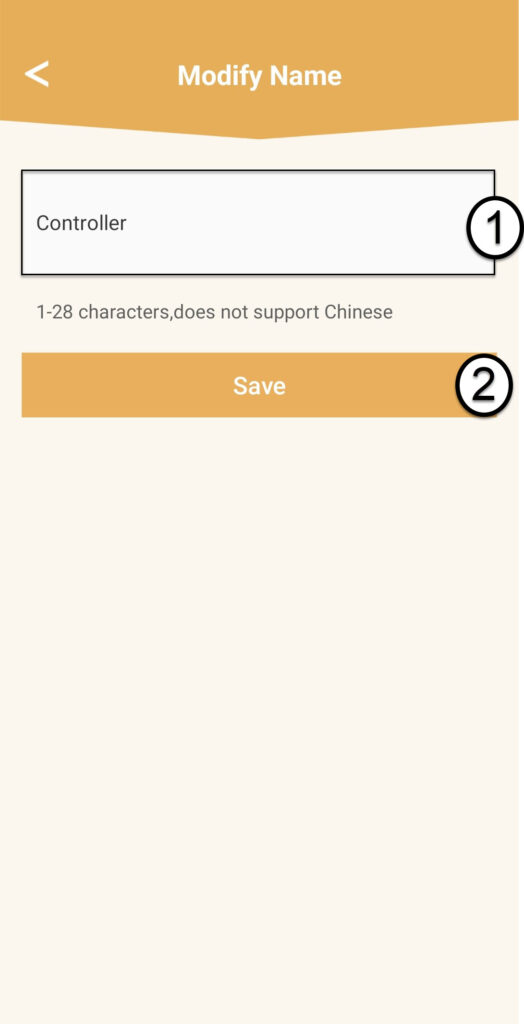
Kirjoita uusi nimi ja napsauta Tallenna:
- mesh -ohjaimen nimi tulisi olla seuraava: MeshAX3000-Main-huoneen nimi
- mesh -laitteiden nimet tulisi antaa seuraavasti: MeshAX3000-huoneen nimi

Varoitus: Jos mesh -laite näkyy harmaana, se tarkoittaa, että sen peittoalue ei ole riittävä ja että sinun tulisi säätää sen sijaintia mesh -verkon toiminnan optimoimiseksi.