
Ei löytynyt kohteita.
Ei löytynyt kohteita.
5 MEGAPIKSELIN SUPERPIMEÄ POE-KAMERA
Kaikki kysymykset
Ei löytynyt kohteita.
Ei löytynyt kohteita.
5 MEGAPIKSELIN SUPERPIMEÄ POE-KAMERA
Miten NVR-laitteeni asetetaan käyttöön?
1Odota, kunnes järjestelmä käynnistyy
Odota käynnistysvaiheen ajan.

2Valitsehaluamasi kieli
Valitse kieli ja napsauta Seuraava.

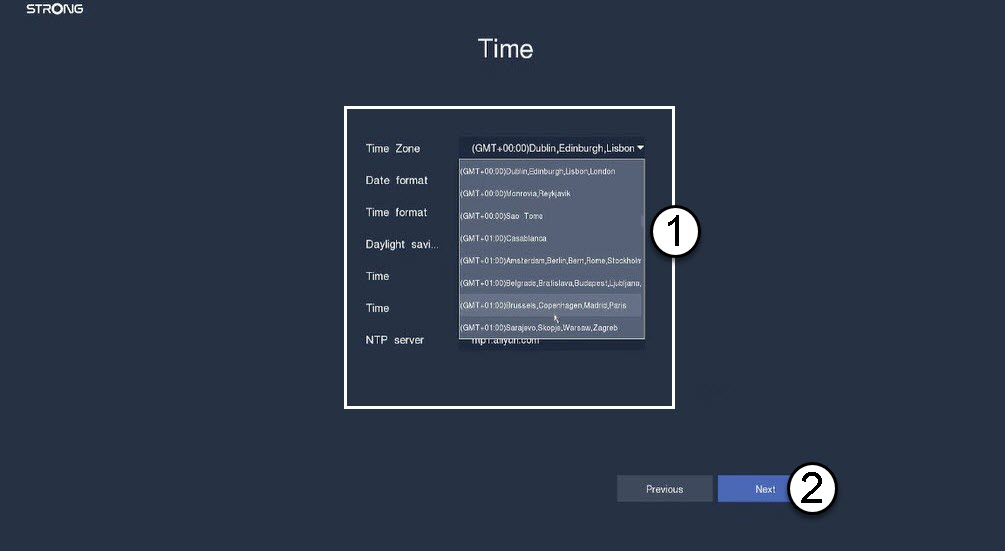
3Määritäpäivämäärä-, aika- ja alueasetukset
Syötä seuraavat tiedot ennen kuin napsautat Seuraava-painiketta:
- Aikavyöhyke: Valitse maasi tai alueesi aikavyöhyke.
- Päivämäärämuoto: Valitse alueellasi käytetty muoto.
- Aikamuoto: Valitse alueellasi käytetty aikamuoto.
- Kesäaika: Ota tämä toiminto käyttöön vain, jos sinulla on eri oletusaikavyöhykkeet kesällä ja talvella.
- NTP-palvelin: Syötä aikapalvelimen osoite.
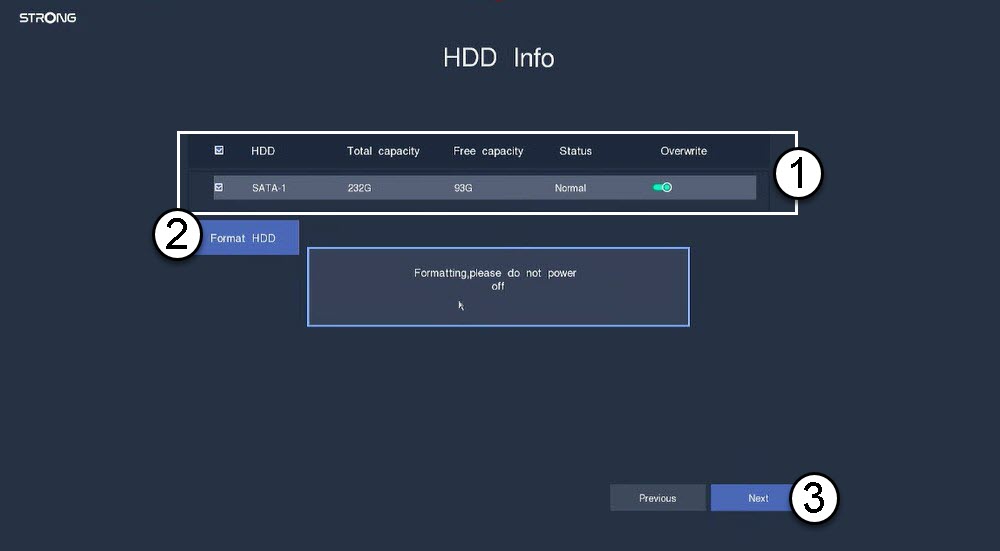
4. Alusta kiintolevy
Alusta kiintolevy valitsemalla sen nimi luettelosta ja napsauttamalla ”Alusta kiintolevy”. Napsauta sitten ”Seuraava”.
5. Tarkistaverkkoyhteys
Tarkista verkko-osiossa DHCP-LAN-tiedot. Jos DHCP-osoite on oikea, tilaksi näkyy ”yhdistetty”. Napsauta Seuraava.

6. Luojärjestelmänvalvojan salasana
Kun muodostat yhteyden NVR:ään ensimmäistä kertaa, sinun on määritettävä sen salasana.
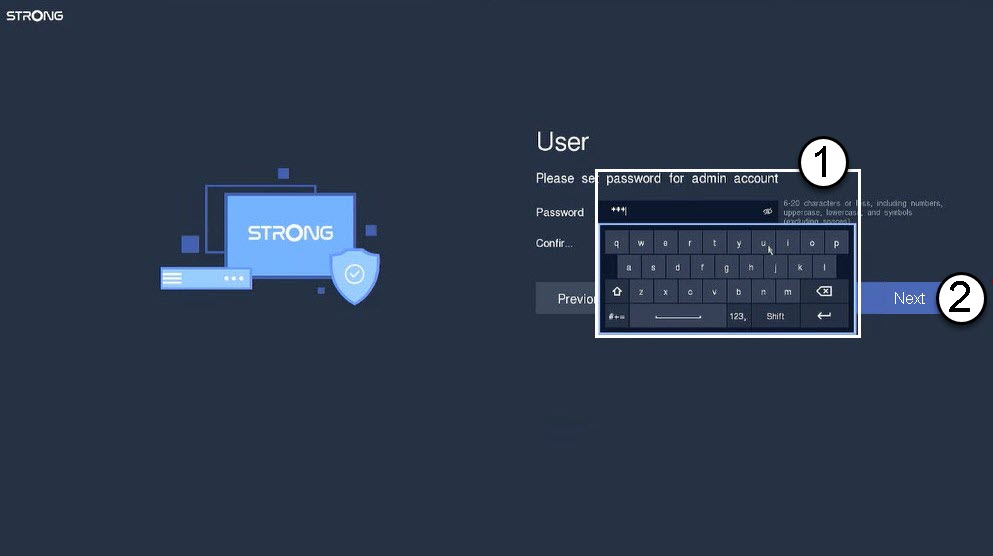

Varoitus: Kirjoita muistiin asettamasi salasana. Tarvitset sitä käyttöliittymään kirjautumiseen.