Ei löytynyt kohteita.
4K GOOGLE TV BOX S3+ | DOLBY VISION ATMOS
Ei löytynyt kohteita.
Kaikki kysymykset
Ei löytynyt kohteita.
4K GOOGLE TV BOX S3+ | DOLBY VISION ATMOS
Ei löytynyt kohteita.
Olen kytkenyt AZERTY-näppäimistön USB-liitännän kautta, mutta se tunnistetaan QWERTY-näppäimistöksi. Miksi?
Olen kytkenyt AZERTY-näppäimistön USB-liitännän kautta, mutta se tunnistetaan QWERTY-näppäimistöksi. Miksi?

Varoitus: Huomaa, että ulkoisten näppäimistöjen tuetut näppäimistöasettelut määrittelee Google. Siksi näppäimistöasettelusi ei välttämättä ole tuettu. Tällöin suosittelemme ottamaan yhteyttä näppäimistön valmistajaan ja selvittämään, onko saatavilla sovellusta, jonka avulla näppäimistösi saadaan yhteensopivaksi.
1. Kytkelaite päälle
Käynnistä televisio ja LEAP S3 -laite.
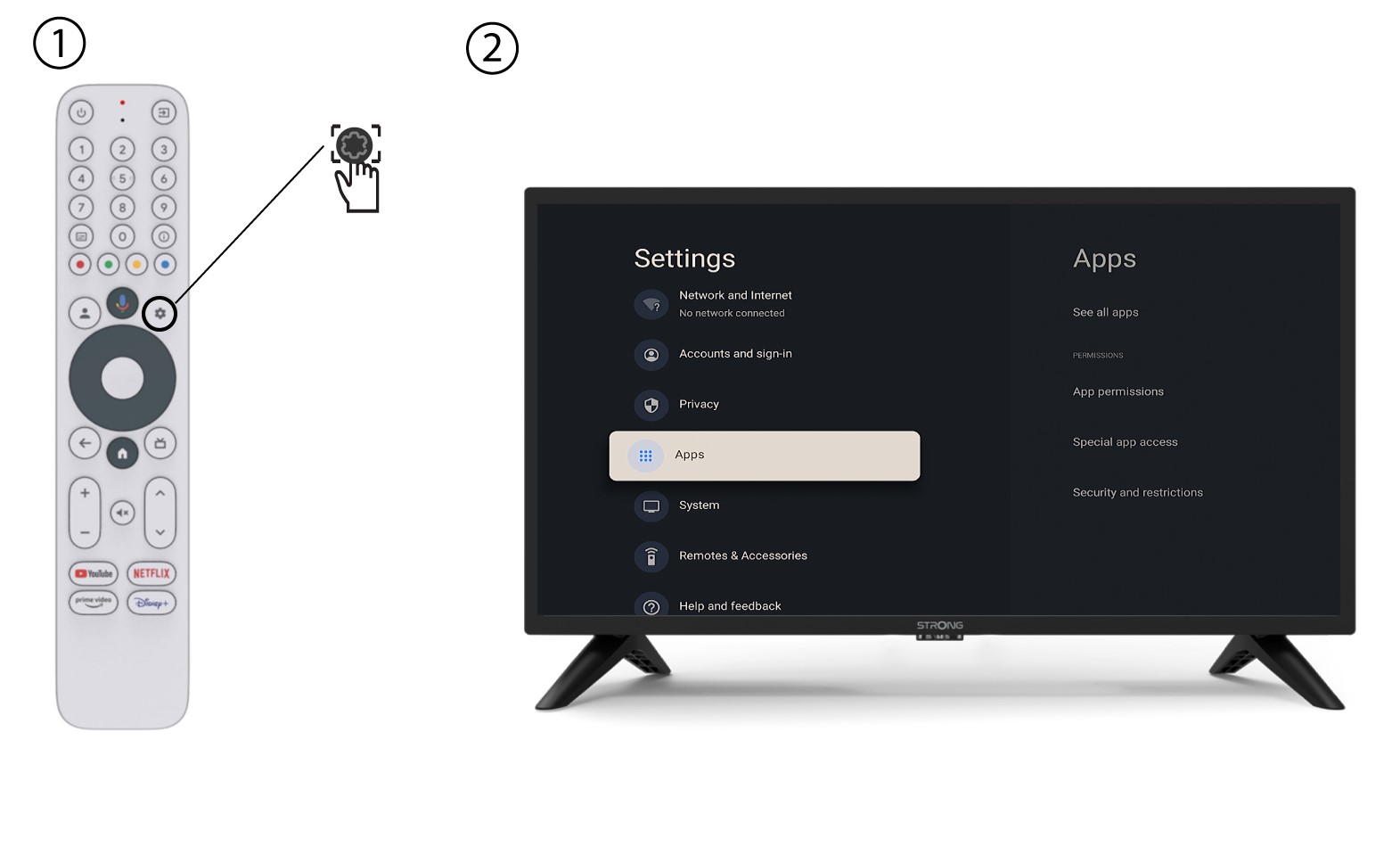
2. Asetukset-valikko
Paina kaukosäätimen Asetukset-painiketta (hammasrataskuvake). Asetukset-valikko avautuu televisioruudulle.
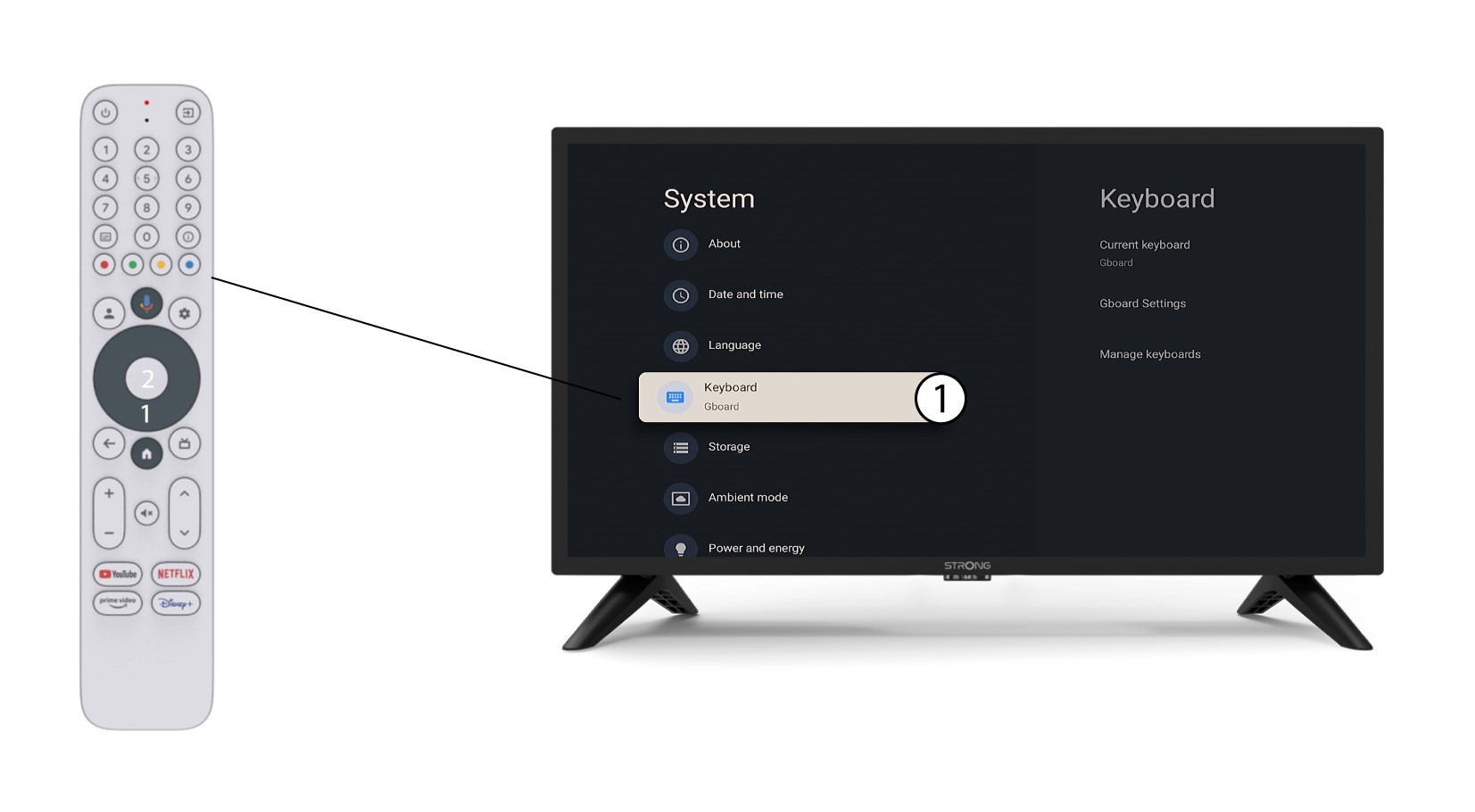
3. Näppäimistöasetukset
Valitse Asetukset-valikosta ”Näppäimistö”ja paina kaukosäätimen OK-painiketta.
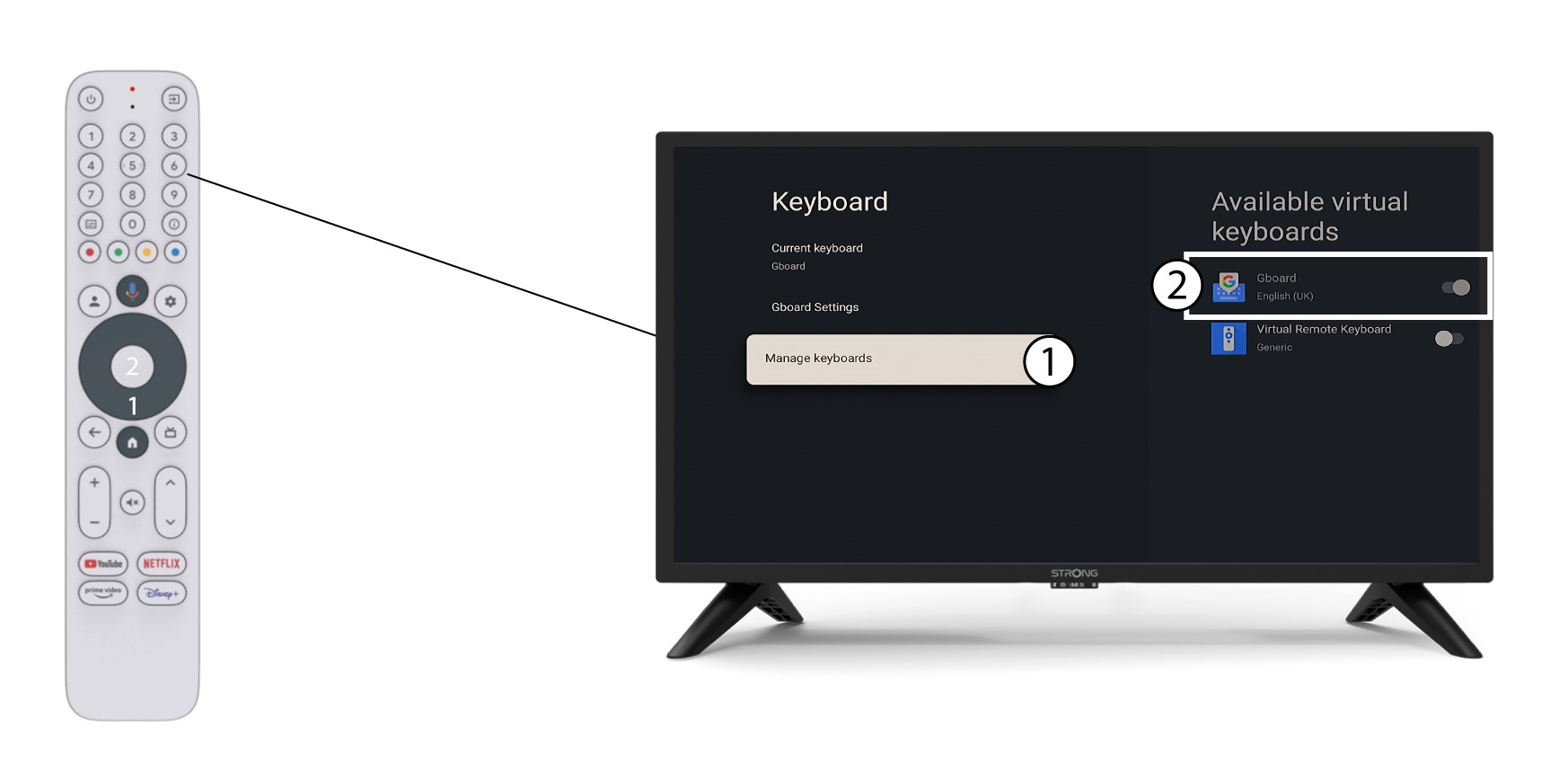
4Manage-näppäimistö
Napsauta ”Hallitse näppäimistöä”. Napsauta sitten kytkinpainiketta poistaaksesi sen käytöstä.
5Gboard-asetukset
Napsauta Gboard-asetuksia, valitse kieli ja paina OK.
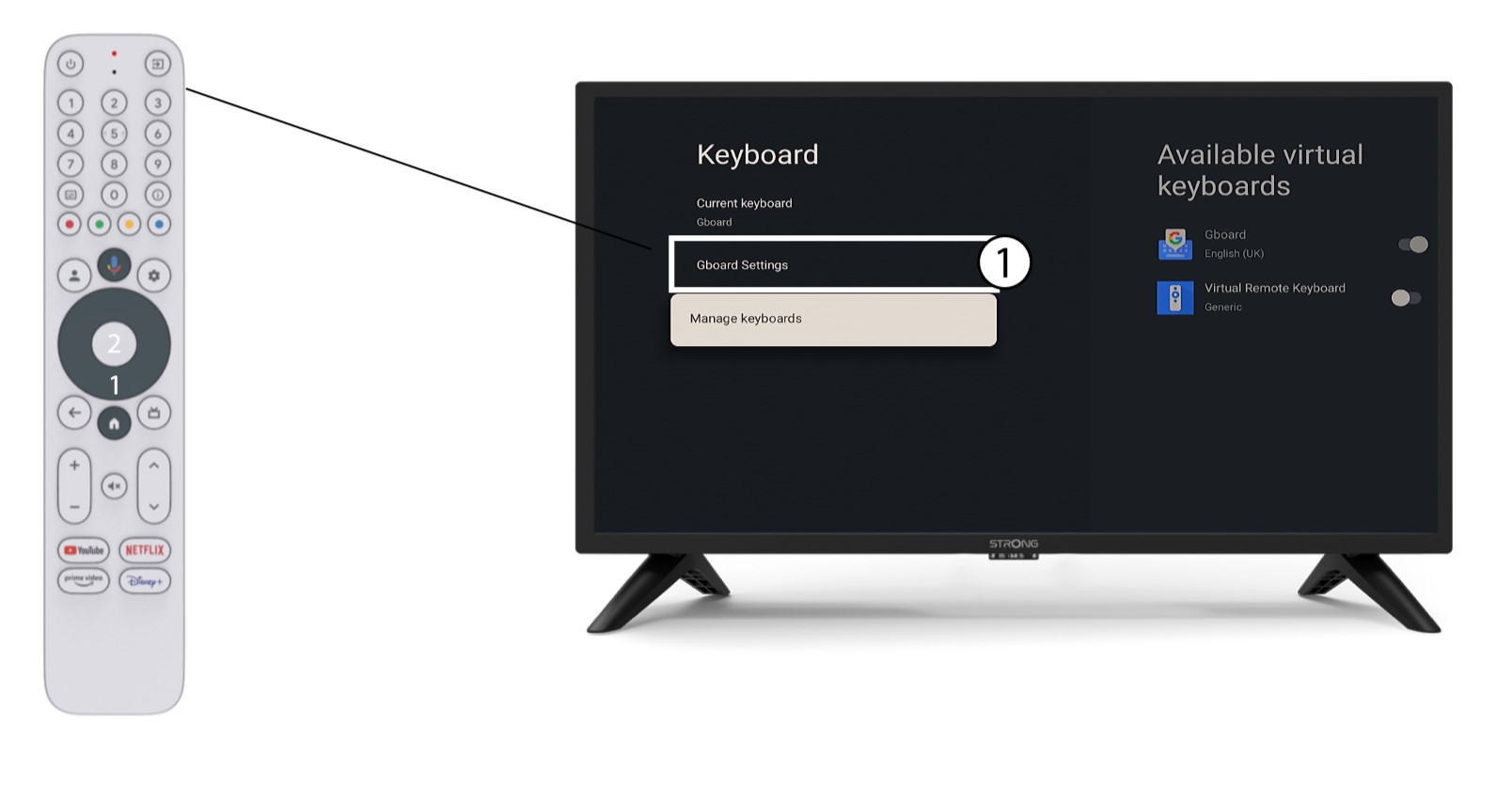
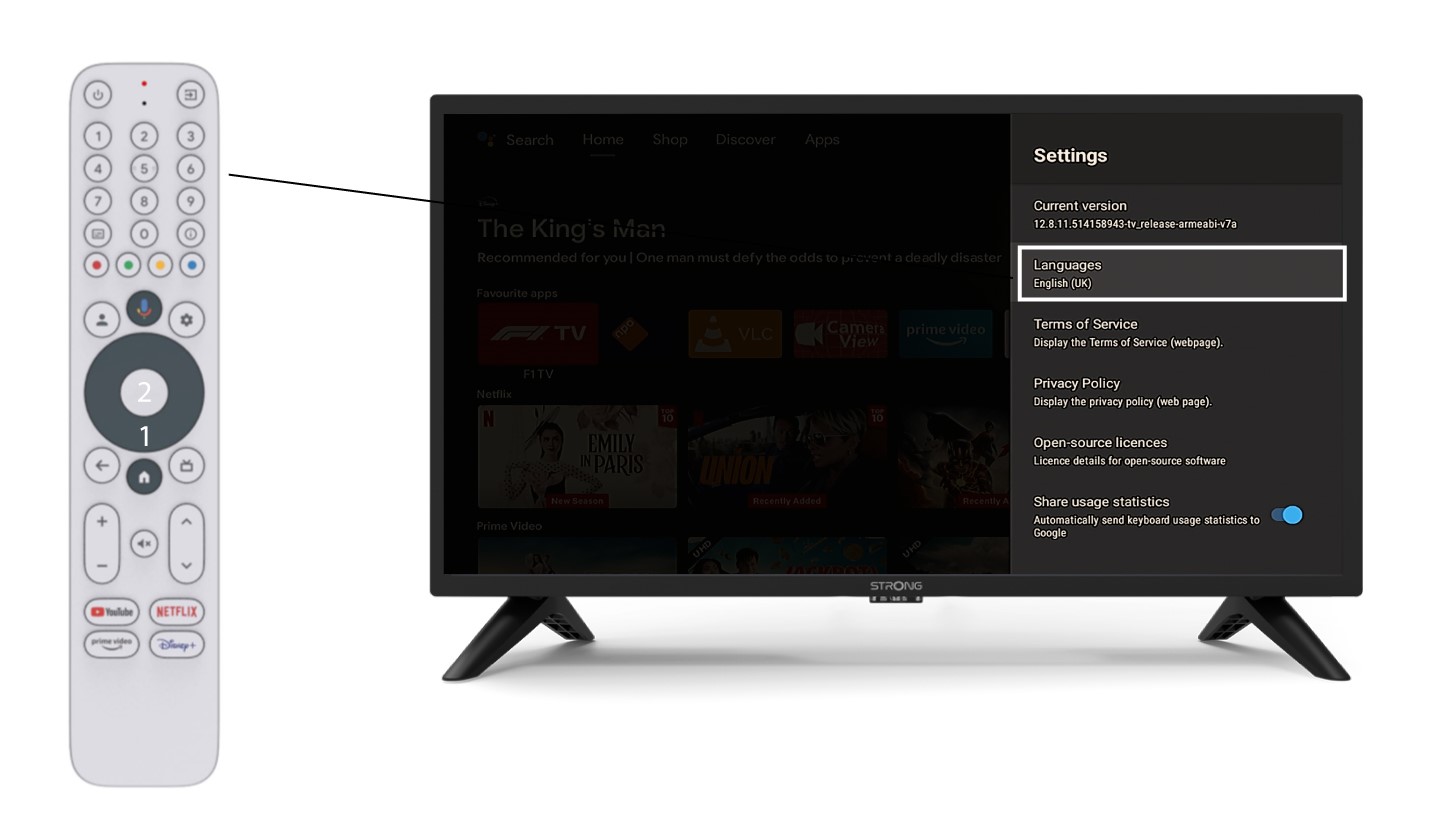
6. Kieliasetukset
Napsauta Asetukset-valikossa Kieliä ja valitse sopiva vaihtoehto